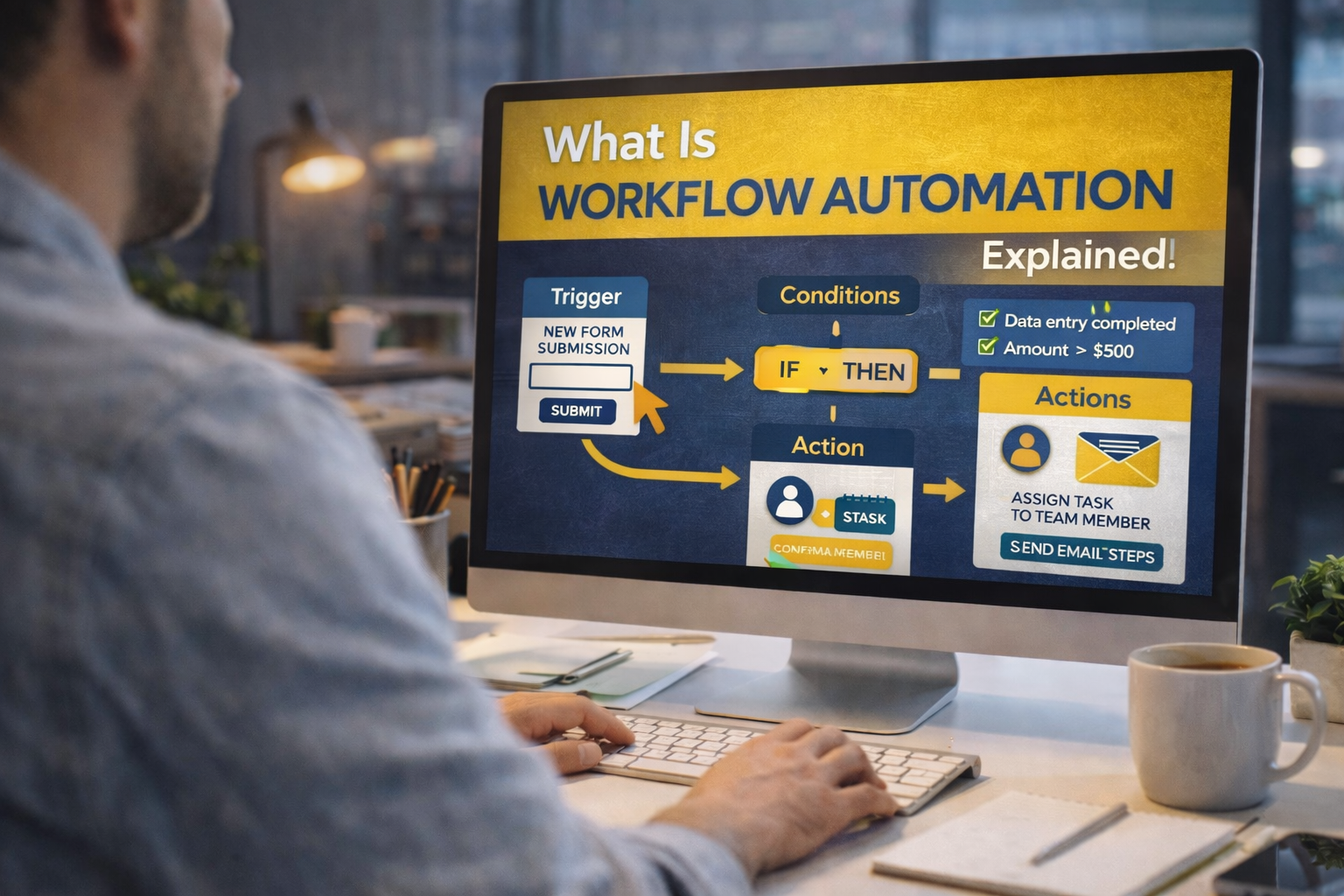
At its most basic, workflow automation is all about using technology to take repetitive, manual business tasks off your plate.
Think of it as a digital assistant that automatically moves information and tasks between people or apps based on rules you set up, meaning you don’t have to do it yourself.
What is Workflow Automation, Really?
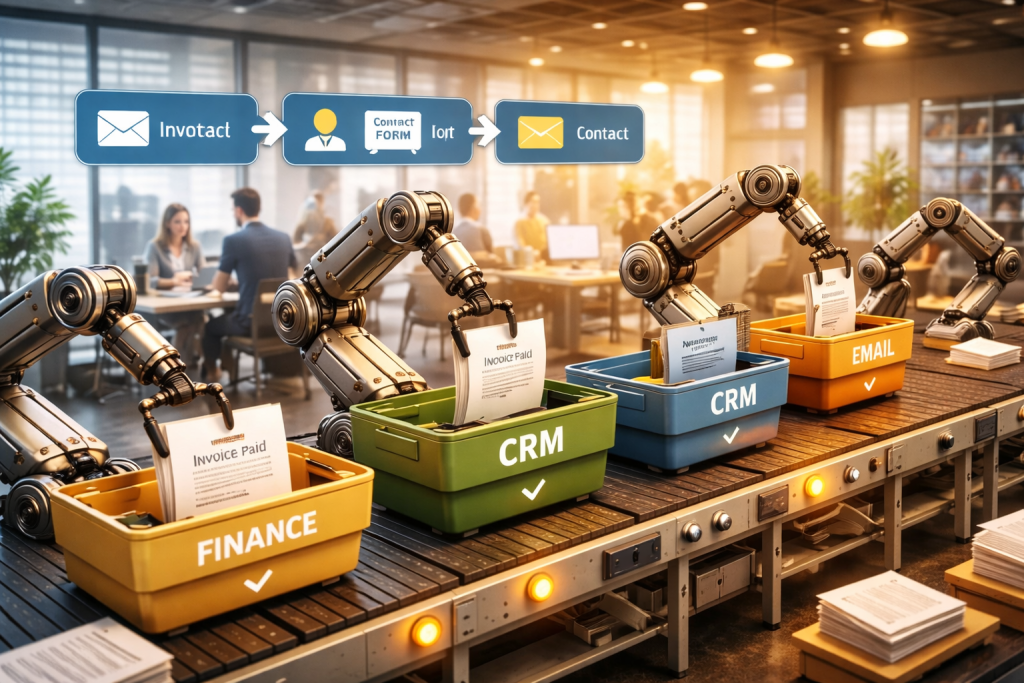
Let’s ditch the technical jargon for a minute. Imagine your daily work is like a digital assembly line.
A lot of what we do involves passing information from one person to the next, step-by-step, until a job is done.
Workflow automation is like adding a clever robotic system to that assembly line to handle all the predictable parts.
Instead of you having to remember to forward every single invoice to the finance team, the system just does it.
Instead of manually sending a welcome email to each new customer, an automation sends a personalized message the second they sign up. It’s a simple concept, but incredibly powerful.
The “If This, Then That” Logic
Behind the scenes, nearly all workflow automation runs on a straightforward principle: “if this happens, then do that.”
You might see this called IFTTT logic. It has two key components that work in tandem to get things done without you lifting a finger.
- The Trigger: This is the specific event that kicks off the entire process. It’s the “if this” part of the equation. A trigger could be anything—a new email landing in your inbox, a customer filling out a form, or a sale being completed.
- The Action: This is what the system automatically does once the trigger occurs. It’s the “then that” part. The action could be saving an email attachment to a specific Google Drive folder, adding that new customer to a Mailchimp list, or creating a new task in Asana.
For example, if a potential client fills out the contact form on your website (the trigger), the system can then automatically create a new lead in your CRM and assign a follow-up task to a salesperson (the actions). Simple as that.
By connecting these triggers and actions, you create a process that runs itself.
This frees up your team to focus on what really matters: creative thinking, solving complex problems, and talking to customers—the kind of work that actually pushes the business forward.
Ultimately, the goal is to see workflow automation as a tool for becoming more efficient.
For a great, concise explanation, this article breaks down exactly What Is Workflow Automation Explained Simply. It’s all about making your entire operation run smoother, faster, and with way fewer mistakes.
The Three Building Blocks of Every Automated Workflow
To really get what workflow automation is all about, you have to break it down into its core parts.
It turns out that every automated process, whether it’s super simple or incredibly complex, is built from the same three fundamental pieces.
Once you get these, you’re well on your way to building some seriously powerful, time-saving systems for your own business.
This simple flow chart shows how it all works: a trigger sets off an action, which then results in something like a notification.
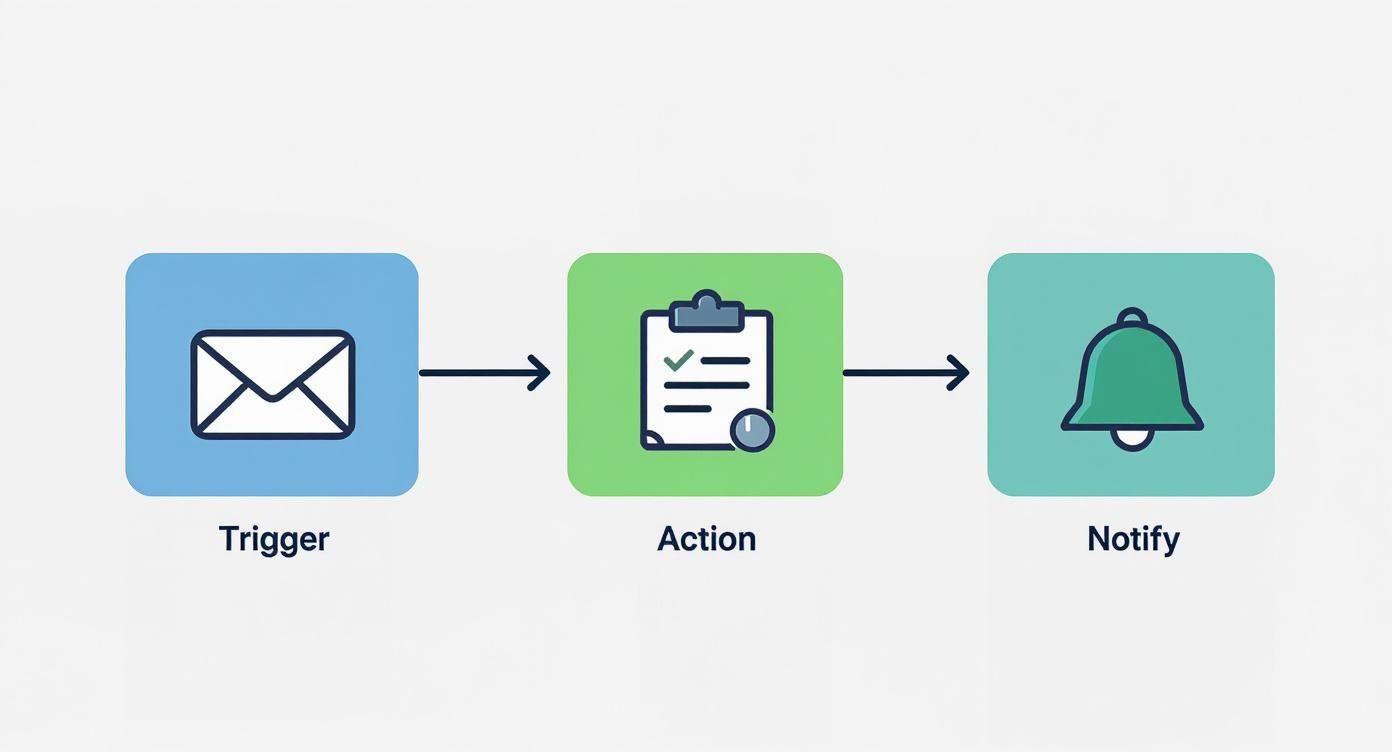
It’s a linear, cause-and-effect relationship—one event directly makes the next one happen.
Triggers: The Starting Gun
The Trigger is the specific event that kicks off the entire automated workflow. Think of it like the starting pistol at a race; absolutely nothing happens until it fires.
A trigger is always, without exception, the very first step.
Common triggers could be anything like:
- A new lead fills out a contact form on your website.
- An invoice gets marked as “Paid” in your accounting software.
- A customer mentions your brand on social media.
Actions: The Assigned Task
As soon as a trigger occurs, the system jumps into motion and performs one or more Actions. These are the pre-defined tasks you’ve told the system to carry out automatically.
If the trigger is the “if this happens,” then the action is the “then do that.”
Let’s follow our examples from before. The corresponding actions would be:
- Add the new lead’s contact info to your CRM and subscribe them to a welcome email sequence.
- Automatically generate and send a “Thank You” receipt to the client.
- Ping your customer support team in Slack with a link to the social media post.
Conditions: The Traffic Cop
This is where things get really smart. Conditions add a layer of decision-making to your workflow, acting like a traffic cop directing the flow based on specific rules you set.
They use “if/then” logic to create different paths, making sure the right action happens for the right situation.
For example, a condition could check the industry of a new sales lead. If the lead is in the tech industry, the workflow assigns them to a sales rep with tech expertise. If not, it routes them to a general sales queue.
The power of these building blocks is why the market is exploding. Workflow automation is now one of the fastest-growing areas in business software, with the global market valued at around $20.3 billion in 2023.
This incredible growth is driven by companies realizing just how much of an edge it gives them; in fact, 75% of executives say automation gives them a major competitive advantage.
You can dig into more data on this industry growth to see the full picture.
To see just how different these two approaches are in the real world, let’s compare them side-by-side.
Manual vs. Automated Workflow: A Side-by-Side Comparison
This table breaks down the steps for handling a new sales lead, showing the old-school manual way versus the modern, automated approach.
| Process Step | Manual Method (Prone to Error and Delay) | Automated Method (Efficient and Consistent) |
|---|---|---|
| Lead Capture | A team member manually copies and pastes lead info from an email or form into a spreadsheet. | A new form submission on the website triggers the workflow instantly. |
| Data Entry | The lead’s details are manually typed into the company CRM. This can take hours and is prone to typos. | An action automatically creates a new contact in the CRM, pulling data directly from the form. |
| Lead Qualification | A manager reviews the spreadsheet, decides if the lead is a good fit, and then emails a sales rep. | A condition checks the lead’s company size. Leads with over 100 employees are flagged as “high priority.” |
| Sales Assignment | The manager manually assigns the lead to a sales rep based on who seems least busy. | An action automatically assigns high-priority leads to the senior sales team and notifies them via Slack. |
| Initial Follow-Up | The sales rep eventually finds time to draft and send a personal welcome email. This could be days later. | An action immediately sends a personalized welcome email to the lead, scheduled to look like it came from the assigned rep. |
As you can see, the automated method isn’t just faster—it’s more reliable, consistent, and intelligent, freeing up your team to focus on what they do best instead of getting bogged down in repetitive tasks.
The Technology Powering Modern Automation

Workflow automation isn’t just one single technology. It’s really a blend of several powerful tools working together.
Getting a handle on these core components helps explain how today’s incredibly smart systems are available to everyone, not just big companies with massive IT budgets.
There are really three key technologies that form the bedrock of modern automation. Each one plays a unique role, and when you combine them, they can tackle surprisingly complex business processes from start to finish.
Robotic Process Automation: The Digital Hands
Think of Robotic Process Automation (RPA) as the busy, digital hands of your business. RPA uses software “bots” to mimic the exact actions a person would take on a computer.
These bots are masters of high-volume, repetitive tasks that follow a strict set of rules.
For instance, an RPA bot can:
- Log into an application with a username and password.
- Copy information from an Excel spreadsheet.
- Paste that data into a specific field in your CRM.
RPA is a lifesaver for older systems that don’t have modern APIs, because it works directly with the user interface—clicking, typing, and navigating just like a human would.
It takes over the mind-numbing manual work with perfect accuracy and speed, freeing your team from the grind of data entry.
Artificial Intelligence: The Digital Brain
If RPA provides the hands, then Artificial Intelligence (AI) is the digital brain. AI brings decision-making and analysis into your workflows, letting you automate tasks that require a bit of human-like judgment.
This is where automation really starts to get smart.
An AI-powered workflow can analyze unstructured data, like the text in a customer email, to figure out its tone and urgency. It can then decide which team is best suited to handle the ticket.
This potent mix of technologies has become a major economic engine, with AI and RPA now powering a sector of over 800 startups and 3,000 companies.
You can see just how much the workflow automation market is growing and where it’s headed.
With AI in the mix, a workflow can go way beyond simple “if this, then that” commands. It can actually interpret data, predict what might happen next, and make intelligent choices on its own.
No-Code Platforms: The Automation LEGO Kit
Finally, no-code platforms are what make this all accessible to the average person. Think of them as an automation LEGO kit.
These platforms give you a visual, drag-and-drop builder that lets anyone on your team—not just developers—design and launch complex workflows.
Instead of writing lines of code, you just connect pre-built blocks that represent your everyday apps, like Gmail, Slack, or Trello.
You set up the triggers and actions visually, making the whole process intuitive and incredibly fast.
This puts the power directly into the hands of your marketing, sales, and operations teams to solve their own problems without getting stuck in an IT ticket queue.
Many businesses are already using these platforms to streamline their online marketing, and you can explore some of the best social media automation tools in our other guides.
Real-World Examples of Automation at Work

It’s one thing to talk about the theory behind workflow automation, but it’s another thing entirely to see it in action, solving real problems.
This is where it all starts to click. Automation isn’t just some abstract business concept; it’s a practical tool that teams are using every day to get rid of frustrating bottlenecks and get better results.
Let’s dive into a few common scenarios to see how it works.
Marketing Lead Nurturing
The Pain Point: Picture a marketing team that’s successfully generating dozens of new leads every day from their website.
That’s great, but someone has to manually download that list, upload it to the email platform, and add each person to a generic welcome campaign.
It’s tedious, slow, and leaves leads waiting—sometimes long enough for them to lose interest.
The Automated Solution: You can build a workflow that springs into action the second someone fills out a form.
The system instantly creates a contact in the CRM, tags them based on their interest (like which form they used), and drops them into a relevant email sequence.
- Trigger: A new form is submitted on the website.
- Action 1: Create a new contact in the CRM using the form data.
- Action 2: Add a specific tag, like “eBook-Download,” to the contact.
- Action 3: Enroll the new contact in a personalized five-part email series that expands on the eBook’s topic.
The result? You have a lead nurturing machine that works 24/7 with zero human effort. This approach is a cornerstone of modern marketing.
It’s also a key part of more specialized strategies, which you can see in our guide on what is content automation.
Human Resources Onboarding
The Pain Point: Bringing a new employee on board creates a mountain of administrative work. HR has to send welcome packets, set up accounts across a dozen different systems, and coordinate intro meetings with multiple managers.
This manual juggling act often leads to a disorganized and stressful first day for the new hire.
The Automated Solution: The moment a candidate is marked as “Hired” in the recruiting software, a complete onboarding workflow kicks off.
This single trigger sets off a chain reaction of automated tasks across different departments.
The workflow can send a welcome email, create IT tickets for hardware and software access, and even schedule orientation meetings on the right calendars.
This creates a smooth, consistent, and welcoming experience for every single new employee, starting from the moment they say “yes.”
Finance Expense Approvals
The Pain Point: The expense approval process is a classic time-waster. An employee cobbles together receipts and a spreadsheet, emails them to a manager, who then has to find time to review it and forward it to finance.
Emails get buried, receipts get lost, and reimbursements are delayed, making everyone unhappy.
The Automated Solution: Employees submit expenses through a simple online form. From there, the workflow automatically sends the request to their direct manager.
If the total is under a certain amount, say $500, it gets approved instantly and passed to finance. If it’s over the limit, the workflow automatically sends it up the chain for a second review.
This kind of rules-based logic gets rid of the back-and-forth and ensures company policies are followed every single time. No more chasing down approvals.
The Tangible Business Benefits You Can Expect

Look, adopting workflow automation isn’t just about making a few tasks go faster. It’s about setting off a chain reaction of positive changes that you’ll feel across the entire company.
We’re not talking about abstract ideas here; the real payoff shows up in your bottom line, your team’s morale, and the quality of the service you deliver. These are concrete advantages you can actually measure.
When you pull the repetitive, manual grind out of your team’s day, you’re handing them back their most valuable asset: time.
That time translates directly into getting more done, without pushing people to the brink of burnout.
Radical Efficiency and Productivity
The first thing you’ll notice is a massive jump in efficiency. When you automate those predictable, rule-based tasks, processes that used to eat up hours are suddenly finished in seconds.
This frees up your team to stop drowning in administrative quicksand and start focusing on the strategic work that actually grows the business.
Think about a project manager who used to burn the first hour of every day just reading emails and manually assigning tasks.
An automation can do that instantly. That hour is now free for them to spend on client strategy or mentoring their team, which has a much bigger impact.
By eliminating manual bottlenecks, workflow automation keeps projects and tasks moving forward without interruption.
That constant momentum means faster turnarounds and a serious lift in overall productivity—all without having to hire more people.
Serious Cost Reductions
Cutting down on manual labor has an immediate effect on your operational costs. Every task you automate is one you’re not paying someone to do by the hour.
But the savings run deeper than just salaries. Automation is also your best defense against costly human errors.
Take your invoicing process, for example. One tiny typo during manual data entry could lead to a massive overpayment that’s a nightmare to claw back.
An automated system that pulls data straight from a purchase order completely removes that risk. It ensures accuracy, saves money, and even builds better relationships with your vendors because they know they’ll be paid correctly and on time, every time.
Unbeatable Accuracy and Consistency
Let’s be honest, people make mistakes. It’s especially true when they’re stuck doing the same mind-numbing task over and over again.
An automation, on the other hand, will execute a process perfectly, the exact same way, 100% of the time. It brings a level of consistency to your work that you simply can’t get from a human.
This kind of reliability is a game-changer for things like compliance, quality control, and customer service.
It means every new customer gets the same fantastic onboarding experience and every report is pulled using the exact same criteria, building trust and predictability right into the core of your operations.
Happier Teams and Customers
Finally, and this might be the most important part, taking tedious work off your team’s plate makes for happier, more engaged employees.
Nobody gets excited about mind-numbing data entry or spending their day chasing down approvals.
When you automate that stuff, you give your people the space to do more interesting work, like creative problem-solving.
This good vibe naturally spills over to your customers. They get faster responses, see fewer errors, and enjoy a much smoother experience.
When your internal engine is running smoothly, your customers feel it on the outside.
Your First Steps Into Workflow Automation
Jumping into workflow automation can feel like a massive project, but it really doesn’t have to be.
The secret is breaking it down into small, practical steps so you can start making a difference without getting bogged down. Think of this as your game plan for getting started the right way.
The first move has nothing to do with software. It starts with a simple question: where’s the friction?
Pinpoint the Pain
Before you even think about tools, you need to find the tasks that are crying out for automation. Look for the simple, rule-based chores that suck up everyone’s time and cause the most frustration.
These are usually tasks that are:
- Repetitive: The same exact thing, done over and over again, day after day.
- Time-Consuming: Low-impact work that somehow eats up hours of your week.
- Prone to Error: Anything involving manual data entry or copying and pasting.
Nailing down these pain points is absolutely the most important first step. For a deeper dive on this, check out our guide on how to automate repetitive tasks.
Sketch Your Process
Once you’ve picked a task, grab a whiteboard and map out the entire manual process from start to finish. Who does what? What information do they need? Where do things get stuck?
Visualizing the workflow gives you a clear blueprint. This map makes it so much easier to see exactly where a piece of software can take over, ensuring you build something that actually fixes the problem instead of just adding another layer of complexity.
Pick Your Tools and Start Small
You don’t need a huge, complicated system to get going. Start with some of the user-friendly, no-code tools out there that can connect the apps you’re already using every day.
The key is to pick just one high-impact workflow to automate first.
This “start small, win big” strategy helps you prove the value of automation right away.
Once you’ve automated one process and can point to the hours saved or errors eliminated, you’ll have the confidence—and the buy-in—to tackle the next one.
See Workflow Automation in Action
If workflow automation still feels a bit abstract, the easiest way to “get it” is to try a tiny automation that saves time immediately.
One of the most common bottlenecks for marketers is staring at a blank page—trying to turn a blog post into social content, captions, and variations that actually sound good.
That’s exactly where our free Pinterest GPTs come in. Drop in a topic (or a link), and it generates Pinterest-ready ideas, titles, and descriptions you can use right away.
It’s a practical example of automation doing the repetitive parts for you—so you can focus on the strategy, the creative hook, and the final polish that makes it feel human.
Want to take it one step further? Pair those outputs with your scheduling workflow and you’ve got a simple, repeatable system that runs smoother every week—without adding more busywork to your plate.
Getting Your Automation Questions Answered
Whenever you start digging into workflow automation, a few questions always seem to pop up. Let’s tackle some of the most common ones head-on so you can move forward with a clear picture.
Is Automation Just for Big Corporations?
That used to be the case, but not anymore. The game has completely changed thanks to a wave of affordable and easy-to-use no-code platforms.
Now, businesses of any size can automate everyday tasks like posting social media updates, sending customer follow-ups, or handling mind-numbing data entry. Most of these tools offer flexible pricing plans that are perfect for small, growing teams.
Is Automation Going to Replace My Team?
This is probably the biggest misconception out there. The real goal of automation isn’t to replace people; it’s to free them up to do more valuable work.
Think about it: automation is fantastic at handling the repetitive, robotic parts of a job.
This allows your team to shift their energy toward the things that actually require a human touch—like creative problem-solving, strategic planning, and building genuine customer relationships. It’s about making your team more human, not less.
By taking over the robotic work, automation lets your team focus on the high-value contributions that truly drive business growth and innovation, leading to greater job satisfaction.
How Much Technical Skill Do I Actually Need?
Honestly, far less than you’d expect. Modern automation tools are built for the rest of us, with visual, drag-and-drop interfaces. You’re not writing code; you’re connecting boxes and setting simple “if this, then that” rules.
If you can sketch out a process on a whiteboard, you already have the core skill needed to build a basic automated workflow.
For a deeper dive into other common concerns, this resource on common business automation questions answered is a great next step.