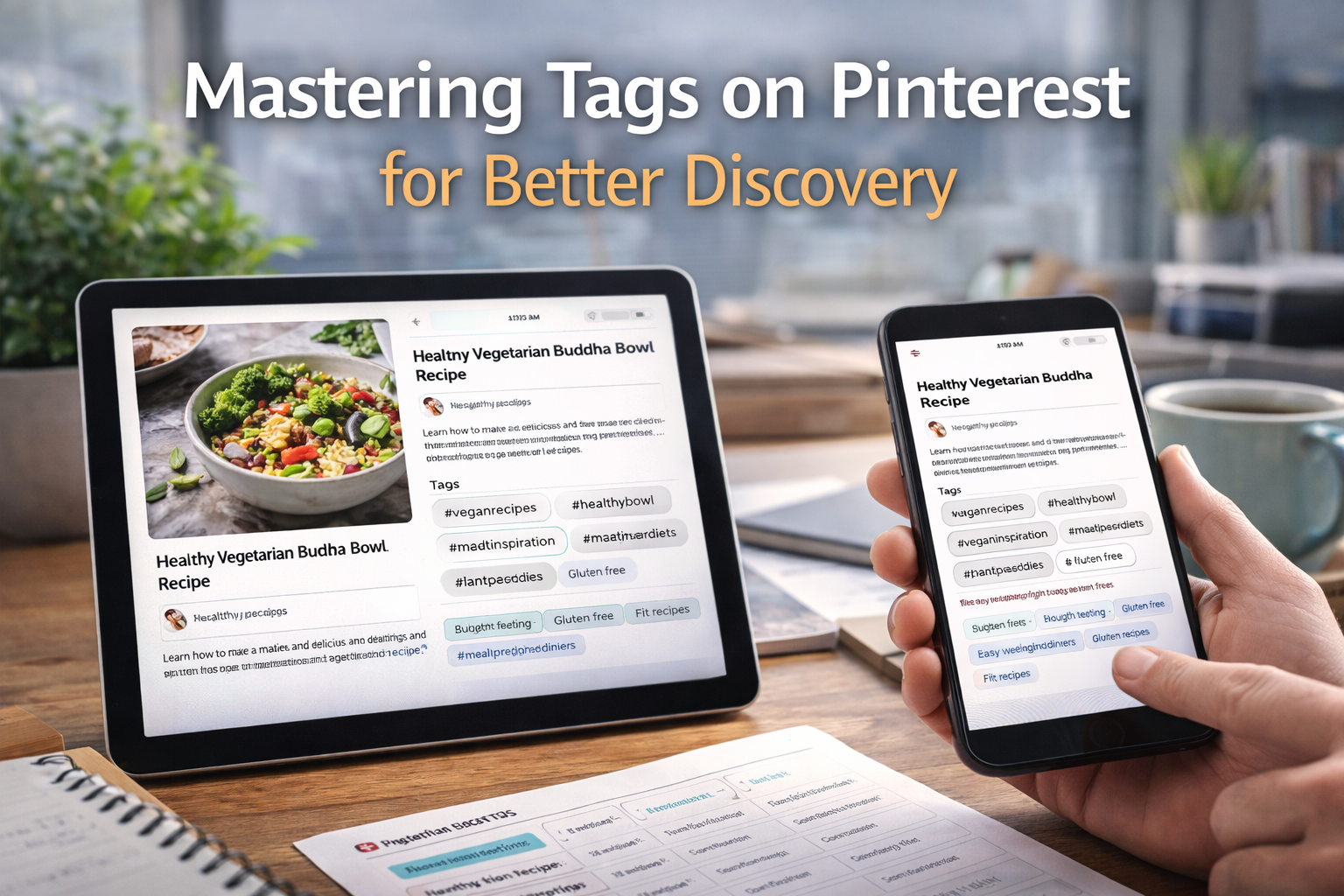
Think of your best content as a ship loaded with incredible ideas, ready to launch.
On Pinterest, tags are the wind in your sails.
They’re what propel your Pins out from the quiet harbor of your own boards and into the vast ocean where millions of users are actively searching for inspiration.
Without that wind, even the most stunning ship remains docked, hidden from view.
Why Pinterest Tags Are Your Secret Weapon

At their heart, Pinterest tags are simply descriptive keywords. But their function is anything but simple. They act as a vital bridge connecting your content directly to your ideal audience.
It helps to think of Pinterest as a gigantic, visual library. When a user searches for “healthy dinner recipes” or “DIY home decor,” the platform’s algorithm instantly scans millions of Pins.
Its job is to find the ones with the most relevant tags and serve up the best possible results. Your tags are the signals that tell the algorithm, “Hey, my content belongs here!”
The Two Critical Jobs of a Tag
Tags on Pinterest are workhorses, performing two crucial jobs at once.
First, they help people find you. A well-tagged Pin shows up in the right search results and category feeds, putting you right in front of someone who is actively looking for what you offer.
It’s the most direct path to discovery.
Second, they educate the Pinterest algorithm. Every tag you add is another clue that helps the platform understand your Pin’s context.
This behind-the-scenes communication is essential for getting your content recommended in a user’s highly personalized “For You” feed and “More Like This” sections.
To make this clearer, let’s break down exactly what tags do for your content.
The Core Functions of Pinterest Tags
This table shows the primary roles tags play in making your content visible and effective on Pinterest.
| Function | Impact on Your Content |
|---|---|
| Search Visibility | Makes your Pins discoverable when users type in related keywords. |
| Categorization | Helps Pinterest place your content into relevant topics and feeds. |
| Audience Targeting | Signals to the algorithm who is most likely to engage with your Pin. |
| Recommendation Engine | Increases the chances of your Pin being suggested to new, interested users. |
Essentially, each function works together to ensure your Pins don’t just exist, but actively travel to the people who need to see them.
Good tagging isn’t just about being found in a search; it’s about being understood by the platform so it can champion your content to the right people.
The discovery power this unlocks is massive. A staggering 85% of weekly Pinners have bought something based on content they found on the platform.
This shows just how directly tag-driven discovery leads to real-world action. For a wider look at boosting interaction, you can also explore how to boost your overall social media engagement.
Without a smart tagging strategy, your Pins are effectively invisible, missing out on this massive, purchase-ready audience.
How the Pinterest Algorithm Reads Your Tags

It helps to think of the Pinterest algorithm as a super-smart matchmaker. Its entire job is to connect people with content they’ll find inspiring and useful.
And how does it make these introductions? Tags are the primary language it understands.
When you publish a new Pin, the algorithm immediately starts scanning your tags to figure out what your content is about.
This is a critical first step. Based on the tags you’ve chosen, like “minimalist living room” or “vegan pasta recipe,” it slots your Pin into a relevant category.
From there, it shows your Pin to a small, hand-picked test audience—these are users who have already shown interest in those topics. Think of it as your content’s first audition.
From Test Audience to Widespread Reach
How your Pin performs with this initial group dictates its entire future on the platform. The algorithm keeps a close eye on all the engagement signals: saves, close-ups, and especially outbound clicks.
If that test audience loves it, that’s the green light Pinterest needs to push your content out to a much wider audience.
This is exactly why getting your tags right is non-negotiable. If your tags are too vague or just plain wrong, your Pin gets shown to the wrong people.
Engagement will be low, and your Pin’s journey pretty much stops there.
But with sharp, relevant tags, you get in front of an audience that’s genuinely interested, signaling to Pinterest that your content is a winner worth promoting.
The algorithm doesn’t guess; it follows the instructions you provide with your tags. Clear instructions lead to better matches and greater visibility.
This matchmaking process is always running, constantly learning and tailoring the Smart Feed for every single user.
With over 10 billion boards and an incredible 500 billion Pins, the platform relies on this system to function.
As people interact with Pins, the algorithm learns their tastes, making it even more likely to serve them your perfectly-tagged content down the road.
You can dive deeper into the numbers that power the platform’s discovery engine with these Pinterest statistics.
Finding the Perfect Tags for Your Pins
Alright, let’s move from theory to action. This is where your Pinterest strategy really starts to take shape.
Finding the right tags isn’t about throwing spaghetti at the wall and seeing what sticks; it’s about putting yourself in your audience’s shoes and figuring out the exact words they’re typing into that search bar.
The best place to start is often the simplest: the Pinterest search bar itself. It’s your direct line into the mind of a Pinner.
Begin typing a broad term related to your Pin—let’s say “home office”—and watch what happens.
That auto-suggest dropdown isn’t just a convenience; it’s a goldmine of real user searches, showing you popular, specific phrases like “home office ideas for small spaces” or “home office decor aesthetic.”
Building Your Master Tag List
Think of these suggestions as your first round of intel. They’re direct clues about what people are actually looking for, making them perfect for your tag list.
Start a running list and treat this like a brainstorming session.
A smart tagging strategy uses a healthy mix of tag types. You need both broad and specific terms to get the best results.
- Broad Tags: These are your high-level, high-volume keywords like “dinner recipes” or “fashion inspo.” They get your content in front of a massive audience.
- Specific Tags: These are the long-tail keywords that attract a more targeted user, like “healthy 30 minute dinner recipes” or “fall fashion inspo for work.”
Combining these lets you cast a wide net while also zeroing in on people who know exactly what they want.
Once you have a good starting list, it’s time for a little competitive research.
Search for your main keywords and see what the top-performing Pins are doing. Which tags are they using? If they’re relevant to your content, add them to your master list.
For a complete walkthrough on this, our guide to mastering Pinterest keyword research covers it all.
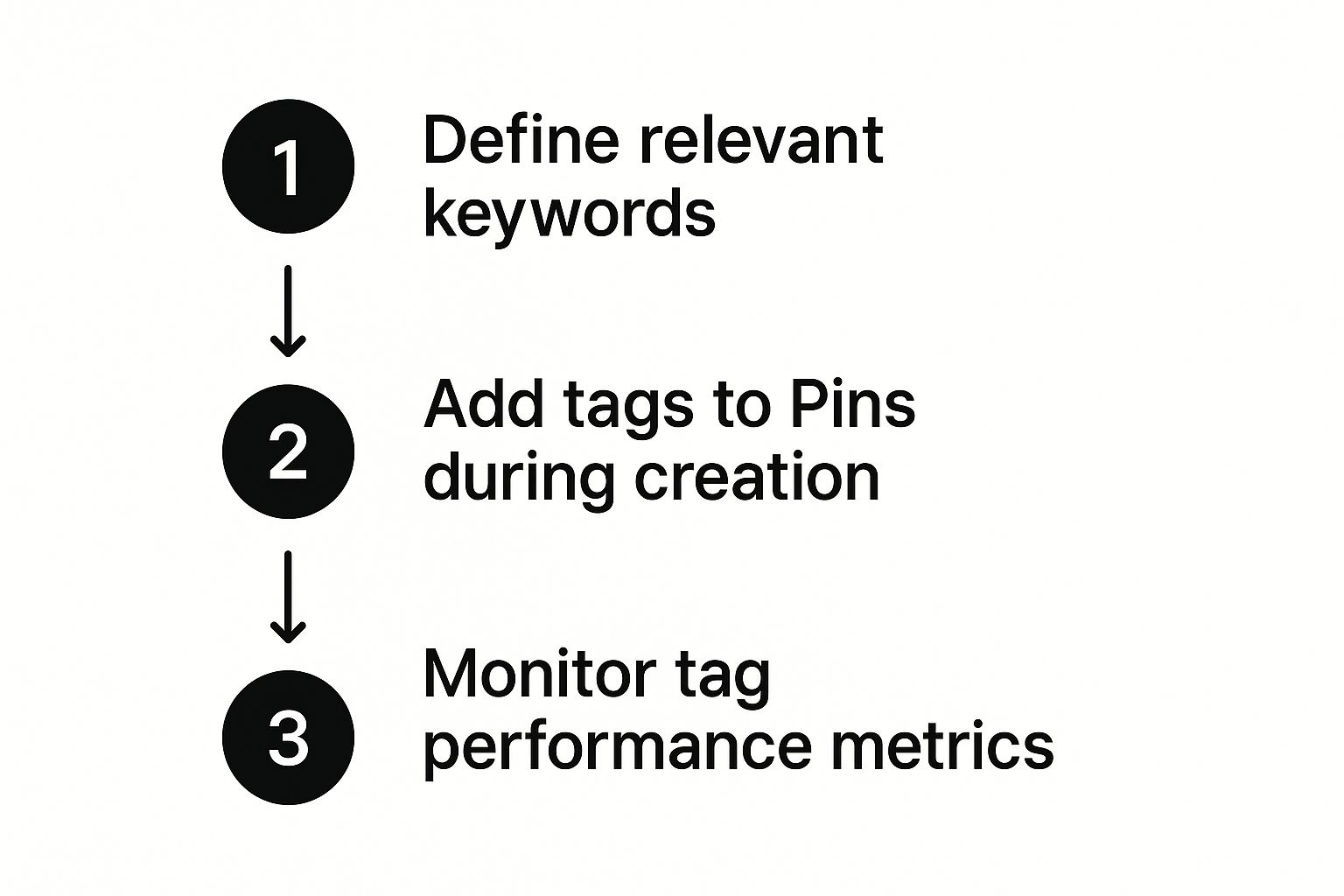
Remember, tagging isn’t a “set it and forget it” task. It’s a cycle: research, apply, analyze, and then refine.
Best Practices for Applying Your Tags
So you’ve got a solid list of tags. That’s half the battle. Now comes the real art: knowing how to apply them effectively on Pinterest.
It’s less about cramming keywords into a description and more like cooking a gourmet meal.
Each ingredient—or in this case, tag—needs to be thoughtfully chosen and added in just the right amount to create the perfect dish.
Your main goal is to send clear, helpful signals to both your audience and the Pinterest algorithm without coming across as spammy.
Pinterest rewards high-quality, relevant content, so your tagging strategy should mirror that. Remember this: relevance will always be more important than quantity.
In fact, stuffing a Pin with a bunch of unrelated tags can backfire, confusing the algorithm and hurting your reach.
The Ideal Number and Placement of Tags
So, what’s the magic number? While there’s no single perfect formula, a good rule of thumb is to aim for 5 to 10 highly relevant tags per Pin.
This gives you enough room to cover your key topics without watering down your message.
You can add your tags right inside your Pin’s description. Some people like to weave them into the sentences naturally, while others prefer a clean list at the very end.
For a Pin about a vegan lasagna recipe, for instance, you could end your description with something like: “#veganrecipes #lasagna #plantbased #easydinner #veganitalian.”
It’s clean, readable, and does the job for search.
Your tagging strategy is a recipe for discovery. A mix of broad, specific, and branded tags creates the perfect flavor profile to attract both a wide audience and niche enthusiasts.
To expand on that recipe idea, a truly effective strategy uses a few different types of tags:
- Broad Tags: Use 1-2 of these to catch general interest (e.g.,
#homedecor). - Specific Tags: Add 3-5 to pull in a more targeted audience (e.g.,
#bohobedroomideas). - Branded Tags: Include 1 to help build your brand’s footprint (e.g.,
#YourBrandName).
This balanced approach helps your content show up for all kinds of different searches. Of course, tags are just one piece of the puzzle.
The entire process—from your image to your description—matters, and you can learn more about how to optimize your Pinterest Pins for maximum impact.
And while we’re talking about Pinterest, these principles aren’t isolated. You can find expert tips for leveraging hashtags across social media to see how these ideas apply elsewhere.
Common Tagging Mistakes That Hurt Your Reach

You can have the most beautiful Pin in the world, but a few simple tagging mistakes can stop it dead in its tracks, preventing it from ever reaching the people who need to see it.
Let’s walk through the most common pitfalls so you can make sure your hard work actually pays off.
One of the biggest blunders is using completely irrelevant or “spammy” tags just to try and grab some extra eyeballs.
Slapping #weightloss on a Pin featuring a decadent chocolate cake might feel like a clever trick, but it almost always backfires.
The Pinterest algorithm is smarter than that; it sees the disconnect when users don’t engage, and it will bury your Pin, shrinking its reach.
Overstuffing and Over-Generalizing Your Tags
Another critical error is keyword stuffing. This is what happens when you copy and paste the same huge block of generic tags onto every single Pin you publish.
To a user, it just looks lazy. But to the algorithm, you’re signaling that all your content is exactly the same, which kills your chances of ranking for a variety of different searches.
Every Pin is unique, and it deserves a unique set of tags to match.
On the flip side, relying only on super broad tags like #diy or #food is a surefire way to get lost in the digital crowd.
It’s okay to include one or two of these to set the general scene, but the real magic is in the specific, long-tail keywords that connect you with a niche, motivated audience.
Think of it this way: using the right tags is like giving the Pinterest algorithm a clear, accurate map to find your ideal audience. The wrong tags just lead it down a dead end.
To steer clear of these problems, always choose relevance over quantity. Put yourself in the user’s shoes: what specific words would they type into the search bar to find your content?
While the line between keywords and hashtags can feel a bit blurry, our guide on hashtags on Pinterest breaks it down even further.
As Pinterest continues to blend social discovery with e-commerce, getting your tagging right is more important than ever. It’s what makes your Pins discoverable and, ultimately, actionable for potential customers.
Remember, the core principles of good tagging on Pinterest aren’t all that different from general SEO.
A little knowledge here can help you avoid many common SEO mistakes that limit visibility, not just on Pinterest, but across the web.
Make Pinterest Tags Work Like a Discovery System
If you want your Pins to show up in search more often, start with a simple tagging process you can repeat every time you publish.
Tags and hashtags aren’t decoration—they’re signals that help Pinterest understand what your Pin is about and who should see it.
When those signals are clear, your content gets tested with the right audience and has a better chance to earn saves and clicks.
Begin with a specific topic phrase that matches your Pin (not a broad category). Then choose a small mix of tags: 1–2 broad terms to describe the category, 3–5 long-tail phrases that match the exact intent, and 1 branded tag if you’re building consistency across your account.
Keep them closely related, and avoid copy-pasting the same block onto every Pin—each Pin needs its own “map” to the right search results.
Once your tags are chosen, place them neatly in your description (either woven naturally or as a short list at the end).
The goal is clarity, not volume. Clean, relevant tags help Pinterest categorize your Pin correctly, recommend it to interested users, and keep your content discoverable long after you hit publish.
My free tool makes this part fast. It generates hashtag ideas based on your topic so you can pick the best 5–10 and tag confidently without overthinking.
Ready to tag your Pins the easy way?
Your Top Pinterest Tag Questions, Answered
1) Are Pinterest tags the same as hashtags?
Not exactly. Keywords in your description give Pinterest context, while hashtags act like clickable labels that group content. Use both, but keep them relevant.
2) How many tags/hashtags should I use on a Pinterest Pin?
A practical range is 5–10 highly relevant hashtags. Too many (or irrelevant ones) can look spammy and dilute your topic signals.
3) Should I copy and paste the same tags on every Pin?
No. Reusing the exact same block of tags can limit reach because each Pin has a different topic angle. Customize tags to match each Pin’s specific intent.
4) What’s the best way to find good Pinterest tags?
Start with Pinterest search autosuggest, then check top-ranking Pins for your keyword and note recurring tags. Build a reusable “master list” by category.
5) How long does it take for Pinterest tags to work?
Pinterest can take days to weeks to fully test and place a Pin. Keep publishing consistently, then refine tags based on saves and outbound clicks.