Tagging on Pinterest is so much more than just slapping on a few keywords. It’s really about being strategic to make sure your Pins actually get found.
When you use product tags, user tags, and keyword tags (hashtags), you’re giving Pinterest’s algorithm clear signals about who needs to see your content. Done right, every Pin becomes a magnet for a super-targeted audience.
Why Smart Pinterest Tagging Matters
Here’s the thing: you have to stop thinking of Pinterest as just another social network. It’s a massive visual search engine. Every single day, millions of people are on there actively looking for inspiration, solutions, and products.
Your main goal is to pop up in those search results, and good tagging is the bridge that connects your content to their searches.
Without it, even the most stunning Pin can get completely lost in the noise.
Each tag you add is like a signpost, telling the Pinterest algorithm exactly what your content is about.
For instance, if you have a Pin of a modern living room, you could tag it with hashtags like #modernhomedecor and #minimalistlivingroom. This context is gold because it helps Pinterest show your Pin to people searching for exactly that aesthetic.
The Impact on Discovery and Reach
Strategic tagging directly controls how visible your content is.
When Pinterest understands the topic of your Pin, it’s far more likely to show it in home feeds, “More like this” sections, and, most importantly, relevant search results.
This isn’t just about getting a quick burst of views; it’s about creating a ripple effect where one well-tagged Pin can drive traffic for months, even years.
This whole process builds momentum. The more your content gets discovered and interacted with, the more authority your profile builds within your niche.
Ultimately, the whole point of smart Pinterest tagging is to get more eyes on your Pins and drive higher social media engagement.
The key is to think like your audience. What terms would they actually use to find your content? Answering this question is the foundation of a tagging strategy that genuinely expands your reach.
Different Tags for Different Goals
To really nail your strategy, you need to know the different types of tags and what they do.
Each one has a specific job, and learning to combine them is what will maximize your Pin’s potential.
- Product Tags: If you’re running an e-commerce business, these are non-negotiable. They let you link directly to items for sale right from the Pin, turning a moment of inspiration into a sale. With stats showing 83% of Pinterest users have bought something based on brand content, product tags are a seriously powerful tool for conversions.
- User Tags (@mentions): These are perfect for collaborations and building a sense of community. When you tag another creator, brand, or influencer in your Pin description, it sends them a notification. This is a great way to encourage cross-promotion and get your content in front of a whole new audience.
- Keyword Tags (Hashtags): Think of these as your main SEO tool on the platform. Using relevant hashtags helps categorize your content and makes it discoverable through search. I’ve found the most success using a mix of broad hashtags (to reach a wide audience) and niche ones (to attract highly interested users).
Choosing the Right Tag for Every Pin

To really get tagging right on Pinterest, you have to know which tool to grab for the job. Each type of tag has its own specific purpose, and knowing when to use each one is what separates a Pin that gets seen from one that disappears.
Think of it less like a single tool and more like a full toolkit.
This isn’t just about stuffing in keywords; it’s about adding layers of context to your Pins.
You’ve got three main options: Product Tags to drive sales, @mention tags to connect with others, and keyword tags (or hashtags) to get discovered in search. The real magic starts when you learn how to weave them together.
Make Your Pins Shoppable with Product Tags
If you’re running an e-commerce brand or working as an affiliate marketer, Product Tags are your direct line to sales.
This feature turns a beautiful lifestyle photo into a clickable, interactive storefront. You can tag individual items in an image and link them straight to your product pages, slashing the time it takes for someone to go from “I love that!” to “I bought that.”
Let’s say a fashion blogger posts a Pin of their “fall outfit of the day.”
Instead of just describing the look in the caption, they can use Product Tags to link directly to the sweater, the jeans, and the boots in the photo. When someone taps on that Pin, they’ll see little white dots on each item, letting them shop the entire outfit right then and there.
This is a game-changer because people on Pinterest are ready to shop. In fact, research shows that a whopping 83% of weekly Pinners have bought something based on content they saw from brands on the platform.
Build Community with @mention Tags
Growing on any social platform is all about community, and Pinterest is no different.
The @mention tag is your best friend here. When you use it in a Pin description, it sends a notification to the person or brand you’ve tagged, letting them know you’ve featured their work. It’s a fantastic way to build relationships, give credit, and get your content in front of new eyeballs.
For example, imagine you’re a food blogger who just put your own spin on a recipe from a famous chef.
When you create your Pin, you can drop an @mention for the chef’s Pinterest profile. Not only does this give them a well-deserved shoutout, but it also opens the door for them to engage with your Pin or even re-share it, introducing your work to their entire audience.
Using @mention tags isn’t just a courtesy. It’s a strategic play to build genuine connections and amplify your reach through partnerships.
Boost Discovery with Keyword Tags (Hashtags)
Finally, let’s talk about keyword tags, which you probably know as hashtags.
On Pinterest, these are your secret SEO weapon. While Pinterest’s search algorithm is smart enough to analyze your image and description, hashtags give it a direct, unmissable signal about what your content is about.
This helps it categorize your Pin and show it to people searching for exactly that.
A home decor brand, for instance, shouldn’t just slap a generic #decor on their Pin and call it a day. They need to get strategic.
- Broad Category Tag:
#homedecor(This casts a wide net.) - Specific Niche Tags:
#scandinavianlivingroom,#minimalistinteriors(These attract a highly targeted audience.) - Action-Oriented Tag:
#livingroominspiration(This grabs users who are actively looking for ideas.)
Mixing broad and specific hashtags like this makes sure your Pin can be found by all sorts of people with different search goals. The trick is to put yourself in the user’s shoes. What words would they type into the search bar to find what you’re pinning? That’s where you’ll find your best keywords.
How to Find High-Impact Pinterest Tags
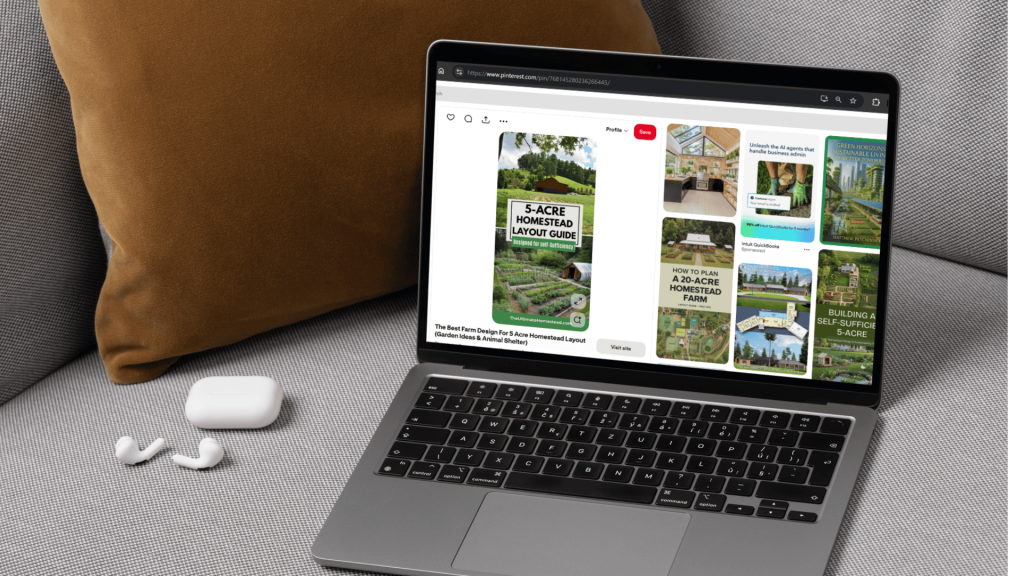
Finding the right tags isn’t about guesswork; it’s about smart detective work. You need a solid process for uncovering the keywords and hashtags your audience is already using.
The goal is simple: match your content to what people are actively searching for, making your Pins the perfect answer when they need it most.
Your first and best tool is Pinterest itself.
That search bar at the top of the page is a direct line into the minds of millions of Pinners. Start typing a broad keyword related to your Pin, say “home office,” and pay close attention to the auto-suggestions that pop up.
These aren’t random—they’re the most popular searches happening right now.
You’ll see things like “home office ideas for small spaces” or “home office decor.”
These phrases are pure gold.
They tell you exactly what users want, so you should absolutely be weaving them into your Pin descriptions and using them as hashtags.
Tapping into Pinterest’s Built-In Tools
Beyond the search bar, don’t overlook Pinterest’s guided search. After you search for something, you’ll notice a bunch of colored bubbles with related keywords appearing right underneath.
These are designed to help users refine their search, but for creators, they’re a treasure trove of tag ideas.
Let’s say your first search was “healthy recipes.”
The guided search might suggest bubbles for “easy,” “quick,” “for weight loss,” or “on a budget.”
Every single one of those is a high-value keyword you can add to your strategy. Adding them helps you connect with a more specific, motivated audience that knows exactly what they’re looking for.
To keep track of all these great ideas, you can use a simple spreadsheet or a dedicated tool. We’ve actually built a free Pinterest keyword research tool to help you organize terms and build a master list for your niche.
This infographic breaks down the main types of tags you’ll be using.
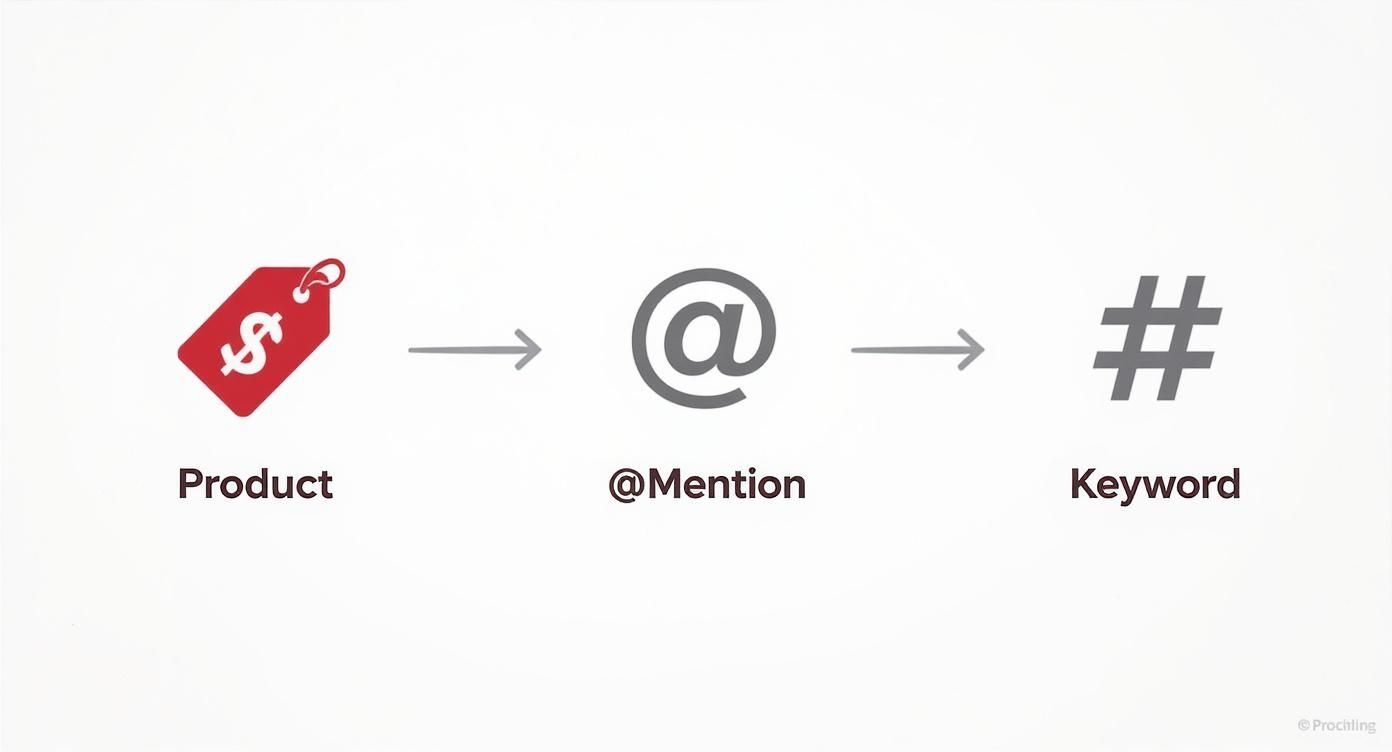
Getting familiar with these categories will help you layer your tags for maximum effect, blending shoppable elements with community mentions and powerful search keywords.
Analyzing Competitors and Spotting Trends
Never underestimate what you can learn by peeking at the competition. I recommend finding 5-10 successful accounts in your space and taking a close look at their best-performing Pins.
What keywords are they consistently using in their descriptions?
What hashtags do they favor?
This isn’t about blindly copying them, but about spotting patterns and discovering effective keywords you might have missed.
Another fantastic resource is Pinterest Trends.
This tool shows you how search interest for topics changes over time. You can easily spot seasonal spikes—like “outdoor patio ideas” ramping up in the spring—or get ahead of emerging trends before they blow up.
Pinning content that aligns with these trends makes your Pins feel timely and incredibly relevant.
Pro Tip: The most effective tags often mix broad appeal with niche specificity. For example, combining a massive tag like
#interiordesignwith a more focused one like#darkacademiaaesthetichelps your Pin show up in both crowded, high-volume searches and highly targeted, niche ones.
To find the best keywords for your Pins, you’ll want to use a few different tactics. Each method has its own strengths, so a combination approach usually works best.
Pinterest Tag Research Methods
| Method | Best For | How to Implement | Pro Tip |
|---|---|---|---|
| Pinterest Search Bar | Finding popular, high-volume user search terms. | Type a broad keyword and analyze the auto-suggestions that appear. | Focus on the longer, more descriptive phrases—these reveal specific user intent. |
| Guided Search Bubbles | Discovering related niches and modifiers for your main keyword. | After searching, click on the colored bubbles to explore sub-topics. | Combine your main keyword with 2-3 modifiers from the bubbles (e.g., “healthy dinner recipes easy”). |
| Competitor Analysis | Identifying proven keywords and tags within your niche. | Analyze the Pin descriptions and hashtags of 5-10 top accounts in your field. | Look for keywords that appear on multiple top-performing Pins from different creators. |
| Pinterest Trends | Capitalizing on seasonal and emerging search patterns. | Enter keywords into the Trends tool to see their search volume over the last 12 months. | Plan your content calendar around seasonal peaks to maximize visibility. |
By pulling ideas from each of these sources, you’ll build a comprehensive and powerful list of tags that are directly tied to what your audience is looking for.
Finally, don’t be afraid to think like an SEO. To find those super-specific tags that attract a ready-to-convert audience, borrow from techniques like long-tail keyword research strategies. These longer, more detailed phrases often perform incredibly well because they match a user’s exact needs at that moment.
Building a Smart Pinterest Tagging Workflow
Alright, you’ve done the research and have a solid list of tags. Now, it’s time to put them to work. An effective tagging strategy on Pinterest isn’t just about plugging in a few keywords—it’s about layering different tag types on a single Pin.
This gives both users and the Pinterest algorithm a complete story about your content.
Honestly, this multi-layered approach is what separates Pins that get a handful of clicks from those that consistently drive traffic for months, or even years.
Think of it this way: one Pin can wear multiple hats. When you combine specific product tags with broader, discovery-focused hashtags, you meet Pinners at every stage of their journey. You’re catching both the casual browser and the person ready to buy.
Suddenly, your Pin isn’t just a pretty picture; it’s a dynamic, interactive resource.
How to Blend Tags for Maximum Impact
Let’s walk through a real-world example. Imagine you’re a home decor blogger, and you’re pinning a gorgeous shot of a styled bookshelf.
A smart tagging workflow would involve adding several layers of information to help it reach the right people.
Here’s how I’d tackle it:
- Product Tags: First, I’d tag the actual items in the photo. That lamp, the unique vase, maybe even a popular book on the shelf. Each tag would link directly to a retail or affiliate page, making it easy for someone to shop the look. This is for the “I want that now” crowd.
- Broad Hashtags: Next, I’d add a couple of high-volume hashtags like
#homedecoror#bookshelfinspo. These are your entry point into big, top-of-the-funnel searches. - Niche Hashtags: Then, I’d get more specific with tags like
#darkacademialibraryor#cozyreadingnook. These connect you with a super-engaged audience actively searching for that exact aesthetic.
This combination makes your Pin discoverable in broad searches while still hitting those niche communities. It’s a balanced strategy that dramatically expands your Pin’s potential reach and engagement.
The Pinterest algorithm is all about understanding context. When you layer your tags like this, you’re feeding it rich data, which makes it much easier for the platform to show your Pin to the most relevant audiences.
Finding the Hashtag “Sweet Spot”
“So, how many hashtags should I actually use?” This is a question I get all the time. While Pinterest lets you use up to 20 hashtags, more isn’t always better.
From my experience, the sweet spot is usually between 4 and 8 highly relevant hashtags. This gives the algorithm enough information to work with, but you don’t look like you’re just spamming keywords.
I aim for a healthy mix:
- 1-2 Broad Tags: These cast a wide net.
- 2-4 Specific/Niche Tags: This is for attracting your ideal audience.
- 1-2 Long-Tail Tags: Think like a Pinner. What would they search for? Something descriptive like
#smallapartmentdecoratingideasis perfect.
This formula gives your Pin the best shot at being discovered by the right people at the right time. And remember, people on Pinterest are in a “doing” mindset.
A staggering 47% of U.S. Pinners use the platform for shopping inspiration, and with 20.0% of the global ad audience being women aged 18 to 24, your content has serious commercial potential.
The real key to success is applying this workflow consistently. If you want to maintain a steady stream of well-tagged Pins without being glued to your screen all day, a scheduling tool is a game-changer.
You can learn more about how to schedule Pinterest posts in our detailed guide to see how automation can help you execute your strategy flawlessly.
Common Pinterest Tagging Mistakes (And How to Fix Them)

Even after you’ve done your keyword research, it’s surprisingly easy to slip into some bad habits with Pinterest tags. These common mistakes can unfortunately sabotage all your hard work, causing your Pins to get lost in the algorithm rather than shown to the right audience.
The good news? They’re all completely avoidable and simple to fix.
The Irrelevant “Spammy” Tag Trap
One of the biggest pitfalls is stuffing your Pin descriptions with popular but totally unrelated tags just to chase a wider audience.
This is a fast track to getting your content deprioritized. Pinterest’s algorithm is sophisticated enough to know when your tags don’t line up with the visual content of the Pin and its description, which ultimately damages your credibility.
Copy-Pasting the Same Tags on Every Pin
Another common misstep is using the same block of tags for every single Pin. It might feel like an efficient shortcut, but it’s a red flag to Pinterest that your content isn’t being thoughtfully curated.
Every Pin you create is unique, and its tags should reflect that.
Sure, you can build a core list of brand and topic keywords, but always take a moment to customize them for the specific Pin. A Pin about “small kitchen organization” needs a different set of tags than one about “pantry layout ideas,” even though they both live under the same broad umbrella.
A little nuance goes a long way.
Your goal with every Pin is to provide specific, accurate context. Using a generic block of tags dilutes that context and makes it harder for the algorithm to serve your content to the right people.
Relying on Super Broad Hashtags
While tossing in one or two general tags is fine, making them your entire strategy is a mistake. A hashtag like #food or #decor is a vast ocean with millions of Pins.
Your content will get buried in that sea of noise almost instantly.
The key is to niche down and get specific. Think like your ideal user.
Here’s how to reframe your thinking:
- Instead of
#art: Try#watercolorpaintingideasor#botanicalillustrationart. - Instead of
#fitness: Use#athomehiitworkoutor#yogaflowforbeginners. - Instead of
#travel: Go with#solotravelitalyor#budgeteuropetips.
These longer, more descriptive tags connect you with users who know exactly what they’re looking for, which translates to much higher-quality engagement.
As you get the hang of it, you might want to learn more about the evolving role of hashtags on the platform. Our guide on whether you can use hashtags on Pinterest offers a deeper dive.
Pinterest is also making this easier on creators. The platform’s push towards auto-tagging and smart image cropping led to a 42% reduction in Pin publishing time back in 2025.
With more than 75% of all saved Pins being image-based product recommendations, getting your tags right is more critical than ever for turning inspiration into sales.
Turn Smart Tagging Into a Repeatable Traffic System
Tagging only pays off when it becomes part of how you publish—not something you remember “when you have time.” Take what you’ve learned in this guide and turn it into a simple workflow you run every time you create a Pin.
Here’s a concrete way to start this week:
- Pick 3–5 priority URLs (your best blog posts, product pages, or lead magnets).
- Build a mini tag set for each one:
- Product tags you’ll use to make the Pin shoppable
- 1–2 @mentions for partners, brands, or creators to credit and collaborate with
- 4–8 laser-focused hashtags that mix broad and niche keywords
- Add a “tagging check” before publish: no spammy tags, no copy–paste blocks, and every tag must clearly match the Pin’s image and description.
- Review results every two weeks: sort your Pins by saves and outbound clicks, then refine your tag sets based on what’s actually working.
If you treat tagging as a small, repeatable system instead of a last-minute afterthought, every new Pin becomes clearer to the algorithm, easier to discover, and more likely to drive the kind of targeted reach and traffic you’re actually on Pinterest for.
Ready to Tag Your Pins With What People Actually Search For?
You don’t have to guess which words to use in your tags and descriptions.
PostPaddle’s FREE Pinterest Keyword Research Tool will help you find trending keywords on Pinterest with growth metrics and insights to optimize your content strategy.
Use those insights to choose smarter tags, refine your descriptions, and align every Pin with what your audience is already typing into Pinterest.
A Few Common Questions About Pinterest Tagging
Even with a solid plan, a few questions always seem to pop up when you’re getting the hang of tagging on Pinterest. Nailing these details can be the difference between a Pin that takes off and one that just… sits there. Let’s clear up some of the most common points of confusion I see all the time.
1. What’s the Real Difference Between Tags and Hashtags?
This one trips up a lot of people, so let’s break it down. It’s actually pretty simple. Think of “tags” as the main umbrella term for a bunch of different clickable things you can add to a Pin.
“Hashtags” are just one specific type of tag that falls under that umbrella.
- Tags (The Big Picture): This includes things like Product Tags, which link directly to items people can buy, and @mention tags, which link to other Pinterest profiles. They add a layer of interactivity.
- Hashtags (#keyword): These are purely for discovery. Their job is to categorize your content and help it show up when people search for those terms.
So, while every hashtag is technically a tag, not all tags are hashtags. You’ll use Product and @mention tags to create direct connections, but you’ll lean on hashtags as your go-to SEO tool for getting discovered.
2. How Many Hashtags Should I Actually Use?
Pinterest’s official advice on this has shifted over the years, but today, it’s all about quality over quantity. Seriously, the days of cramming 20+ hashtags into a Pin description are long gone.
From what I’ve seen work best, the sweet spot is somewhere around 2-8 highly relevant, specific hashtags for each Pin. The algorithm is much smarter now and prioritizes relevance above all else. A few laser-focused hashtags will get you much further than a dozen generic ones.
Here’s a little formula I like to use: Mix one broad, popular hashtag (like
#homedecor) with a few more descriptive, niche ones (like#scandinavianlivingroomideasor#diybookshelf). This approach helps you capture both the high-volume searches and the super-targeted ones.
3. Can I Add Tags to a Pin After I’ve Published It?
This is a bit of a “yes and no” situation. For standard Pins, you can absolutely go back and edit the description to add, remove, or change your hashtags whenever you want.
So if you catch a typo or have a better keyword idea later on, you can easily go in and make that fix.
However, you cannot add or edit Product Tags on a Pin after it’s been published.
The same goes for Idea Pins, which have very limited editing capabilities once they’re live. This is why it’s so important to have your tagging plan sorted out before you hit publish.
Getting it right from the start gives your Pin the best shot at getting good distribution from the algorithm right out of the gate, which makes a huge difference in its long-term performance.