
Evaluating different social media management platforms isn’t just a checkbox exercise—it’s the difference between hitting your posting goals on time or scrambling at the last minute.
Whether you’re running a small team, steering a large enterprise, or juggling projects on a limited budget, a side-by-side comparison will save you hours of guesswork.
For small squads, it can streamline workflows; for enterprise-level operations, it unlocks richer analytics; and for budget-savvy freelancers, it highlights high-value options without breaking the bank.
Why Social Media Management Tools Comparison Is Critical

When you line up platforms side by side, you quickly spot who dominates bulk scheduling versus who dives into data mining.
It’s all about matching features to your team’s real needs, not chasing every shiny add-on.
Consider this: the global social media management tools market was valued at approximately $27.03 billion in 2024 and is projected to reach $32.48 billion in 2025, with an estimated rise to $124.63 billion by 2032 at a CAGR of 21.2%.
Those numbers tell you brands are investing heavily in scheduling, analytics, and collaboration right now.
Key decision points to guide your evaluation:
- Scheduling Flexibility: batch publishing, auto-optimized queues, best-time recommendations
- Analytics Depth: custom dashboards, competitor benchmarking, real-time reporting
- Budget Alignment: free plans, per-profile billing, enterprise contracts
- Collaboration Workflow: approval processes, role-based permissions, shared media libraries
Innovation never sleeps—features like inbox triage powered by machine learning or automated hashtag suggestions have become table stakes.
Pinpointing these quick wins early on will steer your deeper analysis.
Before we dive into detailed comparisons, check out these foundational principles in our general comparison guides.
Market Snapshot
The market’s growth at a 21.2% CAGR underscores how seriously businesses take data-driven strategy these days.
From small boutiques to Fortune 500s, everyone wants a dashboard that tells the full story.
With budgets swelling around analytics and workflow automation, even lean teams can access insights that felt out of reach just a few years ago.
That trend pushes smaller teams toward cost-effective schedulers, while big brands hunt for enterprise-grade reporting and AI-driven content ideas.
Cross-platform publishing keeps audiences unified under one roof without hopping between apps.
Teams should prioritize tools that match their publishing volume needs.
Quick Recommendation Table
Here’s a quick recommendation table that aligns each use case with its standout platform and main perk.
Use this to filter your shortlist before digging into full-feature comparisons.
| Use Case | Recommended Tool | Key Benefit |
|---|---|---|
| Small Business | Buffer | Simple, affordable scheduling |
| Agency Collaboration | Sprout Social | Team workflows and client reporting |
| Enterprise Analytics | Hootsuite | Deep insights and brand benchmarking |
| Budget-Friendly | Zoho Social | Generous free tier and add-ons |
These quick picks should act as your starting point—now you can dig deeper into each tool’s nuances with confidence.
Understanding Key Evaluation Criteria

Choosing the right social media management tool starts with a clear set of benchmarks. These criteria help your team match platform strengths to your specific goals.
A well-defined rubric cuts through the noise by focusing on core functions like scheduling, analytics, content ideation, and collaboration.
- Scheduling Flexibility: Can you batch-publish posts, shift time slots on demand, and reshuffle your queue?
- Analytics Depth: Do you have access to custom dashboards, real-time reporting, and advanced metric breakdowns?
- AI-Powered Suggestions: Are automated content prompts and hashtag recommendations part of the mix?
- Collaboration Workflows: How smooth are approval chains, shared libraries, and role-based permissions?
For instance, a team that adopts bulk scheduling can halve their planning time and spend more hours refining strategy.
Scheduling And Publishing
On busy days, you need a tool that adapts as quickly as your calendar does. Platforms with smart queues and visual calendar views ensure no post slips through the cracks.
Look out for features like bulk CSV imports or drag-and-drop editors. While some tools demand manual entry, others let you upload thousands of posts in one go.
| Feature | Bulk Publishing | Smart Queue | Example Use Case |
|---|---|---|---|
| Platform A | CSV import | Auto time slots | Publishing 200 holiday posts |
| Platform B | Manual batch upload | Best-time AI slots | Weekly drip campaign |
| Platform C | API-based scheduling | Queue shuffling | Evergreen content recycling |
In one case, Platform B’s AI-driven queue lifted engagement by 35%, freeing up four hours of creative work each week.
An ecommerce brand saw flash sale interactions climb by 42% after scheduling Instagram Stories in bulk.
Analytics And Insights
Deep data lets you adjust course with confidence. Custom reports highlight which posts drive traffic, while competitor benchmarks expose untapped opportunities.
- Custom Dashboards for pinpoint metrics you care about.
- Real-Time Reporting to seize fleeting trends.
- Benchmarking Tools for side-by-side competitor analysis.
- Seasonal Hashtag Trends to sync content with audience interest peaks.
- Seasonal Hashtag Trends to sync content with audience interest peaks.
“Custom reports helped us shift budget mid-campaign, boosting ROI by 18%.” – Marketing Lead, Retail Brand
A director noticed a slump in Tuesday engagement and moved key posts to Wednesdays, instantly improving click rates.
Integrations with CRM systems tie social metrics to customer journeys, making it possible to trace leads back to specific content.
Integration And Support
Every tool claims open APIs, but the real test is how smoothly those connections work in practice. Zapier, native APIs, and webhooks can streamline processes, but only if they’re reliable.
On-the-go management demands mobile apps that mirror desktop features. A glitchy app can leave you scrambling when time is tight.
Core Integration Checklist:
- CRM Sync for accurate lead tracking.
- Ad Platform Link to centralize campaign metrics.
- Third-Party App Hooks for specialized workflows.
- Mobile App Parity so nothing falls through the cracks.
Quality support often makes or breaks your experience. Look at response times, available channels, and self-serve resources.
High-touch onboarding can slash your time-to-value and smooth out hiccups.
In one scenario, a support team resolved a critical API issue in under an hour during a product launch, preventing a potentially damaging outage.
Always trial API integrations in a sandbox environment first to avoid last-minute surprises.
Key Takeaways
- Prioritize flexible scheduling to manage volume spikes.
- Pick analytics tools that evolve with your KPIs.
- Verify integration depth and support responsiveness before signing up.
Comparing Top Platforms Side By Side
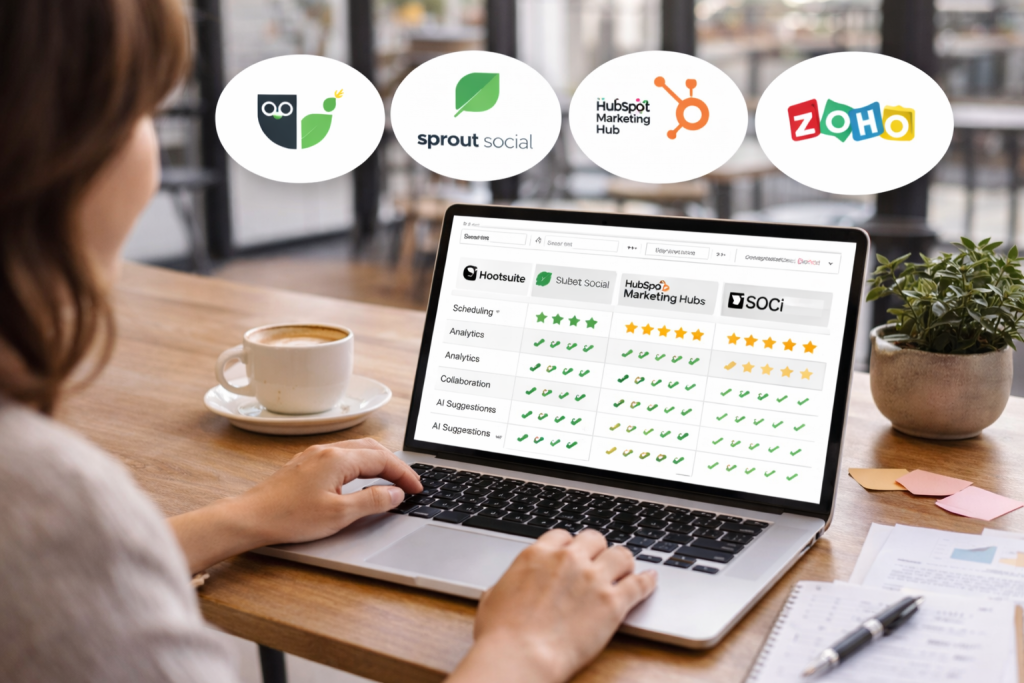
Choosing the right social media management tool depends on matching real needs with the right feature set.
A direct look at Hootsuite, Sprout Social, HubSpot Marketing Hub, Zoho Social, and SOCi surfaces those subtle strengths and trade-offs.
Insights from G2 reviews and hands-on feedback give this evaluation solid grounding.
Major players like Salesforce, Adobe, Hootsuite, and HubSpot each generate over $1 billion in annual revenue within this space.
Notably, Hootsuite sees adoption by 59% of small businesses and 28% of mid-market companies. Check MarketReportAnalytics for deeper market perspectives.
Platform Overviews
Hootsuite delivers robust analytics and brand benchmarking. Its native assistant, OwlyWriter AI, drafts post ideas based on your top-performing content, so you spend less time brainstorming.
Sprout Social brings everything into one place with its Smart Inbox. You’ll find CRM links that tie each social interaction back to lead profiles—a real timesaver for nurturing prospects.
HubSpot Marketing Hub surrounds its social tools with seamless CRM integration. Automated triggers launch campaigns the moment a prospect engages online, keeping outreach responsive and on point.
Zoho Social stands out for bulk scheduling and generous post limits. It syncs with Zoho CRM and offers custom dashboards—all at a budget-friendly entry point.
SOCi zeroes in on multi-location publishing and reputation management. If you manage dozens of storefronts or service areas, its geo-targeted scheduling and review monitoring tools shine.

The screenshot shows Hootsuite’s dashboard with key metrics and a post-scheduling calendar.
It illustrates how quickly teams can bounce between performance stats and content planning across multiple feeds.
Feature Comparison Table
Below is a side-by-side look at core capabilities, AI features, pricing, support channels, and ideal audiences.
| Tool | Core Features | AI Capabilities | Pricing Tier | Support Options | Best For |
|---|---|---|---|---|---|
| Hootsuite | Scheduling, analytics, social listening | OwlyWriter AI suggestions | From $99/mo | Email, live chat | Enterprise analytics |
| Sprout Social | Smart Inbox, publishing calendar, reporting | Engagement insights | From $249/mo | Phone, chat, email | Mid-market teams |
| HubSpot Marketing Hub | CRM integration, campaign automation | Automated workflows | From $800/mo (Marketing) | Dedicated account manager | CRM-driven campaigns |
| Zoho Social | Bulk scheduling, custom dashboards | Scheduling recommendations | From $15/mo | Email, live chat | Budget-conscious SMBs |
| SOCi | Location marketing, reputation management | Sentiment analysis | Custom | Phone, email, agency support | Multi-location brands |
This table makes it easier to weigh support levels, pricing brackets, and who each platform serves best.
Focused Feature Comparisons
Sprout Social’s Smart Inbox groups messages by mood and priority. In contrast, Hootsuite’s Streams overview lets you scan multiple feeds in one glance.
HubSpot ties every reply directly into contact records, while Zoho Social suggests ideal post times—and SOCi flags customer review sentiment automatically.
User interfaces also shape daily workflows. Sprout Social’s clean, uncluttered design speeds you from task to task.
HubSpot’s dashboard mirrors its CRM style, which suits teams already living in the HubSpot environment.
“Choosing a platform without seeing these side-by-side can cost teams hours of trial and error,” says a social strategy consultant.
Integrations pull all this data into your core systems:
- CRM Connections: HubSpot links social replies directly to contact records, while Zoho Social syncs seamlessly with Zoho CRM.
- Advertising Metrics: Hootsuite Ads and Sprout Social pull spend data into unified reports.
- API Extensibility: Sprout Social’s API and SOCi’s SDK enable custom automations and data exports.
- Mobile Parity: Hootsuite’s iOS/Android apps mirror desktop analytics, so your team stays in sync anywhere.
“Robust integrations cut down manual exports by 80%, letting teams focus on creative strategy,” notes a marketing director.
When you’re mapping out wider marketing stacks, consider exploring top AI marketing software solutions that often bundle strong social management features.
Read also our guide on social media automation tools to see how campaign automation complements these comparisons.
Recommendations By Use Case
- Small businesses seeking straightforward controls and cost efficiency often lean on Zoho Social for its bulk publishing perks and low entry price.
- Agencies juggling multiple client approvals appreciate Sprout Social’s collaborative workflows and 24/7 chat support.
- B2B marketers who live in lead pipelines will gravitate toward HubSpot Marketing Hub for its unified CRM triggers.
- Retail chains and franchises find SOCi’s geo-targeted scheduling and reputation features indispensable.
- Enterprise teams looking for rich analytics and AI-driven content suggestions usually opt for Hootsuite, despite its higher investment.
Aligning each platform’s strengths with your team’s goals will save you both time and budget down the road.
Analyzing Pricing Models And ROI
Comparing pricing models side by side gives teams a realistic picture of total cost of ownership and makes it easier to pitch budget needs.
Platforms range from simple flat-rate fees to per-user, per-profile charges—and some even tack on extra costs for advanced analytics or premium support.
Below is an at-a-glance overview of entry, mid-tier, and enterprise options:
| Plan Type | Pricing Structure | Ideal For |
|---|---|---|
| Entry-Level | $15–$50/mo flat rate | Freelancers, small teams |
| Mid-Tier | $50–$200/mo + add-ons | Growing agencies |
| Enterprise | Custom quotes, API access | Large brands, corporations |
Entry Level Plans
Entry-level subscriptions typically cover a handful of social profiles and basic scheduling tools.
Prices start around $15 per month, though advanced reporting or AI integrations usually sit behind paywalls.
- Flat-rate billing simplifies forecasting and keeps surprises to a minimum.
- Adding extra users or unlocking analytics often triggers hidden fees.
- Some vendors cap post volumes or profile counts to nudge you toward higher tiers.
“Choosing a plan without assessing hidden fees can increase costs by up to 30% over a year.”
Mid Tier Plans
Mid-tier plans balance affordability with more robust features. You’ll often see a base fee of $50–$200 per month, plus optional modules for deeper insights.
- Tiered user seats let your team grow without switching platforms.
- Add-ons include sentiment analysis, social listening, or ad reporting.
- Volume discounts may apply when you bundle additional profiles.
“Mid tier growth plans strike a balance between cost and capability for scaling teams.”
Enterprise Packages
Enterprise offerings bundle everything from advanced security controls to white-label reporting.
Pricing is typically custom-quoted and covers service-level agreements, dedicated support, and often API access.
Total Cost Of Ownership
Looking at the sticker price is only half the story. You also need to factor in:
- Onboarding and training fees for new users
- Costs of premium support or a dedicated account manager
- The opportunity cost recouped by automating manual tasks

To put things in perspective, global spending on social media advertising is projected to hit $219.8 billion in 2024 and grow at 9.37% annually through 2030.
Facebook currently delivers top ROI for 28% of marketers, while Instagram leads for 22%. Discover more insights about social media advertising trends
Measuring ROI Outcomes
When calculating ROI, it’s crucial to include time saved on planning, improvements in engagement, and uplifts in conversions.
In many cases, teams unlock 25–40 hours of capacity each month, while engagement gains can boost lead generation by 15–20%.
Key ROI drivers include:
- Automated scheduling that reduces manual workload
- Advanced analytics pinpointing high-impact content
- Streamlined approval workflows that cut cycles in half
In one real-world example, a SaaS startup on a flat-rate scheduling plan saw a 35% drop in time spent creating posts and a 12% increase in click-through rates within three months.
E-commerce teams mixing AI-driven posting with white-label reporting often report average ROIs above 150% over six months.
Learn more about measuring ROI on social media: Learn more about measuring ROI on social media
By weighing upfront fees against long-term gains, decision-makers can zero in on the platforms that hit both budgetary and performance targets.
Real World Usage Scenarios And Tips
To bring our comparison to life, we’ve curated three real-world examples: a lean startup, a growing agency, and a global enterprise.
Each story shows how teams use scheduling, collaboration, and CRM features to hit their goals. Read on for practical takeaways you can apply immediately.
Startup Scenario With Zoho Social
A two-person team needed to scale content without hiring extra hands. By tapping into Zoho Social’s bulk scheduling, they slashed planning time by 60% in month one.
They built an automated pipeline that pushes new blog posts to Facebook, LinkedIn, and Instagram.
Then they added custom tags—#ProductLaunch and #PromoWeek—to slice performance by campaign and region.
Key Tips
- Enable bulk CSV import for weekly content lists
- Create tags like #ProductLaunch and #PromoWeek for clear tracking
- Train everyone on the unified calendar view
- Adjust timezone settings to hit audience peak hours
“Automated queues freed up eight hours weekly for strategic work,” says the founder.
With each post tagged, dashboards now reveal ROI per product line—making pivots faster and reports crystal clear.
Agency Scenario With Sprout Social
A mid-size agency needed tighter client reporting and faster approvals. Deploying Sprout Social’s collaboration suite cut report turnaround by 40%.
They set up role-based permissions, approval workflows, and a shared asset library. Smart Inbox labels—Urgent, Review, Follow-up—kept incoming messages neatly categorized.
Step-By-Step Process
- Configure roles for authors, editors, and approvers
- Define message labels (Urgent, Review, Follow-up)
- Automate daily summary emails to clients
- Leverage the Sprout Social API to export reports automatically
| Feature | Before | After |
|---|---|---|
| Report Delivery | 3 days | 1 day |
| Client Queries Resolved | 48 hours | 24 hours |
| Internal Handoffs | 5 steps | 2 steps |
“Shared notes cut approval loops in half,” notes the operations lead.
Standardizing tags and approval stages created a clear audit trail—and onboarding became a breeze as new hires followed documented workflows.
Enterprise Scenario With HubSpot Marketing Hub
A global brand wanted end-to-end lead nurturing from social channels. They linked HubSpot Marketing Hub to their CRM so every like, comment, and share hit contact records.
Multi-step automations now trigger drip campaigns whenever prospects engage. Custom CRM fields track social actions, tying back into the sales pipeline.
Quick Wins
- Map HubSpot workflows to social tags
- Sync Smart Inbox replies with contact timelines
- Train sales on social lead scoring
- Hold quarterly reviews to refine CRM-social workflows
“CRM integration turned social comments into pipeline insights,” reports the VP of Marketing.
Within three months, lead conversion jumped 22%. The unified social-to-sales view made cross-team collaboration truly data-driven.
General Recommendations
- Define clear KPIs for each tool deployment.
- Build and maintain a shared knowledge base.
- Run monthly audits of automation logs.
- Continuously test new features and gather feedback between marketing and sales.
Choosing The Right Tool For Your Goals
Pinpoint what you need before you start evaluating platforms. Sketch out your team size, industry demands, technical know-how, and budget range.
Decision Framework
This framework helps you compare options side by side. Focus on:
- Team Size & Structure: Small groups vs. enterprise divisions
- Feature Coverage: Posting, reporting, approvals
- Integration Needs: CRM, ad accounts, e-commerce
- Budget Limits: Up-front cost and ongoing fees
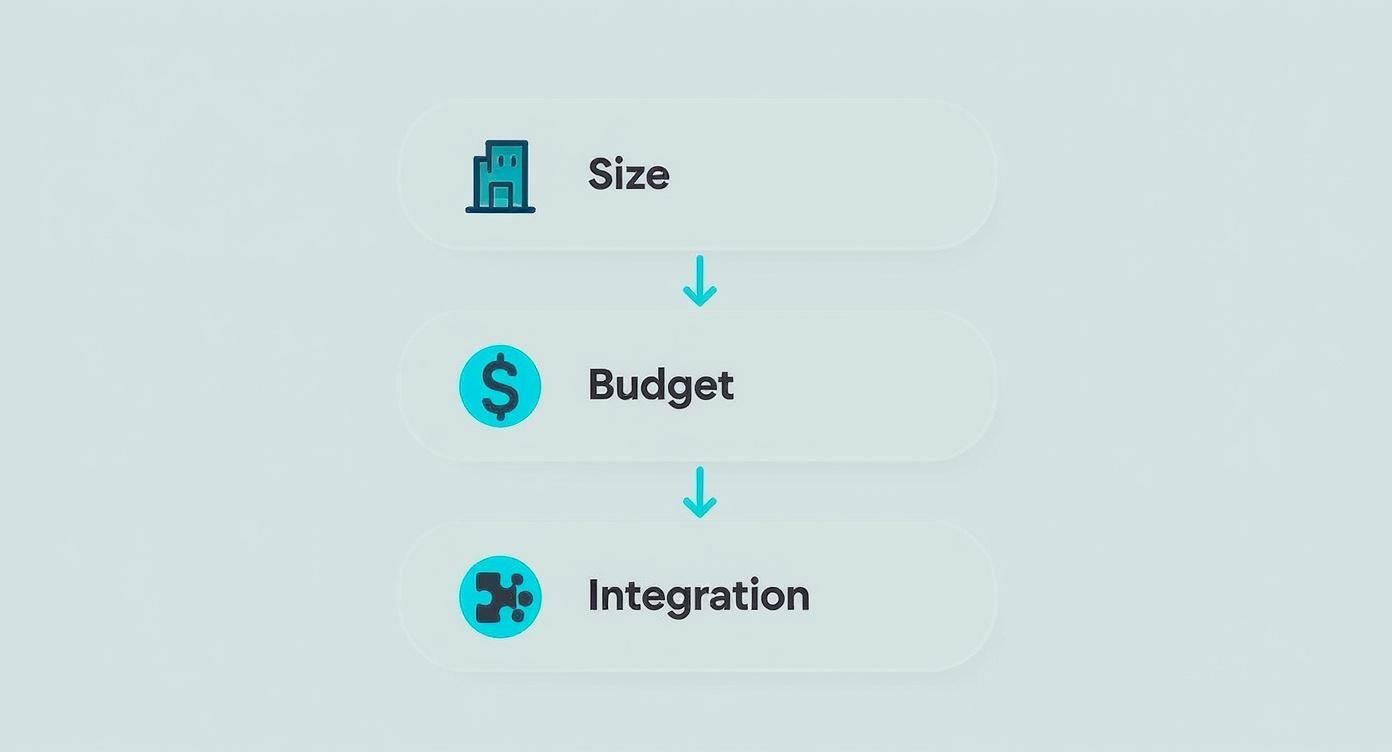
That visual lays out which tool fits each scenario. Notice how lean startups trend toward simple, low-cost schedulers, while larger brands demand deeper API and CRM hooks.
Scoring Matrix
Break down each category into a score (1–5) and a weight (%). Here’s a quick reference:
| Dimension | Weight | Focus Area |
|---|---|---|
| Scheduling | 20% | Bulk-publish workflows |
| Analytics | 25% | Custom reporting |
| Collaboration | 15% | Approval chains |
| Integration | 20% | CRM & ad platform connections |
| Total Cost | 20% | Budget alignment |
Multiply individual scores by their weights and add up the totals. The highest scorer usually surfaces as your best bet.
“A weighted scorecard turned five options into one clear winner,” says a social media operations director.
Key Red Flags
Watch out for hidden snag points in contracts. Common pitfalls include:
- Auto-renewal clauses with tight cancellation windows
- Unexpected API access fees buried in fine print
- Restrictions on data exports or extra charges for downloads
- Vague uptime guarantees or support SLAs
Always have vendors clarify or tweak these terms before you commit.
Piloting And Trials
Real tests reveal how a platform performs under pressure. Follow this process:
- Define measurable pilot goals (e.g., cut scheduling time by 30%)
- Set up a 2–4 week trial window
- Track hours saved and engagement gains exceeding 10%
- Collect frank feedback on UI and workflow quirks
These insights help you see strengths and expose hidden issues early.
You might be interested in our guide on social media scheduling software to compare scheduling features and streamline content planning. https://www.postpaddle.com/blog/social-media-scheduling-software
Example Scenarios
- An e-commerce retailer needs deep analytics and Shopify integration for sales tracking
- A marketing agency relies on granular approval workflows and a shared asset library
- Solo creators prioritize an intuitive interface and low per-profile charges
Score these scenarios against your matrix to spot the top contenders.
Negotiation Tips
A few smart asks can reduce costs and risks:
- Discuss multi-year or volume discounts to lower total spend
- Request extra trial time for API deep dives
- Clarify support response times and escalation paths
- Nail down data ownership and export rights
You could trim up to 15% off your subscription with the right concessions.
Implementation Best Practices
Smooth rollout requires clear standards and regular maintenance:
- Standardize naming conventions for profiles and tags
- Build a central media library to prevent duplicate assets
- Schedule quarterly audits to prune inactive accounts
- Train teams on approved workflows and document everything
- Review key metrics weekly and adjust your scoring weights as needed
This approach minimizes onboarding hiccups and drives stronger ROI.
Good luck choosing wisely today!
Frequently Asked Questions
For businesses keeping an eye on costs, entry-level plans often cover core needs without a big investment.
Below, we’re comparing three popular options—Zoho Social, Buffer and Hootsuite’s Starter tier—to see which one delivers the most bang for your buck.
- Zoho Social: Free for 3 profiles, comes with basic analytics
- Buffer Essentials: $6/mo per channel, simple scheduling interface
- Hootsuite Starter: $99/mo, advanced reporting tools
How do AI tools fit into your workflow? Many platforms now suggest post ideas, optimize send times and even draft captions. In one pilot study, an AI-generated caption bumped engagement by 35%.
Smart queues can fill gaps in your calendar based on when your followers are most active. Automated hashtag recommendations keep your campaigns consistent and on-brand.
Data Migration Best Practices
“Exporting every field—from timestamps to post IDs—helps you keep all your analytics intact,” says a veteran platform engineer.
Switching tools can feel risky if you’re worried about losing your historical data. Always export CSV files that include:
- Date stamps and post identifiers
- Engagement metrics and comment counts
- Custom tags or campaign labels
When you import, match each field name exactly and double-check that your new dashboard accepts past performance filters.
- In-app walkthroughs guide you step by step
- Live webinars and one-on-one coaching accelerate training
- Community forums answer niche questions in real time
Non-technical staff thrive on sample workflows and interactive tutorials. In fact, peer-led onboarding sessions can cut setup time by 40%.
Common Support Channels
Finding help when you need it most can make or break a campaign. Here’s how the main channels stack up:
| Channel | Availability | Best Use |
|---|---|---|
| 9–5 Weekdays | Non-urgent queries | |
| Live Chat | 24/5 | Quick troubleshooting |
| Phone | 24/7 (Premium) | Emergency outages |
| Forums | 24/7 | Peer advice and tutorials |
Most entry and mid-tier plans include email and chat support. If you need around-the-clock phone assistance, look at agency or enterprise packages.
Self-service libraries—packed with FAQs, video demos and API docs—can be a lifesaver during crunch time.
These side-by-side insights help you match each platform’s support level to your team’s size and pace.
Armed with this context, you can confidently choose the right plan for your unique needs.
Try Post Paddle for faster, more reliable Pinterest scheduling: Post Paddle
What if you could create better Pinterest content in minutes?
If you want faster, smarter results from Pinterest without adding more work to your week, these free GPT tools are the quickest win.
Use them to generate Pin titles, descriptions, keywords, and content angles in minutes—so you can spend less time drafting and more time publishing consistently.
Frequently Asked Questions
1. What features matter most when comparing social media management tools?
The most important features usually come down to scheduling flexibility (bulk uploads, queues, best-time posting), analytics depth (custom reports, benchmarking), collaboration (approvals, roles, shared asset libraries), and integrations (CRM, ad platforms, ecommerce). The “best” tool is the one that matches your workflow—not the one with the longest feature list.
2. Which social media management tool is best for small teams on a budget?
Budget-focused teams typically do best with platforms that offer low starting costs and solid scheduling basics (like calendar views and recurring queues). Tools like Zoho Social or Buffer are often chosen because they keep costs predictable while still covering core posting and reporting needs.
3. Do I really need advanced analytics, or is basic reporting enough?
If you’re only tracking engagement and staying consistent, basic analytics can work. But if you need to prove ROI, report to clients, compare performance across channels, or tie social activity to leads and sales, advanced analytics become a major advantage—especially when you’re scaling campaigns.
4. How do I calculate ROI from a social media management tool subscription?
Start by tracking measurable gains: hours saved from scheduling and approvals, engagement lifts from best-time posting, and conversions from optimized links and campaigns. If the tool frees up meaningful team hours and improves performance metrics, it can pay for itself quickly—even before you factor in reduced mistakes and faster execution.
5. What’s the smartest way to test a tool before committing long-term?
Run a structured 2–4 week trial with clear goals (example: reduce scheduling time by 30% or improve click-through rate by 10%). Test your real workflow—bulk scheduling, approvals, reporting, and integrations—and collect feedback from everyone who will use it daily. That will reveal the true fit faster than feature checklists alone.