
Forget everything you think you know about Pinterest. It’s not just a digital scrapbook for recipes and wedding ideas. For e-commerce brands, it’s an absolute goldmine.
Why? Because Pinterest isn’t really social media. It’s a visual discovery engine where people go to plan their future purchases.
They’re actively looking for things to buy, not just scrolling through photos of their friends’ vacations. This is a crucial distinction.
On most social platforms, users are looking backward, sharing what they did yesterday. On Pinterest, they’re looking forward, planning what they want to do, create, or buy tomorrow.
This future-forward mindset is a game-changer for anyone selling products online.
Why Selling on Pinterest Is a Goldmine for E-Commerce
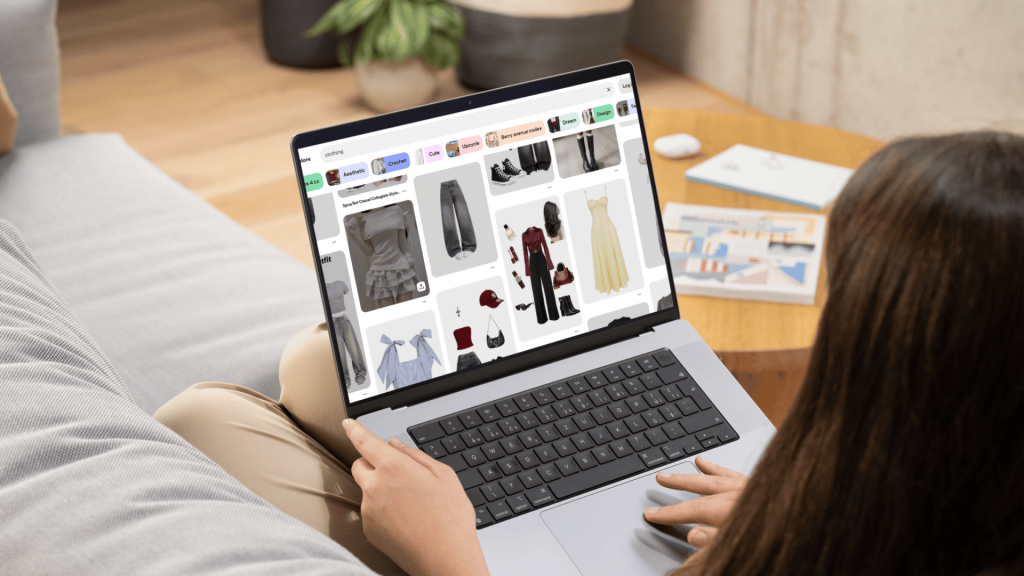
Think about the user’s journey. Someone scrolling on other platforms is there to be entertained or to catch up.
They’re in a passive mode. But a Pinner is actively searching for things like “small balcony decor ideas” or “minimalist gold necklaces.” They have a problem to solve or a desire to fulfill, and they’re looking for the right product to do it.
That search-based behavior means you’re connecting with a much warmer lead. They aren’t just stumbling upon your ad; they’re actively seeking out the very thing you sell.
The Power of Purchase Intent
When a user searches for “small balcony decor ideas,” they aren’t just daydreaming. They have a small balcony, and they want to make it better.
They’re already in a buying frame of mind, hunting for that perfect hanging planter or foldable bistro set. This is where you come in.
The numbers back this up in a big way. With 570 million monthly users worldwide, the platform is a major player. But here’s the kicker: a massive 85% of weekly Pinners have bought something because of a Pin they saw from a brand.
Even better, they tend to spend more. Pinterest shoppers spend twice as much per month compared to users from other platforms.
If you want to dive deeper, these Pinterest statistics paint a very clear picture of the opportunity.
Pinterest is not social media; it’s a visual search engine. This distinction is the single most important concept to grasp. Your success depends on understanding that users are searching, not just socializing.
Let’s put some of these key metrics into perspective.
Pinterest vs Other Platforms Key Sales Metrics
This quick comparison shows just how different the user behavior is on Pinterest, and why that translates directly into better sales performance for e-commerce.
| Metric | Facebook/Other Platforms | |
|---|---|---|
| User Mindset | Future-focused planning & discovery | Present-focused socializing & entertainment |
| Purchase Intent | High – Actively searching for products | Low – Passive ad consumption |
| Conversion Rate | Significantly higher due to intent | Lower, requires more persuasion |
| Avg. Order Value (AOV) | Generally higher | Generally lower |
| Weekly Purchase Influence | 85% of weekly Pinners make a purchase | Varies, but much lower on average |
As you can see, the environment on Pinterest is simply built for commerce in a way that other platforms aren’t.
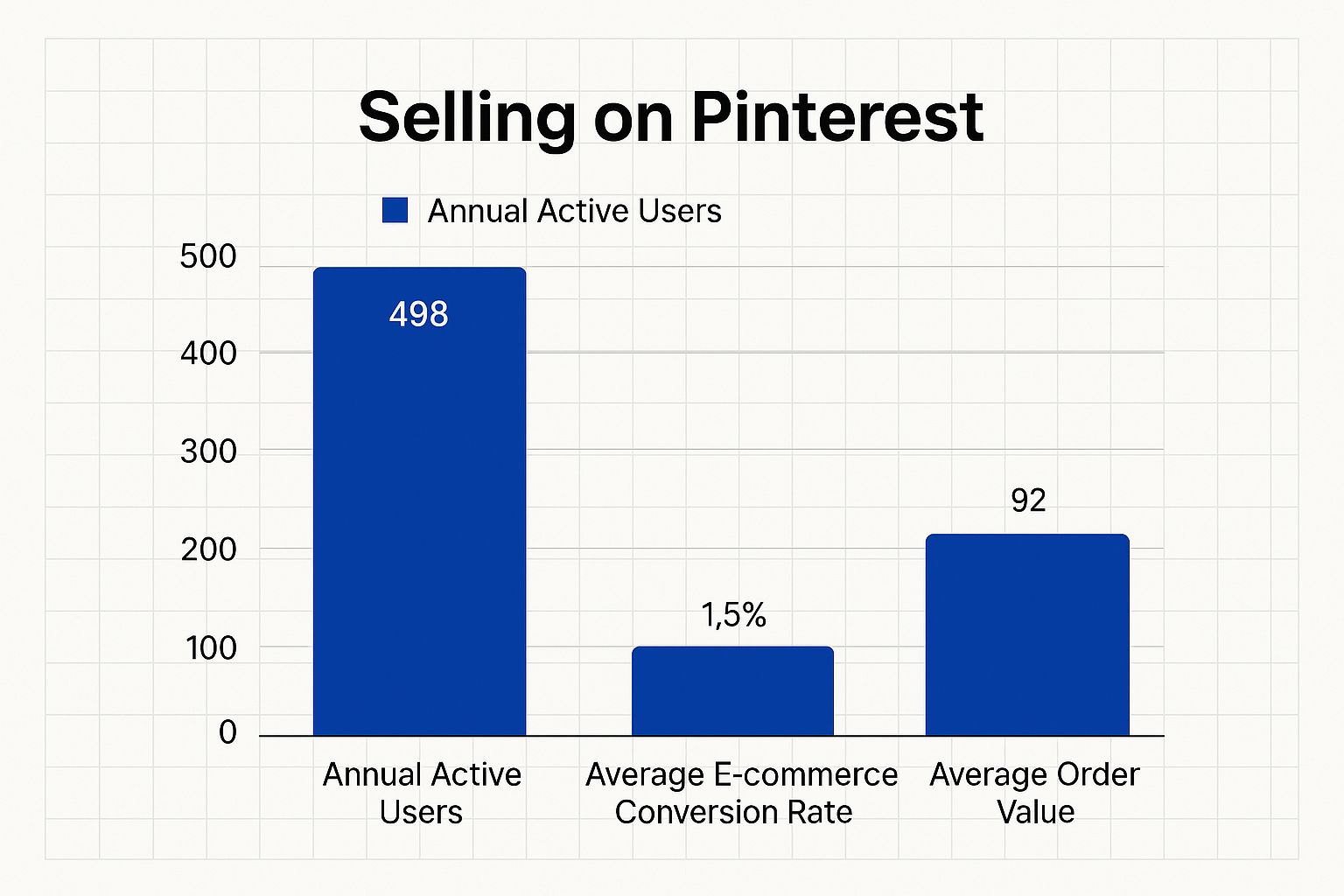
The data is clear: Pinterest delivers a huge, engaged audience that is primed to buy.
The Pillars of Pinterest Sales Success
So, how do you tap into this? Simply tossing up random product photos and hoping for the best won’t get you very far. A successful Pinterest strategy is built on three core pillars:
- A Professional Foundation: It all starts with setting up a Pinterest Business account. This is non-negotiable, as it unlocks crucial analytics and advertising tools you’ll need.
- Compelling Product Pins: Your Pins have to do more than just show a product. They need to be visually stunning, informative, and perfectly optimized to grab attention and inspire someone to click.
- A Smart SEO Strategy: Just like with Google, keywords are king. You need to understand what your ideal customers are searching for and weave those terms into your Pins and boards so you show up at the top of their results.
Get these three things right, and you’ll transform your Pinterest page from a simple image gallery into a reliable and profitable sales machine.
In this guide, we’ll walk through exactly how to build that winning strategy, step by step.
Build Your Pinterest Storefront for Maximum Impact
Before you can make a single sale on Pinterest, you have to lay the proper groundwork. Start thinking of your profile not just as another social page, but as your digital storefront.
It needs to be professional, functional, and perfectly tuned to grab the attention of your ideal customers from the moment they land on it.
The very first, non-negotiable step is to convert your personal account to a Pinterest Business account. This single move unlocks the entire suite of tools built for commerce.
Without it, you’re flying blind, no analytics, no ad capabilities, and no way to get that all-important Shop Tab.
Thankfully, the conversion is free, quick, and instantly gives you the back-end features that turn casual browsing into actual sales.
Claiming Your Digital Territory
Once you’re set up with a business account, your next move is to claim your website. This might sound like a minor technical detail, but for e-commerce, it’s a game-changer.
Claiming your site officially links your online store to your Pinterest profile, which does a few incredibly powerful things:
- It enables Rich Pins: Think of these as supercharged Pins. They automatically pull real-time info like price, stock availability, and product titles directly from your website. If you change a price on your site, the Pin updates automatically. No manual work required.
- It supercharges your analytics: Claiming your site gives you deep insights into how your Pins are driving traffic. You’ll see exactly which Pins are sending the most people to your store, helping you double down on what’s working.
- It adds instant credibility: A claimed website puts your URL right on your profile, complete with a little globe icon. This small detail signals to users that you’re a legitimate, established brand.
This simple verification process is the bridge between Pinterest discovery and on-site conversions.
Activating Your Shop Tab
With your website claimed, it’s time to activate one of the most powerful selling features on Pinterest: the Shop Tab.
This creates a dedicated tab at the top of your profile, essentially turning it into a browsable catalog of all your products. It’s like setting up a mini-boutique right on the platform.
To get this going, you’ll need to connect your product catalog. Pinterest plays nicely with major e-commerce platforms like Shopify and WooCommerce. Just add the Pinterest app or extension to your store, and you can upload your entire product feed.
Once it’s approved, your products appear as shoppable Product Pins with pricing and a direct link to buy, all organized neatly under your new Shop Tab.
This simple step transforms your profile from a collection of inspiring ideas into a direct point of sale.
It dramatically shortens the path to purchase by letting users browse and move to checkout with almost no friction.
Knowing the Pinterest audience helps you stock your new “storefront” effectively. Women make up over 70% of the platform’s global user base, and with the U.S. being the largest market at 95.6 million users, products in categories like home décor, fashion, and wellness tend to perform exceptionally well.
Pinners save an estimated 1.5 billion Pins every week, showing a constant cycle of discovery and purchase planning that you can tap into. For a deeper dive into these trends, you can explore valuable Pinterest statistics on Podbase.com.
Optimizing Your Profile for Discovery
The final piece of the puzzle is optimizing your profile’s appearance and SEO. This is all about making sure that when people find you, they immediately get what you sell and why they should care.
Here’s where to focus your attention:
- SEO-Friendly Username: Grab a username that’s as close to your brand name as possible. Make it easy for people to find you in a search.
- Keyword-Rich Bio: Your bio is prime real estate. Don’t just say “We sell handmade jewelry.” Get specific with keywords your audience is actually searching for, like “Handmade minimalist gold necklaces, statement earrings & personalized gifts.”
- Branded Profile Cover: Your cover photo is your brand’s billboard. Use a high-quality image or even a video that shows your products in an aspirational, lifestyle context.
Nailing these foundational steps builds a storefront that isn’t just professional-looking but is also a well-oiled machine, fully equipped to track data, sync products, and turn inspired Pinners into loyal customers.
Creating Product Pins That Genuinely Convert
Alright, you’ve got your storefront set up and ready to go. Now for the fun part: stocking those digital shelves.
On Pinterest, a Pin isn’t just a picture; it’s a digital handshake, a mini-advertisement, and the very first impression a potential customer gets of your product.
If you’re just uploading a standard product photo and calling it a day, you’re leaving money on the table.
The real goal here is to create content that doesn’t just get saved but actually sparks an immediate desire to buy.
A great Pin stops the scroll, gets the user’s imagination going, and makes them think, “I need that in my life.” This takes a smart combination of eye-catching visuals, persuasive copy, and a bit of technical know-how.
The Anatomy of a High-Converting Pin Visual
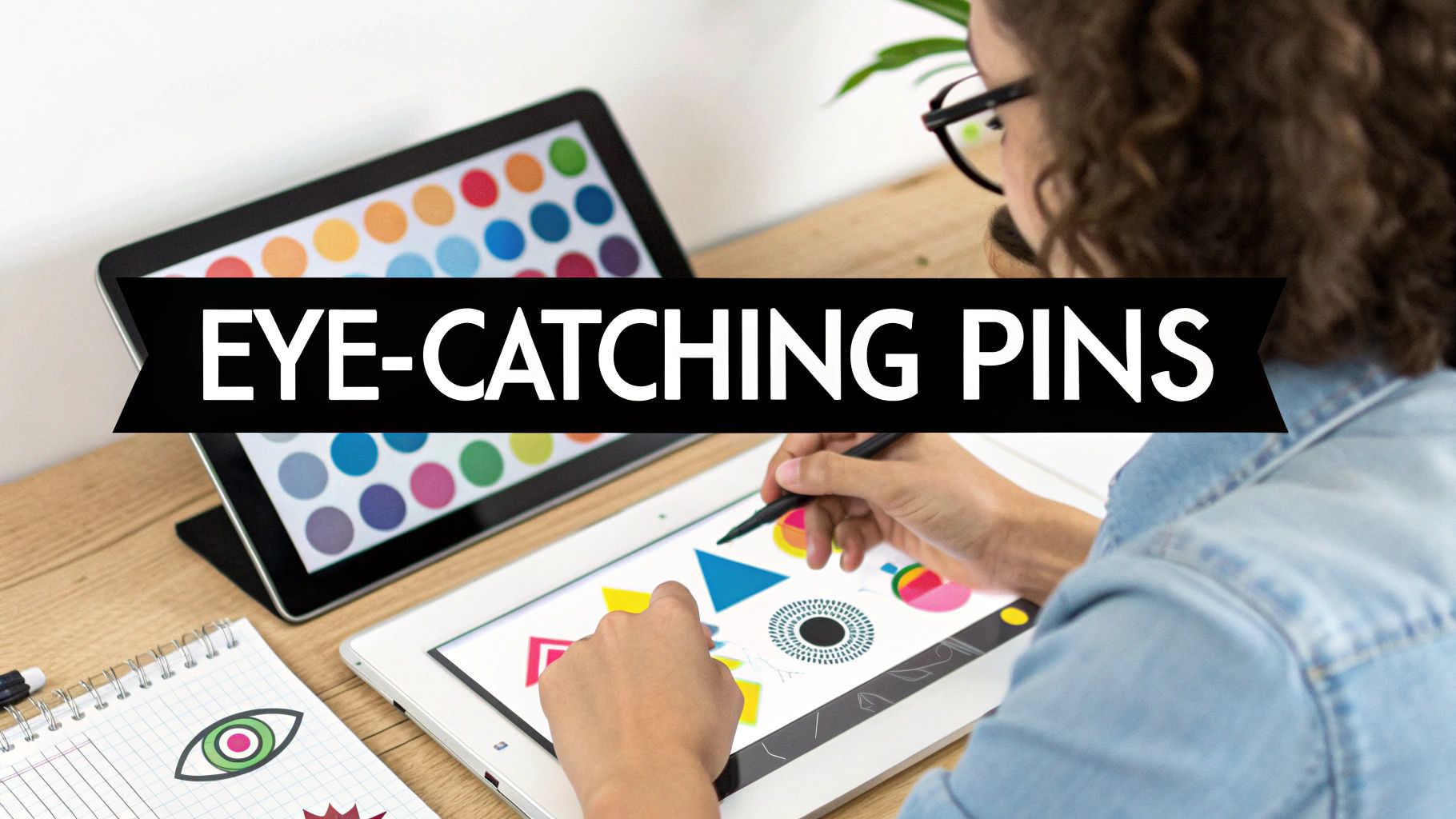
Let’s be clear: Pinterest is a visual search engine, first and foremost. That means your image or video is doing all the heavy lifting.
A blurry, poorly lit photo is an instant scroll-past. To really grab someone’s attention, your visuals have to tell a story.
- Embrace the Lifestyle Shot: A clean, product-on-white background is perfect for your website, but it often feels sterile on Pinterest. Showing your product in a real-world context is way more powerful. So instead of just a photo of a ceramic mug, show someone holding it on a cozy morning, with steam rising from the top. That sells an experience, not just a mug.
- Go Vertical: Pinterest is built for phones, and its feed is designed for vertical images. Always create your Pins in a 2:3 aspect ratio—think 1000 x 1500 pixels. This takes up the most screen space and keeps your images from getting awkwardly cropped.
- Add Text Overlays: A simple line of text can instantly provide context and create a much stronger hook. Use bold, easy-to-read fonts with headlines that grab attention, like “5 Ways to Style a Bookshelf” or “The Perfect Gift for Coffee Lovers.” This turns a passive image into an active, helpful piece of content.
Given how visual the platform is, applying stunning product photography tips is one of the best things you can do to make your Pins stand out.
Here’s a pro tip from Pinterest’s own data: Pins that include a person’s face get 23% more engagement. Whenever it feels natural for your brand, show someone using or enjoying your product. It builds an instant connection.
Writing Copy That Sells
Once your amazing visual has done its job and stopped the scroll, your copy needs to seal the deal.
The title and description are critical for both convincing the user and helping Pinterest’s algorithm understand what your Pin is about. This is where you earn that all-important click through to your store.
Your title needs to be clear, compelling, and packed with keywords. Think of it like a magazine headline. Instead of a flat “Brown Leather Tote Bag,” try something more aspirational like “The Perfect Everyday Carryall | Durable Brown Leather Tote.”
The description is your space to add more detail and emotion. Don’t just list features; explain the benefits. Talk about the problem your product solves or the feeling it creates.
And of course, you’ll want to weave in your secondary keywords naturally to help your Pin show up in more searches. For a complete masterclass, check out our full guide on https://www.postpaddle.com/blog/how-to-create-pins-that-convert.
Activating Rich Pins for a Seamless Shopping Experience
If you’re serious about e-commerce on Pinterest, enabling Rich Pins is a must-do. This is a game-changing feature that automatically pulls information from your website’s product pages and syncs it directly to your Pins.
For selling, Product Rich Pins are what you need. They automatically display the most current info right on the Pin itself, including:
- Real-time pricing
- Stock availability
- A direct link to the product page
This is a huge time-saver, but more importantly, it builds trust. When a shopper sees a price on a Pin, they know it’s accurate.
This cuts down on friction and makes them far more likely to click through and complete the purchase.
Moving Beyond Static Images with Video and Idea Pins
While beautiful images are the bread and butter of Pinterest, don’t sleep on the power of motion. Video Pins and Idea Pins are fantastic for showcasing your products in a more dynamic and engaging way.
Think about what this could look like for your brand:
| Pin Format | Use Case Example | Why It Works |
|---|---|---|
| Video Pin | A 15-second clip of your blender effortlessly crushing ice for a smoothie. | It demonstrates the product’s power and effectiveness in a way a photo simply can’t. |
| Idea Pin | A multi-slide tutorial showing how to create a gallery wall using your art prints. | This provides genuine value and inspiration, positioning your product as the key solution. |
| Video Pin | A “try-on haul” showing off a new clothing collection on a model. | This helps customers visualize fit and movement, answering their biggest questions before they even ask. |
These formats bring your products to life. They show them in action and give Pinners a much richer, more compelling reason to believe in what you’re selling.
When you combine stunning visuals, persuasive copy, and the right Pin formats, you create a Pinterest presence that consistently turns casual browsers into happy buyers.
Mastering Pinterest SEO to Attract Eager Buyers
Here’s the thing about selling on Pinterest: you have to stop thinking of it as just another social media site. It’s not about racking up followers.
It’s a visual search engine, and your success hinges entirely on how well people can find your stuff when they’re searching for it.
This is why keyword research isn’t just a “nice-to-have”, it’s the absolute bedrock of your sales strategy.
Every single Pin, board, and even your profile description is a chance to signal to the Pinterest algorithm what you’re selling and who needs to see it.
Nail this, and you’ll connect directly with people who are already in a buying mood.
Uncovering What Your Customers Are Searching For
The best part? You don’t need fancy, expensive tools to get started. Pinterest itself is your number-one research assistant. Just head straight to the search bar.
Let’s say you sell handmade ceramic mugs. Start by typing a broad term like “coffee mugs” and watch what happens.
Pinterest immediately auto-suggests popular searches like “coffee mugs aesthetic” or “coffee mugs with sayings.” These aren’t just random guesses; they’re the exact phrases real people are using.
Hit enter, and then look at those colorful bubbles that pop up right under the search bar. For “coffee mugs,” you’ll likely see options like “handmade,” “unique,” “pottery,” or “gift ideas.”
Each bubble is a keyword goldmine, giving you a peek directly into the minds of your potential customers.
This simple exercise helps you unearth long-tail keywords that scream purchase intent. Think about it: someone searching for a “handmade pottery coffee mug gift idea” is worlds closer to buying than someone just browsing “home decor.”
Strategically Placing Your Keywords for Maximum Impact
Once you’ve got a solid list of keywords, it’s time to put them to work.
You need to sprinkle them throughout your profile in all the right places, acting like signposts that guide both users and the Pinterest algorithm straight to your products.
Here’s where your keywords need to live:
- In Your Profile Bio: Don’t just list your brand name. If your shop is “The Clay Corner,” change your bio to something like, “The Clay Corner | Handmade Pottery & Unique Ceramic Mugs.” Be descriptive!
- On Your Board Titles and Descriptions: A board named “My Products” does you zero favors. A title like “Unique Handmade Coffee Mugs” is specific and searchable. Then, use the description box to add even more related keywords.
- Within Individual Pin Descriptions: This is your prime SEO real estate. Every single Product Pin needs a detailed, natural-sounding description that weaves in the most relevant keywords for that specific item.
Remember, the goal of Pinterest SEO is to align your content with user intent. Every keyword you use should help a potential buyer find the exact solution they are looking for.
Organizing Your Boards Like a Well-Stocked Store
Imagine walking into a messy, disorganized retail store, it’s confusing and you’d probably just leave. Your Pinterest profile is no different. You need to group your products into clear, thematic boards.
This not only helps shoppers find what they’re looking for but also tells the algorithm exactly what your niche is.
For example, a jewelry seller shouldn’t just dump everything onto one massive “Jewelry” board. Instead, they should get specific and create keyword-focused boards that target different buyers:
- Minimalist Gold Necklaces
- Bohemian Statement Earrings
- Personalized Bridesmaid Gifts
- Birthstone Rings for Her
This level of organization makes your profile so much easier to browse and lets you target super-specific searches. Of course, getting found on Pinterest also means having a good handle on broader search principles.
Following a solid ecommerce SEO checklist can make a huge difference in helping your products show up and get noticed.
For a deeper dive, check out our guide on proven https://www.postpaddle.com/blog/pinterest-seo-tips to really fine-tune your approach.
A smart strategy for SEO and board organization is what transforms your profile from a simple gallery into a powerful sales machine.
Using Ads and Smart Scheduling to Supercharge Your Reach
Think of a solid organic strategy as your engine. It’s powerful, reliable, and does the heavy lifting. But once that engine is humming, paid ads and smart scheduling are the high-octane fuel you need to really open it up on the highway.
This is how you take all your hard work and scale it, reaching far more people without burning yourself out.
What’s great about Pinterest is that paid promotions feel less like an interruption and more like a helpful discovery.
People are already on the platform with an intent to find, plan, and buy. A well-placed ad doesn’t feel like a jarring commercial; it feels like the perfect solution showing up at just the right time.
Getting Started with Pinterest Ads (The Simple Way)
Don’t let the idea of running ads intimidate you. For e-commerce brands, you can ignore most of the complexity and focus on the two campaign types that actually move the needle and drive sales.
Here’s where I always tell people to start:
- Shopping Campaigns: These are tailor-made for selling products. You can take your existing Product Pins and turn them into ads that pop up right when people are searching for what you sell. It’s the most direct path from discovery to purchase.
- Conversion Campaigns: This is all about getting users to take a specific action on your website, whether it’s buying a product or signing up for your email list. You’ll need the Pinterest Tag installed on your site for this, but the data you get is pure gold—you see exactly what’s working.
The real power move, though, is in the targeting. You can zero in on people based on keywords they’re searching for (“rustic farmhouse table”), interests they have (“women’s fashion”), or even retarget users who’ve already visited your website.
That last one is incredibly effective; you’re reaching a warm audience that already knows who you are.
The Secret Weapon: Unbreakable Consistency
Here’s a hard truth: ads and organic content work best when they work together. But the biggest hurdle I see sellers face is simply keeping up.
Life happens, and before you know it, a week has passed with zero new Pins. Unfortunately, the Pinterest algorithm lives for consistency.
A steady, consistent pinning schedule is one of the most powerful signals you can send the algorithm. It tells Pinterest you’re a reliable source of fresh content, which encourages them to show your Pins to more people.
This is precisely why automation is a non-negotiable part of the game. Trying to manually pin several times a day, every single day, is a fast track to burnout.
A dedicated scheduling tool frees you up to focus on the bigger picture.
How Smart Scheduling Drives Real Sales
This is where a tool like Post Paddle becomes essential. Instead of chipping away at your content daily, you can sit down and schedule out an entire month’s worth of Pins in one focused session.
But it’s about more than just saving time. It’s about being smarter with your strategy. A good scheduler lets you:
- Pin at Peak Times: Your content goes live exactly when your audience is most active and likely to engage.
- Keep Boards Fresh: You can easily schedule the same Pin to multiple relevant boards over a few weeks, which maximizes its reach without looking spammy.
- Run Your Store 24/7: New content keeps flowing even when you’re asleep or on vacation, creating an “always-on” presence.
When you pair the laser-focused reach of Pinterest Ads with the automated consistency of a great Pinterest scheduler, you build a system that practically runs itself.
The ads pull in new, motivated buyers, while your steady stream of organic content keeps your brand at the forefront. It’s the one-two punch that truly grows your business on Pinterest.
Using Analytics to Refine Your Sales Strategy
Putting great content out there is a huge part of selling on Pinterest, but it’s really only half the battle. The other, and arguably more important, half is figuring out what’s actually working so you can do more of it.
You can’t just guess your way to success; you have to listen to the data, and Pinterest Analytics is where those golden nuggets of insight are hiding.
When you start digging into your analytics, you need to look past the vanity metrics. Sure, seeing a ton of impressions feels good, it means you’re getting eyeballs on your Pins. But the real magic happens with outbound clicks.
That number tells you how many people were intrigued enough to leave Pinterest and head straight to your website. That’s where the real sales journey begins.
Interpreting Your Key Performance Indicators
Think of your analytics dashboard as a direct line of communication with your audience. Every metric is a piece of feedback that helps you make smarter decisions, moving you from guesswork to a data-backed strategy.
Let’s look at a classic example: a Pin gets tons of impressions but barely any outbound clicks. I see this all the time. It usually means your image was fantastic, it stopped the scroll, but the headline, description, or call-to-action just didn’t seal the deal.
This is a clear signal to start experimenting with different text overlays or more compelling copy on your next batch of Pins.
Your goal isn’t just to be seen; it’s to inspire action. Focus on the metrics that directly correlate with traffic and sales, like outbound clicks, saves, and ultimately, conversions.
To truly refine your sales strategy and make sure your Pinterest efforts are paying off, you have to go beyond the surface-level numbers. It’s all about mastering social media metrics that truly impact your bottom line.
Tracking Real Conversions with the Pinterest Tag
If you want the full story on your return on investment, installing the Pinterest Tag on your website is non-negotiable.
This little piece of code is the essential link between what happens on Pinterest and what happens on your site. It lets you track the actions that really matter.
With the tag in place, you can see things like:
- Add to Carts: Which Pins are getting people to take that first step toward buying?
- Checkouts: What content is directly responsible for ringing the cash register?
- Sign-ups: How effective are your Pins at growing your email list?
Armed with this data, you can pinpoint your top-performing Pins and boards with surgical precision. It becomes easy to see which styles, topics, and products are hitting the mark.
From there, you can double down on what’s working and rethink or pause anything that isn’t.
This constant, data-driven feedback loop is what transforms a hopeful Pinterest presence into a powerful and profitable sales channel.
Make Every Product Pin Ready to Sell on Pinterest
Before you publish your next product Pin, run it through a proven checklist.
The free Pinterest Pin Optimization Checklist helps you make sure every image, title, and description is fully optimized for selling on Pinterest, so you’re not wasting impressions on weak creatives.
Use it alongside the strategies in this guide to turn more searches, saves, and clicks into real store visits and sales.
Got Questions About Selling on Pinterest? We’ve Got Answers.
Jumping into Pinterest can feel like learning a new language, and it’s natural to have a few questions. Let’s tackle some of the most common ones we hear from people just starting out.
1. What’s This Going to Cost Me?
Getting started is completely free. Seriously. Setting up your Pinterest Business account and creating organic Pins costs nothing.
The only time you’ll open your wallet is if you decide to boost your reach with Pinterest Ads. This makes it an amazing place to start selling, as you can build a massive organic presence without spending a dime on the platform itself.
2. Do I Need a Ton of Followers to Actually Sell Anything?
Nope, and this is probably the biggest myth about Pinterest. Forget what you know about other social media platforms where follower count is king.
Pinterest is a visual search engine. This means your Pins get found because of smart SEO and keyword strategy, not because you have 100,000 followers. A brand-new account can absolutely have a Pin go viral if it hits the right search term.
It’s all about discoverability. Your energy should go into creating great content that solves a problem or inspires someone, not chasing follower numbers.
3. How Many Times a Day Should I Be Pinning?
Think consistency, not quantity. You might see huge accounts pinning 10-15 times a day, but that’s not where you should start.
For a new account, a great goal is 1-3 fresh, unique Pins per day. This is enough to signal to the Pinterest algorithm that you’re a serious creator. It’s much better to post a few high-quality Pins every single day than to dump 20 on a Monday and then go silent for a week.