Pinterest group boards are essentially collaborative spaces. Instead of just one person adding Pins, multiple users can contribute to a single, shared board.
Think of it like a community bulletin board for a very specific topic, letting you get your content in front of a much wider, more engaged audience than just your own followers.
What Pinterest Group Boards Mean for Marketers Now

Let’s cut right to it: do Pinterest group boards still work in today’s marketing world?
The short answer is a definite yes, but their role has shifted quite a bit.
They’ve moved from being a blunt instrument for mass reach to a precision tool for building niche communities and distributing content strategically.
A few years ago, the game was all about chasing boards with massive follower counts, hoping a Pin would go viral. Today, that strategy is dead. The focus now is squarely on quality over quantity.
A smaller, highly-engaged group board dedicated to a very specific topic is infinitely more valuable than a huge, generic board that’s become a dumping ground for off-topic content.
The Modern Role of Group Boards
In a modern Pinterest strategy, a group board’s main job is to connect you with a hyper-focused audience.
When you contribute to a board specifically about “vegan keto recipes,” you’re putting your content right in the hands of people actively searching for that exact thing. This kind of precision targeting is what drives qualified, ready-to-convert traffic back to your website.
Here’s a simple way to think about it: your solo boards are like your personal library, perfectly curated for your followers.
A group board, on the other hand, is like a specialized book club where everyone brings their best finds on a single subject. This collaborative energy is where the real magic happens.
- Targeted Content Distribution: You get to reach users who are already passionate about your specific niche.
- Community Engagement: It’s a fantastic way to connect with other creators and potential collaborators in your industry.
- Authority Building: Consistently sharing high-quality, relevant content positions you as an expert in that space.
- Traffic Diversification: You’re tapping into the audiences of every other contributor, expanding your potential reach well beyond your own circle.
The core value of Pinterest group boards has pivoted from broad exposure to deep connection. Success is no longer measured by the number of boards you join, but by the quality of the communities you actively contribute to.
To really see the difference, let’s compare solo boards and group boards side-by-side.
Solo Boards vs Group Boards A Strategic Comparison
This table breaks down the primary differences, advantages, and use cases for personal (solo) boards versus collaborative group boards to help you decide where to focus your pinning efforts.
| Feature | Solo Boards | Pinterest Group Boards |
|---|---|---|
| Control | Full control over content and aesthetics. | Shared control; must follow owner’s rules. |
| Primary Goal | Brand building, curating your own content. | Audience expansion, niche targeting. |
| Reach | Limited to your own followers. | Extends to the followers of all contributors. |
| Best For | Showcasing your brand’s core topics and products. | Reaching new, highly-targeted audiences. |
| Effort | You are the sole contributor. | Collaborative effort from multiple pinners. |
While both board types are crucial for a well-rounded Pinterest strategy, understanding their distinct roles helps you allocate your time and content much more effectively.
Understanding the Scale and Scope
Collaboration is baked right into Pinterest’s DNA.
The platform hosts over 10 billion boards globally, and a huge chunk of those are group boards where users come together to share ideas. An individual user can be a member of up to 2,000 boards, which just goes to show the immense potential for networking and content discovery.
This structure is exactly what makes group boards such a powerful tool for marketers looking to tap into communities that already exist.
By using group boards the right way, you can do so much more than just get clicks—you can build real connections and foster genuine brand loyalty. It’s time to forget the outdated tricks.
The modern approach is all about using Pinterest group boards as a precision tool for driving meaningful engagement and sustainable growth.
How to Find High-Impact Group Boards

Finding the right Pinterest group boards can feel like hunting for a needle in a haystack, but the payoff is huge. A good board puts your content right in front of a dedicated, niche audience, driving the kind of targeted traffic that actually converts.
To find these gems, you have to go beyond a simple search in the Pinterest bar.
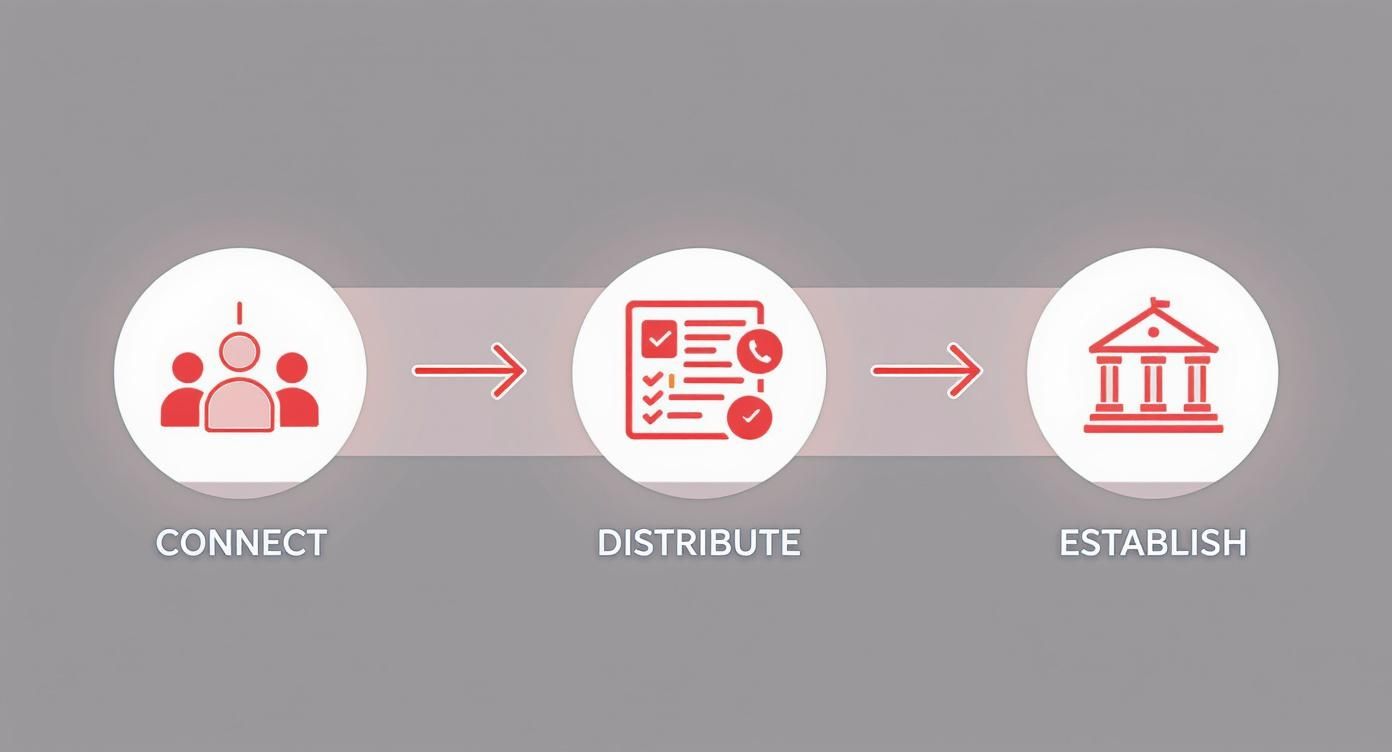
The whole point is to create a cycle: you connect with a community, share valuable content, and build your authority. It’s a feedback loop that strengthens your brand’s presence on the platform.
Go Beyond Basic Search
Start by thinking like your ideal follower. What phrases would they actually type into Pinterest? Don’t just stick with broad keywords.
For example, instead of searching for “Paleo Recipes,” get specific with something like “Paleo Desserts Group Board” or “Whole30 Dinner Ideas Community.”
Adding those modifiers can make all the difference.
Once you find a few boards that look promising, shift your focus to the top influencers in your niche.
Find a pinner whose content is always on point and getting great engagement. Head over to their profile and scroll down to their boards. Group boards are easy to spot—they have a little multi-person icon in the bottom corner. This is a goldmine.
Top pinners have already done the hard work of vetting boards for you, and they aren’t going to waste their time on spammy, dead-end groups.
Use the Community to Your Advantage
While you can find a lot manually, there are ways to speed things up. Old-school tools like PinGroupie still exist, but their listings are often out of date.
A much better bet these days is to tap into existing communities. I’ve had the most luck looking in places like:
- Niche-Specific Facebook Groups: Search for groups like “[Your Niche] Bloggers” or “Pinterest Marketing for [Your Industry].” Board owners often post here when they’re looking for quality contributors to fill open spots.
- Tailwind Tribes: While not group boards themselves, Tribes are fantastic for networking. You can see who the active players are in your niche and then check their profiles to see which group boards they’re a part of.
- Blogging Masterminds: If you’re in a smaller, focused group, just ask your peers. A simple “what group boards are working for you right now?” can yield some of the best, most current recommendations.
This whole discovery process gets a lot easier when you really understand what your audience is searching for.
If you need some fresh ideas for search terms, it’s worth playing around with some free tools for Pinterest keyword research.
How to Spot a Quality Board (And Avoid a Dud)
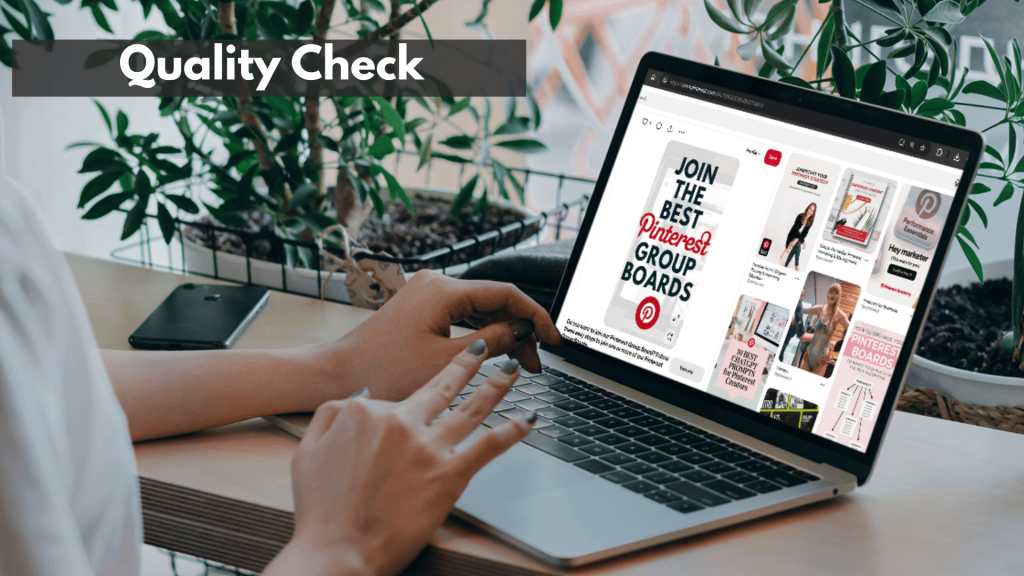
Finding a board is only the first step. The real work is making sure it’s a high-impact board.
Joining a low-quality, spam-filled group can actually hurt your account’s standing with the Pinterest algorithm, so this part is critical. Before you even think about asking to join, you need to do a quick quality check.
A great group board is a curated collection, not a content free-for-all. If it looks like a digital dumping ground where anything goes, walk away. Your brand is judged by the company it keeps.
Run every potential board through this quick evaluation checklist. It only takes a few minutes but will save you hours of wasted effort on boards that go nowhere.
Your Group Board Quality Checklist:
- Pin Relevance: Do the last 50-100 pins actually match the board’s title and description? If a “Minimalist Home Decor” board is clogged with diet pills and get-rich-quick schemes, it’s a huge red flag.
- Engagement Signals: Look at the pins themselves. Are people actually repinning and commenting? Follower counts can be vanity metrics, but recent, genuine engagement is the best sign of a healthy, active audience.
- Contributor Quality: Click on the profiles of a few other contributors. Do they look like real, professional accounts in your niche? Or do they look like spam accounts created just to blast out links?
- Board Rules: Check the board’s description for clear rules. The presence of guidelines (like “max 5 pins a day” or “no direct affiliate links”) is a great sign. It means the owner is actively moderating and cares about quality.
- Pin-to-Follower Ratio: This isn’t a perfect science, but it’s a good gut check. A board with 10,000 pins and only 500 followers probably has a lot of content dumping and very little engagement. You’re looking for a healthier balance.
By consistently applying these checks, you’ll make sure you’re only investing your time and energy in Pinterest group boards that will genuinely help you grow.
How to Craft a Request That Actually Gets You an Invite

So, you’ve found the perfect Pinterest group board. Now for the tricky part: getting invited.
This is where your first impression is everything. Board owners get flooded with lazy, copy-paste messages, and a sloppy request is the quickest way to land in their trash folder.
Before you even think about hitting “send,” put on your detective hat.
Carefully read the board’s description from top to bottom. Many owners intentionally hide specific instructions here just to filter out people who aren’t paying attention. Following their rules isn’t optional—it’s the first test.
First, Find and Follow the Joining Rules
Think of the board’s description as your cheat sheet. The owner has laid out the exact steps they want you to take, and ignoring them is a surefire way to get rejected.
Keep an eye out for these common requirements:
- A Specific Contact Method: Do they want a DM on Pinterest? An email? Or maybe they use a Google Form to keep things organized? Using the wrong channel tells them you can’t follow basic directions.
- Required Info: They’ll often ask for your Pinterest profile URL, your blog address, and a quick sentence on why you want to join. Have this info ready to go.
- The “Secret” Word: It’s an old but effective trick. An owner might write, “Include the word ‘sunflower’ in your subject line.” This is their way of instantly seeing who actually read the rules.
If you can’t be bothered to follow these simple instructions, the owner will assume you won’t follow their pinning rules either. It’s a simple, effective way for them to weed out trouble before it starts.
If you can nail the instructions in the joining process, you’re already ahead of 90% of the other people asking. It’s a direct reflection of how you’ll act as a collaborator.
Warm Up the Board Owner Before You Ask
Don’t just slide into their DMs cold. Remember, board owners are real people, not algorithms. They’re far more likely to say yes to someone who shows genuine interest in what they’re building.
Before you reach out, spend a day or two engaging with them. It’s easier than you think.
Follow their personal Pinterest profile (not just the group board!) and repin a few of their pins to your own boards. If they have a blog linked, pop over and leave a thoughtful comment on a recent article.
This simple gesture puts your name and face on their radar in a positive way, long before your request ever hits their inbox.
Writing a Message That Gets a “Yes”
Okay, it’s time to write the actual request. Your message should be professional, personal, and focused on the value you’ll bring.
You need to show them you’ll be an awesome contributor to their Pinterest group board, not just another user looking for clicks.
If you can find the owner’s name, use it! Start by mentioning the specific board you’re interested in and then briefly explain why your content is a great match. Don’t just say, “I pin about food.”
Instead, try something like, “I saw your ‘Vegan Dinner Ideas’ board and thought my plant-based comfort food recipes would be a perfect fit for your community.”
Here’s a simple framework to follow:
- A Personal Hello: Greet the owner by name.
- Get Straight to the Point: Clearly state which group board you’d like to join.
- Show Your Value: Briefly explain your niche and why your content is a good match. Crucially, include a link to your Pinterest profile so they can see the quality of your pins for themselves.
- Acknowledge Their Rules: Add a sentence like, “I’ve read the board rules and I’m ready to follow them.” This shows respect.
- A Polite Sign-Off: End with a simple “Thank you for your time.”
This thoughtful approach shows you’re a serious, considerate pinner who will add real value, making it a no-brainer for the owner to click that “accept” button.
Creating and Managing Your Own Group Board

While hopping on established Pinterest group boards is a smart move to stretch your reach, actually building your own can be a total game-changer.
When you create your own board, you shift from being just another participant to a community leader. You get total control over the content, the quality, and the entire vibe of the conversation in your niche.
Think of it this way…
Your profile becomes a go-to hub for great information, attracting not just followers but potential collaborators, too.
It’s an investment in building a long-term asset that establishes your authority and carves out a dedicated space for your ideal audience.
Setting the Foundation for Success
How you set things up at the beginning is everything—it dictates the tone for the community you’re about to build. This all starts with a clear, descriptive, and keyword-rich name.
The name needs to instantly tell pinners what the board is all about, which is crucial for making it discoverable in a search.
A generic name like “Food,” for instance, is way too broad. You’ll attract the right people from day one with something more specific, like “Healthy Weeknight Dinner Recipes” or “Vegan Comfort Food Ideas.” If you’re feeling stuck, a good Pinterest board name generator can spark some excellent, SEO-friendly ideas to get the ball rolling.
Next up, you need to write a compelling board description. This is your chance to really sell the vision for the board and lay down the ground rules. Be clear, concise, and firm.
Your description should cover a few key things:
- A clear mission: What’s the point of this board?
- Content guidelines: What’s allowed? More importantly, what’s not (e.g., no affiliate links, no off-topic pins)?
- Pinning etiquette: Set some boundaries, like “max 3 pins per day,” to keep spam at bay.
- How to join: If you’re open to new members, explain exactly what they need to do.
Getting this clarity upfront will save you a world of headaches later by filtering out spammers and attracting collaborators who actually respect the community you’re building.
Managing Your Community and Maintaining Quality
Getting the board launched is just the first step. The real work is in the ongoing management and nurturing of a thriving community.
As the owner, your main job is to be the gatekeeper of quality. This isn’t a task you can just set and forget.
Make it a habit to check in on your board regularly. You need to make sure all the pins are sticking to your guidelines. And don’t be afraid to remove pins that are off-topic or just plain low-quality.
This single action shows everyone you’re serious about keeping the board a valuable resource and helps protect its standing with the Pinterest algorithm.
Think of yourself as a museum curator, not a content hoarder. Every pin should add value and fit the collection. Removing a bad pin is just as important as adding a good one.
From there, you’ll want to keep an eye on contributor activity. If you spot a pinner who consistently breaks the rules or shares spammy content, it’s time to remove them. It might feel a little harsh, but one bad actor can quickly tank the board’s quality and drive away your best contributors.
Fostering Growth and Engagement
Once you have a solid foundation and a moderation plan, you can shift your focus to growth. A great way to start is by personally inviting a handful of high-quality pinners you admire in your niche.
This hand-picked group helps set the bar for content quality and gets the initial momentum going.
Then, start promoting your new group board everywhere else. Announce it to your email list, share it in relevant Facebook groups, and give it a shout-out on your other social media profiles.
Finally, lead by example.
Be the most active and engaged member of your own board. Pin your best content consistently, interact with other members’ pins, and dive into your Pinterest Analytics to see what’s resonating.
By tracking impressions, saves, and outbound clicks, you can pinpoint top-performing content and guide your community toward what works. Before you know it, your group board will become a powerful asset for your brand.
Smart Strategies for Group Board Success

Getting invited to a Pinterest group board is just the first step.
The real work (and the real payoff) comes from turning that membership into a genuine traffic-driving asset. It’s not about just dropping your links and hoping for the best.
Success means becoming a valuable, active member of that board’s community, which is what ultimately gets your own content seen.
The absolute first rule of any group board is simple: respect the rules.
The board owner put them there for a reason, usually to keep the quality high and the spam low. Ignoring their guidelines on pin frequency, content topics, or link types is the quickest ticket to getting kicked out.
Before you even think about pinning, read the board description carefully and commit the rules to memory.
But beyond the written rules, there’s an unwritten code of conduct. The best contributors get that it’s a two-way street. You can’t just show up, post your stuff, and disappear.
That’s not how you build influence or drive results. Instead, it’s all about finding a healthy balance.
Master Group Board Etiquette
Think of a group board like a good conversation. You wouldn’t just talk about yourself the whole time, right?
A great rule of thumb to follow is the 3:1 ratio.
For every one of your own pins, make it a point to repin at least three relevant, high-quality pins from other contributors on that same board.
This simple act of reciprocity does two powerful things:
- It builds goodwill: The board owner and other members will start to recognize you as someone who supports the community, making them far more likely to check out and share your content in return.
- It boosts the board’s health: When you actively engage with good content, you’re sending positive signals to the Pinterest algorithm. This helps strengthen the board’s authority, which is a win for everyone involved.
Another huge part of etiquette is the quality of what you share. Always bring your A-game. A group board is a curated space, so posting blurry images, irrelevant topics, or broken links hurts everyone.
Crisp visuals, keyword-rich descriptions, and functional links are the bare minimum.
Strategic Pinning for Maximum Impact
Once you’ve got the etiquette down, you can start getting strategic. This means shifting from random pinning to a more thoughtful, data-driven approach.
Don’t just pin when you have a spare moment; schedule your content to go live when your target audience is actually online and scrolling.
Dive into your Pinterest Analytics to see which of your group boards are actually doing the heavy lifting.
Head over to Analytics > Traffic and look at which URLs are sending you clicks. If you see one or two group boards consistently outperforming the others, that’s your cue to double down on them.
On the flip side, if a board isn’t sending you any love after a few months of consistent effort, it might be time to politely bow out and focus your energy where it counts.
The goal isn’t to be on a hundred different boards. It’s to be an all-star contributor on the right boards. Your analytics are the roadmap that shows you exactly where to invest your time.
If you’re selling your own creations, learning how to launch a digital product is a game-changer, and group boards can be an incredible promotional tool.
They give you a direct line to people who are actively looking for ideas and solutions just like yours.
The Power of Shoppable Content on Group Boards
The collaborative nature of group boards makes them a goldmine for product discovery. In fact, pins saved to boards have seen a 50% year-over-year increase in shoppable item saves.
That tells you people are here with an intent to buy.
With over 570 million monthly active users and 85% of weekly Pinners having purchased something based on pins from brands, group boards amplify your reach exponentially.
They pool the interests of a diverse, yet highly targeted, audience.
This is especially true for younger audiences. Gen Z now makes up 42% of Pinterest’s user base, and they are increasingly using collaborative boards to plan purchases and find inspiration.
For any e-commerce brand or blogger using affiliate links, this is a massive opportunity. If you’re looking to step up your game, our guide on tagging on Pinterest has some great tips for making your product pins more discoverable and click-worthy.
It all comes down to playing the long game. When you consistently contribute value, engage with others, and analyze your results, you can transform group boards from a minor tactic into a powerful engine for traffic and growth.
Make Pinterest Group Boards Work For You
Group boards aren’t a magic button—they’re a lever you can test, refine, and scale.
The difference-maker isn’t how many you join, but how intentionally you use them. If you treat group boards like focused communities instead of dumping grounds, they can become one of the most targeted traffic channels in your entire Pinterest strategy.
Here’s how to put this guide into action over the next 30 days:
- Audit and prune – Leave any boards that are off-topic, spammy, or sending you zero clicks. Protect your account first.
- Join 3–5 niche boards – Prioritize tightly focused boards with clear rules, consistent moderation, and real engagement.
- Follow a 3:1 rule – For every Pin you add, repin three high-quality Pins from others to strengthen the board and your relationships.
- Schedule, don’t spray – Add your best, on-topic Pins at strategic times instead of dropping random content when you remember.
- Review your analytics – After a few weeks, double down on the boards driving saves and outbound clicks, and quietly exit the ones that aren’t.
If you keep looping through this cycle (join, contribute, measure, refine) Pinterest group boards stop being a vague “growth hack” and start behaving like a deliberate, trackable channel you can actually rely on for long-term traffic and community building.
Ready to Give Your Group Boards Names People Actually Want to Follow?
Strong group boards start with clear, compelling names that tell people exactly what they’ll find inside.
Use PostPaddle’s FREE Pinterest Board Name Generator to quickly brainstorm relevant board name ideas that match your topics and keep your boards looking organized and intentional.
It’s an easy way to refresh existing boards or name new group boards without staring at a blank screen.
Common Questions About Pinterest Group Boards
Even with a solid plan, you’re bound to have questions as you dive into the world of Pinterest group boards. It’s a common experience.
Let’s tackle some of the most frequent questions I hear, so you can move forward with total confidence.
Are Pinterest Group Boards Still Worth It for Traffic?
Yes, they absolutely are, but the game has changed. A few years back, it was all about joining massive boards for huge, general exposure. Now, their real power is in driving highly targeted traffic.
Think of it this way: joining a high-quality, niche-specific group board puts your content right in front of a warm audience that’s already looking for what you have to offer.
It’s less like shouting into a crowd and more like joining an intimate, focused conversation with exactly the right people. Success today hinges on the quality and relevance of the board, not just its follower count.
A small, super-engaged board in your niche will almost always outperform a giant, generic one.
How Many Group Boards Should I Join?
My best advice? Focus on quality over quantity, always. There’s no magic number.
Honestly, being an active, valued contributor to 10-20 top-notch, relevant boards is way more effective than spraying your pins across 100 inactive or spam-filled ones. Spreading yourself too thin just guarantees your content gets lost in the noise.
Start by finding five of the best boards in your niche. Really put your energy into contributing great content there. Then, keep an eye on your Pinterest Analytics to see which ones are actually sending you clicks and engagement.
The goal isn’t to be an anonymous pinner on hundreds of boards. It’s to become a respected member of a few key communities. Make a habit of auditing your boards and politely leaving any that have gone downhill or aren’t performing for you anymore.
This focused strategy makes sure your efforts are concentrated where they’ll have the biggest impact, saving you a ton of time and boosting your results.
What if My Request to Join a Group Board Is Ignored?
First off, don’t take it personally. Seriously. Board owners are often busy creators or business owners themselves, juggling dozens of requests a week. An ignored request is almost never about the quality of your profile.
Before you do anything else, go back and triple-check that you followed their application rules perfectly.
The most common reason for getting ghosted is a simple mistake, like sending an email when they asked for a Pinterest message or forgetting to include a “secret word” from their rules.
If you’re sure you did everything right, it’s fine to wait a week or two and send a single, polite follow-up. But if you still hear nothing, it’s time to move on.
Pestering an unresponsive owner can feel spammy and isn’t a good look. There are thousands of other fantastic Pinterest group boards out there—put your energy into finding one that’s a better fit.
Can a Bad Group Board Hurt My Account?
Yes, and this is a big one. It’s something a lot of people overlook. Actively pinning to a board that’s overrun with spam, low-quality pins, or content that’s completely off-topic can actually harm your account’s standing with the Pinterest algorithm.
Pinterest’s algorithm is all about context and relevance.
When your amazing content is constantly seen in a “bad neighborhood,” it can drag down the distribution of all your pins, not just the ones you share on that board. The algorithm might start to see your entire profile as less authoritative.
Every so often, you need to review your boards with a critical eye. Ask yourself:
- Content Quality: Are the pins here still relevant and high-quality?
- Active Moderation: Does the owner seem to be actively removing spam and junk?
- Performance: Is this board actually generating any clicks, impressions, or saves for me? (Check your analytics!)
If a board has clearly nosedived in quality or is bringing you zero value, it’s time to bow out gracefully. Protecting the health of your Pinterest account should always be your number one priority.