Most bloggers treat Pinterest like “just another social platform,” then wonder why their traffic plateaus.
The shift that changes everything is simple: Pinterest isn’t social-first—it’s search-first. People aren’t showing up to catch up with friends. They’re showing up to find answers.
That’s why Pinterest can send blog traffic long after you hit publish. A single helpful Pin can keep surfacing in searches, getting saved, and driving clicks for months (sometimes years)—especially if your content solves a clear problem and your visuals are easy to understand on mobile.
This guide breaks down the exact strategy bloggers use to make Pinterest a reliable traffic channel: setting up your business foundation, building boards that act like “topic hubs,” designing Pins that earn clicks, and measuring the metrics that actually lead to growth.
Why Pinterest Changes Everything for Your Blog
Most bloggers lump Pinterest in with other social media platforms, but that’s a huge mistake. Thinking of Pinterest as just another place to share links misses its real power.
Pinterest isn’t about fleeting updates or social chatter; it’s a massive visual search engine. Understanding this single distinction is the secret to unlocking a firehose of traffic for your blog.
Unlike passive scrollers on other platforms, users show up on Pinterest with a mission. They are actively searching for ideas, solutions, and inspiration for their next project, purchase, or life event.
This forward-looking user intent is a total game-changer. An Instagram post is usually forgotten within 24 hours, but a well-made Pin can drive traffic for months, or even years.
Imagine a food blogger still earning steady income from a recipe Pin they created three years ago—that’s the reality of Pinterest.
I’ve seen lifestyle bloggers build email lists of over 100,000 subscribers almost entirely from Pinterest traffic. These aren’t lucky breaks; they are the direct result of treating Pinterest like the search engine it is.
To truly grasp why Pinterest is so different, let’s compare it to other platforms you might be using. This table breaks down the key differences that matter most to a blogger trying to drive traffic and grow their audience.
| Platform | Average Pin/Post Lifespan | Primary User Intent | Traffic Potential | Content Format |
|---|---|---|---|---|
| 4+ months (can be years) | Search & Discovery: Planning, finding ideas, inspiration, and solutions. | Very High: Designed to send users off-platform to original sources. | Vertical images & videos (Pins) linked to external content. | |
| 24-48 hours | Social Connection: Following friends, celebrities, and brands; passive scrolling. | Low to Medium: “Link in bio” is the main traffic driver; not built for clicks. | Square/vertical images, Stories, Reels. | |
| 5-6 hours | Community & News: Connecting with friends/family, joining groups, consuming news. | Medium: Can drive traffic, but algorithm prioritizes on-platform engagement. | Text, images, videos, links. | |
| X (Twitter) | ~18 minutes | Real-time Information: Breaking news, live conversations, quick updates. | Low: Clicks are possible but require high volume and timeliness. | Short text, images, videos, links. |
The takeaway is clear: while other platforms focus on keeping users scrolling on their app, Pinterest is built to send them out to find what they’re looking for. For a blogger, that’s exactly what you want.
The Power of Intent-Driven Search
The real magic is in the user’s mindset. People use Pinterest to plan their futures, big and small. This planning behavior makes certain blog niches absolute goldmines on the platform.
- DIY & Home Decor: Users are hunting for tutorials and inspiration for their next weekend project.
- Food & Recipes: Pinners are constantly saving recipes for meal plans, holidays, and dietary needs.
- Fashion & Beauty: People curate their personal style on boards and search for “how-to” tutorials.
- Travel: Users plan entire vacations by saving destination guides, packing lists, and travel hacks.
- Parenting & Education: Parents are always on the lookout for kids’ activities, parenting advice, and educational printables.
If your blog offers solutions or inspiration in areas like these, you have a built-in audience just waiting to find you. The key is to stop thinking about “social sharing” and start thinking about “solving problems visually.”
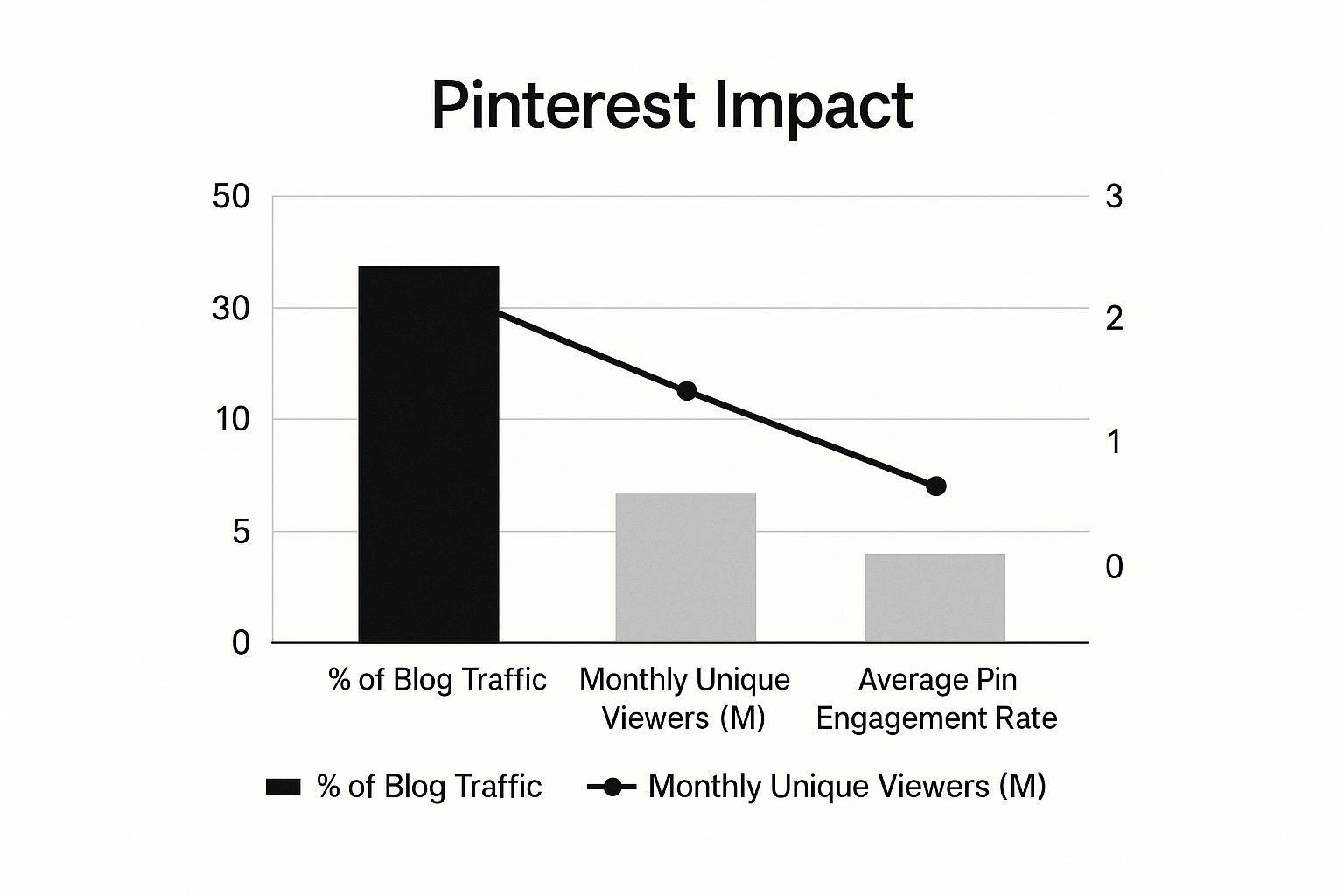
This infographic shows the kind of impact Pinterest can have on your blog’s key metrics.
As the data shows, Pinterest can easily become your top traffic source, putting your content in front of millions of potential readers.
An Ever-Expanding Audience
The platform’s continued growth just sweetens the deal for bloggers. Pinterest hit a new record of 570 million monthly active users in early 2025.
But what’s even more important is that a staggering 96% of top Pinterest searches are unbranded. This means users are looking for the best idea, not a specific brand.
It creates a level playing field where your high-quality content can compete with—and even outrank—huge, established names. Good luck doing that on other platforms.
With 82–85% of Pinterest usage happening on mobile devices, your strategy must be mobile-first. This means ensuring your blog is mobile-friendly and that you prioritize creating eye-catching vertical Pins.
If you want to dive deeper, you can explore the latest Pinterest statistics and what they mean for creators.
Your job is to be the solution they discover. When you create helpful, beautiful Pins that lead back to your detailed blog posts, you insert your content directly into their planning process.
You turn a simple search into a new, loyal reader.
Building Your Pinterest Business Foundation Right
Getting started on Pinterest means making one crucial move right away: switching to a Business Account.
Many bloggers just tick this box and forget about it, but that’s a huge missed opportunity. The real magic isn’t just the account type; it’s the powerful toolkit you unlock.
This is where the pros separate themselves from the hobbyists.
A business account gives you access to Pinterest Analytics, Rich Pins, and the ability to run ads. Without these, you’re basically pinning with your eyes closed, just hoping something works.
Imagine running a shop without a cash register or inventory system—sure, you might make a few sales, but you’ll have no clue what’s actually selling or how to grow.
Optimizing Your Profile for Discovery and Trust
Think of your profile as your digital storefront. When someone finds one of your Pins and is curious enough to click over to your profile, you have just a few seconds to convince them you’re worth following.
This is valuable real estate that most bloggers completely waste.
- Profile Photo: Ditch the generic logos or grainy selfies. A clear, professional headshot builds instant trust. One DIY blogger saw a 300% jump in followers after she swapped her logo for a friendly picture of herself in her workshop. It shows there’s a real person behind the brand.
- Profile Name: Use your blog’s name, but don’t be afraid to add a keyword descriptor for extra visibility. For example, “The Savvy Kitchen | Easy Family Recipes.”
- Bio: This is your elevator pitch. It needs to be packed with keywords and show what’s in it for the reader. Don’t just write “Food Blogger.” A much better bio would be something like: “Helping busy moms make delicious 30-minute meals. Click here for my free weekly meal plan!” A food blogger who used a similar bio strategy told me she gets over 500 clicks to her lead magnet every month, straight from her profile.
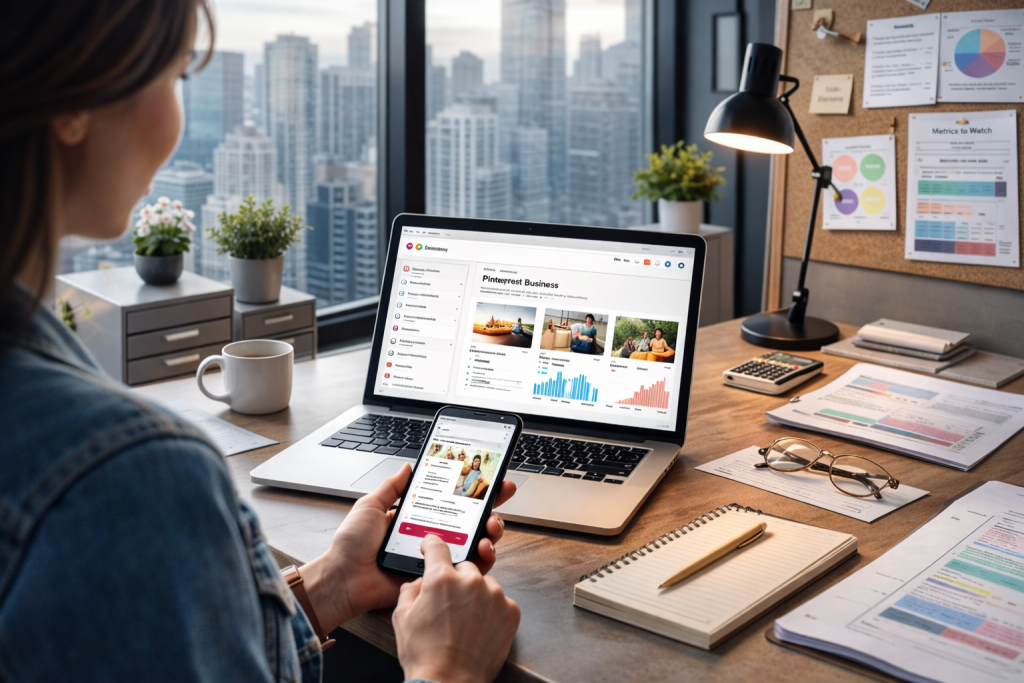
Here’s a glimpse of the Pinterest for Business interface. This dashboard is your command center for tracking what works and using the tools that will really help your blog grow.
The Technical Setup That Drives Results
With your profile looking sharp, it’s time to tackle the technical stuff that makes a real difference when using Pinterest for bloggers. These steps are absolutely essential if you’re serious about growth.
First up, claim your website. This is a big deal. It adds a “verified” checkmark to your profile, which builds credibility, and it also unlocks analytics for any Pin that comes from your site.
Even better, it makes sure you get credit for all the content people pin from your domain, even if they pin it themselves.
Next, you need to enable Rich Pins. Think of these as super-Pins. They automatically pull extra info from your blog, like your post’s title and meta description.
This gives users more context, making your Pins far more tempting to click in a crowded feed.
Pinterest offers different types of Rich Pins (like article, product, or recipe), so it will pull the right data for your specific content.
Finally, connect your analytics. By linking Pinterest with Google Analytics, you can see the whole picture.
You won’t just see clicks from Pinterest; you’ll see what those visitors do once they arrive on your blog. This data shows you Pinterest’s true value, tracking everything from email sign-ups to affiliate purchases.
For a more detailed guide on these steps, you can learn how to optimize Pinterest for business with our complete tutorial.
Creating Board Strategies That Work Like Traffic Magnets
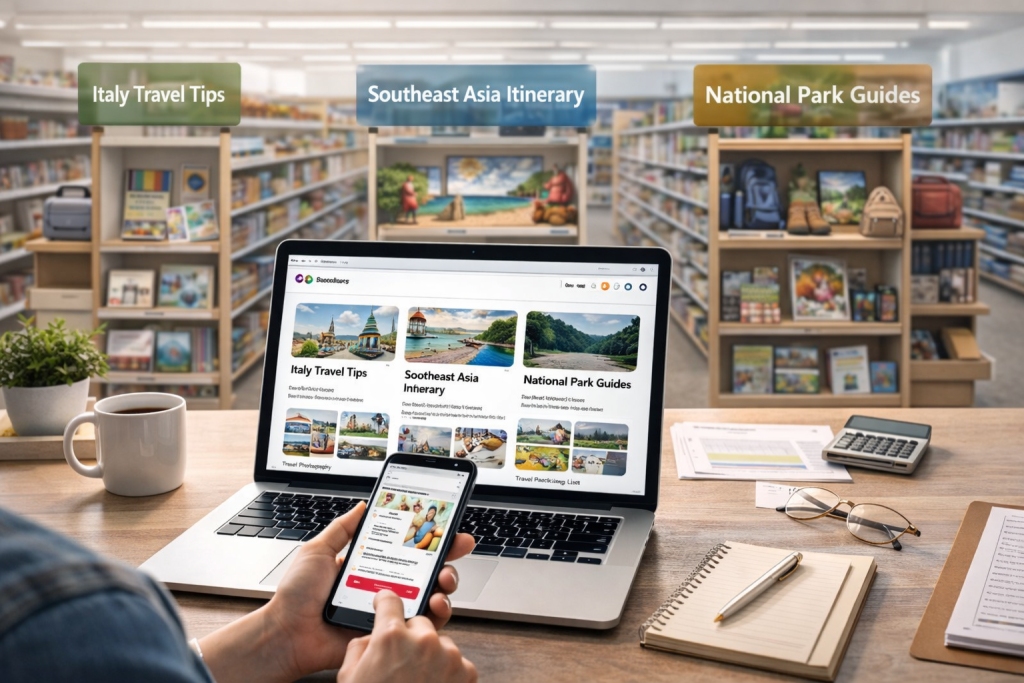
Think of your Pinterest boards as more than just a place to collect cool ideas. For a blogger, they’re strategic tools for organizing your content and leading readers straight to your website.
A smart board strategy is what turns a passive Pinterest profile into an active, traffic-generating machine.
Imagine your boards are like themed aisles in a store. Each one is set up to attract a specific kind of reader and guide them to exactly what they’re looking for.
This is how you transform Pinterest for bloggers from a simple image-sharing site into a powerful marketing funnel for your blog.
For example, a travel blogger wouldn’t just have one giant “Travel” board. Instead, they’d create specific boards like “Italy Travel Tips,” “Southeast Asia Itinerary,” and “National Park Guides.”
A parenting blogger could segment by age with boards like “Activities for Toddlers (Ages 1-3)” or “Parenting Teenagers.” This level of organization makes your profile incredibly useful and keeps people coming back.
Naming and Structuring Your Boards
The name you give your board is your first shot at getting discovered. You need a title that’s both interesting to a real person and optimized for Pinterest’s search algorithm.
Steer clear of cute or vague names like “Yummy Things.” Instead, use clear, keyword-rich titles that people are actually searching for. A food blogger, for instance, should opt for “Easy 30-Minute Dinner Recipes.”
Don’t neglect your board descriptions either—they are a goldmine for keywords. Write a couple of sentences that clearly explain what the board is about, and naturally mix in relevant search terms.
This gives Pinterest more clues about your content, helping it show your pins to the right audience.
Creating a board is straightforward, as shown in this screenshot from Pinterest’s help section.

The interface asks for a name, which is your most important opportunity to use keywords for discoverability.
Once your boards are set up, be sure to arrange them strategically on your profile. Put your most important boards—the ones that link to your best content or freebies—right at the top.
This makes sure that anyone visiting your profile for the first time immediately sees your most valuable stuff.
Essential Board Types for Bloggers
To build a really effective strategy, you’ll want a mix of different board types. This keeps your profile fresh and gives your audience multiple ways to engage with your content.
A solid board strategy is crucial for discoverability. To help you get started, here’s a framework with board ideas for different blogging niches.
Board Strategy Framework by Blog Niche
Strategic board recommendations and naming conventions for different blogging niches to maximize discoverability
| Blog Niche | Essential Board Types | Keyword Strategy | Content Mix Ratio |
|---|---|---|---|
| Food Blogger | Best of [Blog Name] Recipes, Easy Dinner Ideas, Healthy Breakfast Recipes, Vegan Dessert Recipes, Fall Soup Recipes | Use long-tail keywords like “quick weeknight meals for family” or “gluten-free baking for beginners.” | 80% Your Content / 20% Others. Focus heavily on your own recipes to establish authority. |
| Travel Blogger | [Your Blog Name] Travel Guides, Europe Travel on a Budget, USA Road Trip Itineraries, Solo Female Travel Tips, Packing Lists | Focus on destination + action keywords, e.g., “Paris travel guide” or “what to pack for Thailand.” | 70% Your Content / 30% Others. Pinning helpful resources from others (like flight deals) builds trust. |
| DIY/Craft Blogger | [Blog Name] DIY Projects, Home Decor DIYs, Upcycled Furniture Ideas, Holiday Craft Projects, Kids Craft Activities | Use terms like “DIY,” “how-to,” “tutorial,” and “ideas.” For example, “DIY farmhouse decor ideas.” | 90% Your Content / 10% Others. Your unique projects are the main attraction. |
| Personal Finance | [Your Blog Name] Money Tips, How to Save Money, Budgeting for Beginners, Investing 101, Side Hustle Ideas | Use action-oriented keywords like “how to start a budget” or “ways to make extra money.” | 75% Your Content / 25% Others. Share valuable, related content like financial news or tool reviews. |
This table shows how a niche-specific approach to board creation, combined with smart keyword usage, can make your profile a go-to resource.
Here’s a breakdown of the core types of boards every blogger should consider:
- “Best of Your Blog” Board: This should be the very first board on your profile. It’s a dedicated home for only your own blog posts. Naming it something like “[Your Blog Name] | Blog Posts” makes its purpose perfectly clear.
- Niche-Specific Boards: These are the heart of your strategy. Create 5-10 boards that cover the main categories of your blog. A DIY blogger might have boards for “Home Decor DIYs,” “Upcycled Furniture Projects,” and “Holiday Craft Ideas.”
- Seasonal Boards: These boards can be traffic powerhouses. Think “Fall Decor Ideas,” “Christmas Gift Guides,” or “Summer Grilling Recipes.” Start pinning to these boards 6-8 weeks before the holiday or season to get ahead of the curve and catch the wave of early planners.
- Broad Appeal Boards: It’s also a good idea to have a few boards on related topics that your audience is likely interested in, even if you don’t write about them. For a personal finance blogger, this could be a board on “Minimalist Living” or “Productivity Hacks.” This helps attract a wider, yet still relevant, audience to your profile.
Designing Pins That Demand Attention and Clicks
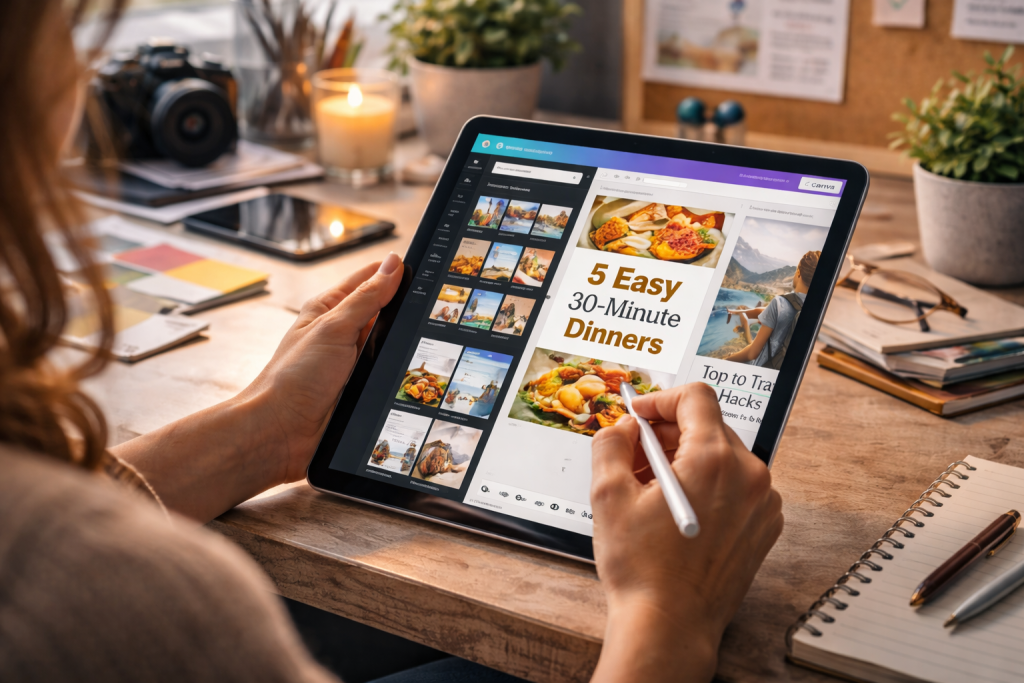
A brilliant blog post with lackluster Pins is like a fantastic shop hidden down a dark alley—hardly anyone will find it.
On Pinterest, your Pin design is your digital storefront. It’s the single most important factor in stopping a user mid-scroll and sparking their interest to click.
This isn’t about needing a graphic design degree; it’s about understanding the visual cues that make someone take action.
A successful Pinterest for bloggers strategy depends on creating Pins that aren’t just pretty, but are built to drive real traffic.
The Anatomy of a High-Converting Pin
So, what’s the difference between a Pin that racks up 100,000+ impressions and one that fizzles out with a few dozen?
It boils down to a few key elements working in harmony to grab attention and build curiosity.
I know a lifestyle blogger who tripled her click-through rate by making one simple change: she switched from muted pastels to warmer, high-contrast color palettes.
Her content was the same, but her Pins suddenly popped in a feed full of beige, and her visibility skyrocketed.
Here’s a breakdown of the core components that make a Pin a winner:
- Vertical Aspect Ratio: This is a hard-and-fast rule. Pinterest is a vertical world, so your Pins need to be too. Aim for the ideal size of 1000 x 1500 pixels (a 2:3 ratio). This gives you the most screen real estate, especially on mobile, where over 82% of Pinners are browsing.
- High-Quality Imagery: Your images must be clear, bright, and on-topic. Steer clear of blurry, dark, or generic stock photos. If you’re a food blogger, a crisp shot of the final dish is non-negotiable. For a DIY blogger, a well-lit photo of the completed project is what will get the click.
- Bold Text Overlay: Think of your text overlay as your headline. It needs to be compelling and, most importantly, easy to read. Use a strong, clear font and size it up so it’s legible on a small phone screen. Words like “Hack,” “Guide,” “Free,” and “Ideas” are proven performers. For instance, instead of “Living Room Decor,” a much stronger overlay is “5 Genius Living Room Decor Hacks on a Budget.”
Crafting Pins with Easy-to-Use Tools
You don’t need to shell out for expensive software to create eye-catching Pins. In fact, some of the best tools for the job are free and come loaded with templates designed specifically for Pinterest.
One of the top resources for this is Canva, a design tool that makes creating Pins incredibly quick and straightforward.
Here’s a peek at the Canva interface, which is packed with a huge variety of ready-to-use Pinterest templates.

As you can see, you can grab a professionally designed layout and just tweak the colors, text, and images to match your own brand.
Working with templates is a massive time-saver.
You can develop a few core templates that reflect your blog’s branding—using your specific fonts and color scheme—and then simply swap the text and background images for each new post.
This method, which you can manage with tools like Post Paddle to generate multiple variations automatically, helps you maintain a consistent brand look while still feeding the algorithm a steady stream of “fresh” Pins.
The Fresh Pin and Seasonal Content Strategy
The Pinterest algorithm loves new content, but that doesn’t mean you need a new blog post every single day.
A “fresh Pin” is simply a new image-and-text combination that the platform hasn’t seen before, even if it links to an old blog post.
Creating multiple Pin designs for a single article is a core strategy for generating long-term traffic.
For example, a food blogger with a “Pumpkin Spice Latte” recipe should create new Pins for it every single year starting in late August.
They can A/B test different images—one with a cozy fall background, another with a close-up of the drink—and different text overlays like “Easy Homemade PSL” versus “Copycat Starbucks Pumpkin Spice Latte.”
This seasonal approach keeps your evergreen content relevant year after year.
By creating and scheduling these Pin variations ahead of time, you can ensure a consistent flow of traffic without being on a constant content treadmill.
This is how smart bloggers turn Pinterest into a reliable, year-round source of traffic.
Mastering Pinterest’s Algorithm Through Strategic Pinning
To really see your blog traffic grow with Pinterest, you have to get a feel for its algorithm.
It’s not some unsolvable mystery; it’s a system that rewards you for being consistent and sharing high-quality, relevant content.
But figuring out the “right” way to pin can be confusing. Should you be pinning 10 times a day or 50? Is it okay to only share your own stuff? The secret is in a smart strategy, not just pinning as much as you can.
A lifestyle blogger I worked with tracked her metrics for 90 days and discovered her sweet spot was pinning between 5-15 fresh Pins per day.
Anything more gave her diminishing returns, while pinning less caused her impressions to drop. This really shows what Pinterest cares about: consistent, new content, not just repinning the same links over and over.
A “fresh Pin” is just a new image, even if it links to an older blog post. This is your secret weapon for promoting evergreen content without getting flagged as spam.
Finding Your Content Rhythm: The 80/20 Rule
A guideline that has stood the test of time is the 80/20 rule. The idea is to have about 80% of your Pins be your own content, with the other 20% being high-quality, relevant Pins from other creators.
When you share others’ content, your boards become go-to resources, not just a billboard for your own blog.
It helps build a sense of community and signals to the algorithm that you’re an active user who knows your niche inside and out.
For instance, a food blogger might pin their own “Vegan Lasagna Recipe” and also share a Pin from someone else about “The Best Dairy-Free Cheeses.”
This approach adds more value for their followers and keeps their boards dynamic and interesting. Just make sure whatever you share is a perfect match for your brand and what your audience loves.
Smart Scheduling: Tools and Timing
Consistency is key, but let’s be real—nobody has the time to be on Pinterest pinning manually all day. This is where scheduling tools become a game-changer.
While there are plenty of options out there, a Pinterest-approved partner like Tailwind is a favorite among bloggers because its features are built around Pinterest’s best practices.
Here’s a peek at the Tailwind dashboard, which helps you see and manage your pinning schedule at a glance.
The tool is smart enough to suggest the best times to post based on when your specific audience is most active, taking all the guesswork out of it.
But don’t just set it and forget it. Use these tools to build a schedule that truly works for you.
- Build a Queue: Load your fresh Pins into a queue and let the tool automatically publish them at the most effective times.
- Use Intervals: When you’re pinning one blog post to several of your boards, use an interval feature. This spaces out the Pins by a few days, so you don’t look spammy to the algorithm.
- Tap into Communities: Get involved in groups like Tailwind Communities. It’s a great way to share your content with other bloggers in your niche and get your Pins in front of a new audience.
Ultimately, cracking the algorithm isn’t about a single hack. It’s about combining a steady pinning schedule, a good mix of your own and others’ content, and using smart tools to stay efficient.
You can explore a complete guide to building an effective Pinterest marketing strategy that dives deeper into these ideas.
This balanced approach is what builds the kind of sustainable, long-term traffic every blogger wants.
Measuring What Matters and Optimizing for Real Results
Jumping into Pinterest Analytics for the first time can feel overwhelming. You’re hit with a wave of numbers—impressions, engagements, total audience.
It’s a thrill to see your impression count soar into the thousands, but let’s be honest, that number alone doesn’t pay the bills.
The real key to using Pinterest for bloggers is to zero in on the metrics that actually move the needle for your blog, like traffic and conversions.
Impressions just tell you how many times your Pin appeared on someone’s screen. While high impressions are great for visibility, they’re just digital noise if no one clicks.
It’s time to shift your focus from chasing eyeballs to chasing action.
Reading Beyond the Surface-Level Numbers
To get real, actionable insights, you need to become best friends with two specific metrics in your Pinterest analytics: Outbound Clicks and Saves. These are the numbers that tell you if your strategy is working.
- Outbound Clicks: This is the gold standard. It counts the number of people who clicked from your Pin straight to your blog post. This is your direct traffic, the ultimate goal of your pinning efforts.
- Saves: When someone saves your Pin to one of their boards, they’re telling the Pinterest algorithm your content is high-quality and useful. This gives your Pin longevity, helping it reach more people over weeks, months, and even years.
Think about it this way: if you have a ton of impressions but a tiny outbound click rate, it means your Pin design is catching eyes, but the headline or call to action isn’t strong enough to earn the click.
That’s a clear sign you need to experiment with new Pin designs and more compelling copy.
Here’s a glimpse of the Pinterest Analytics overview, where you can start to keep an eye on these vital signs for your account.

This dashboard gives you a quick snapshot of your performance, making it easy to see which Pins are your heavy hitters for clicks and engagement.
Connecting Pinterest Data with Your Blog’s Goals
While Pinterest Analytics is great for understanding what happens on the platform, it doesn’t tell the whole story.
To see what happens next, you need to look at Google Analytics. By tracking your referral traffic from Pinterest, you can uncover what those visitors do once they land on your blog.
Are they leaving immediately, or are they sticking around to sign up for your newsletter, click your affiliate links, or buy your products?
This is how you measure the true return on your Pinterest investment.
For example, a home decor blogger I know dug into her analytics and discovered that Pins with “before and after” photos had the highest outbound click-through rate.
Not only that, but those visitors were also the most likely to make a purchase through her affiliate links.
This insight allowed her to focus her creative energy on that winning format and stop wasting time on Pin styles that looked pretty but didn’t perform.
To help you get started with tracking, here’s a breakdown of the most important metrics and what they mean for your blog’s growth.
| Metric | What It Measures | Blog Impact | Optimization Strategy |
|---|---|---|---|
| Impressions | Number of times your Pin was shown on screen. | Indicates reach and visibility. | Optimize with relevant keywords, post at peak times, and create visually appealing Pins to get seen by more people. |
| Saves | Number of times users saved your Pin to their boards. | Signals content quality to the algorithm, boosting long-term distribution. | Create high-value, “evergreen” content that users will want to save and reference later. Think checklists, tutorials, and ultimate guides. |
| Outbound Clicks | Number of clicks from your Pin directly to your website. | Directly measures blog traffic from Pinterest. | Use clear calls-to-action (CTAs), compelling headlines on your Pin image, and ensure your Pin design stands out. |
| Engagement Rate | Clicks, saves, and comments divided by impressions. | Shows how well your Pin resonates with the audience that sees it. | Test different Pin formats (static, video, Idea Pins) and analyze what type of content your audience interacts with most. |
| Outbound Click Rate | Outbound clicks divided by impressions. | Measures the effectiveness of your Pin at driving traffic. | A/B test Pin titles, descriptions, and imagery to improve this critical conversion metric. |
By pairing what you learn from Pinterest with the data from Google Analytics, you can create a powerful feedback loop.
You’ll stop just guessing and start building a data-informed strategy that consistently grows your blog and your business.
For more ideas, check out our guide on how to increase Pinterest traffic for more strategies to turn those clicks into a loyal audience.
Advanced Pinterest Strategies for Serious Traffic Growth

After you’ve nailed the basics—setting up boards, designing Pins, and checking your analytics—it’s time to really level up.
To move from getting casual clicks to generating serious traffic, you need to think of Pinterest for bloggers as more than just a place to share content.
It should be a core part of your business engine. This is how you leave the crowd behind and build a traffic source that truly lasts.
Going Beyond Basic Keywords with Pinterest SEO
You’re already putting keywords in your Pin descriptions and board titles, which is great. But advanced Pinterest SEO goes deeper.
The search algorithm on Pinterest is getting smarter; it understands the intent behind a search, not just the exact words someone types.
You have to think like a user. For instance, someone searching for “small living room ideas” is probably also open to “apartment decorating hacks” or “space-saving furniture.”
To connect with these users, you need a smart mix of broad and long-tail keywords. A fantastic tool for this is Pinterest Trends.
It helps you uncover related terms and see what’s currently popular. If you’re a productivity blogger, you might find that “time blocking” is an evergreen topic, while searches for “digital planner” spike around the new year.
By creating content that covers both steady and trending topics, you ensure your profile stays visible all year long.
Remember, don’t just stuff keywords; weave them into genuinely helpful descriptions that solve a Pinner’s problem.
The Power of Smart Pinterest Advertising
Organic reach is the goal, but sometimes you need a strategic push. That’s where Pinterest Ads can be a game-changer, letting you put your best content in front of a very specific audience.
Unlike ads on other platforms that can feel like an interruption, Pinterest ads often fit right in because they look like regular Pins and are relevant to what users are already looking for.
A great place to start for most bloggers is a Traffic campaign. These are designed specifically to drive clicks from Pinterest straight to your blog posts.
Imagine a fashion blogger with a hit post on “Fall Capsule Wardrobe.” They could run an ad campaign targeting users who are interested in “fall fashion,” “women’s style,” and “minimalist outfits.”
You can start with a small daily budget to test which Pin designs and audiences give you the best cost-per-click.
Here’s a peek at the Pinterest Ads Manager, where all the magic happens.
This dashboard gives you all the data you need to figure out what’s working so you can put your ad budget where it counts.
Integrating Pinterest Across Your Entire Strategy
The most successful bloggers don’t treat Pinterest like an island. They weave it into their entire content strategy, creating a powerful compounding effect.
- Email Marketing: Take your best-performing Pins and use them to drive traffic to landing pages built for email sign-ups. A productivity blogger could create a Pin promoting a “Free Weekly Planner Template” that links directly to their email opt-in form. This is a brilliant way to turn casual Pinners into loyal subscribers.
- Idea Pins for Brand Building: While they don’t have direct outbound links, Idea Pins are amazing for building your authority and creating a loyal following. You can use them for quick tutorials, behind-the-scenes glimpses, or helpful listicles. This builds a real connection with your audience, making them more likely to follow you and click on your other Pins.
- Collaborative Growth: Team up with other bloggers in your niche by joining group boards. This is a simple way to get your content in front of their audience, and vice-versa. The trick is to find high-quality, active group boards where everyone shares valuable content. It’s a win-win that can give your reach a massive boost.
By layering these advanced techniques onto a solid foundation, you can transform Pinterest from a source of occasional traffic into a reliable and scalable driver for your business.
Make Pinterest Your #1 Traffic Source
If you want consistent blog traffic (without posting every day), start by targeting the exact keywords people are searching on Pinterest.
The right keywords help your Pins show up in search, get saved for later, and keep sending clicks for months.
That’s why the best next step is our free Pinterest Keyword Research tool. It helps you find trending keyword ideas you can use in your Pin titles, descriptions, and board topics so your content has a better chance of being discovered by the right readers.
Ready to grow with smarter Pinterest SEO?
FAQ
1. Is Pinterest still worth it for bloggers in 2025?
Yes—because Pinterest is search + discovery, not trend-chasing. A good Pin can drive traffic for months (sometimes years), especially for evergreen blog content.
2. How many times should a blogger Pin per day?
Start with 5–15 Pins/day if you can do it consistently. Focus on fresh Pins (new designs) and scale up only if your clicks and saves stay healthy.
3. What should I Pin if I don’t publish new posts often?
Create multiple fresh Pins for your best evergreen posts (new images + new headlines), and rotate seasonal versions ahead of peak months.
4. Do I need Tailwind or a scheduler to grow?
You can grow without one, but scheduling makes consistency much easier. A scheduler helps you spread Pins out and stay active even when you’re busy.
5. What Pinterest metric matters most for bloggers?
Outbound clicks (traffic to your blog) is the main KPI. Saves matter too because they extend reach, but clicks are what grow your blog.