
Pinterest isn’t just another social platform, it’s a visual search engine where people actively look for ideas, solutions, and products to buy.
When you optimize Pinterest for business the right way, your Pins keep working for you long after you publish them, sending warm, high-intent traffic to your site on autopilot. In this guide, you’ll learn how to turn Pinterest into a reliable growth channel for your brand.
Why Pinterest Is Your Secret Business Growth Weapon

Let’s be honest: many businesses treat Pinterest like a dusty, forgotten attic. They know it’s there, but they rarely venture in, focusing instead on the crowded living rooms of Facebook and Instagram.
That’s a huge mistake. While everyone else is shouting to be heard on those platforms, Pinterest users aren’t just scrolling—they’re planning, dreaming, and, most importantly, shopping.
They arrive with a specific purpose, actively searching for ideas, solutions, and products to bring their visions to life.
The Mindset of a Pinner: Intent Over Interaction
Unlike traditional social media where the goal is connection, Pinterest is a visual discovery engine. Think of it less like a party and more like a personalized, infinite shopping mall where users are building wish lists for their future.
They’re not there to see what their friends did last weekend; they’re there to find the perfect patio furniture, the best recipe for a Tuesday night dinner, or a software tool that solves a specific business problem.
This fundamental difference in user intent is precisely why learning how to optimize Pinterest for business is so critical. You’re not interrupting their feed; you are the answer they were searching for.
This proactive, solution-seeking mindset means the traffic coming from Pinterest is often warmer and more qualified than from any other platform.
Data-Driven Decisions: Why Pinterest Converts
The numbers don’t lie. Pinterest has grown into a commercial powerhouse with a massive, engaged user base.
A staggering 85% of weekly Pinners have made a purchase based on Pins they saw from brands, demonstrating a direct link between discovery and spending.
This is supported by its ability to drive 33% more referral traffic to e-commerce sites than Facebook. It’s not just about getting eyes on your content; it’s about getting the right eyes—the ones ready to pull out their wallets.
You can explore the latest Pinterest performance data to get a deeper understanding of these trends.
To see how Pinterest stacks up against other major platforms for business goals, take a look at the table below.
It highlights where Pinterest really shines, especially when it comes to driving valuable traffic and influencing buying decisions.
| Platform | Referral Traffic Quality | Purchase Intent | ROAS | Mobile Usage |
|---|---|---|---|---|
| High – Users are actively looking for solutions and products, leading to more qualified leads. | Very High – 85% of weekly users have bought from a Pin. | High – Generates a higher ROAS than other social channels. | High – Over 85% of Pinterest usage occurs on mobile devices. | |
| Medium – Traffic can be broad; users are often interacting socially, not shopping. | Medium – Users are primarily there to connect, not to shop. | Medium – Varies widely by ad campaign and targeting. | Very High – A primary platform for mobile social media. | |
| Medium – Visual discovery is strong, but click-throughs can be less intentional. | High – Strong for impulse buys and brand discovery. | Medium-High – Effective for visual products and influencer marketing. | Very High – A mobile-first platform built for on-the-go scrolling. |
This comparison makes it clear: if your goal is to reach users who are actively planning to make a purchase, Pinterest offers a unique and powerful advantage over its counterparts.
The following infographic illustrates the dramatic impact that strategic optimization can have on key performance metrics like impressions and click-through rates.
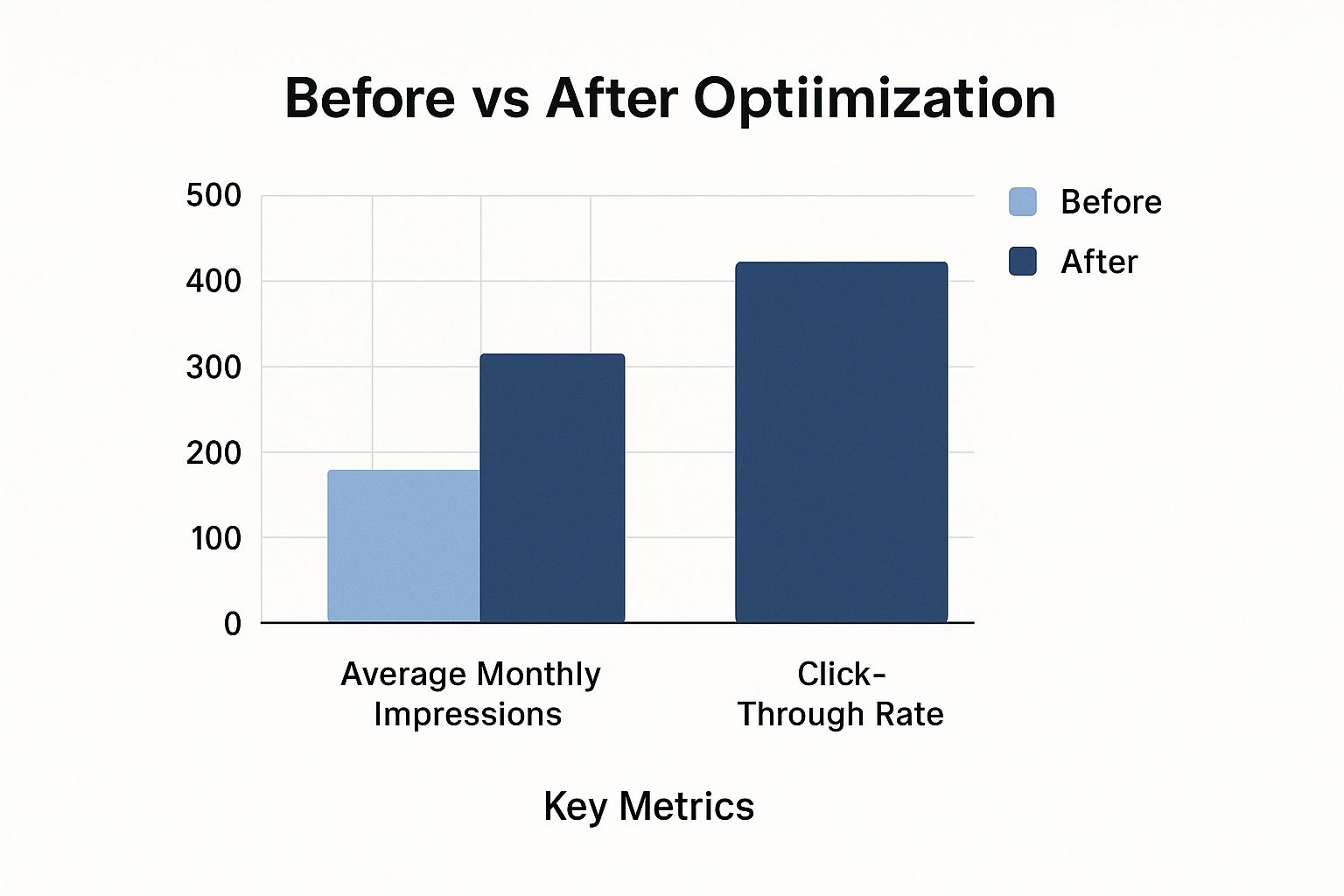
As the chart shows, a focused optimization effort doesn’t just incrementally increase reach; it can exponentially boost engagement, turning passive views into active website visitors.
The Long Game: Pins Are Evergreen Assets
One of the most powerful and overlooked advantages of Pinterest is the longevity of your content. A tweet is gone in minutes, an Instagram story in 24 hours.
A well-optimized Pin, however, is an investment that can continue to drive traffic for months, or even years, after it’s published. Each Pin acts like a tiny, hardworking employee, constantly surfacing in search results and on users’ boards, building compounding value over time.
This makes every minute you spend crafting a solid Pinterest marketing strategy an investment with lasting returns, turning your profile into a sustainable engine for business growth.
Building a Business Profile That Commands Attention
Think of your Pinterest profile as your brand’s digital storefront. It’s the first thing a potential customer sees, and in a sea of visual inspiration, you only have a few seconds to show them who you are and what you do.
A weak profile is like a “Closed” sign on the door, but a strong one invites people to come in and look around.
A big part of learning how to optimize Pinterest for business is treating your profile as a dynamic, strategic asset, not just a static page. Your profile is more than just a home for your logo; it’s where your brand’s story starts.
Every single piece—from your profile picture to your bio—has to work together to build trust and signal your value instantly. This isn’t just about looking pretty; it’s about getting found.
Your Bio: The 160-Character Elevator Pitch
Your bio is incredibly valuable space. You have 160 characters to tell people who you are, what you do, and who you do it for, all while weaving in your most important keywords. Forget generic descriptions.
Get specific. Instead of “Home Decor Store,” try something like, “Modern farmhouse decor for cozy, family-friendly living spaces | Shop our curated collections.”
This version tells a story, identifies a clear audience, and includes searchable terms like “modern farmhouse decor.”
The main goal is to answer a user’s unspoken question: “Is this for me?” A well-written bio immediately confirms they’re in the right place, making them much more likely to follow you and browse your boards.
Here’s a look at how top brands set up their profiles for maximum impact.
See how the cover image, profile picture, and username all create a cohesive, professional brand identity? It instantly communicates their niche and what a user can expect.
Essential Profile Optimization Checklist
Beyond the bio, a few small adjustments can make a huge difference in your profile’s performance and professional look.
- Claim Your Website: This is a must-do. Claiming your website unlocks access to important analytics and automatically adds your profile picture to any Pins that come from your site, which builds credibility with every share.
- Use a High-Quality Profile Photo: For a company, a crisp, high-resolution logo is the way to go. If you’re a personal brand or creator, a clear and professional headshot helps build a personal connection and fosters trust with your audience.
- Create a Custom Cover Image: Think of this space as a free billboard. Use it to showcase your products, highlight your brand’s aesthetic, or feature a call to action. Don’t let it go to waste.
- Strategic Username and Display Name: Your display name should be your full business name and can even include a primary keyword (e.g., “Post Paddle | Pinterest Scheduling”). Your username (the @handle) should simply be your business name to keep things consistent with your other social media platforms.
Mastering Pinterest Search Like a Pro
The biggest mistake I see businesses make on Pinterest is treating it like another Instagram or Facebook feed.
Here’s the thing: it’s not a social network; it’s a visual search engine. People aren’t there to catch up with friends; they come to find ideas, plan projects, and ultimately, to buy things.
Getting this distinction right is the first step in learning how to optimize Pinterest for business. You need to put on your search engine optimizer hat, not your social media manager one.
Let’s set aside everything you know about social media hashtags and chasing viral trends for a second. On Pinterest, what really moves the needle is discoverability.
To get seen, your Pins, boards, and profile need to be filled with the right keywords, so you appear exactly when someone is looking for inspiration or a solution. It’s all about meeting existing demand, not just trying to create it from scratch.
Uncovering Your Niche Keywords
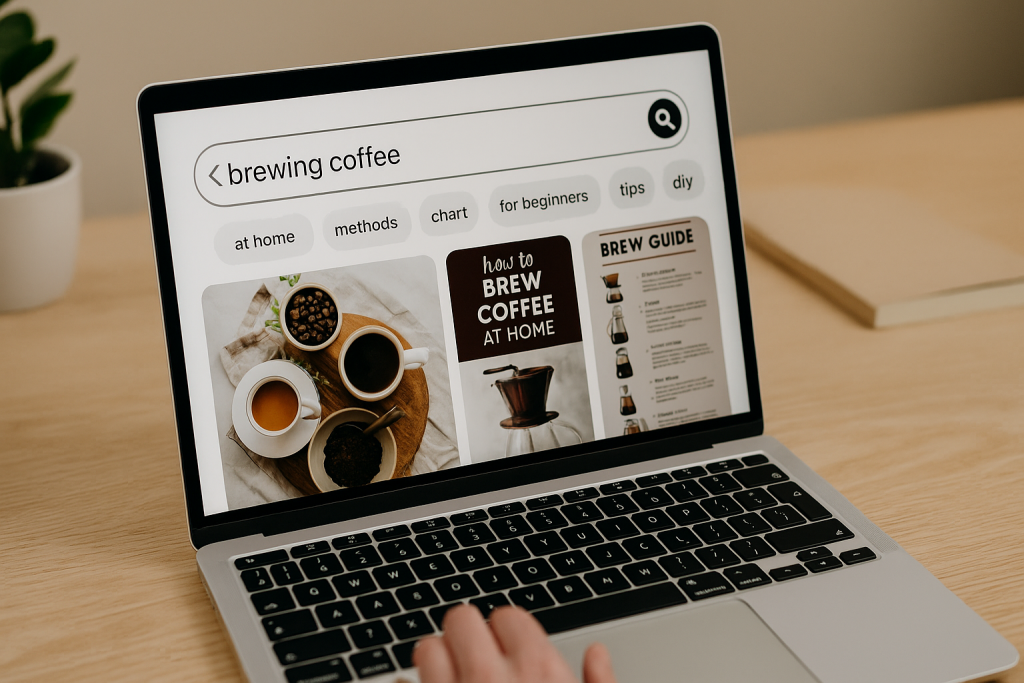
You don’t need a fancy third-party tool to start your keyword research—your best resource is Pinterest itself. Just go to the search bar and type in a broad term related to your business.
For instance, if you sell artisanal coffee, a good starting point would be “brewing coffee.”
This is what you’ll likely see after typing in a general search term.
Pay close attention to the colored bubbles that pop up right under the search bar. These aren’t just random suggestions; they represent the most popular related searches that real people are actively using.
This is an absolute goldmine for finding long-tail keywords—these are more specific, less competitive phrases that attract a highly motivated audience.
The simple search for “brewing coffee” immediately gives you more focused ideas like “at home,” “methods,” “chart,” and “for beginners.” Each one is a ready-made content opportunity.
Weaving Keywords into Your Content
Once you have a solid list of keywords, it’s time to put them to work. You need to strategically place them where Pinterest’s algorithm will see them.
Think of it as leaving a clear trail of breadcrumbs that leads the search engine directly to your content. Here’s where to focus your efforts:
- Pin Titles: Your title is prime real estate for SEO. It needs to be direct and feature your main keyword. Instead of a vague title like “Morning Brew,” go for something like “How to Brew Coffee at Home for Beginners.” It’s clear and searchable.
- Pin Descriptions: This is your space to add context and tell a small story. Write a couple of sentences in a natural tone that explain what the Pin is about and the value it provides. This is where you can weave in both your primary and secondary keywords. For example: “Discover the best coffee brewing methods for a perfect cup every morning. This simple chart helps beginners understand different techniques, from pour-over to French press.”
- Board Titles and Descriptions: Your boards group your Pins and provide high-level context. A board titled “Coffee Brewing Tips & Tricks” immediately signals to Pinterest what the content is about, giving all the Pins inside a relevance boost for similar searches. The board description is important, too—fill it with related keywords to build up your authority on that topic.
- Text on Your Pin Image: Pinterest’s technology can now “read” the text directly on your Pin graphics. Adding a clear, keyword-rich title right on the image (e.g., “5 Coffee Brewing Mistakes to Avoid”) gives you another powerful layer of SEO.
By consistently applying these keyword strategies, you’ll stop just posting content and start providing direct answers to the questions your ideal customers are asking.
This is how you go from simply being on Pinterest to actually winning on Pinterest.
Creating Pins That Stop Scrollers in Their Tracks
If you think of Pinterest as a visual search engine, then your Pins are the individual results all fighting for a user’s attention.
In a fast-moving, image-heavy feed, you have only a split second to make someone stop scrolling and take a closer look.
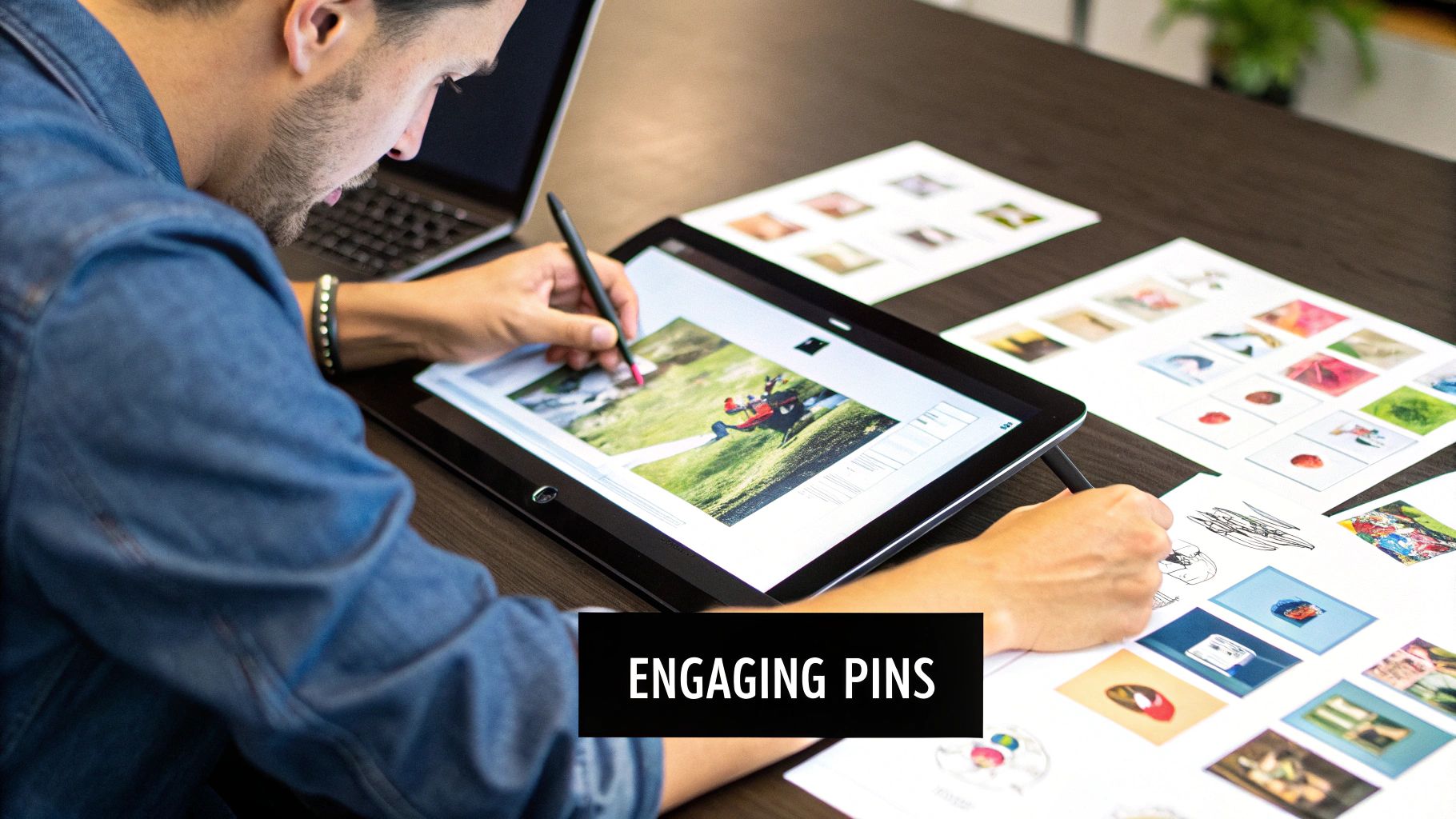
This is where strategic design becomes essential for anyone learning how to optimize Pinterest for business. A great Pin isn’t just pretty; it’s a piece of marketing designed to interrupt a pattern and spark action.
The best Pins work because they combine aesthetic appeal with crystal-clear communication. They promise value at a single glance, making the user curious enough to click.
You don’t need to create a new masterpiece every single time. Instead, focus on a few core principles that consistently bring results, even if you don’t have a background in design.
The Anatomy of a High-Performing Pin
Imagine your Pin has several jobs at once: it needs to grab attention, deliver a message, and represent your brand.
To pull this off, every element has to be working hard. While your creative style can and should vary, the most successful Pins almost always share a few key traits.
Let’s break down what turns a simple image into a powerful traffic-driving asset.
- Vertical Aspect Ratio: This is the non-negotiable rule of Pinterest design. Your Pins should always be vertical, with a 2:3 aspect ratio (like 1000 x 1500 pixels) being the ideal size. Vertical Pins fill more screen space on mobile devices—where over 85% of Pinterest activity happens—making them far more prominent and difficult to ignore.
- High-Quality Imagery: Your visuals are the main event. Whether it’s a vibrant product photo, a gorgeous lifestyle shot, or a custom graphic, the image must be crisp and professional. Blurry or poorly lit photos look amateur and will be scrolled past in an instant.
- Bold Text Overlay: Don’t leave users guessing what your Pin is about. A text overlay with a compelling, keyword-rich title works like a headline. Use a clean, easy-to-read font that stands out against the background. For instance, instead of just showing a salad, add the text “5-Minute Healthy Lunch Idea.”
- Subtle Branding: Always include your logo or website URL on every Pin. It should be visible but not so loud that it distracts from the main message. Placing it at the bottom center or in a corner is a common and effective practice. This builds brand recognition and ensures you get credit as your content is re-pinned across the platform.
Pin Design That Converts
Once you’ve mastered the basics, you can start using more specific tactics to make your Pins even more effective.
The colors you choose, how you frame your shots, and the clarity of your message all influence performance.
While Pin design is critical, remember it goes hand-in-hand with strong copy. You can get our top Pinterest description tips to make sure your text is as compelling as your visuals.
The table below highlights specific design elements and their direct impact on how users engage with your Pins.
| Design Element | Optimal Specification | Performance Impact | Best Practices |
|---|---|---|---|
| Color Palette | Warm tones (reds, oranges, pinks), multiple dominant colors. | Warmer-toned images can receive 2x more repins than cooler-toned ones. | Use your brand colors, but lean toward bright, high-contrast combinations that stand out in the feed. |
| Typography | 1-2 bold, legible fonts (one script, one sans-serif works well). | Boosts readability on small screens and quickly communicates the Pin’s value. | Steer clear of overly decorative fonts. Make sure the text is large enough to be read on a phone. |
| Image Type | Lifestyle shots showing a product in use or solving a problem. | Helps users imagine themselves using the product, which increases relatability and clicks. | Show faces sparingly; studies suggest brand-related Pins without faces often perform better. |
| Call to Action | A subtle directive on the image (e.g., “Click to Read,” “Shop the Look”). | Clearly tells the user what action to take next, which boosts click-through rates. | Keep it short and action-focused. Ensure the CTA matches the Pin’s destination link. |
By creating a library of branded templates in a tool like Canva that incorporates these elements, you can make your creation process much more efficient.
This ensures brand consistency while empowering you to quickly produce fresh, high-performing Pins that stop scrollers in their tracks and turn them into valuable website visitors.
Strategic Board Architecture for Maximum Discovery
Beyond the individual Pins you create, your Pinterest boards give your profile the structure it needs to tell the algorithm what your brand is all about. I like to think of a profile as a library and the boards as the different sections.
A well-organized library makes it a breeze for people to find exactly what they’re looking for.
Likewise, a smart board setup is crucial when learning how to optimize Pinterest for business because it builds your authority on topics and helps people discover all the Pins within them.
This isn’t about just slapping up a few random categories. The goal is to build a web of relevance that connects your content to what your audience is actively searching for.
Every single board you create is a new chance to rank for a specific set of keywords, showing Pinterest that you’re a go-to source on that topic.
A messy profile with vague or overly broad boards just sends confusing signals, but a focused collection of niche boards tells a much clearer story.
Building Your Board Blueprint
A solid board strategy starts with a mix of broad and specific topics that truly reflect your brand’s expertise. You want to be able to catch people at different stages of their search journey.
I always recommend starting with a “best of” board dedicated only to your own content—like your blog posts or products. Make sure to place it first on your profile. It acts like your digital storefront window, immediately showing visitors what you offer.
After that, you can start branching out into more specific, keyword-driven board themes.
A home decor brand, for example, shouldn’t stop at a generic “Home Decor” board. Instead, they could build out a collection of super-specific boards that mirror actual user searches:
- Broad Topic: “Living Room Design Ideas”
- Niche Down: “Small Living Room Layouts,” “Modern Farmhouse Living Rooms,” “Cozy Living Room Lighting”
- Product-Focused: “Our Best-Selling Coffee Tables,” “Throw Pillows & Blankets”
This method creates a really clear hierarchy. Someone looking for general inspiration can find the broad board, while another person struggling with a specific problem (like a tiny living room) is drawn to the niche board.
Ultimately, this path can lead them right to your product boards. Each layer reinforces your expertise on everything “living room decor.”
The Art of Board Naming and Descriptions
Your board titles and descriptions are prime real estate for SEO, so you should treat them with the same attention you give your Pin descriptions.
A board title needs to be direct and use the main keyword phrase you want that board to rank for. It’s best to avoid cute or clever names that nobody is actually searching for. “Wanderlust Dreams” might sound nice, but it’s a poor choice for a travel board. “Europe Summer Travel Itineraries” is way more effective.
The board description is where you can sprinkle in more context and related long-tail keywords. In just 1-2 sentences, explain what the board is about and who it’s for, naturally working in relevant search terms.
For that “Europe Summer Travel” board, a great description would be: “Planning a trip to Europe? Find the best summer travel itineraries, packing lists for Italy and Greece, and budget-friendly travel tips for your next European vacation.”
Finally, don’t overlook your board covers. While they don’t have a direct impact on SEO, they create a polished, professional look that helps build brand trust.
You can use a tool like Canva to create simple, branded covers that use a consistent color scheme and font.
This visual organization makes your profile much more inviting and encourages people to explore your content, which leads to more followers, engagement, and clicks.
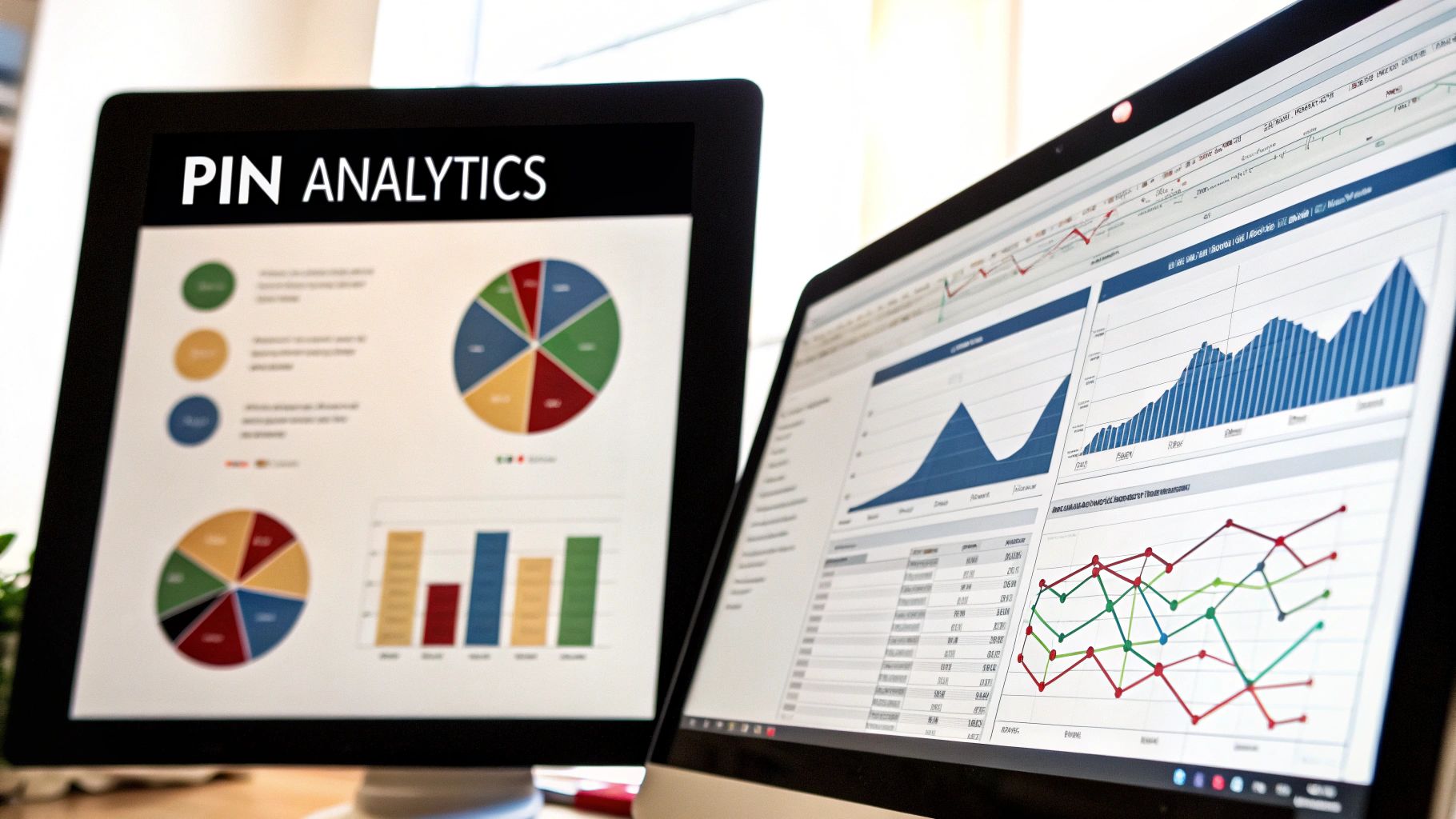
Turning Pinterest Analytics Into Growth Insights

After you’ve got your profile, boards, and Pin strategy all set up, the real work begins. Many people treat Pinterest Analytics as just a place to check follower counts, but it’s so much more—it’s a goldmine of data that holds the key to your growth.
This is what separates businesses that simply use Pinterest from those that successfully optimize Pinterest for business and see real results. It’s time to stop guessing and start making decisions based on what your audience is actually doing.
Think of your analytics dashboard as a story about what your audience truly wants. It’s not about vanity metrics like your monthly views, which can be misleading. Instead, the magic happens when you understand the journey from a simple impression to a website click and, ultimately, a sale.
Core Metrics That Actually Matter
When you first pop open your analytics, the amount of data can feel like a lot to take in.
To cut through the noise, let’s focus on the metrics that are directly tied to your business goals, like driving traffic and making sales.
- Impressions: This is the number of times your Pins were shown to users. While a high number is great for getting your brand name out there, it’s a top-of-funnel metric. Think of it as people window shopping—they see you, but they haven’t walked in the door yet.
- Outbound Clicks: Now, this is one of the most important numbers to watch. It counts how many times people clicked from your Pin straight to your website. This is a direct measure of how well your Pins are working to drive traffic. If your impressions are sky-high but outbound clicks are low, it’s a big hint that your Pin design or call to action needs a tune-up.
- Saves (formerly Repins): When someone saves your Pin to one of their boards, it’s a huge compliment. It means they find your content so valuable that they want to come back to it later. High saves are a sign that your content is hitting the mark with your target audience and has evergreen potential.
Here’s a quick look at the overview you’ll see in your analytics dashboard. It gives you a high-level snapshot of these key performance indicators.
This view lets you quickly spot trends. You can see which metrics are on the rise and which might need a little extra attention, giving you a perfect starting point for digging deeper.
Turning Data Into an Actionable Strategy
The real power of analytics is using this data to fine-tune what you’re creating. Head over to your Top Pins and start asking some critical questions: What do they all have in common?
Is it a particular visual style, a specific topic, or maybe the way you write your headlines? If your five best-performing Pins are all listicles with bold, pink text, that’s not a coincidence—it’s a formula for success. Your next step is to replicate what works.
In the same way, the Audience Insights tab offers some incredible information about your followers’ demographics and other interests.
Let’s say you run a home decor brand and discover a huge chunk of your audience is also super interested in “sustainable living.”
You can create new boards and Pins that connect your products to that interest. This opens up a whole new content pillar that will attract a highly engaged group of people.
This kind of precise targeting is what makes a difference. By regularly checking these insights, you create a powerful feedback loop: you post content, analyze how it did, refine your strategy, and then post even better, more effective content.
This cycle of continuous improvement is how you turn your Pinterest from a simple image gallery into a machine for increasing website traffic and growing your business.
For those looking to dive deeper, we have a complete guide on how to increase Pinterest traffic with data-driven tactics.
Your Pinterest Success Roadmap

Knowing the theory behind a solid Pinterest strategy is great, but putting it into a repeatable, traffic-generating routine is what really counts.
This is where a practical roadmap becomes your best friend. Figuring out how to optimize Pinterest for business is less about one-off viral moments and more about building a sustainable workflow that delivers real results without leading to burnout.
Let’s walk through a realistic plan to build momentum and see meaningful growth.
The Critical First 90 Days
Your first three months on Pinterest are all about laying a strong foundation and proving you’re here to stay. Don’t stress if you don’t see a massive spike in traffic overnight.
The main goal here is to show the Pinterest algorithm that you’re an active, valuable creator in your niche. Your focus should be on consistent action, not instant perfection.
Here’s what a manageable weekly plan could look like for this initial phase:
- Content Creation (2 hours/week): Batch-create 5-7 new Pin designs for your own content, like blog posts, products, or freebies. Seriously, templates will save you a ton of time. Try to create a few different designs for the same link to test what your audience responds to.
- Scheduling (1 hour/week): Get all your new Pins loaded into a scheduler. You should aim to pin 15-20 times per day. That might sound like a lot, but most of those Pins will be high-quality content from other creators, with your own sprinkled in. Consistency is always more important than volume.
- Keyword Research (30 minutes/week): Spend some time just typing keywords into the Pinterest search bar. You’ll be surprised by the ideas that pop up. Jot down any new long-tail keywords or content ideas you find for future Pin creation.
Priority Tasks for Maximum Impact
When you’re just starting out, some tasks give you way more bang for your buck. To get the best return on your time investment early on, focus on these high-impact actions.
| Priority Task | Why It Matters | Time Commitment |
|---|---|---|
| Enable Rich Pins | This automatically pulls extra info like your meta description from your website onto your Pins. They become more informative and get more clicks. It’s a one-time setup that keeps on giving. | 15-20 minutes (one time) |
| Create a “Best Of” Board | Dedicate a board exclusively to your own content (blog posts, products). Make sure it’s the very first board on your profile. Think of it as your digital storefront window. | 10 minutes (one time) |
| Develop Pin Templates | Create 3-5 branded Pin templates you can use again and again. This massively speeds up the creation process and keeps your visual identity consistent, which helps build brand recognition. | 1-2 hours (one time) |
| Optimize Top 5 Blog Posts | Find your top five performing blog posts and create 3 unique Pin designs for each one. This channels your energy into content that has already proven its value to an audience. | 2-3 hours |
Overcoming the Inevitable Plateau
Sooner or later, every Pinterest account hits a point where growth stalls. It’s totally normal. It’s just a sign that it’s time to step back, analyze, and tweak your approach.
When you hit this wall, dive into your analytics. Check out your top-performing Pins from the last 90 days. What do they have in common? Is it a certain color scheme?
A specific style of headline? Use these clues to refresh your templates and plan your next batch of content. You don’t need to reinvent the wheel—just do more of what your audience already loves.
Ready To See Which Pinterest Keywords Your Customers Use?
If you want Pinterest to consistently send qualified visitors to your website, you can’t afford to guess your keywords.
The accounts that win search on Pinterest are the ones using real data to decide what to put in their Pin titles, descriptions, and boards.
That’s exactly what the free Pinterest Keyword Research tool from Post Paddle helps you do. In just a few minutes, you can:
• Discover trending Pinterest keywords in your niche
• Find related long-tail phrases your ideal customers already search for
• Build focused keyword lists you can plug straight into your Pins, boards, and profile
Instead of posting and hoping something takes off, you’ll know exactly which phrases to target every time you create a new Pin.
It’s the simplest way to turn your Pinterest presence into a data-driven traffic engine for your business.
Frequently Ask Questions
1. How often should I pin for my business on Pinterest?
For most businesses, a good starting point is 15–20 Pins per day, with a mix of your own content and high-quality, relevant content from others. Consistency matters more than volume, so it’s better to pin a smaller number every day than to post in big bursts and then disappear. As you check Pinterest Analytics, you can adjust frequency based on what actually drives impressions, saves, and outbound clicks for your account.
2. Do I need a Pinterest Business account to grow traffic?
Yes. A Business account unlocks Pinterest Analytics, ads, and additional profile features like claiming your website and enabling Rich Pins. These tools let you see which Pins drive the most clicks and conversions, so you can double down on what works. If you’re using Pinterest to grow your brand, sell products, or book clients, switching to a Business account is essential.
3. What’s more important on Pinterest: followers, Pins, or keywords?
Keywords and Pin quality matter more than follower count. Pinterest is a visual search engine, so your content can show up in search results and home feeds even if you don’t have many followers yet. Well-optimized Pins with strong keywords, clear titles, helpful descriptions, and vertical designs will reach far beyond your existing audience and keep driving traffic over time.
4. How many boards should I create for my business?
Most businesses do well starting with 8–15 focused boards. Begin with one “Best of [Your Brand]” board for your own content, then create keyword-based boards around your main topics, products, or services. It’s better to have fewer, tightly themed boards that you update regularly than dozens of vague, half-empty ones. Over time, you can add new boards as you identify content gaps or discover new keyword opportunities.
5. How long does it take to see results from Pinterest optimization?
Pinterest is a long-game platform. You’ll usually start seeing early signs of traction within 30–60 days if you’re pinning consistently and targeting the right keywords, but the real compounding results often show up after 3–6 months. Because Pins are evergreen and keep resurfacing in search, your best-performing content can continue sending traffic for months or even years after it’s published.
6. How do I know if my Pinterest strategy is actually working?
Check Pinterest Analytics regularly and focus on metrics that tie to your business goals. Impressions tell you if your Pins are being surfaced; saves show if people find them valuable enough to keep; outbound clicks reveal whether Pinterest is truly driving traffic to your site. If outbound clicks and website conversions from Pinterest are increasing over time, your optimization efforts are working.