Trying to boost your ecommerce sales can feel like you’re juggling a dozen different things at once.
It really comes down to a few key areas: nailing the mobile experience for your shoppers, turning your social media into a real sales engine, and using what you know about your customers to create personalized experiences that keep them coming back.
It’s not about finding one secret hack; it’s about building a solid system that consistently turns curious visitors into happy customers.
Your Blueprint for Sustainable Ecommerce Growth
If you’re wondering how to actually increase your sales, you’ve got to move past the generic advice.
The online world is noisy and moves incredibly fast, so a scattergun approach just won’t cut it anymore.
You need a solid blueprint that connects the dots for your customer, from the moment they first discover your brand all the way through to their unboxing experience and beyond.
This guide is all about giving you practical, field-tested tactics that work together to fuel real growth.
We’re going to dig into the strategies that don’t just get you a quick sale but turn one-time buyers into loyal fans.
Understanding the Modern Ecommerce Landscape
The opportunity out there is massive. By 2025, forecasters expect more than 2.77 billion people to be shopping online.
That’s a huge audience, and they come with high expectations for a smooth, fast, and personalized shopping trip.
To really tap into that market, your strategy needs to be built on a few core ideas:
- Put the Customer First: Every single decision—from your website layout to your email subject lines—should be made with your customer in mind. What do they need? What makes their life easier?
- Let Data Be Your Guide: Gut feelings are great, but real, sustainable growth comes from understanding the numbers. Analytics show you what people are actually doing, not just what you think they’re doing. This is how you find the friction points and fix them.
- Connect Your Channels: Your website, social media profiles, and email campaigns shouldn’t feel like separate islands. They need to work in concert to create one seamless, consistent brand experience for your customers.
The best ecommerce brands today aren’t just moving products. They’re building relationships.
They get that a great experience is just as valuable as a great product, because that’s what creates the kind of loyalty that leads to repeat purchases and priceless word-of-mouth buzz.
Before we get into the nitty-gritty, it’s useful to see the big picture of how all these strategies work together.
Key Strategies to Boost Ecommerce Sales at a Glance
This table breaks down the core pillars we’ll be covering. Each one supports the others, creating a flywheel effect that picks up speed as you improve each area.
Think of it this way: when you streamline your mobile checkout, the social media ads you’re running suddenly become more effective.
| Strategy Pillar | Primary Focus | Expected Outcome |
|---|---|---|
| Mobile Experience Optimization | Creating a frictionless, fast, and intuitive shopping journey on mobile devices. | Reduced cart abandonment, higher mobile conversion rates. |
| Social Commerce Integration | Turning social media platforms into direct, shoppable storefronts. | Increased sales directly from social channels, better audience engagement. |
| Data-Driven Personalization | Using customer data to deliver relevant product recommendations and content. | Higher average order value (AOV), improved customer loyalty and retention. |
| Pinterest Automation | Leveraging tools like Post Paddle to drive consistent, targeted traffic and sales. | More efficient marketing spend, sustainable traffic growth, increased brand visibility. |
This interconnected approach is what ensures your efforts don’t just add up—they multiply.
For a deeper dive into more methods for growing your online store, check out these excellent resources on Boosting ECommerce Success Strategies.
Winning the Mobile-First Customer Experience
Let’s be honest, your customer’s first—and probably only—interaction with your store is happening on a phone.
If you’re still thinking of your mobile site as just a shrunken-down version of your desktop site, you’re leaving a ton of money on the table.
Today, your mobile presence is your main storefront, and it has to be built for someone who’s on the go and easily distracted.
A clunky or slow mobile experience doesn’t just annoy people; it sends them straight to your competitors.
The secret to keeping them on your site and getting them to buy is making the whole process feel effortless, intuitive, and most importantly, incredibly fast.
This isn’t just a “nice to have”—it’s a critical part of boosting your ecommerce sales.
Prioritize Lightning-Fast Load Times
On mobile, speed isn’t just a feature; it’s everything. Mobile shoppers are famously impatient.
Even a one-second delay in your page load time can cause your conversion rate to plummet.
The goal is to make browsing your store feel instant.
Obsessing over performance isn’t just a job for your developer; it’s a core business strategy.
- Compress Your Images: We all need gorgeous, high-res product photos, but they are often the biggest culprits behind a slow site. Use modern image formats like WebP and run them through compression tools. You can shrink the file size dramatically without sacrificing quality.
- Simplify Your Code: Heavy scripts and clunky third-party apps can absolutely cripple your site’s performance on a mobile connection. A clean, lean codebase is a fast codebase. Audit what you’re running and ditch anything you don’t absolutely need.
- Enable Caching: This is a simple one. Browser caching saves parts of your site on a user’s device, making their next visit way faster. It’s a huge win for bringing back repeat customers.
A faster site shows you respect your customer’s time. It’s one of the simplest and most effective ways to lower your bounce rate and keep people shopping.
Design for Thumbs, Not Cursors
We navigate desktop sites with the pinpoint precision of a mouse. We navigate mobile sites with our often-clumsy thumbs.
This is a massive difference, and it should dictate every single choice you make in your mobile layout.
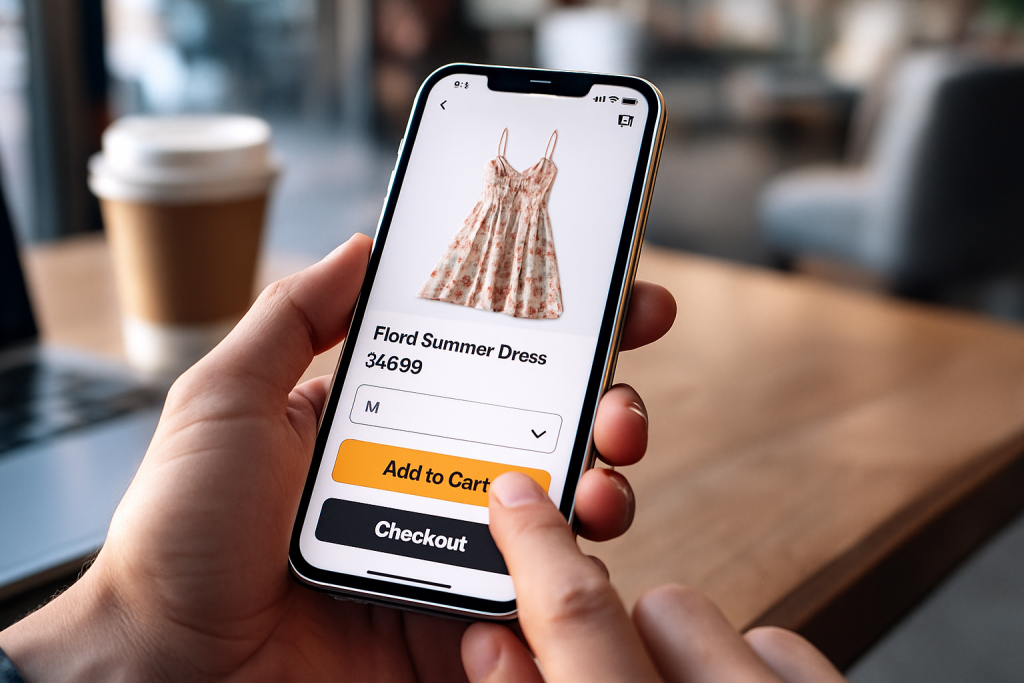
Every tap needs to be easy and intentional. If someone has to pinch-and-zoom just to hit a button or open a menu, you’ve already failed. The experience has to feel completely natural.
Think about how people actually hold their phones. The most important buttons—like “Add to Cart” and “Checkout”—need to be right there in the “thumb zone” at the bottom of the screen.
I saw this firsthand with a boutique clothing store that was seeing a huge drop-off on its product pages.
We moved their “Add to Bag” button from the top of the screen to a sticky bar at the bottom, always within easy reach. That one tiny change led to a 15% increase in items added to carts. It works.
Streamline the Mobile Checkout Funnel
The mobile checkout is where so many sales go to die. A long, complicated form that’s a breeze on a desktop becomes a nightmare on a tiny touchscreen.
Your job is to mercilessly cut every single field and step that isn’t absolutely essential.
By 2025, mobile commerce is expected to hit a staggering $2.51 trillion, which will be almost 59% of all ecommerce sales.
Perfecting your mobile checkout is how you get your piece of that pie. You can actually learn more about global ecommerce trends and see just how big this shift is.
Here’s how you can simplify the path to purchase:
- Offer Guest Checkout: Forcing people to create an account is one of the biggest conversion killers out there. Make the guest checkout option loud and clear.
- Integrate Digital Wallets: This is the new standard. Adding one-tap payment options like Apple Pay, Google Pay, and Shop Pay lets customers bypass all the manual data entry. It’s the closest thing to a frictionless checkout you can get.
- Use Smart Form Fields: Little things make a big difference. Autofill addresses whenever possible, automatically bring up the numeric keypad for phone number fields, and break the process into small, manageable chunks. Make the final purchase feel like a simple confirmation, not a chore.
Turn Your Social Feeds into Sales Machines
Let’s be honest, social media isn’t just for brand awareness anymore. It’s a full-blown sales engine.
Your feeds on Instagram, TikTok, and especially Pinterest are no longer just digital billboards—they are your new interactive storefronts.
This is where customers discover, fall in love with, and buy your products, sometimes all within a few taps.

The name of the game is reducing friction. When someone sees a product they love, you want the path to purchase to be so easy it’s almost an impulse.
Making your content shoppable lets you capture that initial “I need that!” moment before it fades. It’s about turning inspiration directly into revenue.
Create a Native Shopping Experience
The secret to making social selling work is to make it feel completely natural on each platform.
If a user has to click through a clunky redirect or navigate a confusing checkout, you’ve lost them.
The magic happens when your shoppable posts blend right in with the organic content they’re already scrolling through.
Imagine a home decor brand posting a beautiful living room shot on Instagram.
With product tagging, a user can simply tap the lamp in the photo, see the price, and head straight to checkout without ever leaving the app.
That’s the kind of seamless journey that turns casual browsers into happy customers.
To nail this, you need to get a few things right:
- Stunning Visuals: Social media is a visual battlefield. Your photos and videos need to be good enough to stop someone mid-scroll. No excuses.
- Real-World Context: Ditch the sterile product-on-white-background shots. Show your products being used and loved in real-life situations. User-generated content is gold here.
- Crystal-Clear CTAs: Don’t make people guess. Use simple, direct language like “Tap to Shop” or “Shop the Look” to guide them to the next step.
Don’t Sleep on Pinterest for Sales

While Instagram and TikTok are great for spurring impulse buys, Pinterest plays a different game. It’s a high-intent powerhouse.
People go to Pinterest to plan, dream, and—most importantly—shop. They are actively searching for products to buy, not just passively scrolling.
This mindset gives your products a massive head start. The challenge? Pinterest demands consistency. You can’t just post whenever you feel like it and expect results.
To win on Pinterest, you need a constant stream of fresh, optimized Pins. Sporadic posting simply gets lost in the noise.
Automation isn’t a luxury here; it’s how you stay relevant and capture an audience that’s ready to buy.
This is exactly where a tool like Post Paddle becomes your secret weapon. It automates the entire process of creating and scheduling Pins, making sure your brand is always active, even when you’re not.
It pulls content right from your store, whips up beautiful Pins, and posts them at the best times to get seen.
This frees you up to work on your broader strategy while the tool handles the daily grind of driving traffic and sales.
Want to see exactly how to set this up? Check out our deep dive on how to sell products on Pinterest.
Build a Smart Social Selling Strategy
Just adding a “Buy Now” button isn’t a strategy. You have to think bigger. True social commerce aligns with how people actually shop today.
The data doesn’t lie: global social commerce revenue shot up by 19.6% from 2023 to 2024.
Getting on board with this trend is one of the most direct ways to boost your sales.
Here’s what that looks like in practice:
- Keep Your Catalogs Spotless: Make sure your product feeds for Facebook Shops, Instagram Shopping, and Pinterest Catalogs are always accurate. That means correct pricing, great images, and detailed descriptions.
- Run Laser-Focused Ads: Use the wealth of data on social platforms to your advantage. Target ads based on what people are interested in, what they’ve bought before, and what they’ve browsed on your site. A perfectly timed ad for a product they just looked at can be incredibly powerful.
- Actually Be Social: This is a two-way street. Respond to comments, answer questions in your DMs, and share customer photos. This kind of engagement builds trust and makes your brand feel human, which is a huge driver for purchases.
By transforming your social media profiles from simple marketing channels into fully functioning storefronts, you meet your customers exactly where they are.
You make it easier than ever for them to go from discovery to checkout.
Using Data to Create Personalized Shopping Journeys
Your customer data is an absolute goldmine for boosting sales, but only if you know how to read the map.
Moving beyond surface-level metrics like page views is where the magic happens.
It’s how you stop being just another online store and start creating personalized shopping experiences that make customers feel like you get them.
Think about it. Your store could be dynamically recommending products based on a user’s recent clicks.
Or, it could send a perfectly timed email featuring items they looked at but didn’t buy.
This isn’t just a cool tech trick; it’s a proven strategy for building the kind of customer loyalty that fuels long-term revenue.
This infographic nails the difference between a generic, one-size-fits-all approach and a data-driven, personal one.
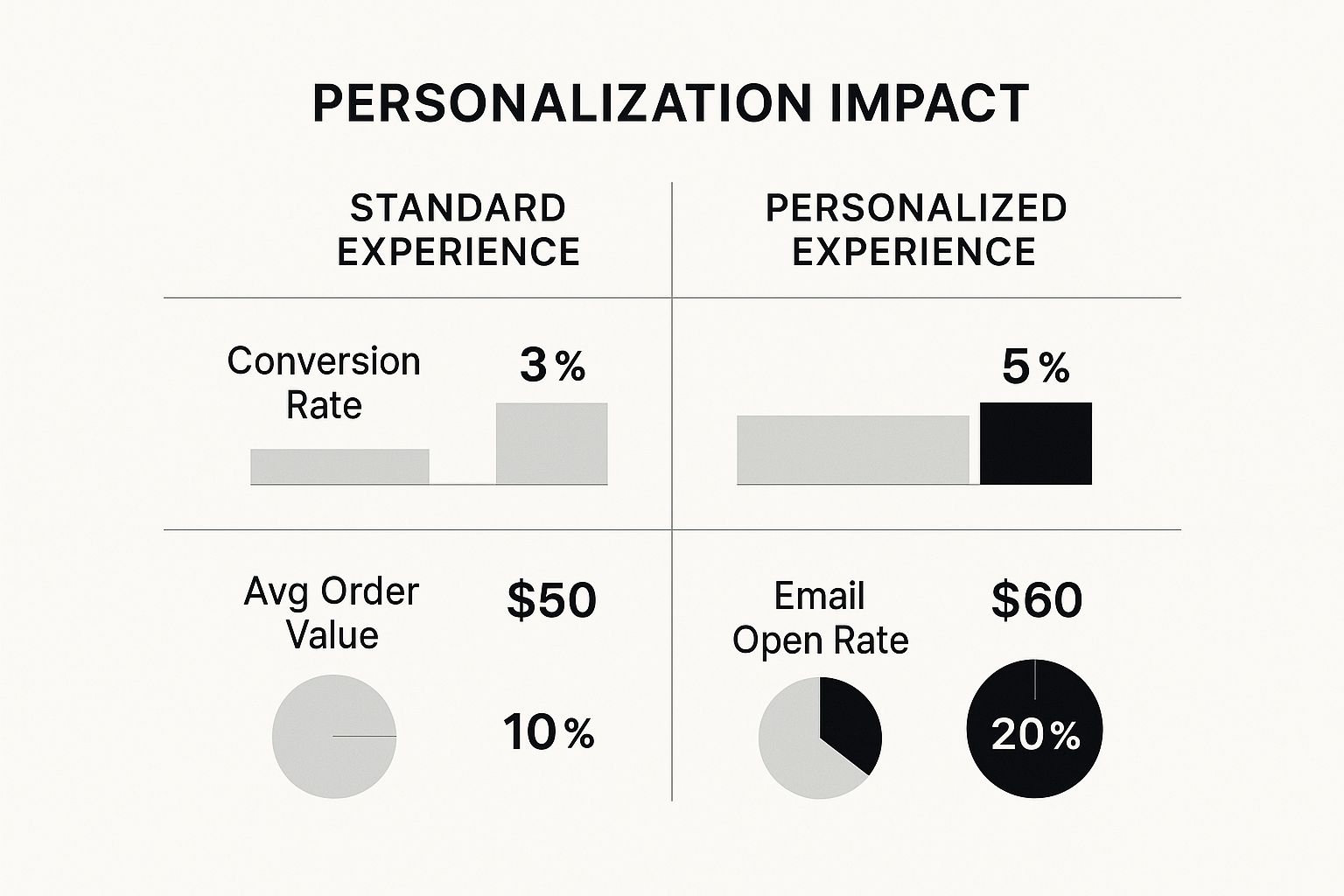
The numbers don’t lie. Personalization gives a direct lift to the metrics that matter most, like conversion rates and average order value, simply by making the whole experience more relevant to each person.
Harnessing Customer Behavior for Smarter Marketing
First things first: you need to look at what your customers are actually doing.
Your analytics tools are a window into their world, showing you which products get all the attention, where people are leaving your site, and what they’re typing into the search bar.
This isn’t just raw data; it’s a direct line into your customers’ heads.
Let’s say you spot a product category that’s getting tons of views but has a terrible conversion rate. That’s a huge red flag.
Maybe the product descriptions are confusing, or the photos are just plain bad. Fixing those specific friction points can give you a surprisingly quick sales bump.
When you’re active on social media, it’s also critical to know how to convert social media engagement into sales.
The patterns you find there can inform your entire marketing strategy.
Segment Your Audience for Maximum Impact
Not all customers are created equal, so why are you marketing to them like they are?
Segmentation is just a fancy word for grouping your audience based on what they have in common.
This lets you send hyper-relevant offers that connect way better than a generic email blast ever could.
Here are a few segmentation ideas you can run with:
- Purchase History: Group customers by what they’ve already bought. If someone buys running shoes, they’re a prime candidate for an email about new athletic socks or GPS watches. It just makes sense.
- Browsing Behavior: Go after the window shoppers—the people who viewed specific products but bailed before buying. A simple follow-up email with a small discount on that exact item can be shockingly effective.
- Customer Value: Create an exclusive club for your VIPs. These are the folks who buy often or drop serious cash. Offering them early access to sales or special rewards is a surefire way to make them feel appreciated and keep them coming back.
Personalization only works if it adds real value. When you use data to make shopping easier and more relevant, customers see it as great service, not creepy tracking. It’s about being helpful, not intrusive.
Automating Personalization with AI
Let’s be real: you can’t manually track every customer click and purchase as your business grows. It’s just not possible.
This is where AI-powered tools become a non-negotiable for any brand serious about increasing its ecommerce sales. They handle the heavy lifting of personalization, delivering tailored experiences on the fly.
An AI chatbot, for example, can offer instant, helpful support 24/7.
It can answer questions about shipping, guide a shopper to the right product, or even process a return—all while your team focuses on more complex issues.
Product recommendation engines are another great example. They use AI to analyze a user’s behavior and suggest other items they’ll probably love.
Those “Customers also bought” or “You might also like” sections are revenue machines for major retailers. Of course, knowing if these tools are working is just as important as setting them up.
We’ve got a great breakdown on how to measure marketing success in our detailed guide.
When you fully embrace data and smart automation, you stop guessing what your customers want. You start giving them what they’re looking for.
That shift is the key to sustainable growth, turning one-time buyers into loyal fans and brand advocates.
Fine-Tuning Your Checkout and Post-Purchase Experience
Getting a shopper to add something to their cart is a major milestone, but let’s be honest—the sale is far from closed.
The real moment of truth happens between the cart and the confirmation page.
This is where an astonishing number of potential sales just vanish into thin air.
Once that payment finally goes through, another crucial phase kicks in: the post-purchase experience. This is your golden opportunity to turn a first-time buyer into a lifelong fan.
If you want to see sustainable growth, you have to get both of these stages right.
Tackling Cart Abandonment Head-On
Cart abandonment is the bane of every e-commerce owner’s existence. Industry-wide, the average rate sits at a staggering 70%.
Think about that—for every ten shoppers who show clear intent to buy, seven walk away. The number one reason? Almost always, it’s a frustrating, confusing, or untrustworthy checkout process.
Your mission is to make buying from you as effortless as possible.
- Guest Checkout is Non-Negotiable: Forcing someone to create an account before they can give you money is a classic conversion killer. Let them check out as a guest.
- One-Click Pays: Speed is everything. Integrating digital wallets like Apple Pay, Google Pay, and Shop Pay lets customers bypass the drudgery of filling out forms, which can dramatically increase completion rates.
- Show, Don’t Just Tell, Security: Display trust badges and accepted payment logos prominently. Seeing those familiar Visa, Mastercard, and SSL certificate seals provides a powerful dose of reassurance right when they need it most.
Your checkout page is the final handshake. If it’s clumsy or feels insecure, the deal is off. A smooth, transparent process shows you value your customer’s time and security, sealing the deal with confidence.
Optimizing this final step often delivers the highest return on your effort. To dig deeper into this, check out our complete guide on how to improve website conversion rates.
The checkout process is riddled with potential friction points that can derail a sale. Recognizing and addressing them is key to reducing abandonment.
Checkout Friction Points and Solutions
| Friction Point | Impact on Sales | Actionable Solution |
|---|---|---|
| Forced Account Creation | High abandonment rates from first-time buyers who don’t want the commitment. | Offer a prominent “Guest Checkout” option. Allow account creation after the sale is complete. |
| Surprise Shipping Costs | The #1 reason for cart abandonment. Unexpected fees at the end feel like a bait-and-switch. | Be transparent about shipping costs early on. Use a shipping calculator on the cart page or offer free shipping thresholds. |
| Complex Forms | Asking for too much information (phone number, date of birth) creates fatigue and suspicion. | Only ask for essential information. Use autofill features and simplify the layout with a progress bar. |
| Limited Payment Options | Not offering a customer’s preferred payment method can be a deal-breaker. | Integrate major credit cards, PayPal, and digital wallets like Apple Pay and Google Pay. |
By systematically removing these roadblocks, you’re not just improving user experience—you’re directly recovering revenue that was about to walk out the door.
Crafting a Reassuring Post-Purchase Journey
The second a customer hits “Confirm Purchase,” your relationship with them enters a new phase. What happens next determines whether they feel confident and excited or anxious and regretful.
A well-designed post-purchase experience is what builds real loyalty.
It all starts with an immediate and detailed order confirmation email. This shouldn’t just be a generic “Thanks for your order.”
It needs to include a clear summary of what they bought, the total cost, and the shipping address.
Most importantly, it must set clear expectations for when their order will ship and arrive.
Turn Order Tracking into a Customer Touchpoint
Sending a tracking number and disappearing is a huge missed opportunity. Proactive communication during the shipping phase is what separates good brands from great ones.
Set up automated emails or texts to keep customers in the loop at every step:
- Order Confirmed: The instant receipt that lets them know you got the order.
- Order Shipped: The exciting “it’s on the way!” notification with the tracking link.
- Out for Delivery: The final update that builds anticipation for its arrival that day.
- Order Delivered: The confirmation that their package has safely landed.
This stream of communication builds immense trust and dramatically cuts down on “Where is my order?” support tickets.
It shows you care about their experience long after you’ve made the sale.
And don’t forget, a clear and hassle-free returns policy provides a critical safety net that gives customers the confidence to buy in the first place.
Turn Pinterest Browsers into Ecommerce Buyers
If you’re putting in the work to drive traffic to your store, every product Pin should be working just as hard as your best-performing landing page.
A well-optimized Pin doesn’t just look good—it attracts the right shopper, earns the click, and sends them to a page that’s ready to convert.
My free Pinterest Pin Checklist walks you through each step before you hit publish, from keyword targeting and headlines to image quality and calls-to-action, so your Pins are set up to drive more qualified visitors, not just impressions.
Use it to quickly review new product Pins, fix easy misses, and turn more Pinterest views into add-to-carts and sales.
Ready to make Pinterest a consistent revenue channel for your ecommerce store?
Your Top Ecommerce Sales Questions, Answered
Let’s be real, growing an online store can feel like you’re trying to solve a puzzle with a thousand moving pieces.
It’s totally normal to have questions about where to put your time and money for the biggest impact. I get asked these all the time, so let’s dig into some of the most common ones.
What’s the Fastest Way to Get More Sales?
Everyone wants the “easy button” for sales. While long-term success comes from a solid, multi-channel strategy, the quickest win is almost always fixing your checkout process.
Seriously. Think about it—you’ve already done the hard work of getting someone to your site and to the point of purchase. Don’t lose them now.
Removing even one unnecessary field or adding a familiar payment option like Apple Pay can give you an instant lift in conversions.
If you’re looking for a fast injection of new, motivated buyers, a focused social commerce campaign is the way to go.
A platform like Pinterest is gold for this because users are there with the intent to discover and buy. You can tap into this by using a tool like Post Paddle to automate your Pinning.
It lets you push out a steady stream of product Pins without you having to manually do it all day, sending shoppers who are ready to buy straight to your store.
How Big of a Deal Is Mobile Optimization, Really?
It’s everything. Honestly, if you’re not thinking “mobile-first,” you’re leaving money on the table every single day.
The vast majority of online traffic and sales now happen on a phone. Your mobile site is your primary storefront.
A clunky mobile experience is like having a brick-and-mortar shop with a jammed front door and messy aisles. It tells customers you’re not paying attention to their needs, and they’ll just walk out and go to your competitor.
If your site is slow to load, if buttons are too small to tap, or if the checkout form is a nightmare to fill out on a small screen, you are actively pushing customers away.
This isn’t just a “best practice” anymore; it’s the absolute foundation of a profitable ecommerce business.
I’m on a Tight Budget. Where Should I Focus for the Best ROI?
When funds are limited, you have to get scrappy. Pour your energy into two main areas: conversion rate optimization (CRO) and organic social commerce.
These strategies rely more on your time and smarts than your wallet, but the payoff can be huge.
Start by improving what you already have. Write more compelling product descriptions, take better photos (your phone is probably good enough!), and make sure your site is dead simple to navigate.
These tweaks can significantly boost sales from the traffic you’re already getting.
At the same time, get consistent on a visual discovery platform like Pinterest. It’s a game-changer for connecting your products with people who are actively looking for things to buy.
This is one of the most cost-effective ways to drive real sales without a massive ad budget, making it an essential tactic for any store trying to grow without breaking the bank.