If you want to grow on Pinterest, you can’t just treat it like a personal mood board.
Your profile needs to become a finely tuned, keyword-optimized machine designed to attract your ideal audience.
This means setting up a free business account to get your hands on analytics, claiming your website to stamp your authority on your content, and creating boards that are essentially curated, searchable libraries for your followers.
This foundational work is what makes you discoverable and turns casual browsers into loyal fans.
Build a Pinterest Profile That Attracts Followers

Your Pinterest profile is the first handshake. Long before someone falls in love with your Pins, they see your profile picture, your name, and your collection of boards.
Getting this right from the start is absolutely non-negotiable. It’s how you signal to both people and the Pinterest algorithm what you’re all about.
An unoptimized profile is like a fantastic shop with no sign out front—everyone just walks right on by.
The first, and honestly most critical, step is making sure you have a Pinterest Business Account.
If you’re still using a personal one, stop what you’re doing and switch. It’s free, and it unlocks everything you need for serious growth:
- Pinterest Analytics: This is your command center, showing you vital data like impressions, saves, and those all-important outbound clicks.
- Advertising Tools: Gives you the power to run targeted ad campaigns and promote your best Pins.
- Website Claiming: This nifty feature adds your profile picture to any Pin that comes from your site, which is a huge boost for brand authority.
Without a business account, you’re essentially flying blind. You have no way to measure what’s working and no access to the tools built specifically for brands and creators.
Craft a Keyword-Driven Identity
Once your business account is good to go, it’s time to get strategic with keywords. Remember, Pinterest is a visual search engine, and your profile name and bio are prime SEO real estate.
Don’t just use your brand name for your profile name. A much smarter approach is to combine it with your main keywords.
So, instead of simply “Post Paddle,” we use “Post Paddle | Pinterest Marketing & Scheduling Tool.” It instantly tells everyone what we do.
Your bio is your 160-character elevator pitch. You need to be crystal clear about who you help and what you offer, weaving in a few more relevant keywords. Skip the fluff and get straight to the point.
A great bio answers three questions for a visitor: Who are you? What do you do? Who do you do it for? This clarity is what convinces someone to hit the “Follow” button.
Getting this initial optimization right sets the stage for everything else.
After all, learning how to build a powerful profile is a core part of any guide on how to grow Pinterest followers, as it directly impacts your visibility from day one.
Organize Your Content with Optimized Boards
Think of your Pinterest boards as the aisles in a library. Each one needs a clear, specific topic that your target audience is actively looking for.
Vague, generic board names like “Things I Love” or “Cool Stuff” are completely useless for growth.
They don’t help users or the algorithm figure out what your content is about.
Instead, you need to create hyper-relevant, keyword-optimized boards. For example, if you’re a food blogger, ditch the generic “Recipes” board and get specific:
- Easy Weeknight Dinners
- Healthy Vegan Breakfast Ideas
- 30-Minute Meal Prep Recipes
Each board title should be a phrase someone would actually type into the search bar. Then, for every single board, write a detailed, keyword-rich description.
Explain what kind of Pins someone will find there, and use a variety of related search terms.
It’s a simple step, but it gives Pinterest so much more context, helping your Pins show up in more search results and recommendations.
This structured approach means every Pin you create has a relevant, optimized home, which just compounds your growth efforts over time.
Design Pins People Can’t Resist Clicking
Once your profile is set up and optimized, the real fun begins. Your Pins are your currency on Pinterest.
In a feed overflowing with stunning imagery, yours can’t just blend in—they have to stop the scroll. Honestly, figuring out how to grow on Pinterest really boils down to creating content that people find irresistible.
This isn’t just about snapping pretty pictures; it’s about smart, strategic design. The Pins that truly perform well are a mix of compelling visuals and clear, value-packed text.
Think of each Pin as a tiny, digital billboard for your brand. You only have a split second to make an impression.
The Anatomy of a High-Performing Pin
From my experience, the best Pins aren’t a happy accident. They follow a proven formula, and it all starts with the right size.
You absolutely have to use a vertical 2:3 aspect ratio—something like 1000 x 1500 pixels.
This isn’t just a suggestion; it’s essential for taking up the most screen space on mobile, which is where most people are scrolling. A square or horizontal Pin just gets lost.
Next up is the visual itself. High-quality, bright, and clear photos or videos are non-negotiable. Steer clear of anything dark, blurry, or cluttered.
The image needs to be eye-catching and instantly understandable.
For instance, if you’re a food blogger, a vibrant, well-lit shot of the finished dish will always outperform a dim photo of messy ingredients.
Finally, let’s talk about text overlay. This is your secret weapon. A beautiful image might earn a glance, but bold text is what tells people why they should click.
Use large, easy-to-read fonts that spell out the benefit of clicking through to your content.
Key Takeaway: The magic combination is a 2:3 vertical ratio, a high-quality visual, and a bold text overlay. This simple formula is the foundation for Pins that get noticed and, more importantly, get clicked.
Crafting Copy That Converts
While your Pin’s design hooks the user, it’s your copy that seals the deal. This applies to both the text on the Pin image and the description you write for it.
Both need to be thoughtfully sprinkled with the keywords you found during your research.
On-Pin Text:
The text on your actual Pin image needs to be short, punchy, and focused on the benefit. It should either solve a problem or spark some serious curiosity.
- Weak: “My New Blog Post”
- Strong: “5-Minute Healthy Breakfasts to Save Your Mornings”
Pin Descriptions:
Here’s your chance to give Pinterest’s algorithm more context. Write 2-3 sentences that sound natural and human, weaving in your primary and secondary keywords.
Think like a user—what is this Pin about? What will they get from it? Don’t just list keywords; write helpful copy for a real person.
This detailed approach is a huge factor if you’re wondering how to get more views on Pinterest because it directly tells the platform who to show your content to.
The Power of Creating Multiple Pin Variations

One of the most common mistakes I see is creating just one Pin for a blog post or product.
If you want to really maximize your reach, you need to be creating multiple Pin variations for every single piece of content you promote.
Don’t worry, this doesn’t mean starting from scratch each time.
You can use a tool like Canva to create a few templates and then just swap out the images and text. It’s an easy way to A/B test what your audience responds to.
Here’s a simple system I use for creating variations:
- Switch the Image: Use a different, high-quality photo that still fits the content.
- Tweak the Headline: Change the text overlay to test a different angle or emotional trigger. For a brownie recipe, you might test “The Easiest Brownie Recipe Ever” against “Fudgy One-Bowl Brownies.”
- Adjust the Style: Make small tweaks to your brand colors or font pairings to see if a fresh look grabs more attention.
By creating 5-10 unique Pin designs for a single URL, you massively increase the odds of your content getting seen.
The algorithm loves fresh content, and creating new Pins—even for older posts—signals that your account is active and valuable.
This is how you keep your content circulating long-term, breathing new life into your best work month after month.
Master Pinterest SEO and Its Algorithm
If you want to grow on Pinterest, the first thing you need to do is change how you think about it.
It’s not just another social media app. It’s a visual search engine, and understanding that one fact changes everything.
Unlike platforms driven by fleeting trends, Pinterest’s algorithm is all about user intent. It wants to help people find ideas and inspiration for their lives.
When you create content that answers what they’re searching for, the algorithm rewards you by showing your Pins to more people. It’s that simple.
Discoverability is the name of the game, and Pinterest SEO is how you win.
And the audience you’re trying to reach? They’re not just scrolling—they’re actively planning. What’s more, that audience is growing fast.
As of January 2025, the platform’s ad reach hit 340 million users, a jump of 10.6% in a single year.
That’s a huge, motivated group of people ready to discover your content if you can just get it in front of them.
Uncovering High-Traffic Keywords
You don’t need fancy, expensive tools for keyword research.
The best information is hiding in plain sight, right on Pinterest. My favorite trick is to simply use the search bar.
Type in a broad term for your niche—let’s say, “healthy recipes.” Before you even hit enter, Pinterest will suggest more specific, long-tail keywords that real people are searching for.
You’ll see things like:
- “healthy recipes for weight loss”
- “healthy recipes for dinner easy”
- “healthy recipes for picky eaters”
This is a goldmine. These are the exact phrases your target audience is using, which signals strong search volume.
Your job is to find the sweet spot—keywords specific enough to match your content but not so broad that you’re up against massive accounts.
If you want to dive deeper, our complete guide on Pinterest keyword research breaks this down step-by-step.
Another fantastic spot for ideas is the “Explore” tab—those colorful bubbles that pop up after you run a search.
They show you related searches and popular sub-topics, giving you a whole new layer of insight into what your audience wants next.
Pro Tip: Don’t just stuff keywords into your descriptions. Weave them into natural, helpful sentences that genuinely speak to what the user needs.
The algorithm is smart; it rewards content that offers real value, not just a jumble of search terms.
Strategic Keyword Placement for Maximum Impact
Once you have your list of keywords, you need to be strategic about where you put them.
Think of it like leaving a trail of breadcrumbs that leads both users and the Pinterest algorithm straight to your content.
This isn’t a one-and-done task for a single Pin; it’s about building a consistent strategy across your entire profile.
So, where do these keywords need to go?
- Your Profile Bio: Weave your most important, high-level keywords into your bio. This establishes your authority and tells Pinterest what you’re all about right from the start.
- Board Titles: Every board title should be a keyword phrase. Instead of “Office Inspo,” use “Minimalist Home Office Ideas.” Be specific.
- Board Descriptions: Use this space to write a few helpful sentences describing the board’s purpose, mixing in several related keywords naturally.
- Pin Titles: This is your headline. It needs to be compelling and keyword-rich to grab attention in the feed.
- Pin Descriptions: This is where you can really shine. Write detailed, helpful descriptions using multiple keywords. This gives the algorithm all the context it needs to understand your Pin and the link it leads to.
By consistently placing keywords in these key spots, you create a powerful, interconnected web of content.
The algorithm can easily understand, categorize, and serve your Pins to the right people at just the right moment. That’s the real engine of sustainable Pinterest growth.
Create a Pinning Workflow That Actually Works
Let’s be honest: consistency is the secret sauce for Pinterest growth, but trying to create fresh content every single day is a one-way ticket to burnout.
The real key to long-term success isn’t about grinding harder; it’s about building a smart, efficient pinning system that you can actually maintain.
A solid workflow transforms what feels like a monumental task into a manageable part of your week.
It’s all about finding that perfect balance between creating your own Pins, scheduling them out, and sprinkling in some curated content from others.
This is how you stay active and relevant on the platform without losing your mind.
Manual Pinning vs. Using a Scheduler
The classic debate: should you pin manually in real-time or use a scheduler like Post Paddle? It really boils down to a trade-off between hands-on control and serious efficiency.
Manual pinning is great for getting a feel for the platform’s pulse and jumping on trends as they pop.
But the major drawback is that it requires you to be physically on Pinterest, every single day. For most of us, that’s just not practical.
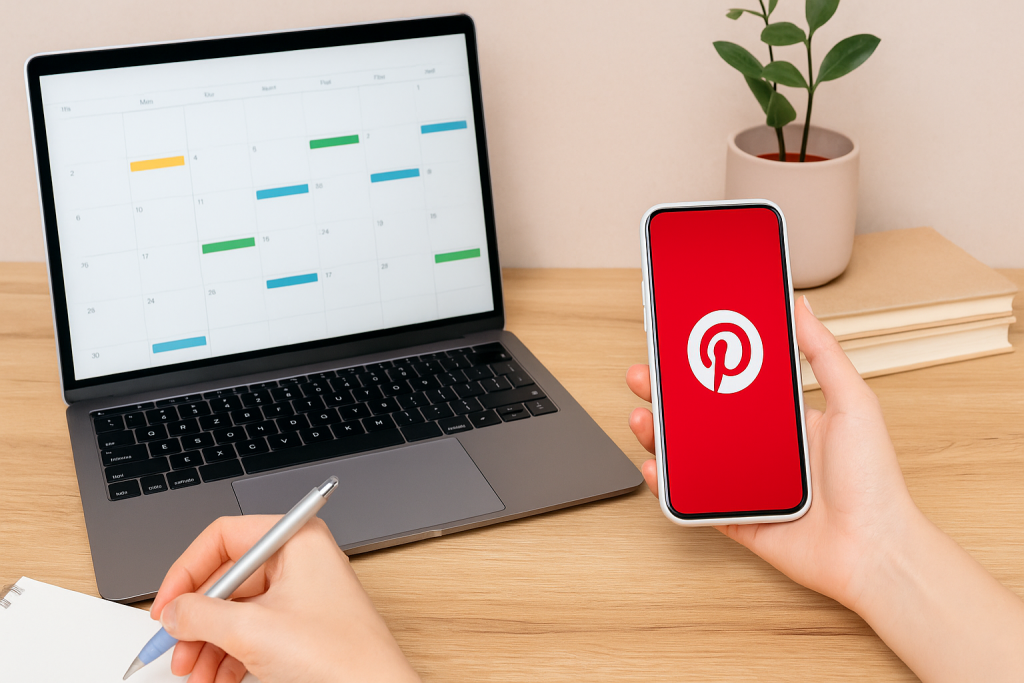
This is where a scheduler becomes a total game-changer. It lets you batch-create your content—you can design and schedule out weeks’ worth of Pins in a single afternoon.
This frees you up to focus on the million other things your business needs, while your Pinterest account works for you in the background.
For anyone serious about growing on Pinterest, a scheduler isn’t a luxury; it’s an absolute necessity.
The image below really drives this point home, comparing the output of daily manual pinning to a much more efficient weekly batch-scheduling session.
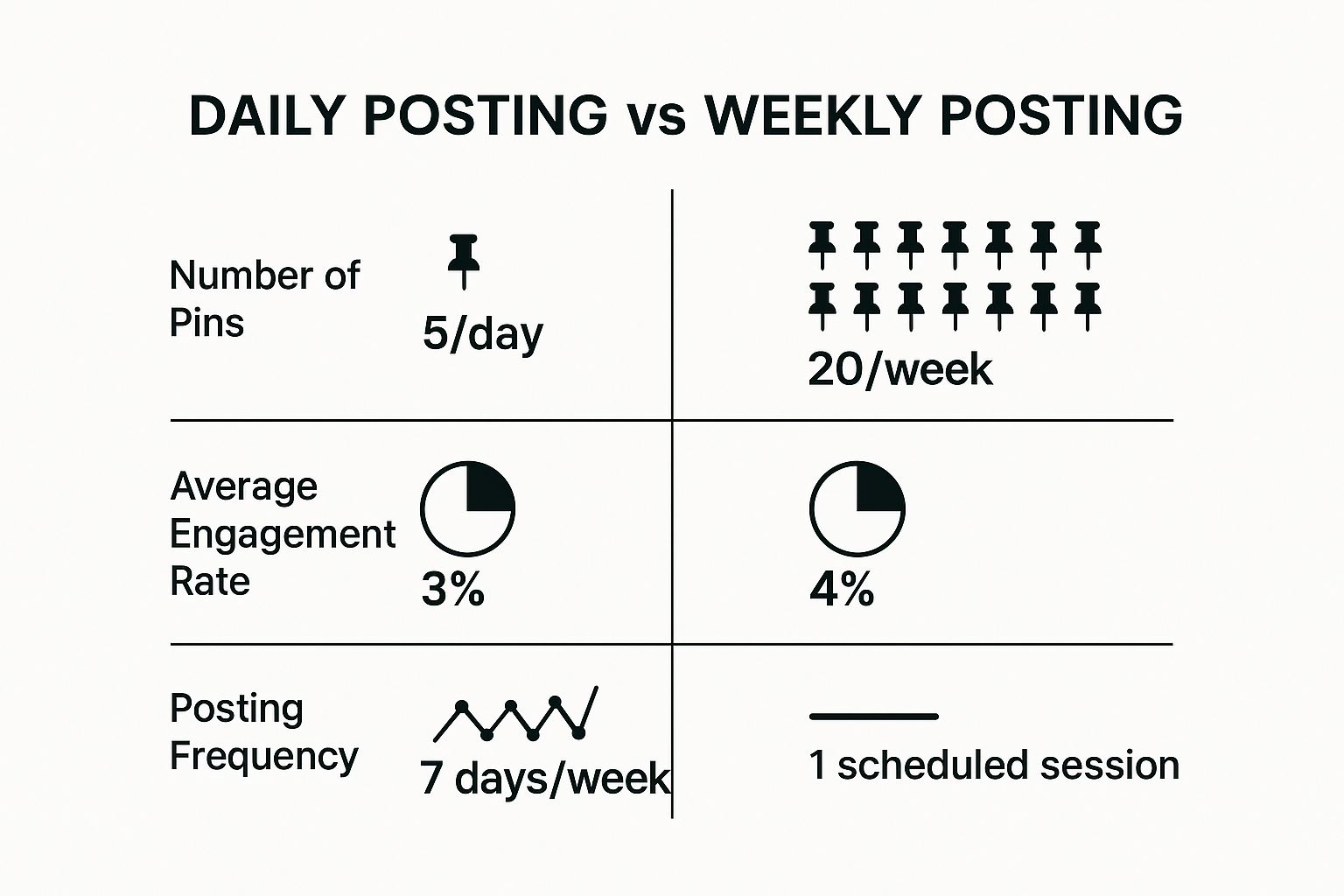
As you can see, batching your work doesn’t just match the daily output—it often leads to higher engagement because the content is more strategic and less rushed.
Find Your Optimal Pinning Frequency
So, how many Pins should you be posting a day? The answer isn’t some magic number; it’s about finding a rhythm that works for you.
Some of the top Pinterest gurus suggest aiming for 3-5 new Pins per day when you’re in a heavy growth phase, but I’ve seen many accounts thrive with just 1-2 high-quality Pins.
A great starting point is 2-3 new Pins daily. Your main goal is to send consistent signals to the Pinterest algorithm that your account is active, fresh, and a valuable source of information.
Don’t fall into the trap of chasing quantity over quality. One brilliant, perfectly optimized Pin will always outperform five rushed, generic ones. Your analytics are your best friend here—let the data guide you.
To figure out when to post, dive into your Pinterest Analytics.
Head over to the “Audience Insights” tab and see when your followers are most active.
Scheduling your Pins to go live during these peak times gives them the best shot at getting that crucial initial engagement, which helps boost their visibility across the platform.
What’s the Deal with Different Pin Types?
Not all Pins are created equal. Understanding the different formats available on Pinterest is crucial for developing a content strategy that truly connects with your audience and supports your growth objectives.
From standard image Pins that drive traffic to dynamic Video Pins that capture attention, each type serves a unique purpose.
Choosing the right format can significantly amplify your message and engagement.
To help you decide, here’s a quick comparison of the main Pin types and what they’re best used for.
Pinterest Content Type Comparison
| Pin Type | Best For | Key Feature | Growth Impact |
|---|---|---|---|
| Standard Pin | Driving traffic to a blog or product page. | Static image with a compelling text overlay. | High potential for saves and clicks, a cornerstone of traffic growth. |
| Video Pin | Storytelling, tutorials, and brand awareness. | Autoplaying video that grabs attention in the feed. | Excellent for engagement and building an emotional connection with your audience. |
| Idea Pin | Building a following and showcasing expertise. | Multi-page format for step-by-step guides or lists. | Keeps users on Pinterest, boosting your on-platform authority and follower count. |
| Product Pin | E-commerce and direct sales. | Rich Pin with real-time pricing and stock info. | Streamlines the path to purchase, directly driving sales from your Pins. |
By mixing these formats, you can create a more dynamic and engaging profile that caters to different user preferences.
For example, use a Video Pin to introduce a concept, an Idea Pin to break down the steps, and a Standard Pin to link to the full guide on your website.
This multi-pronged approach can do wonders for your growth.
The Art of Smart Re-Pinning
Thinking you need to create 100% original content all the time is another recipe for exhaustion.
Smart re-pinning—that is, curating and saving high-value content from other creators to your own relevant boards—is a fantastic strategy.
It keeps your profile active, provides more value to your followers, and shows you’re an engaged member of the Pinterest community, not just someone shouting into the void.
This tactic is especially effective when you consider the platform’s incredible user base. Pinterest hit 553 million monthly active users in Q4 2024, and these are people actively looking for ideas and inspiration.
By sharing top-tier content, you tap into this dynamic and help your own profile become a more valuable resource.
If you want to dive deeper into these user trends, check out the latest Pinterest statistics and insights.
A great guideline to follow is the 80/20 rule: aim for about 80% your own original content and 20% curated content from others.
This keeps your boards feeling fresh and diverse, turning your profile into the go-to destination in your niche.
Let Data and AI Fuel Your Growth
Making great Pins is only half the work. If you really want to crack the code on Pinterest growth, you have to stop guessing what your audience wants and start listening.
They’re already telling you everything you need to know through your analytics.
Think of your Pinterest Analytics dashboard as your strategic guide, turning raw numbers into a clear roadmap.
Trying to grow without checking your data is like driving in a new city without a map. Sure, you might stumble upon something great by accident, but you’ll probably just get lost.
Making a habit of checking your analytics allows you to make smart decisions that multiply your efforts, giving every Pin the best possible shot at success.
Uncovering Your Best Content with Pinterest Analytics
Your analytics dashboard is full of information, and it’s easy to get overwhelmed. To stay focused, you need to zero in on the metrics that actually drive growth, not just the ones that look good on the surface.
Start by digging into your top-performing content. Pinterest lets you filter your Pins by a few key metrics that tell a powerful story:
- Impressions: This is how many times your Pins were shown to people. It’s a solid measure of your overall reach and whether your keywords are hitting the mark.
- Saves: This one is huge. A “Save” means someone found your Pin so valuable they added it to one of their own boards. The Pinterest algorithm sees this as a massive vote of confidence in your content’s quality.
- Outbound Clicks: This is the gold standard if traffic is your goal. It shows exactly how many people clicked through from your Pin to your website, blog, or product page.
When you analyze your top Pins through the lens of these three metrics, you’ll start to see patterns jump out at you.
Maybe you’ll notice that Pins with a certain color palette get way more impressions, or that list-style headlines drive the most outbound clicks.
This isn’t just trivia; it’s a direct instruction manual from your audience on what to create next.
Double Down on What Already Works
Once you’ve identified your winners, the next step is beautifully simple: make more of what people love. This doesn’t mean you should literally copy your successful Pins.
Instead, you treat them as a blueprint for future content.
Let’s say a Pin titled “7 Easy Vegan Dinner Recipes” was your top performer for outbound clicks last month. That’s a massive clue. Your audience is hungry for more content just like that.
Your Action Plan: Go pull up your top 10 Pins from the last 30 days. What are the common threads? Look at the topics, the visual styles, and the way you wrote the headlines.
Your content plan for the next month should be built around replicating those successful elements.
This data-first approach takes the guesswork out of content creation and builds a powerful feedback loop.
You create content your audience loves, they engage with it, Pinterest shows it to more people, and your growth starts to snowball.
Work With Pinterest’s AI, Not Against It
At its core, Pinterest is an AI-powered discovery engine. Its real magic is its ability to understand a piece of content and connect it with the right person at the perfect moment.
Your job is to optimize your Pins so the platform’s AI becomes your most powerful growth partner.
Think about features like visual search (what Pinterest calls Lens) and the “More like this” section that pops up below every Pin.
Pinterest’s AI is analyzing the visual cues and the words in your Pin to power these discovery tools.
By using crisp, high-quality images and keyword-rich descriptions, you’re essentially spoon-feeding the AI the exact information it needs to promote your content for you.
This synergy is more critical than ever, as Pinterest continues to lean heavily into its AI capabilities.
This focus is a big reason for the platform’s incredible expansion, which reported a record 570 million monthly active users in Q1 2025—a 10% increase from the year before.
For creators, this means that aligning with the platform’s tech is the key to tapping into that massive, growing audience.
You can dive deeper into these trends by checking out recent Pinterest user statistics and growth figures.
By using both your own analytics and the platform’s powerful AI, you shift from just making content to strategically engineering your growth.
Every Pin becomes smarter, more targeted, and a whole lot more effective.
Make Every New Pin Work Harder for Your Pinterest Growth
If you want to grow on Pinterest fast, the real shortcut isn’t posting more, it’s making sure every Pin you publish is worth saving and clicking.
A simple checklist keeps you focused on the actions that actually move the numbers: clear keywords, strong headlines, scroll-stopping visuals, and a call to action that makes people want to learn more.
Instead of guessing why one Pin takes off and another disappears, you can move through each step with a plan—optimize the image, refine the text, tighten the keywords, and check that your Pin actually matches what people are searching for.
Over time, this turns random spikes into steady, compounding growth.
My free Pinterest Pin Checklist walks you through each step before you hit publish.
Use it to review your Pins in minutes, spot easy fixes, and give every post a better shot at reaching the right people, faster.
Ready to turn today’s Pins into tomorrow’s traffic and followers?
Your Pinterest Growth Questions Answered
Even with a solid plan in place, you’re bound to run into questions and a few hurdles. It’s just part of the process of figuring out Pinterest.
Let’s walk through some of the most common sticking points I see and get you some clear, practical answers to keep you on the right track.
How Long Until I See Real Growth on Pinterest?
This is the big one, isn’t it? Everyone wants to know when their efforts will pay off, and the honest-to-goodness answer is: it’s a slow burn.
You’ll likely see some early signs of life—a little jump in impressions, maybe a few more saves—within the first 1-3 months of consistent pinning. But we’re talking about real, traffic-driving growth, and that’s a longer game.
For most accounts I’ve worked with, that substantial, needle-moving growth really starts to show up after about 6 to 9 months.
Of course, this depends on your niche, how good your Pins are, and if you’re actually using a smart keyword strategy.
Think of it like planting a garden. You don’t get a full harvest the day after you plant the seeds. Patience and consistency are your best friends here. Getting discouraged and quitting early is the surest way to fail.
So, manage your expectations. Get excited about the small wins, pay attention to what your analytics are telling you, and trust that all your steady work is building on itself, even when it doesn’t feel like it.
Should I Delete Pins That Get No Saves?
My immediate, gut-reaction advice is a hard no. Please, don’t delete your “dud” Pins. One of the most incredible things about Pinterest is the ridiculously long lifespan of your content.
A Pin that falls flat today could suddenly catch fire months—or even years—from now when a new trend hits.
Deleting Pins does far more harm than good. You’re throwing away valuable data that could teach you what doesn’t work, and you’re killing a potential (if distant) source of future traffic.
Instead of hitting delete, spend that energy figuring out why it didn’t perform.
- Was the text on the image hard to read?
- Did the photo just blend into the feed?
- Were your keywords totally off the mark?
Use these underperforming Pins as learning opportunities to make your next batch of content that much better.
Which Is Better: Idea Pins or Standard Pins?
This is a classic point of confusion, but it’s not about picking a winner.
A truly effective Pinterest strategy needs both Standard Pins and Idea Pins because they do completely different jobs.
You wouldn’t use a hammer to saw a board, right? Same idea.
Here’s how I think about it:
- Standard Pins Are Your Traffic Drivers: Their entire purpose is to get someone to click and leave Pinterest. When you want to send people to your blog, a product page, or an email sign-up, the Standard Pin is your go-to. It’s all about that outbound click.
- Idea Pins Are Your Community Builders: This format is designed to keep people on Pinterest. They’re perfect for building a loyal audience, telling a quick story, showing a mini-tutorial, or just flexing your expertise. They’re your secret weapon for boosting your authority on the platform itself.
The magic happens when you use them together. Post an Idea Pin to build buzz around a topic, then create a Standard Pin that links to the full, juicy resource on your website.
This one-two punch drives both on-platform engagement and that all-important website traffic.