
Getting more views on Pinterest isn’t about chasing one viral Pin.
The real secret is building a solid foundation that consistently draws in the right people—your ideal audience.
This means switching to a Business account to get your hands on crucial data, optimizing your profile with the right keywords, and structuring your boards so people can actually find them.
If you treat your Pinterest profile like the strategic asset it is, you’re setting the stage for real, sustainable growth.
Build Your Foundation for Pinterest Views

Before you can even start thinking about hitting millions of monthly views, your Pinterest account needs a bit of work.
Think of your profile as the front door to your brand. An incomplete or confusing profile signals to both users and the Pinterest algorithm that you might not be a serious creator, and that makes it incredibly difficult for your content to get any traction.
A strong foundation gives every single Pin you create the best possible chance to be discovered.
The very first thing you need to do is switch your personal account to a free Pinterest Business account.
Seriously, this is non-negotiable. Without it, you’re flying blind.
You won’t have access to the essential analytics that show you who your audience is, what content they’re saving, and how your Pins are performing.
It’s the key that unlocks every meaningful growth strategy on the platform.
Optimize Your Profile for Discovery
Your profile is prime real estate for Pinterest SEO. Don’t waste that valuable space with a vague or clever bio that doesn’t actually do anything.
You need to use it to clearly state who you are, what you do, and who you help, all while weaving in your most important keywords naturally.
For example, a food blogger shouldn’t just write, “Lover of all things food.” A much stronger bio would be something like: “Sharing easy 30-minute vegan recipes and healthy meal prep ideas for busy families.
Find simple, plant-based dinner inspiration!” See the difference?
This version immediately tells both the algorithm and potential followers exactly what kind of content they can expect from you.
Claim Your Website and Enable Rich Pins
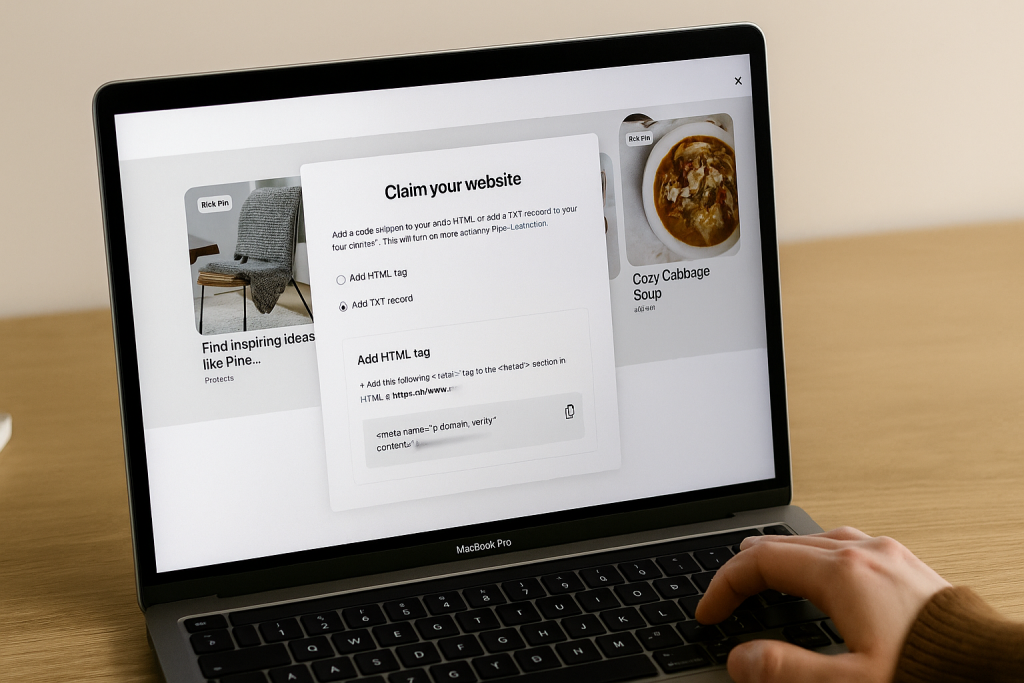
Claiming your website is a huge trust signal for Pinterest. It’s how you prove you’re the legitimate owner of the content you’re linking to, which can give your Pins a nice little boost in distribution.
The process is pretty straightforward—it just involves adding a small piece of code to your website, and Pinterest gives you simple instructions to get it done.
Once your site is claimed, the next crucial step is enabling Rich Pins.
Think of these as supercharged Pins that automatically pull extra information from your website right onto the Pin itself.
There are a few different kinds, but the most common are:
- Article Pins: These add a headline, author, and a short description, making them a must-have for bloggers and publishers.
- Product Pins: A game-changer for e-commerce, these show real-time pricing, availability, and where to buy.
- Recipe Pins: Perfect for food creators, these pull in ingredients, cooking times, and serving sizes.
Rich Pins are a favorite of the Pinterest algorithm because they create a much better, more informative experience for users.
Enabling them often leads directly to higher click-through rates and more engagement, simply because people know what they’re getting before they even click.
Structure Your Boards Like a Pro
Finally, let’s talk about your boards. They need to be more than just a random collection of pretty pictures.
Your boards are powerful tools for organizing your content and signaling your expertise to Pinterest.
Each one should be a tightly focused library on a specific sub-topic within your niche.
Start by giving your boards clear, keyword-driven titles that people would actually search for. Ditch the cute, abstract names.
Instead of a board called “Yummy Things,” a much better title is “Healthy Weeknight Dinner Recipes.”
Then, use the board description to expand on this with more related keywords, explaining exactly what kind of Pins someone will find there.
This kind of strategic structure helps Pinterest understand your account’s authority on certain topics.
When the algorithm knows what you’re about, it gets much better at showing your content to the right audience, which is how you ultimately get more views on Pinterest.
Master Pinterest SEO for Lasting Visibility
If you really want to know how to get more views on Pinterest, you need a crucial mindset shift. Stop thinking of it as just another social media platform.
Pinterest is a massive visual search engine, and approaching it that way is the key to unlocking its potential.
While a viral Pin can give you a nice, temporary traffic spike, mastering Pinterest SEO is the only reliable way to build consistent, long-term visibility.
This isn’t about trying to trick some mysterious algorithm. It’s about strategically helping Pinterest understand what your content is about so it can serve your Pins to the exact people searching for your ideas and solutions.
Get this part right, and the views will naturally follow.
Uncover the Keywords Your Audience Actually Uses
The entire foundation of good Pinterest SEO is keyword research. The great news? You don’t need fancy, expensive tools.
Your best resources are baked right into the platform, showing you precisely what your audience is typing into that search bar.
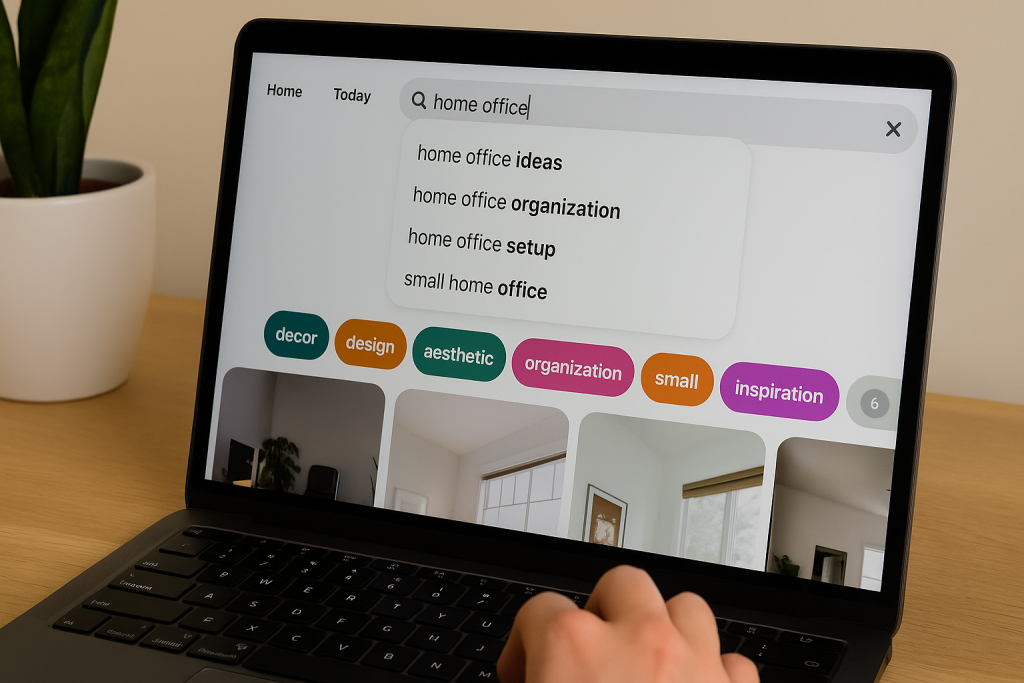
Start by typing a broad term from your niche into the Pinterest search bar. As you type, you’ll see a dropdown of suggested long-tail keywords.
For instance, if you type “home office,” Pinterest might suggest “home office ideas,” “home office organization,” or “small home office setup.”
These aren’t just random guesses; they are the most popular searches connected to your original topic.
But don’t stop there. Hit enter and look at the colorful keyword bubbles that pop up just below the search bar. This is an absolute goldmine.
These are the modifiers users click to narrow down their search, giving you invaluable insight into user intent and uncovering new content angles you should be exploring.
Go Deeper with Pinterest Trends
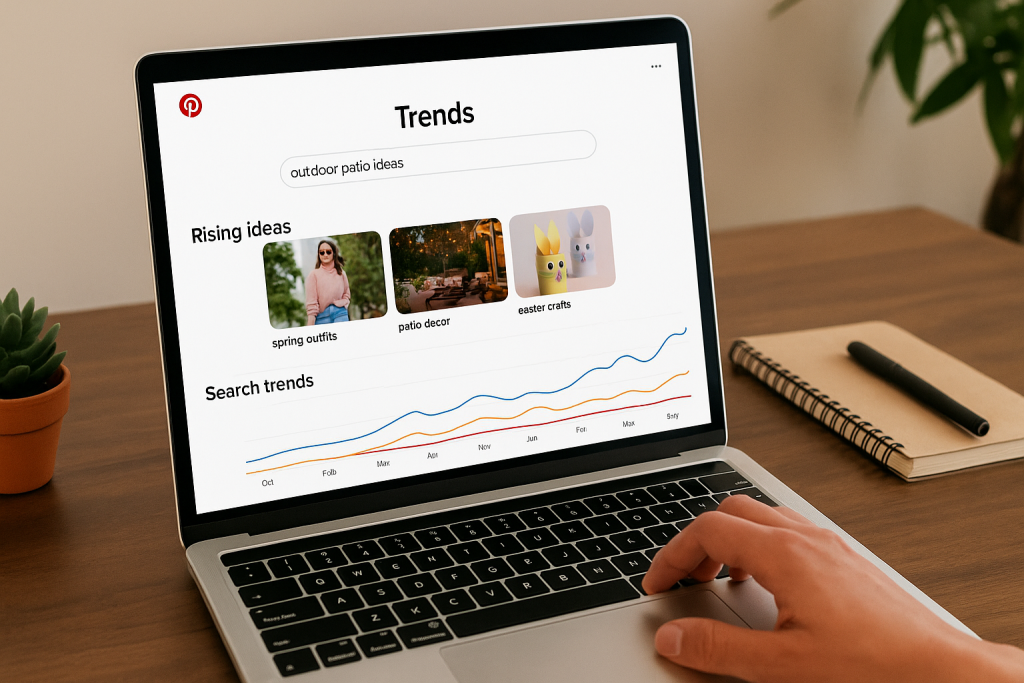
To really get ahead of the curve, you need to be using the Pinterest Trends tool. This is a seriously powerful feature that shows you the search volume for different keywords over time.
You can compare multiple terms, see exactly when certain topics start trending (perfect for planning seasonal content!), and find related keywords that are just starting to gain traction.
My pro tip: Think of the Pinterest search bar as showing you what people are looking for right now.
The Trends tool shows you when and how much they search for it all year. Using them together gives you a complete, actionable picture for your content strategy.
By analyzing these trends, you can plan your content calendar months ahead.
For example, you’ll see searches for “outdoor patio ideas” start to climb in early spring, which is your cue to start publishing that content to meet the peak demand.
Weave Keywords Across Your Entire Profile
Once you’ve got a solid list of keywords, it’s time to put them to work. The trick is to place them strategically where the Pinterest algorithm is looking.
It’s not about stuffing them into a single spot; it’s about creating a “keyword constellation” across your whole profile to build what’s called topical authority.
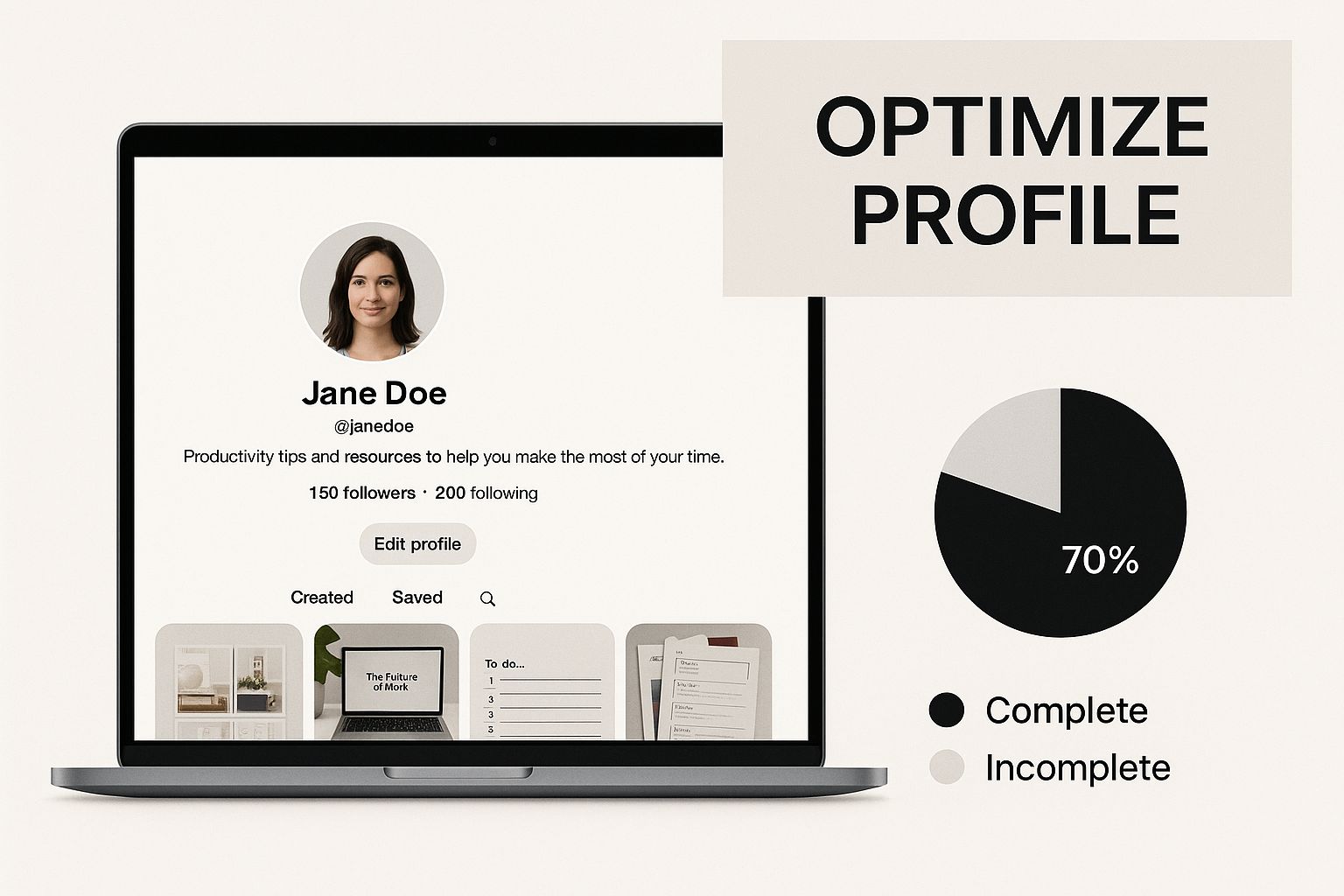
As you can see, every single part of your profile plays a role in your discoverability.
Making sure your keywords are in all the right places is what helps you get more views on Pinterest.
To help you get started, here’s a quick cheat sheet for where to strategically place your keywords for the best results.
Key Areas for Pinterest SEO Implementation
| Location | SEO Best Practice | Impact on Views |
|---|---|---|
| Profile Bio | Naturally include your top 2-3 most important keywords. Tell people and Pinterest what you’re about. | Establishes your niche authority and helps you appear in profile searches. |
| Board Titles | Use clear, searchable keyword phrases. “Minimalist Home Decor” works; “My Vibe” doesn’t. | High impact. This is a primary signal to Pinterest about the content on each board. |
| Board Descriptions | Write 2-3 sentences incorporating the main board keyword and related secondary keywords. | Reinforces the board’s topic and helps it rank in searches for related terms. |
| Pin Titles | Make the title compelling and always include the Pin’s primary keyword. This is critical. | Very high impact. The title is one of the most heavily weighted SEO elements. |
| Pin Descriptions | Write a conversational description that includes your primary and secondary keywords, especially in the first sentence. | Supports the title and gives the algorithm more context, boosting its chances to rank for multiple queries. |
By optimizing all these areas, you send strong, consistent signals to Pinterest about your content’s relevance, which is the secret sauce for getting seen.
Write Descriptions That Are Optimized and Compelling
A great Pin description has to do two things at once: tell the algorithm what your Pin is about and convince a person to actually click on it.
Your description should be a few sentences long and feel natural and helpful, not like a clunky list of keywords.
Make sure to work your most important keywords into the very first sentence.
Use the rest of the description to add more context, sprinkle in some secondary keywords, and clearly state the value someone will get by clicking through to your site.
You can get a more detailed look in our complete guide on how to properly optimize your Pinterest Pins.
Ultimately, when you write for both people and the algorithm, you create Pins that don’t just show up in search, they drive real, meaningful action.
Create Pins That Stop the Scroll
On Pinterest, your Pin design isn’t just a nice-to-have; it’s your entire sales pitch delivered in a single glance.
Think about it—in a feed overflowing with stunning imagery and endless inspiration, a bland or poorly designed Pin is essentially invisible.
If you want more views, you have to create content that physically stops someone’s thumb from scrolling.
This isn’t about needing a graphic design degree. It’s about understanding the unique visual language of Pinterest and engineering your Pins to grab attention instantly.
The right blend of layout, imagery, text, and even video is what separates a Pin that gets ignored from one that drives thousands of views and clicks.
Embrace the Power of Vertical Design
The first and most important rule of Pin design is to think vertically. Period. Pinterest is built for mobile, which means vertical images get a massive amount of screen real estate.
A horizontal or even a square Pin just looks tiny and gets lost in that sea of tall, commanding images.
Your goal is to take up as much space as you legally can. The ideal aspect ratio for a standard Pin is 2:3, and a great size to work with is 1000 x 1500 pixels.
This ensures your Pin is large, crisp, and easy to read on any device, giving you a huge leg up before anyone even registers what it’s about.
A study of over 50,000 Pins found that images with a 2:3 aspect ratio performed best. Sticking to this format is one of the easiest ways to improve your Pin’s performance without changing anything else.
Use High-Quality Imagery and Video
The image or video you choose for your background sets the entire tone.
It absolutely must be high-quality, clear, and directly relevant to your topic.
Blurry, dark, or pixelated visuals scream “amateur” and will get scrolled past without a second thought.
- Choose Bright and Warm Photos: Research consistently shows that images with warmer tones (think reds and oranges) and multiple vibrant colors tend to earn more repins. Bright, uplifting imagery just naturally draws the eye.
- Show, Don’t Just Tell: If your Pin is for a recipe, use a drool-worthy photo of the finished dish. If it’s for a DIY project, show off the beautiful end result. Let the visual do the heavy lifting.
- Embrace Video Pins: Seriously, don’t sleep on video. Video Pins are incredibly engaging and can stop the scroll far more effectively than any static image. Even a simple 5-10 second clip showing a quick process or a final reveal can dramatically boost your views.
Design Text Overlays That Solve a Problem
A beautiful picture on its own is rarely enough. Your text overlay is what communicates your Pin’s value in under three seconds. It needs to be bold, easy to read, and most importantly, solution-oriented.
Think of it as your content’s headline. It should hook the user and tell them exactly what they’ll get by clicking.
For instance, instead of a vague “Vegan Brownies,” a much more powerful headline would be “The Easiest Fudgy Vegan Brownies (One Bowl!).”
This immediately solves a problem (the search for an easy recipe) and highlights a key benefit.
For a deeper dive into the nitty-gritty of Pin design, you can check out our detailed instructions on how to create Pins for Pinterest that are truly built to perform.
Include a Clear Call to Action
While you’ll place your official link in the Pin description, a subtle call to action (CTA) right on the Pin image itself can give your click-through rate a serious lift.
This doesn’t need to be some giant, flashing button. It can be a simple text element that nudges the user toward the next step.
Try adding a small box or a design element at the bottom of your Pin with simple, direct text like:
- “Click to Read More”
- “Get the Free Checklist”
- “Shop the Look”
- “Grab the Recipe”
This simple directive removes any guesswork and tells people exactly what valuable thing is waiting for them on the other side of that click.
Harness the Engagement of Idea Pins
Idea Pins are Pinterest’s version of the story format—multi-page carousels of images or videos that let you tell a more complete story right there on the platform.
Even though they don’t have a direct, clickable link, they are a powerhouse for getting more eyes on your content and growing your audience.
The Pinterest algorithm often gives Idea Pins preferential treatment, pushing them into feeds of people who don’t follow you yet.
Use them to share quick tutorials, step-by-step guides, or behind-the-scenes content. A strong Idea Pin can lead to a huge spike in profile visits and new followers, who will then see all of your other clickable Pins.
Think of it as a top-of-funnel strategy that builds a loyal, engaged community.
Develop a Sustainable Pinning Rhythm

If Pinterest SEO is the map, then your pinning consistency is the engine. It’s what actually gets you there.
Pinning like crazy one week and then going completely silent the next just confuses both the algorithm and your followers.
If you want to see real, long-term growth, you absolutely have to find a sustainable rhythm.
A steady stream of content signals to Pinterest that you’re an active and reliable creator. But don’t worry, this doesn’t mean you have to be chained to your laptop.
It’s about building a realistic schedule that balances new content with community interaction—all without burning yourself out.
Manual Pinning Versus Scheduling
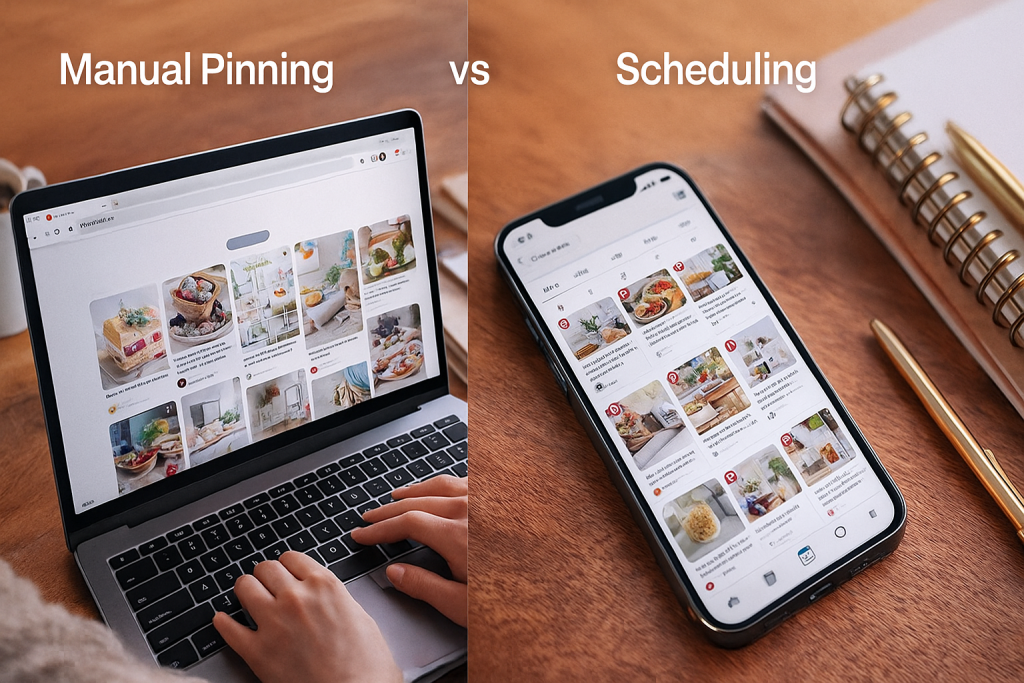
This is the big debate: should you pin manually in real-time or use a scheduler? Honestly, the best strategies use a bit of both.
The right mix really just comes down to your own schedule and resources.
Manual pinning is when you log into Pinterest and share Pins on the fly. This is fantastic for genuine engagement.
You get to see what’s in your feed, discover what’s trending, and repin content you actually find inspiring.
I’m convinced Pinterest rewards time spent on the platform, and this is the best way to keep a finger on the pulse of your niche.
On the flip side, tools like Post Paddle are an absolute game-changer for consistency. Schedulers let you batch your content creation, lining up dozens of Pins in one sitting to go live at the perfect times.
This frees you from the daily grind and makes sure your content calendar never runs dry.
My Personal Strategy: I swear by a hybrid approach. I’ll schedule the bulk of my core content to guarantee I’m consistently pushing out fresh Pins.
Then, I carve out 10-15 minutes a day to manually browse my feed and repin great stuff from other creators. It gives me the best of both worlds—consistency without sacrificing that authentic touch.
Finding Your Ideal Pinning Volume
So, the million-dollar question: how many Pins should you post a day? You’ll see all sorts of advice out there, but I’ve found that quality and consistency always beat sheer quantity.
Instead of chasing an arbitrary number like 25 Pins a day, focus on a target you can actually hit without letting your design quality slide.
For most people, a great starting point is publishing 1-3 new, high-quality Pins per day. And when I say “new,” I mean a unique image or video, even if it links back to a blog post you’ve promoted before.
Your daily pinning mix should look something like this:
- Fresh Pins: These are your brand-new designs linking to your latest articles or giving old content a new look. Pinterest’s algorithm prioritizes fresh content, so this is your most important task.
- Strategic Repins: Share relevant, high-quality Pins from others in your niche. This is a great way to fill your content calendar, connect with other creators, and provide more value to your audience.
- Repinning Your Own Content: It’s okay to occasionally repin your own popular Pins to different, relevant boards. Just do it sparingly so your account doesn’t look spammy.
Know When to Post for Maximum Impact
Posting your content when your audience is actually online can make a huge difference. The best way to find these golden hours is by digging into your own Pinterest Analytics.
Just head to the “Analytics” tab and check out your audience insights. Pinterest will show you the exact days and times your audience is most engaged.
Use this data to build your schedule. If you see a major spike in activity on Saturday afternoons, that’s when you should be scheduling your best content.
With Pinterest now boasting 553 million monthly active users, your potential audience is bigger than ever.
You can dive deeper into these numbers by checking out the latest Pinterest statistics.
Understanding and catering to your specific audience’s behavior is the key to finally getting the views you’re looking for.
Connect With Your Audience to Boost Reach
You can design the most stunning Pins on the platform, but if they aren’t truly connecting with a real person on the other side of the screen, your views will flatline.
I’ve seen it happen time and time again. Creating content in a vacuum is a surefire way to get frustrated.
The secret to meaningful reach isn’t about guessing what people want. It’s about digging into the data to find out for sure.
To build a great Pinterest strategy, you have to go deep and understand exactly who is saving your content. It’s easy to make assumptions, but your actual audience might surprise you.
Dig Into Your Pinterest Analytics
The best place to find the truth about your audience is right inside your Pinterest Analytics.
This is where you stop guessing and start getting real, hard facts about the people engaging with your content.
Seriously, don’t skip this. It’s the bedrock of a content strategy that actually works.
Once you’re in your analytics dashboard, head over to the “Audience Insights” tab. This is where the magic happens. You’ll find a detailed breakdown of your engaged audience.
- Age: Are you talking to Gen Z, Millennials, or an older crowd?
- Gender: Does your content lean more toward men or women?
- Location: See the top countries and even cities where your audience lives.
- Interests: This is a goldmine. It shows you the other categories and topics your audience is obsessed with, which is perfect for sparking new ideas.
Let’s say you think you’re making content for a general “home decor” audience.
Your analytics might tell a different story, revealing that your core followers are actually 25-34 year old women in the US who are specifically into “small apartment decorating” and “DIY furniture.” Now that is an insight you can run with.
Knowing who you’re talking to makes creating content that resonates so much easier. You’re no longer shouting into the void; you’re having a direct conversation with a specific person.
Find and Replicate Your Top Performers
After you’ve figured out who your audience is, the next piece of the puzzle is figuring out what they love. Your own top-performing Pins are your best focus group, hands down.
Go back to your “Analytics” tab and look at your top Pins and top boards. Sort them by impressions and, more importantly, by saves.
Look for the patterns. What do your most successful Pins have in common? Maybe it’s a specific color palette, a certain style of headline, or a particular topic.
Do Pins with your face on them outperform ones that are just text and graphics?
When I did this, I realized my simple, step-by-step tutorial Pins got ten times the engagement of my more abstract, inspirational ones. The path forward became crystal clear.
This whole process is about building a more engaged audience. For more tips on nurturing that community, you can check out our detailed guide on how to grow your Pinterest followers.
It’s also interesting to note that the largest slice of Pinterest’s global advertising audience is female users aged 18 to 24, with those aged 25 to 34 right behind them.
This explains why content aimed at Millennial and Gen Z women often does so well. You can find more data on Pinterest’s key demographics on printful.com.
Use your own analytics to see how your audience lines up with these broader trends and tweak your strategy to get the most out of your Pins.
Take the Guesswork Out of Pinterest Keywords
Writing titles and descriptions for your Pins should feel simple, not stressful. When you stop guessing at keywords, you give every Pin a better chance to be seen.
Trying phrase after phrase and hoping your views go up can be exhausting. You hit publish and cross your fingers, but you’re never quite sure if you’ve matched what people are actually searching for.
Think about how different it feels when you know the exact words your audience is already typing into the search bar.
You can write a headline with confidence, fill in your description without overthinking, and pin knowing your content is aligned with real searches.
Those small changes add up to more reach, more saves, and a steady flow of the right people finding your Pins week after week.
To make that process easier, I’ve put together a free Pinterest keyword research tool.
Inside, you’ll see real keyword ideas for your niche, plus search terms you can plug straight into your titles, descriptions, and boards in just a few minutes.
It’s not about complicated SEO tricks, it’s about having a simple, repeatable way to choose words that match what your audience already wants.
Common Questions About Getting Pinterest Views
As you get deeper into growing your Pinterest account, you’re going to have questions. Everyone does. It’s completely normal to wonder if you’re doing things right or to panic when your views suddenly take a dip.
Let’s walk through some of the most common questions I hear from creators. My goal is to give you clear, practical answers so you can keep moving forward with confidence.
How Long Does It Take to See More Views on Pinterest?
Ah, the big one. Everyone wants to know this, and the honest answer is: it takes patience. Pinterest is a long-term play, not a slot machine for overnight traffic.
While it’s possible for a single Pin to take off in a few days, building a solid foundation for sustainable, lasting views usually takes somewhere between 3 to 6 months of consistent work.
Think of it this way: the Pinterest algorithm needs time to get to know you. Every time you publish a new Pin, it gets indexed and shown to a small test audience.
Pinterest watches how they react and uses that data to figure out who else might like it. The work you put in today is planting seeds that will often sprout months down the line.
Should I Delete Pins That Get Low Views?
It’s so tempting to want to tidy up your profile by deleting Pins that feel like duds, but my advice is almost always the same: don’t do it. As a general rule, you should not delete Pins just because they have low views.
A Pin that gets almost no love in its first few weeks or even months can suddenly find its audience and take off.
I’ve personally had Pins sit dormant for nearly a year and then, out of nowhere, start driving hundreds of clicks a day.
If I had deleted them, I would have thrown away a ton of future traffic. The algorithm is always learning, and a Pin’s time to shine might just be later than you expect.
Now, there are a few exceptions where deleting a Pin makes sense:
- It has a broken link. This creates a bad experience for users, so get rid of it.
- The information is totally outdated. If a sale ended or a product is gone for good, deleting the Pin is just good housekeeping.
- It’s completely off-brand. Maybe you’ve changed your niche or business focus. Removing old, irrelevant content can help Pinterest (and people) understand what you’re all about now.
Are Hashtags Still Important on Pinterest?
The role of hashtags on Pinterest has really changed over the years. The short answer is, not really. While they probably don’t hurt anything, they are nowhere near as important as they used to be.
Today, Pinterest functions much more like a visual search engine, which means it puts a massive emphasis on keywords used in natural sentences.
You’re much better off spending your time writing a fantastic, keyword-rich title and a genuinely helpful Pin description.
The algorithm is smart enough to pull context and keywords from well-written sentences. Write for the human on the other side of the screen first, and the search engine will reward you.
Tossing a few relevant hashtags at the end is fine, but it’s no substitute for solid keyword optimization in your title and description.
How Many Pins Should I Create Per Day?
There’s no magic number here, and you should be wary of anyone who gives you one. The most important thing on Pinterest is quality and consistency over sheer quantity.
It’s far better to create 1 to 3 new, high-quality Pins per day than it is to burn yourself out publishing 20 mediocre ones.
“New” simply means a fresh image or video, even if it links back to a blog post you wrote a year ago.
Pinterest’s algorithm prioritizes fresh content, so this steady, consistent stream of new Pins signals that you’re an active creator worth paying attention to. That consistency is your key to growth.