
Think of Pinterest as less of a social network and more of a visual search engine.
It’s a place where people are actively looking for ideas, inspiration, and, most importantly, things to buy.
This high-purchase intent is exactly what makes it such a powerful platform for making money, whether you’re driving traffic to a monetized blog, promoting affiliate products, or selling your own items.
Why Pinterest Is a Monetization Powerhouse

Let’s clear something up: Pinterest is far more than a digital scrapbook for recipes and wedding ideas.
It has evolved into a massive commercial engine, and its power comes from a simple fact, users arrive with a plan.
Unlike other platforms where people are just killing time, Pinterest users are on a mission.
They’re actively searching, discovering, and planning their next purchase.
This creates an environment buzzing with opportunity.
You’re not interrupting their feed; you’re providing the very solutions they’re looking for.
The Power of Purchase Intent
The real magic of Pinterest lies in its ability to connect with people at the most crucial stages of the buying journey: inspiration and consideration.
When someone types “cozy living room ideas” into the search bar, they are practically raising their hand to say they’re interested in blankets, pillows, and furniture.
This is a world away from platforms where ads can feel jarring and unwelcome.
On Pinterest, your content—whether it’s an affiliate link for a product or a pin leading to your e-commerce store—becomes a helpful, inspiring discovery.
The visual-first layout lets you seamlessly weave your products into content that users actually want to see and save.
The infographic below breaks down the primary ways creators can tap into this unique user mindset to generate an income.
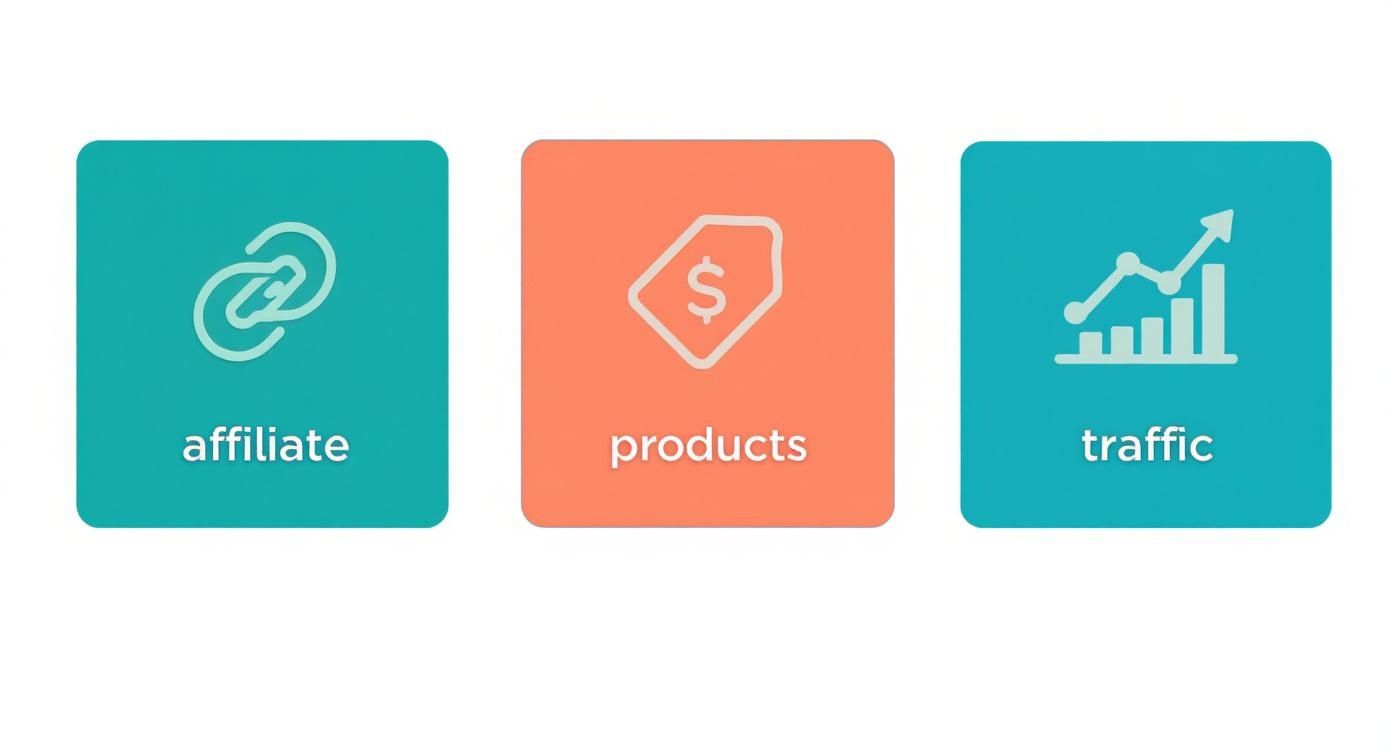
As you can see, the main paths to monetization involve affiliate marketing, selling your own products, or channeling that high-intent traffic to your own properties like a blog or online shop.
Why It Outperforms Other Platforms
The numbers really speak for themselves. Studies have shown that around 85% of weekly Pinterest users have bought something based on pins they saw from brands.
That’s an incredible conversion rate and a testament to the platform’s direct influence on consumer behavior.
The secret to success on Pinterest isn’t about having a massive follower count. It’s about being discoverable.
Because it functions as a search engine, a brand-new account can gain traction if its pins are optimized with the right keywords.
On top of that, Pinterest drives 33% more referral traffic to e-commerce sites than Facebook. This stat alone highlights its strength as a superior tool for online businesses focused on sales.
People don’t just find ideas on Pinterest—they act on them. If you’re interested in the data, it’s worth digging into more Pinterest stats to see the platform’s full potential.
To give you a quick overview, here are the most common ways people are earning an income on Pinterest, along with what you can expect in terms of effort and potential returns.
Pinterest Monetization Methods at a Glance
| Monetization Method | Best For | Effort Level | Income Potential |
|---|---|---|---|
| Affiliate Marketing | Content creators without their own products. | Medium | $$ – $$$ |
| Selling Your Own Products | E-commerce brands, Etsy sellers, and creators. | High | $$$ – $$$$ |
| Driving Blog Traffic | Bloggers with ads or digital products. | Medium | $$ – $$$$ |
| Promoted Pins (Ads) | Businesses with a marketing budget looking to scale. | High | Varies (ROI-dependent) |
| Creator Rewards | Influencers with an engaged audience. | Low | $ – $$ |
Each of these avenues offers a unique way to turn your pinning into profit, catering to different business models and goals.
Your Guide to Affiliate Marketing on Pinterest
Affiliate marketing on Pinterest is probably one of the most direct ways to start earning money without ever creating your own product.
The whole idea is simple: you promote products you genuinely like, and you get a commission anytime someone buys something through your unique link.
It’s a fantastic way to turn your eye for inspiration into a steady source of income.
You essentially partner with brands or join affiliate networks (like Amazon Associates or ShareASale), get special trackable links for their products, and then share those links on Pinterest.
When a user clicks your pin and makes a purchase, you get a slice of the sale.
The brand makes a sale, and you get paid for sending them a customer. A true win-win.
But let’s be real—it takes more than just randomly dropping links.
A successful strategy is built on trust and providing real value to your audience.
Finding Profitable Niches That Thrive on Pinterest
Not every niche is a goldmine on Pinterest. The trick is to focus on topics where people are already in a “planning” or “buying” state of mind.
You want to be in the spaces where users are actively looking for ideas that lead to purchases.
Some of the most lucrative niches I’ve seen do well on Pinterest include:
- Home Decor and Organization: People are always searching for furniture, cool storage solutions, and home accents. You can successfully promote everything from a high-end sofa to clever little kitchen gadgets.
- Fashion and Beauty: This one’s a classic for a reason. Pinners are constantly looking for outfit ideas, skincare routines, and makeup tutorials, which makes it incredibly easy to link to clothes, accessories, and cosmetics.
- DIY and Crafts: The craft community is huge on Pinterest. Think woodworking plans, knitting supplies, or the latest Cricut accessories. They’re always on the hunt for tools and materials for their next creation.
- Food and Recipes: This category is massive. You could promote specialty kitchen appliances, unique ingredients for a recipe, meal delivery services, or even online cooking courses.
The earning potential on Pinterest is especially high because of the platform’s user base. Did you know that about 1 in 3 Pinterest users have an income over $100,000?
The platform reaches 40% of U.S. households that earn over$ 150,000 a year. That’s a lot of purchasing power.
So, don’t be afraid to promote higher-priced items if they’re a good fit for your niche.
A food blogger can absolutely find success promoting a $500 stand mixer, just like a sustainable fashion creator could feature a$ 150 ethically-made handbag.
Creating Compelling Affiliate Pins That Convert
To get clicks, your affiliate pins need to be more than just pretty pictures with a link slapped on.
They have to be genuinely helpful, inspiring, and—this is crucial—transparent. Nobody likes a spammy, hard-sell pin.
Always start with high-quality, vertical images or videos. They just perform better. Then, use clear text overlays to explain the product’s benefit or spark some curiosity.
For example, instead of a pin with just a photo of a blender, a title like “The Secret to Perfectly Smooth Green Smoothies” is way more enticing.
For a deep dive, our guide on how to create pins that get noticed has a ton of design tips.
Here’s a look at the Pinterest Business Hub, which is packed with tools and insights to help you create better content.
Think of this dashboard as your command center. It’s where you’ll track what’s working and what’s not, which is absolutely vital for fine-tuning your affiliate strategy over time.
Mastering Disclosure and Building Trust
Let me be crystal clear: transparency is non-negotiable. Both Pinterest’s guidelines and FTC regulations demand that you clearly disclose your affiliate relationships.
But this isn’t just about following rules; it’s about building a loyal audience that actually trusts your recommendations.
It’s super easy to do. Just add a disclosure right in your pin description using hashtags like #ad, #sponsored, or #affiliatelink. A simple sentence like “(This is an affiliate link)” works great, too.
Hiding your disclosure or being sneaky about it is the fastest way to kill your credibility.
People appreciate honesty and are far more likely to support creators who are upfront about their partnerships.
This small act of transparency tells your audience you respect them, which in turn makes them more willing to trust your advice and click your links.
Strategic Pinning and Maximizing Reach
Once you’ve created great pins, the final piece of the puzzle is getting them in front of the right eyeballs.
This comes down to a mix of good old-fashioned Pinterest SEO and smart distribution.
Start by optimizing your pin descriptions with relevant keywords—the actual terms people are searching for.
Put yourself in your target user’s shoes. What words would they type into the search bar to find your product?
Weave those keywords naturally into your description and title.
Group boards can also be a game-changer for extending your reach beyond your own followers.
Find and join active group boards in your niche and share your best affiliate pins there.
Just make sure to read the board’s rules first, as some don’t allow affiliate links.
For those just getting their feet wet, it really helps to understand the basics.
If you’re new to this whole world of earning through partnerships, an affiliate marketing for beginners guide can be an invaluable resource to nail down the fundamentals.
By pairing awesome content with a smart distribution plan, you can turn Pinterest into a consistent and reliable stream of affiliate income.
Selling Your Own Products and Services
While affiliate marketing is a fantastic way to get your feet wet, the real money on Pinterest often comes from selling your own stuff.
This is where you get full control—you build your brand, your customer list, and you keep 100% of the profits.
Pinterest is practically built for e-commerce. Think about it: people are already there looking for inspiration and solutions.
They’re actively searching for handmade jewelry, a digital planner to sort out their chaotic schedule, or a business coach to help them grow.
When you position your products or services as the answer to what they’re looking for, your Pinterest profile transforms from a simple mood board into a direct sales machine.
This is how you move from just using Pinterest to truly earning with it.
Connecting Your Storefront for Seamless Shopping
First things first, you have to make it ridiculously easy for people to buy from you. The good news is that Pinterest plays very nicely with major e-commerce platforms like Shopify and Etsy.
Connecting your store unlocks one of the most powerful features on the platform: Product Pins.
These aren’t your average pins. Product Pins are dynamic, shoppable posts that sync directly with your product catalog. It’s a total game-changer.
- Real-time Pricing: If you run a sale, the price on the pin updates automatically. No manual work needed.
- Stock Availability: Pins show when an item is in stock, which can create a nice sense of urgency.
- Direct-to-Cart Link: A single click takes a user from your pin straight to the product page on your site. This shortens the buying journey and boosts conversions.
The setup is usually as simple as installing a Pinterest app or plugin on your e-commerce site and getting your website verified.
Once that’s done, your products are ready to be discovered by millions of shoppers.
The Art of Visual Merchandising
On a visual-first platform like Pinterest, a boring product photo on a white background just won’t cut it.
To stop the scroll and actually inspire someone to click “buy,” you need to master the art of lifestyle photography and visual storytelling.
Stop showing just what you sell. Start showing people how your product fits into their lives.
- Selling handmade earrings? Don’t just show the earrings. Show a model wearing them with a great outfit, maybe laughing with friends at a café. You’re not just selling jewelry; you’re selling a confident, stylish look.
- Offering a digital planner? Create pins that show the planner in action—beautifully filled-out weekly spreads that look both aspirational and achievable. Help them visualize the sense of calm and organization your planner will bring them.
- Providing coaching services? Design eye-catching pins with powerful client testimonials or quick, valuable tips. This builds your authority and gives people a taste of the results you can deliver.
The goal is to sell the outcome. People don’t buy a throw pillow just to have another cushion; they buy it for the feeling of a cozy, put-together home. Your pins need to capture that emotion.
Tailoring Your Strategy for Different Offerings
Your game plan will look a little different depending on what you’re selling.
Physical goods, digital downloads, and services all have their own sweet spots on Pinterest.
Selling physical items often means leaning into high-quality lifestyle shots and tapping into seasonal trends. For digital products, it’s more about showing the transformation or offering a sneak peek inside.
If you’re looking for practical steps, this guide on how to create digital products for sale is a great resource for developing assets that will resonate with a Pinterest audience.
When you’re selling a service, your main job is to build trust. Use your pins to share case studies, “before and after” stories, or bite-sized bits of your expertise.
You’re positioning yourself as the go-to expert, making potential clients eager to learn more.
Thinking about how to frame your content? Here’s a quick breakdown.
Physical vs Digital Products on Pinterest
Deciding on the right content strategy starts with understanding what you’re selling and what a potential customer needs to see before they’ll buy.
| Feature | Physical Products (e.g., Crafts, Apparel) | Digital Products (e.g., Ebooks, Templates) | Services (e.g., Coaching, Design) |
|---|---|---|---|
| Primary Goal | Inspire a purchase with visual appeal. | Showcase transformation and value. | Build trust and generate leads. |
| Best Pin Types | Lifestyle photos, video demonstrations. | Mockups, checklists, tutorial snippets. | Testimonials, infographics, case studies. |
| Call to Action | “Shop the Look,” “Get Yours Now” | “Download Now,” “Get the Template” | “Book a Call,” “Learn More” |
By customizing your visuals and your calls to action, you create a much clearer path for your audience, guiding them from casual discovery to happy customer.
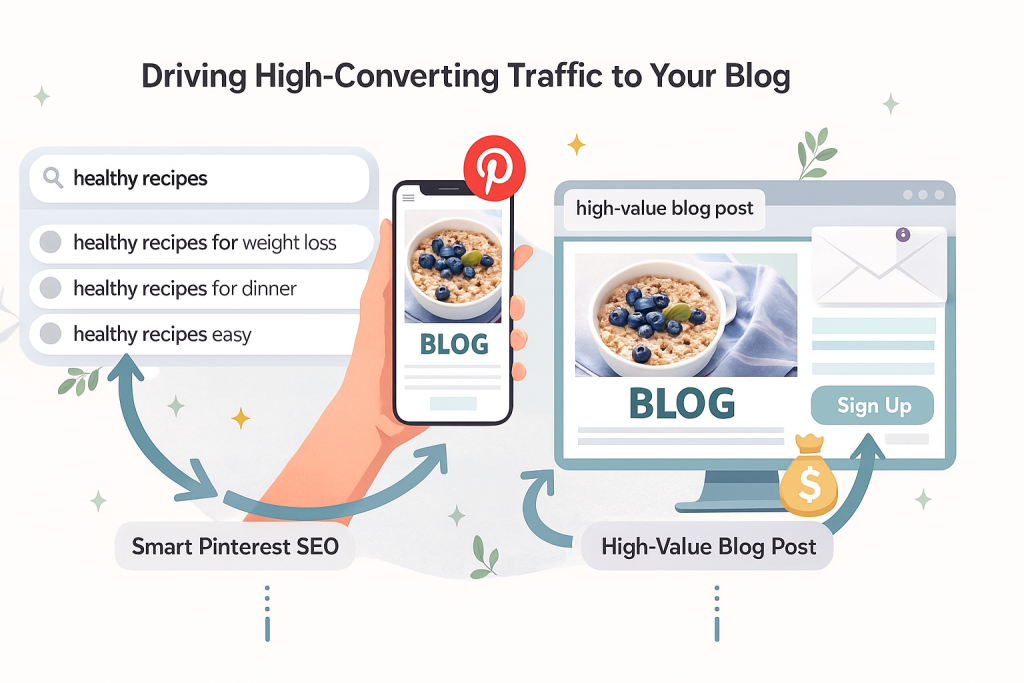
Driving High-Converting Traffic to Your Blog
Let’s be honest: traffic for the sake of traffic is just a vanity metric.
If you really want to earn money with Pinterest, the name of the game is attracting the right people—the ones who are genuinely looking for what you have to offer.
This is where we move past random pinning and start building a real, reliable engine that sends high-converting visitors straight to your blog.
Forget what you know about likes and follower counts on other platforms. Pinterest is a different beast entirely.
It’s a visual search engine, which means your success all comes down to solid Pinterest SEO. It’s about figuring out what your audience is searching for and then creating the content that answers their questions.
The Foundation of Pinterest SEO
Think of Pinterest SEO as a map. Your ideal reader is out there searching for something, and keywords are the breadcrumbs that lead them straight to your blog post.
The first step is getting inside their head. What words are they actually typing into that search bar?
The easiest way to start is by using the Pinterest search bar itself. Let’s say your blog is about healthy eating. Type “healthy recipes” into the search bar.
Pinterest will immediately show you what people are really looking for: “healthy recipes for weight loss,” “healthy recipes for dinner,” “healthy recipes easy.” These aren’t just suggestions; they’re keyword gold.
Once you have a solid list of keywords, you need to put them where it counts:
- Pin Titles: This is your most valuable SEO real estate. Make it crystal clear, compelling, and be sure to include your main keyword.
- Pin Descriptions: Write a natural, engaging description that weaves in your primary keyword and a few related ones. You’ve got up to 500 characters to play with, so use them to tell a story and give people a reason to click.
- Board Titles: Your boards need keyword-rich titles, too. A board named “Delicious & Healthy Meal Prep” is going to get found way more often than one just called “Food.”
This strategy isn’t about gaming the system; it’s about making sure your content shows up when your target audience is actively looking for it.
For a much deeper dive, our guide on how to use Pinterest for your blog has some more advanced tactics you can use.
Designing Pins That Stop the Scroll
On a platform packed with beautiful images, your pin has about two seconds to grab someone’s attention. If it’s bland, it’s invisible. Your goal is to create something that’s impossible to ignore.
Thankfully, a tool like Canva makes this surprisingly easy, even if you don’t have a single design bone in your body. Always start with a vertical image—the ideal is a 2:3 aspect ratio, like 1000×1500 pixels.
Next, add a bold text overlay that screams value. Instead of just “Chicken Recipe,” try something like “The Easiest 20-Minute Chicken Dinner You’ll Ever Make.” See the difference?
Your pin’s text overlay is your headline. It has to solve a problem, spark curiosity, or promise a tangible result. This is what stops the scroll and earns the click.
As a final touch, add a small, consistent brand element to every pin, like your logo or website URL. It’s a subtle thing, but it builds recognition over time.
The pin isn’t just a pretty picture; it’s a tiny, powerful billboard for your blog post.
Building a Simple Content Funnel
Okay, let’s connect the dots. A “content funnel” sounds complicated, but it’s really just about creating a clear path for your visitors.
On Pinterest, that journey starts with them discovering your pin and ends with them taking action on your blog, whether that’s signing up for your email list or buying a product.
Here’s how it works:
- Pinpoint a High-Value Blog Post: Grab a link to a post on your blog that’s built to convert. This could be a detailed review packed with affiliate links, a how-to guide that sells your digital course, or a post featuring a big, can’t-miss email opt-in.
- Create an Army of Pins: Don’t just make one pin for your amazing blog post. Make 5-10 different versions. Use different images, headlines, and call-to-actions. One pin might focus on a specific tip from the post, while another highlights the end result.
- Link and Launch: Make sure every single one of those pins links directly to that specific blog post. Then, schedule them to go out to your various relevant boards over the next few weeks.
This multi-pin strategy massively increases the odds of your content getting in front of the right eyeballs.
You’re creating a direct highway from Pinterest discovery to a conversion on your site, turning casual scrollers into loyal readers and customers.
Automating Your Pinterest Growth Strategy
If there’s one non-negotiable rule for winning on Pinterest, it’s consistency. The platform’s algorithm loves accounts that share fresh, high-quality content on a regular basis.
But let’s be realistic—who has time for that? This is where smart automation becomes your secret weapon for making real money on Pinterest, letting you keep up a perfect pinning schedule without being glued to your screen.
This isn’t about some “set it and forget it” pipe dream. Think of a tool like Post Paddle as your strategic assistant.
It takes care of the tedious, repetitive tasks, freeing you up to focus on what actually moves the needle: creating great content and engaging with your community.
When you automate the right parts of your workflow, your content works for you 24/7, driving traffic and sales even while you sleep.
The Power of AI-Driven Scheduling
Could you imagine trying to manually post 10-15 pins every single day, right when your audience is most likely to see them? It’s a recipe for burnout.
Thankfully, AI-powered scheduling completely removes that headache.
These tools are smart. They dig into your analytics to figure out exactly when your followers are scrolling and automatically publish your pins during those prime-time windows.
This simple shift means more eyes on your content, more clicks to your offers, and a much better shot at landing a sale or commission.
It’s the difference between posting into a void and connecting with a ready-and-waiting audience.
Just take a look at the Post Paddle dashboard. It gives you a bird’s-eye view of your entire content queue and schedule in one clean interface.
Having this kind of visual command center helps you spot gaps, ensure variety, and maintain a steady flow of pins without any of that last-minute “what do I post today?” panic.
Crafting Perfect Descriptions in Seconds
We all know that writing compelling, keyword-rich pin descriptions is vital for getting discovered in search. It’s also a huge time suck.
This is another area where the right tool can give you a massive leg up. Modern schedulers use AI to generate optimized descriptions for you.
All you have to do is give the AI a blog post URL or a few quick bullet points, and it can spit out multiple description options that are:
- SEO-Friendly: They naturally weave in the keywords people are actually searching for.
- Engaging: The copy is written to pique curiosity and get that all-important click.
- Unbelievably Fast: It creates in seconds what would take you minutes to write from scratch.
This lets you create tons of unique, well-described pins for a single piece of content without burning hours on copywriting.
It’s a game-changer for scaling your reach. If you want a deeper dive into the nuts and bolts, our guide on how to schedule Pinterest posts walks you through the entire process.
Automation isn’t about replacing your strategy; it’s about executing it more efficiently. It handles the ‘how’ so you can focus on the ‘what’ and ‘why’ of your content.
Keeping Your Best Content in Rotation
Not every pin is going to go viral, and that’s okay. Over time, you’ll notice that a handful of your pins become evergreen workhorses, consistently driving traffic day in and day out.
A killer automation strategy is to identify these winners and keep them circulating.
This is where a feature like auto-repinning (sometimes called “looping”) comes in.
It automatically re-shares your most successful content to relevant boards over time, breathing new life into it and exposing it to new waves of users.
A pin that brought you great results six months ago can absolutely do it again today.
This creates a sustainable, hands-off system that ensures your best assets are always out there, earning affiliate clicks, selling products, and growing your audience.
Want a Faster Way to Turn Pins into Profit?
If you’re excited about earning money with Pinterest but feel stuck on what to pin, what to promote, or how to say it, you don’t have to figure it all out from scratch.
These free Pinterest GPT tools are built to help you brainstorm profitable niche ideas, map out monetization angles (affiliate, products, or blog), and generate keyword-rich Pin titles and descriptions in seconds.
You can use them to plan entire Pinterest funnels—from the first Pin someone sees to the blog post, product page, or offer that actually earns you money.
No more staring at a blank screen wondering what to post next.
Whether you’re just getting started or ready to scale what’s already working, these GPTs give you the structure, prompts, and copy support to move faster and stay consistent.
Your Top Pinterest Monetization Questions, Answered
Once you start digging into the different ways to make money on Pinterest, a bunch of practical questions always pop up.
It’s one thing to understand the strategies, but it’s another to know the nitty-gritty details when you’re just getting started.
Let’s tackle some of the most common questions and clear up any confusion so you can move forward with confidence.
1. How Many Followers Do I Actually Need to Start Earning?
I get this question all the time, and the answer usually surprises people: you don’t really need any.
Seriously. Pinterest isn’t like Instagram or TikTok where your reach is directly tied to your follower count. It’s a visual search engine.
What matters here is discoverability.
A brand-new account with zero followers can have a pin go viral overnight if it’s well-designed and optimized with the right keywords.
The game isn’t about collecting followers; it’s about showing up when someone searches for a solution.
The real goal isn’t “building an audience,” it’s “being the answer.” When someone types “small patio decorating ideas” into the search bar, your pin needs to be the best, most inspiring visual answer they find.
This is exactly why Pinterest is such a game-changer for new bloggers and small businesses. It levels the playing field, making the quality of your content far more important than the size of your following.
2. Can I Just Drop My Amazon Affiliate Links on Pins?
Technically, yes, you can use direct affiliate links from programs like Amazon Associates on Pinterest. But—and this is a big but—it’s a strategy you need to handle with care, and it’s rarely the best long-term move.
First and foremost, you must disclose that it’s an affiliate link. Adding a simple hashtag like #ad or #commissionsearned to your pin description is non-negotiable.
It keeps you compliant with FTC guidelines and builds trust with your audience.
However, a much smarter and more sustainable strategy is to link to your own blog post that reviews or features the product.
Here’s why that’s a better approach:
- You’re building your own asset. Driving traffic to your website boosts its authority and gives you a chance to capture that visitor’s email, turning a one-time click into a long-term fan.
- You control the entire experience. On your blog, you can add more details, compare multiple products, and include several affiliate links, which naturally increases your chances of making a sale.
- It’s a safer bet for the future. Social media platforms change their rules all the time. Owning the destination URL gives you stability and control that you just don’t get with direct linking.
Think of direct linking as a quick tactic, while sending traffic to your own content is how you build a real, lasting business.
3. What Kind of Content Actually Makes Money?
On Pinterest, the content that converts is almost always content that solves a specific problem or inspires a clear action.
Pins that are just pretty for the sake of being pretty might get a lot of saves, but the ones that actually drive income are practical and genuinely helpful.
The most effective pins create a natural bridge between what someone is looking for and the product or service you’re offering.
For example, think about the user’s intent:
- A pin titled “How to Organize a Cramped Kitchen Pantry” is the perfect spot to link to an article featuring your favorite storage containers.
- A pin showcasing “10 Best Laptops for College Students in 2024” is an ideal entry point for an affiliate roundup on your blog.
- A pin with the headline “Free Weekly Meal Plan Template” is a fantastic way to drive traffic to a blog post where you also happen to sell a complete recipe ebook.
At the end of the day, the content that performs best closes the gap between inspiration and action.
When you do that, your monetization efforts feel less like a sales pitch and more like a helping hand.