
Let’s just get right to it: Do hashtags actually work on Pinterest?
Well, the short answer is that they’ve taken a major backseat.
They’re no longer the primary way your Pins get discovered, and clinging to old hashtag strategies just won’t move the needle for real growth.
The Evolving Role of Pinterest Hashtags

For a long time, marketers treated Pinterest just like Instagram or Twitter, cramming a long list of hashtags into their Pin descriptions. The thinking was that hashtags were the key to getting seen.
But here’s the thing: Pinterest has grown up. It’s not just a social platform anymore; it’s a powerful visual search engine, and its algorithm has changed to reflect that.
Pinterest’s main job now is to serve up the perfect visual ideas for what people are searching for.
To do that, its algorithm relies heavily on strong, keyword-rich descriptions and some pretty sophisticated visual recognition technology.
Think of it like this…
Keywords are the permanent, detailed labels on a library book, telling you exactly what’s inside. And hashtags? They’re more like temporary sticky notes—they might give a quick clue, but they’re definitely not part of the main cataloging system.
A History of Shifting Importance
The guidance on Pinterest hashtags has been a real rollercoaster. There were times when Pinterest officially encouraged them for sorting new content.
Then, at other points, they actively told us to stop using them, even suggesting that too many looked like spam. As of now, hashtags have been completely removed from the platform’s official creative best practices.
This isn’t just a recent shift, either. The truth is, their impact was always a bit murky.
A large-scale measurement study from way back in 2013 found that Pins with hashtags didn’t consistently perform any better than those without them. This suggests they were never really a powerhouse for discovery on Pinterest.
Key Takeaway: If you’re still relying only on hashtags to get seen on Pinterest, you’re using an outdated playbook. A modern, effective strategy is built on solid SEO, not stuffing hashtags into your descriptions.
Knowing this history is important. It helps us understand why we need to invest our time where it really counts: crafting rich, descriptive content packed with the keywords that real people are searching for every day.
How Pinterest’s Smart Search Actually Works

To really get why the whole “do hashtags work on Pinterest” debate has shifted, you have to get one thing straight: Pinterest isn’t a social media platform.
At its heart, it’s a massive visual search engine, and its algorithm acts way more like Google’s than Instagram’s.
Think of Pinterest as a super-smart librarian running a giant library filled with visual ideas. This librarian doesn’t just read the titles on the spines. They read every single page, analyze the cover art, and understand the core concepts to categorize everything perfectly.
In this world, your keywords are the essential info on the book’s spine and in the official card catalog—they’re the main way the librarian finds what a user is searching for.
Keywords and Visual Cues are King
When you hit “publish” on a new Pin, Pinterest’s algorithm kicks into high gear to figure out what it’s all about. It’s not just looking at one thing; it’s a layered process.
- What Your Words Say: The system reads everything—your Pin title, your description, even the name of the board it’s on. It’s hunting for keywords to understand the topic and who it’s for. A description like “easy weeknight chicken recipes” or “30-minute family dinners” sends crystal-clear signals.
- What Your Image Shows: Pinterest’s AI can literally see what’s in your Pin. It identifies objects, colors, styles, and even the overall vibe. If your photo features a rustic farmhouse kitchen table, the algorithm knows to show it to people searching for “farmhouse dining ideas,” whether you used those exact words or not.
This mix of text and visual data creates a super-detailed profile for every single Pin.
It’s this deep understanding that lets Pinterest deliver eerily relevant results, making solid keyword strategy way more important than just tossing in a few hashtags.
Pinterest’s algorithm is built to understand your content on a deep, contextual level. Strong SEO—like descriptive titles and keyword-rich descriptions—is how you feed that system directly, making your Pins discoverable for the long haul.
So, Where Do Hashtags Fit In?
If keywords are the official card catalog, what are hashtags? Think of them as little, optional sticky notes.
They might add a tiny sliver of extra context or briefly group your Pin with other new content under that tag. If someone clicks on it, they’ll see a simple chronological feed of recent Pins that used the same hashtag.
But the librarian (the algorithm) is always going to trust the official card catalog first—your keywords and the visual content itself.
That sticky note is a minor signal, and often, it’s completely ignored. Since Pinterest search is all about user intent and lasting relevance, not “what’s new right now,” the tiny, temporary bump from a hashtag just doesn’t move the needle much.
Your energy is much better spent creating a fantastic “card catalog” entry with rock-solid SEO.
If you’re still banking on hashtags to drive your Pinterest strategy, you might be putting your efforts into a tactic that’s quickly losing its punch.
The general feeling among seasoned Pinterest marketers is pretty consistent: hashtags can give a brand-new Pin a tiny, fleeting bump, but they offer next to nothing in long-term SEO value.
Why? It’s all about how they function.
A hashtag’s main job is to drop your Pin into a chronological feed alongside every other Pin using that same tag. For a brief window, your content gets sorted by “most recent.”
This can create a small initial ripple of visibility, but only if someone happens to be browsing that specific hashtag feed right when you post.
That little boost evaporates fast.
Since most people find content through keyword searches and their personalized home feed, this temporary chronological placement barely moves the needle for sustained traffic.
The feed is always moving, and your Pin gets buried under new content in no time.
Keywords Are Built for the Long Haul
Time and time again, Pins with solid keyword optimization in their titles and descriptions will run circles around those that just rely on hashtags.
This isn’t a fluke; it’s because keywords plug directly into how Pinterest’s search engine is built—to connect a user’s search intent with relevant, lasting content.
Hashtags on Pinterest have always been a bit of a mixed bag. The latest thinking is that while they might offer a quick, short-term lift right after you Pin, their lasting impact is a shadow of what you’d see on a platform like Instagram.
The data shows that any impression spike from a hashtag fades quickly as Pinterest’s algorithm gets back to what it really cares about: content quality and keyword relevance.
This flowchart really brings the search hierarchy to life, showing what Pinterest’s algorithm truly values for discovery.
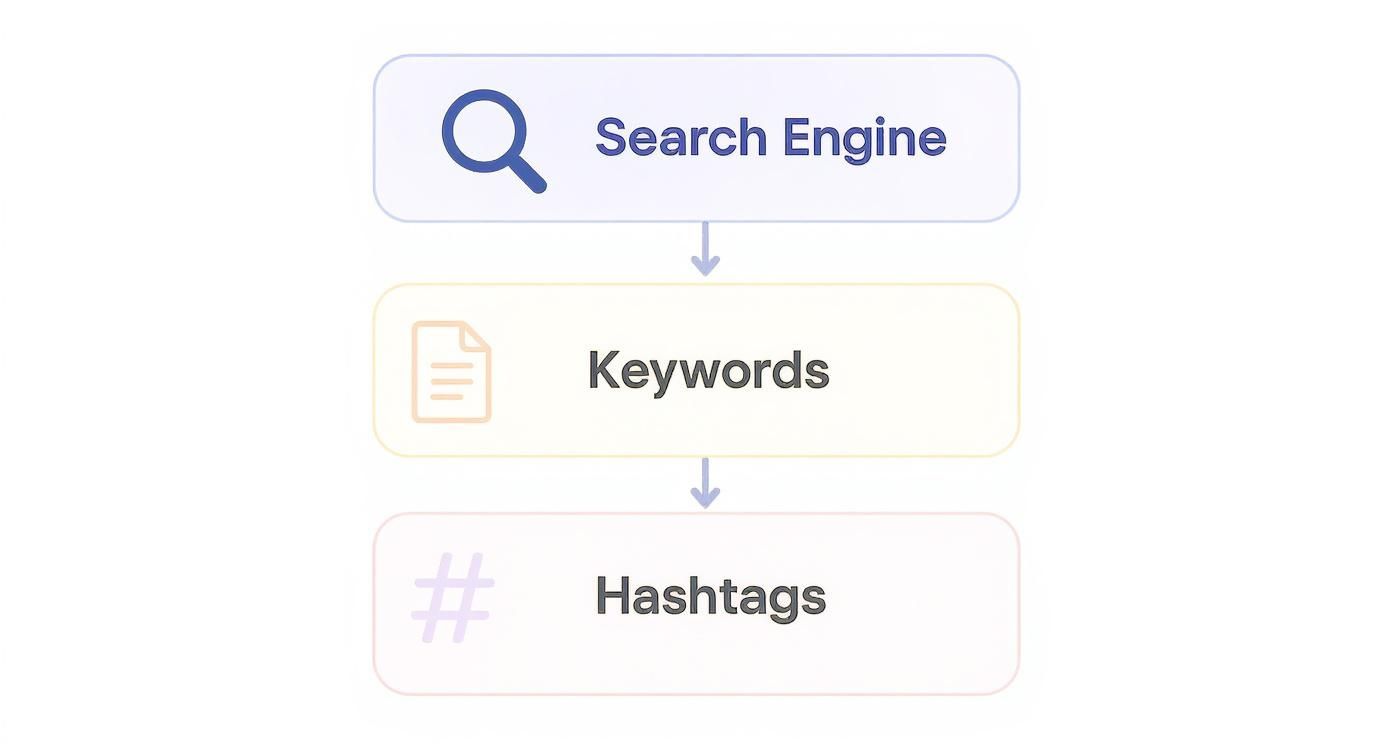
As you can see, keywords are the primary signal that powers the search engine. Hashtags? They’re a much lower-tier, secondary signal.
Where to Focus for High-Impact Results
Let’s use an analogy. Think of it like building a house. Keywords are the deep, solid foundation that will keep the structure standing for years.
Hashtags are like a fresh coat of paint on the front door—it looks nice for a moment but does absolutely nothing to hold the house up.
To understand how these different elements stack up, here’s a quick comparison of the most common discovery signals on Pinterest.
Effectiveness of Pinterest Discovery Signals
| Discovery Signal | Primary Function | Long-Term SEO Impact | Best Practice |
|---|---|---|---|
| Keywords | Connects Pins to user search queries and informs the algorithm about content relevance. | High. Creates a permanent, searchable asset that gains value over time. | Integrate 3-5 relevant, long-tail keywords naturally into Pin titles and descriptions. |
| Rich Pin Data | Pulls metadata (like recipe ingredients or product prices) from your website. | Medium. Adds context and improves user experience, indirectly boosting ranking. | Enable Rich Pins and ensure your website’s metadata is clean and accurate. |
| Board SEO | Organizes content into themed collections, providing powerful contextual signals. | Medium. Well-named and described boards help Pinterest categorize all Pins within them. | Use keyword-rich, specific titles and descriptions for every board. |
| Hashtags | Sorts new Pins into a temporary, chronological feed. | Very Low. Provides a short-term visibility boost that quickly diminishes. | Use 2-4 relevant hashtags at the end of a description, but don’t rely on them. |
This table makes it clear: keywords and other foundational SEO practices are where the real, sustainable growth comes from.
The heart of a winning Pinterest strategy isn’t about chasing a temporary feed; it’s about carving out a permanent spot for your content in Pinterest’s massive visual library. You achieve that with smart keyword research, not by chasing fleeting hashtag trends.
So, the game plan is to shift your energy away from this low-impact tactic and pour it into strategies that deliver compounding results. Instead of spending an hour hunting for the perfect hashtags, invest that time in finding the keywords your audience is actually typing into the search bar.
This approach works with the platform, not against it, ensuring your content stays visible for months, or even years, to come.
When and How to Use Hashtags Correctly
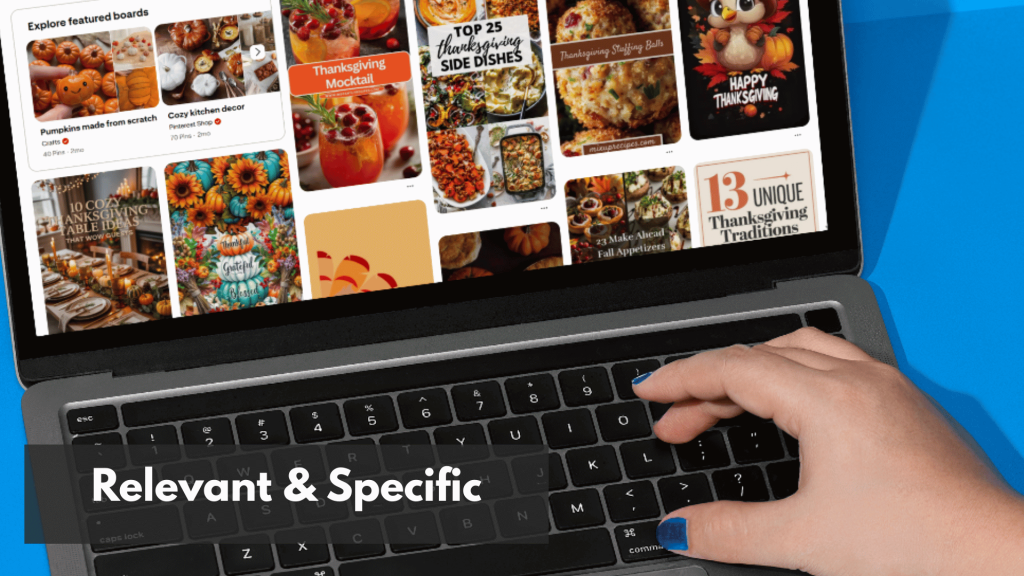
So, with all that said, are hashtags completely useless? Not quite.
But you have to think of them differently now. They aren’t the engine of your Pinterest strategy anymore; they’re more like a final coat of polish.
The best way to use them is to add 2-4 highly relevant and specific hashtags at the very end of your Pin description. This keeps the main description clean and focused on what really matters: rich keywords that both users and the Pinterest algorithm can easily understand.
Strategic Scenarios for Using Hashtags
Instead of slapping hashtags on every single Pin, save them for when they serve a clear purpose. It’s less about broad discovery and more about smart categorization and branding.
Here are a few situations where they still make sense:
- Branded Campaigns: Got a big sale or a new product launch? Create a unique, branded hashtag like
#YourBrandSummerSale. This makes it super easy to group all your campaign-related Pins in one place. - Content Organization: If you run a recurring series, like weekly recipes on your blog, a custom hashtag like
#MyBlogWeeklyRecipesis a great way for your followers to find every post in that series. - Hyper-Niche Topics: You can tap into very specific communities with hashtags. Forget something generic like
#interiordesign. Instead, try something much more targeted, like#darkacademiaoffice.
The Golden Rule: Less Is More
If there’s one takeaway here, it’s this: use hashtags sparingly. The general consensus from experienced marketers is to stick to 2-5 relevant hashtags per Pin.
Piling on more just looks spammy and can actually hurt your Pin’s performance.
Think about it this way: the official Pinterest Trends tool, which shows you what’s popular on the platform, doesn’t even recognize hashtags. That’s a huge clue that Pinterest’s search algorithm is all-in on keywords, not tags.
Key Insight: Hashtags should never replace your keywords. First, write a strong, SEO-rich description filled with relevant search terms. Then, and only then, consider adding a few specific hashtags at the end for minor categorization.
Old habits like “hashtag stuffing”—cramming in dozens of unrelated tags—are a complete waste of time. Your Pin will just get lost in the noise. The same goes for overly broad tags like #style or #food. The goal is precision, not volume.
This concept isn’t unique to Pinterest. You can explore the best hashtag strategies for social media on other platforms and see a similar shift toward specificity.
But to dive deeper into how this applies to Pinterest specifically, check out our complete guide on tagging on Pinterest.
Smarter Alternatives That Drive Pinterest Growth

So, it’s pretty clear that asking “do hashtags work on Pinterest?” gets a resounding “not really.”
It’s time to stop wasting your energy on them and pivot to strategies that actually deliver long-term results. Instead of chasing a fleeting chronological feed, you can build a powerful, sustainable growth engine by mastering Pinterest’s native language: SEO.
Here’s an easy way to think about it.
Hashtags are like shouting into a crowded room, hoping someone happens to hear you for a second. Pinterest SEO, on the other hand, is like having a direct, personal conversation with someone who is actively looking for exactly what you offer.
One is temporary and chaotic; the other is intentional and effective.
The most successful Pinterest accounts treat the platform like a visual search engine, because that’s what it is. This means you need to focus on the core elements the algorithm actually uses for discovery.
Master Foundational Pinterest SEO
Your main goal should be to make it incredibly easy for Pinterest to understand what your content is about. When the algorithm knows what your Pin is, it knows who to show it to. And it all starts with keywords.
Effective keyword research is non-negotiable. You have to get inside the head of your ideal audience and figure out the exact phrases they’re typing into that search bar.
- Pinterest Trends Tool: This is your secret weapon. Use it to see what’s currently popular and uncover a goldmine of related search terms.
- Search Bar Suggestions: Just start typing a broad topic into the Pinterest search bar. Pay close attention to the auto-fill suggestions—those are real, high-volume searches from actual users.
- Competitor Analysis: Check out the top-ranking Pins for your target keywords. See what words and phrases they use in their titles and descriptions.
Once you’ve got a solid list of keywords, it’s time to put them to work. For a deeper dive into this process, check out our guide on Pinterest keyword research to find the terms that will really drive traffic.
Optimize Every Element of Your Content
Having a great list of keywords doesn’t do you any good if you don’t put them where the algorithm can see them. Strategic placement is everything.
Key Takeaway: Every piece of text on Pinterest is an opportunity to send a strong signal to the algorithm. Your Pin titles, descriptions, and board details all work together to tell a clear, unified story about what your content is.
Here’s where to focus your keyword efforts for maximum impact:
- Pin Titles: This is your most valuable real estate. Your main keyword should absolutely be here, preferably near the beginning, written in a natural, compelling way.
- Pin Descriptions: Weave 3-5 relevant keywords into conversational sentences. Don’t just stuff them in; write a description that tells the user what they’ll get by clicking through.
- Board Names and Descriptions: Your boards provide critical context. A Pin about “vegan dinner recipes” saved to a board named “Easy Vegan Meals” sends a much stronger signal than if it were on a board just called “Food.”
Ultimately, your Pinterest efforts will see the best results when they’re part of a comprehensive and effective social media strategy for small businesses.
By moving away from low-impact hashtags and embracing these foundational SEO practices, you’ll build an evergreen system that attracts the right audience for months and even years to come.
Where Hashtags Really Fit In On Pinterest
At this point, it should be clear that hashtags on Pinterest are a supporting detail, not the engine of discovery.
The platform cares far more about your keywords, visuals, relevance and on-site behavior than about how many tags you add to the end of a description.
Treat hashtags as a small clarity signal that confirms what your Pin is about, not as a shortcut to overnight reach.
If you focus most of your effort on strong topics, clear search-focused copy and high quality Pins that people actually want to save and click, a few well chosen hashtags can quietly reinforce the work you are already doing.
When you stop expecting hashtags to do the heavy lifting and use them in this narrower, strategic way, they become useful instead of distracting.
Ready to Stop Guessing Your Pinterest Hashtags?
You already know hashtags are a small but useful signal on Pinterest.
PostPaddle’s FREE Pinterest Hashtag Generator helps you quickly come up with relevant hashtag ideas for your Pins, so you can build focused hashtag sets that actually match your topic instead of copying random tags from other platforms.
Use it alongside the strategies in this guide to keep your hashtag game intentional and consistent.
A Few Lingering Questions About Pinterest Hashtags
Even when you know keywords are king on Pinterest, it’s natural to have a few nagging questions about hashtags. Old advice dies hard on the internet, and a lot of conflicting information is still floating around.
Let’s clear the air and tackle the most common points of confusion. Think of this as your quick-reference guide to make sure your strategy is built for how Pinterest works today, not how it worked years ago.
Should I Go Back and Add Hashtags to My Old Pins?
In a word: no. It’s just not a good use of your time, and you might even do more harm than good.
Pinterest’s algorithm is obsessed with fresh content. When you edit an old Pin, especially one that’s already doing well, you risk resetting its momentum and messing with its current ranking. The tiny, potential lift you might get from a hashtag isn’t worth torpedoing a Pin that’s already working for you.
Your energy is much, much better spent applying solid, modern SEO practices to the new Pins you’re creating from here on out.
Key Takeaway: Focus on the future. Let your successful old Pins keep doing their thing. Don’t touch them!
Can Using Too Many Hashtags Hurt My Pins?
Absolutely. Piling a long string of hashtags into your description—a practice often called “hashtag stuffing”—just looks spammy. It’s a red flag for both users and the Pinterest algorithm.
Think about it from a user’s perspective. A description cluttered with hashtags is hard to read and looks desperate, which can kill your engagement and click-throughs.
While Pinterest hasn’t issued an official “penalty,” years of observation from people in the trenches show a clear pattern: clean, keyword-rich descriptions with 2-4 super-relevant hashtags simply perform better.
Are Niche or Broad Hashtags Better?
If you’re going to use hashtags at all, go niche over broad. Every single time. This is probably the most critical distinction to get right.
A super broad tag like #interiordesign is completely saturated. Your Pin will get buried in that chronological feed in seconds. It’s the equivalent of whispering your idea in a packed football stadium.
But a specific, long-tail hashtag like #darkacademiaoffice or #bohoscandikitchen has a much better shot at being seen by a small but passionate audience looking for exactly that. The goal with hashtags isn’t to reach everyone; it’s to help Pinterest categorize your content for a very targeted group of people.
How Do I Find Good Hashtags for My Pins?
The best tool for this is hiding in plain sight: the Pinterest search bar. Start typing in your main topic and watch the auto-suggested phrases that pop up.
These are keywords, not hashtags, but the most specific ones make for fantastic hashtags. Here’s how it works:
- You start typing “pantry organization.”
- Pinterest suggests the longer phrase “small pantry organization on a budget.”
- That translates directly into a perfect, niche hashtag:
#smallpantryorganization.
This simple trick ensures your hashtags are based on what real people are actually searching for. It also helps you get a better sense of what impressions on Pinterest actually mean and how search intent is the engine behind them. This way, your whole strategy is grounded in real-world data, not just guesswork.