
In the search for the perfect content planning tool, many marketers overlook the powerful, flexible solution already on their desktop: Microsoft Excel.
While dedicated project management apps offer robust features, they often come with a steep learning curve and a recurring subscription fee.
An expertly designed content calendar template excel provides a streamlined, cost-effective alternative for organizing your entire marketing strategy, from social media posts and blog articles to email newsletters and video production.
This straightforward approach puts you in full control, allowing for unparalleled customization without the complexity of new software.
This guide eliminates the guesswork by curating the best Excel content calendar templates available. We’ve compiled a comprehensive list featuring options from trusted sources like HubSpot and Hootsuite, as well as specialized templates from independent creators.
For each entry, you’ll find a detailed analysis, screenshots, and direct download links to help you make a quick, informed decision. Whether you’re a small business owner managing a blog or a digital agency juggling multiple client accounts, the right template can transform your workflow.
For those looking to deepen their understanding of the software and fully leverage its potential, an introductory resource like this Excel for Dummies guide could be invaluable.
Let’s find the perfect Excel template to bring order to your content chaos.
The 12 Best Excel Content Calendar Templates to Download in 2026
With so many spreadsheets and templates floating around online, it’s hard to know which ones are actually worth building your entire content plan on.
That’s why this list focuses on proven, well-structured Excel calendars that real marketers, creators, and teams can plug into their workflow without a lot of setup.
Below, you’ll find 12 content calendar template Excel downloads, from simple social planners to advanced, multi-tab marketing dashboards, so you can choose the one that matches your team size, platforms, and planning style, instead of forcing your process into a tool that doesn’t fit.
1. Microsoft: Official Social Media Content Calendar
For those who value reliability and seamless integration, starting with an official template directly from the source is a wise choice.
Microsoft’s native social media content calendar template for Excel is a foundational tool that guarantees perfect compatibility, eliminating any potential versioning or formatting issues.
It provides a clean, no-frills framework ideal for social media managers and small business owners who need a dependable system without a steep learning curve.
Key Features and Use Cases
This template is structured for straightforward social media planning. It includes essential columns for the date, time, post copy, relevant links, and hashtags.
Its simplicity is its strength; you can quickly map out a week or month of content across different platforms.
- Best for: Beginners, solopreneurs, or marketers who prefer a minimalist approach.
- Practical Tip: Use this template alongside Microsoft’s companion editorial calendar. By linking the two, you can create a modular content planning system where your blog posts in one file directly inform the social media promotions in another.
Why It Stands Out
What makes this an essential content calendar template excel resource is its origin. Being an official Microsoft template means it serves as an excellent, error-free base.
You can confidently build upon it, adding custom columns for platform-specific metrics, approval statuses, or campaign tags, knowing the core structure is solid.
Access: This template is completely free to download for anyone with access to Microsoft Excel. You can find it directly within Excel’s template gallery (File > New) or download it from the official Microsoft Templates website.
Link: Microsoft Social Media Content Calendar
2. HubSpot: Free Social Media Content Calendar Template
HubSpot, a leader in marketing software, provides a comprehensive social media calendar template that goes beyond a simple spreadsheet.
It’s bundled with a helpful guide, making it an educational tool as much as a practical one.
This resource is designed for growing teams that need a more structured approach to multi-channel social media management, acting as a stepping stone from basic planning to more advanced marketing workflows.
Key Features and Use Cases
This template is organized with multiple tabs, including a content repository for evergreen ideas and a monthly planning calendar that gives a high-level overview.
Separate tabs for different social networks allow for platform-specific customization, such as character counts or image specs.
- Best for: Small marketing teams, startups, and agencies that manage multiple social media accounts.
- Practical Tip: Use the “Content Repository” tab to bank ideas, successful old posts, and user-generated content. When you have a gap in your schedule, you can quickly pull from this pre-approved list.
Why It Stands Out
As a well-documented resource from a marketing authority, this content calendar template excel file is exceptionally user-friendly and practical.
Its structure encourages strategic planning by separating the idea bank from the live calendar, helping teams stay organized and consistent across all channels. It’s a powerful free tool that introduces users to HubSpot’s methodical approach to marketing.
Access: This template is free, but requires you to submit your contact information via a form on HubSpot’s website to receive the download link.
Link: HubSpot Social Media Content Calendar
3. Hootsuite (Free Social Media Calendar Template – Excel/Sheets)
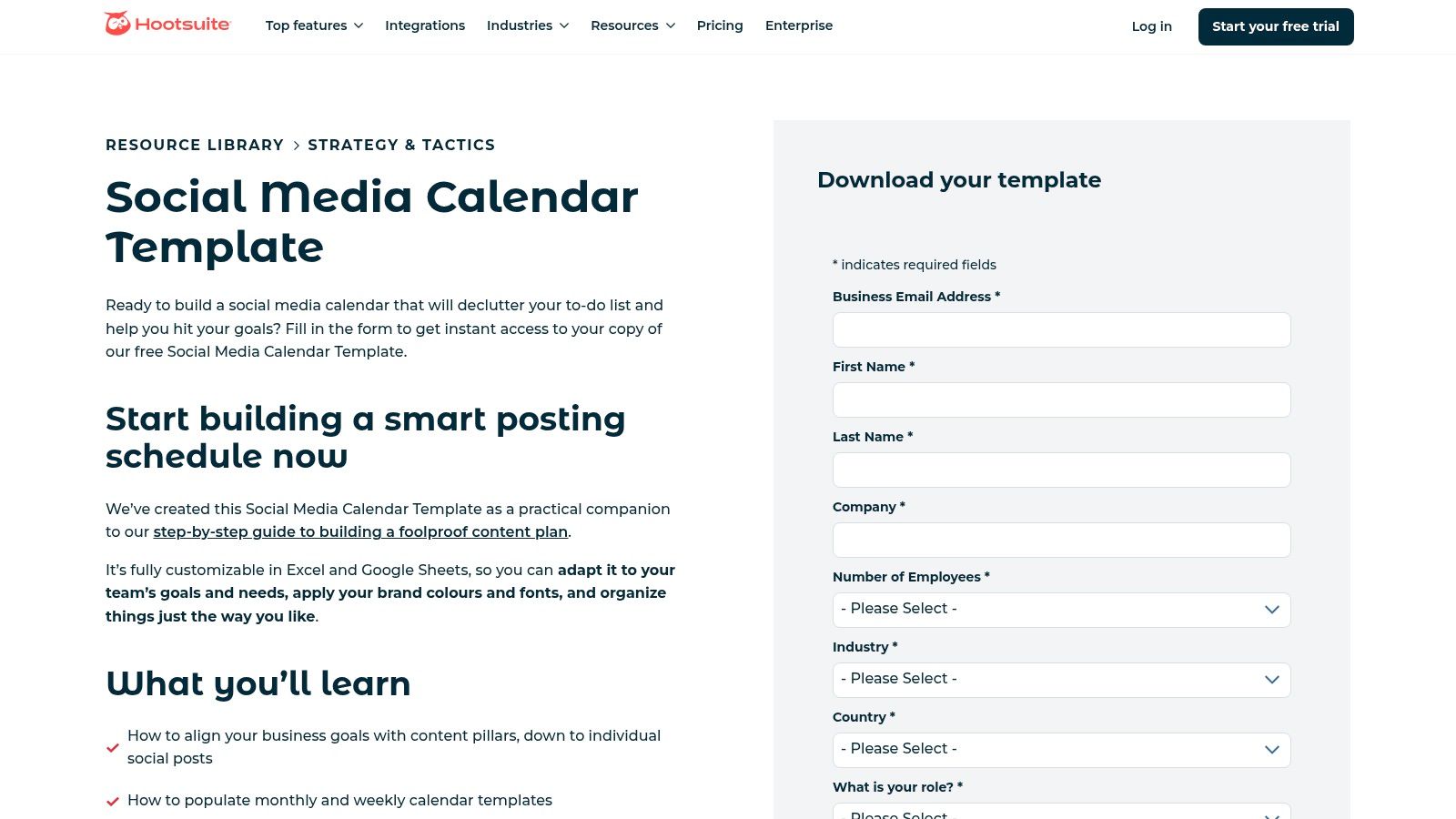
As a leader in social media management, Hootsuite offers a free template bundle that extends beyond a simple calendar.
It’s designed to educate marketers on best practices while providing a functional tool, making it a great option for those looking to level up their strategic planning.
The included resources help bridge the gap between basic scheduling and a more integrated content strategy.
Key Features and Use Cases
This download offers more than a single spreadsheet. It includes both weekly and monthly calendar views, plus a valuable worksheet for managing an evergreen content library.
This structure encourages users to think about repurposing high-performing content, not just planning new posts.
- Best for: Social media managers and teams who want a template that aligns with industry-standard workflows and encourages strategic content repurposing.
- Practical Tip: Use the evergreen content library tab to store your top-performing posts. When you have a gap in your schedule, you can quickly pull from this pre-approved list, saving time and ensuring you always share quality content.
Why It Stands Out
Hootsuite’s offering is a powerful content calendar template excel package because it’s conceptually linked to a professional workflow. While the template is a standalone tool, its design complements the logic used in platforms like Hootsuite.
For those considering a move to professional tooling, understanding the concepts in this template is a great first step. For more on this, you can learn more about social media scheduling software.
Access: The templates are free, but you must provide your name and email address via a form on their website to receive the download link.
Link: Hootsuite Social Media Calendar Template
4. Vertex42: Content Calendar Template for Excel
For Excel power users who appreciate robust, thoughtfully designed spreadsheets, Vertex42 is a go-to resource.
Their content calendar template is a testament to their reputation for creating high-quality, free tools.
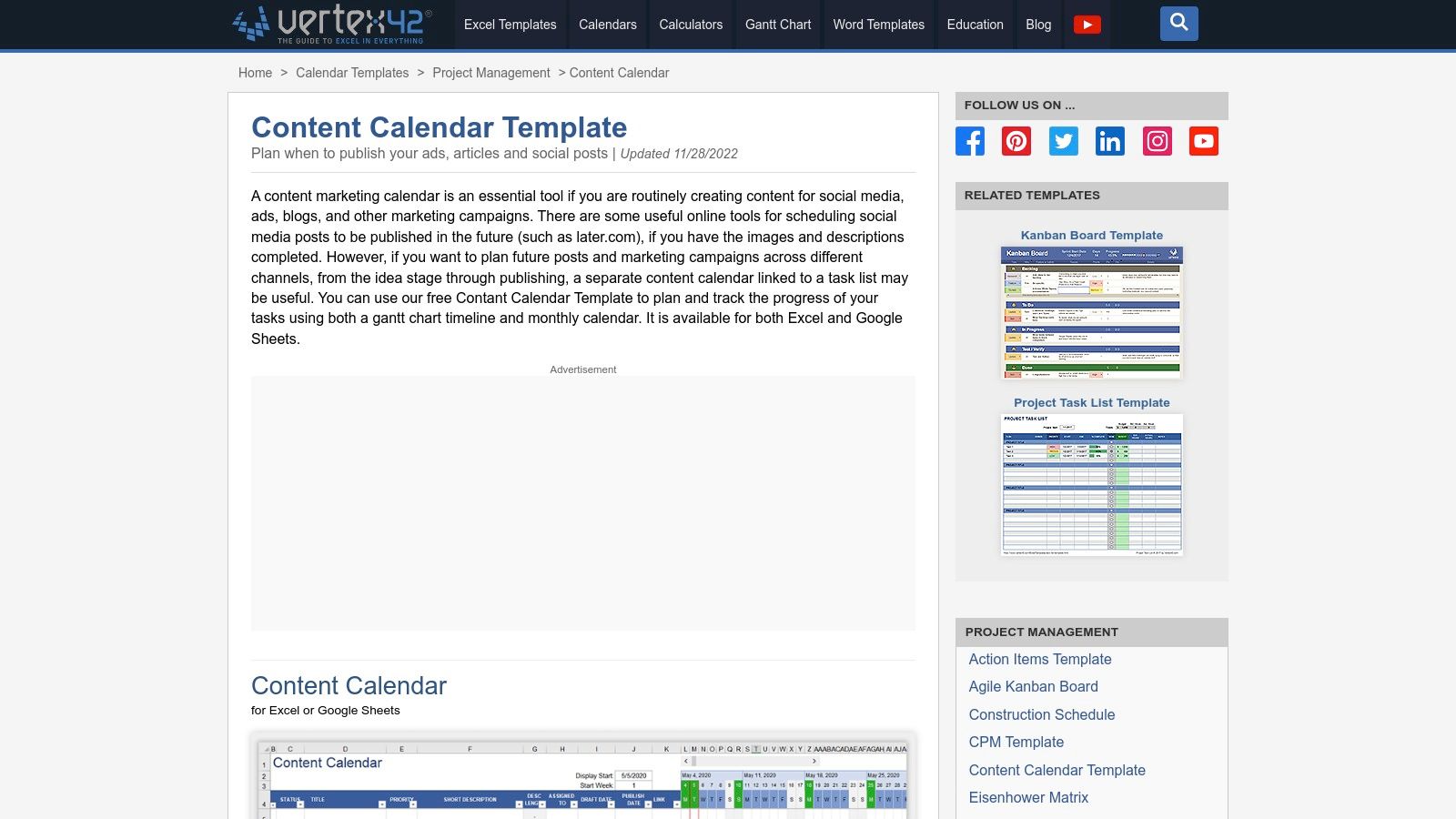
It moves beyond a simple list format by integrating a dynamic calendar view that automatically populates from your content schedule, offering both a granular and a high-level perspective of your plan.
Key Features and Use Cases
This template is packed with features designed for detailed content management.
It includes a dedicated content list sheet, an auto-populating calendar, a hashtag organizer, and even character counters for social media platforms.
The Gantt-style timeline view also provides a unique visual for tracking campaign durations.
- Best for: Content managers, bloggers, and marketers who want a comprehensive, all-in-one spreadsheet without building it from scratch.
- Practical Tip: Leverage the hashtag organizer to build and categorize groups of hashtags for different content pillars. This saves time and ensures you are using targeted tags consistently across your campaigns.
Why It Stands Out
What makes this a superior content calendar template excel is its dual-view functionality and meticulous design.
The ability to switch between a detailed content list and a visual calendar within the same file is a significant advantage.
Vertex42’s commitment to clear instructions and version updates also ensures the template remains reliable and easy to use, even with its more advanced features. This blend of detail and usability makes it a powerful planning tool.
Access: The template is a free .xlsx download for personal use from the Vertex42 website. They also offer a version for Google Sheets for those who prefer a cloud-based solution.
Link: Vertex42 Content Calendar Template
5. Template.net (Downloadable Content Calendar Templates in Excel)
For marketers who need variety and access to a broad library of business documents, Template.net is a massive repository.
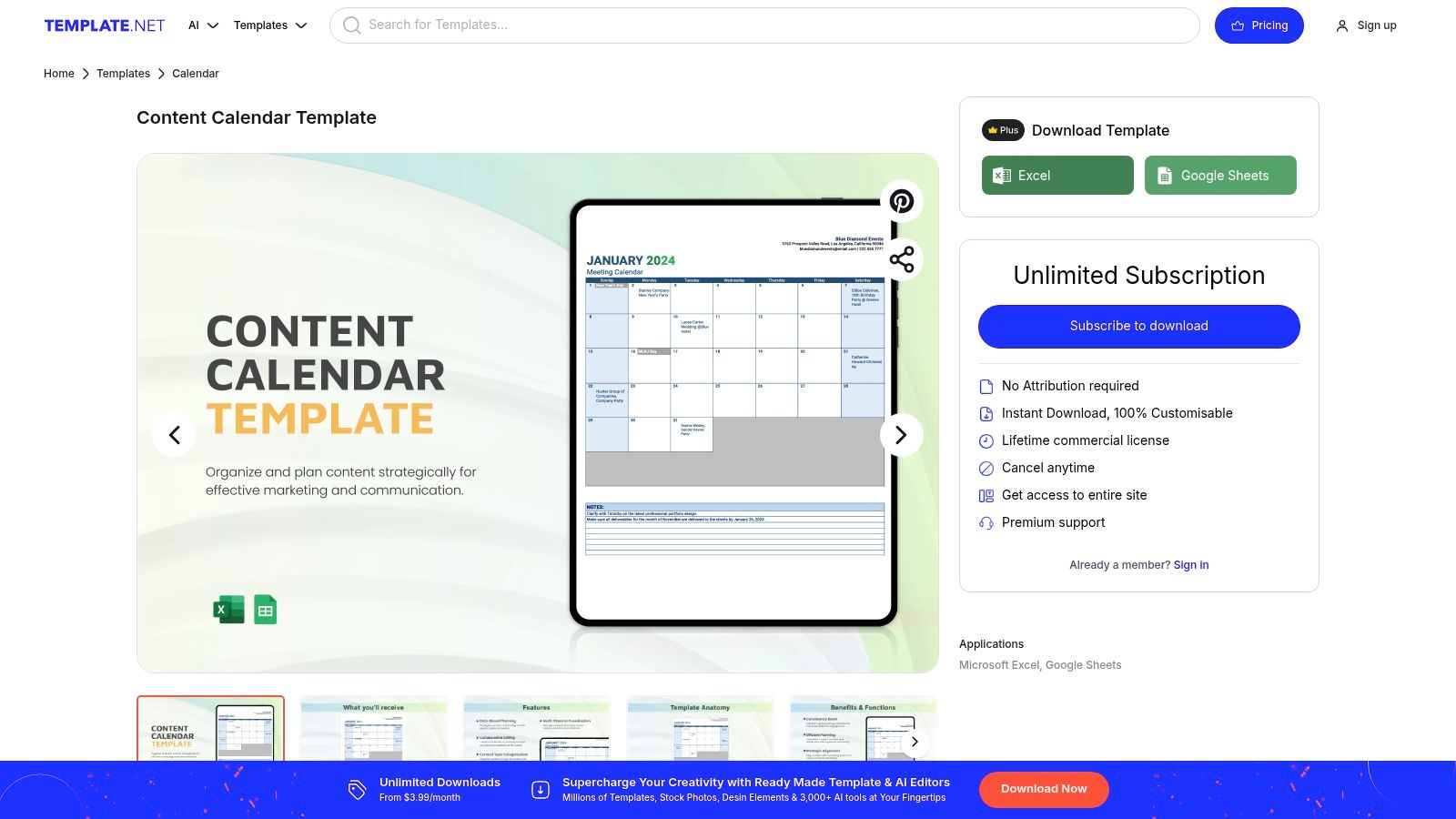
It goes beyond a single template, offering a diverse catalog of downloadable content calendars in Excel and Google Sheets formats.
This is ideal if you’re looking for different styles, such as yearly overviews, monthly deep-dives, or social media-specific layouts, all in one place.
Key Features and Use Cases
The primary advantage here is choice. You can find everything from a blank, minimalist annual calendar to a detailed social media planner with pre-built columns.
This makes it a great resource for agencies or marketing departments that manage multiple projects with distinct planning needs.
- Best for: Teams needing a range of template styles or access to other business documents.
- Practical Tip: Preview templates carefully before downloading. Since quality can vary, check the layout and columns to ensure it fits your workflow before committing. The free options are often sufficient for basic needs.
Why It Stands Out
Template.net’s strength lies in its sheer volume and frequent updates, making it a powerful content calendar template excel hub.
While some templates are behind a paywall, the vast number of free options makes it a go-to for quickly finding a functional base that you can customize.
The platform’s extensive library means you can also find matching templates for project management or reporting, creating a cohesive document suite for your marketing efforts.
Access: Many templates are free to download instantly in .xlsx format, though premium designs and features require a subscription.
Link: Template.net Content Calendar
6. Someka (Paid Content Calendar Excel Template)
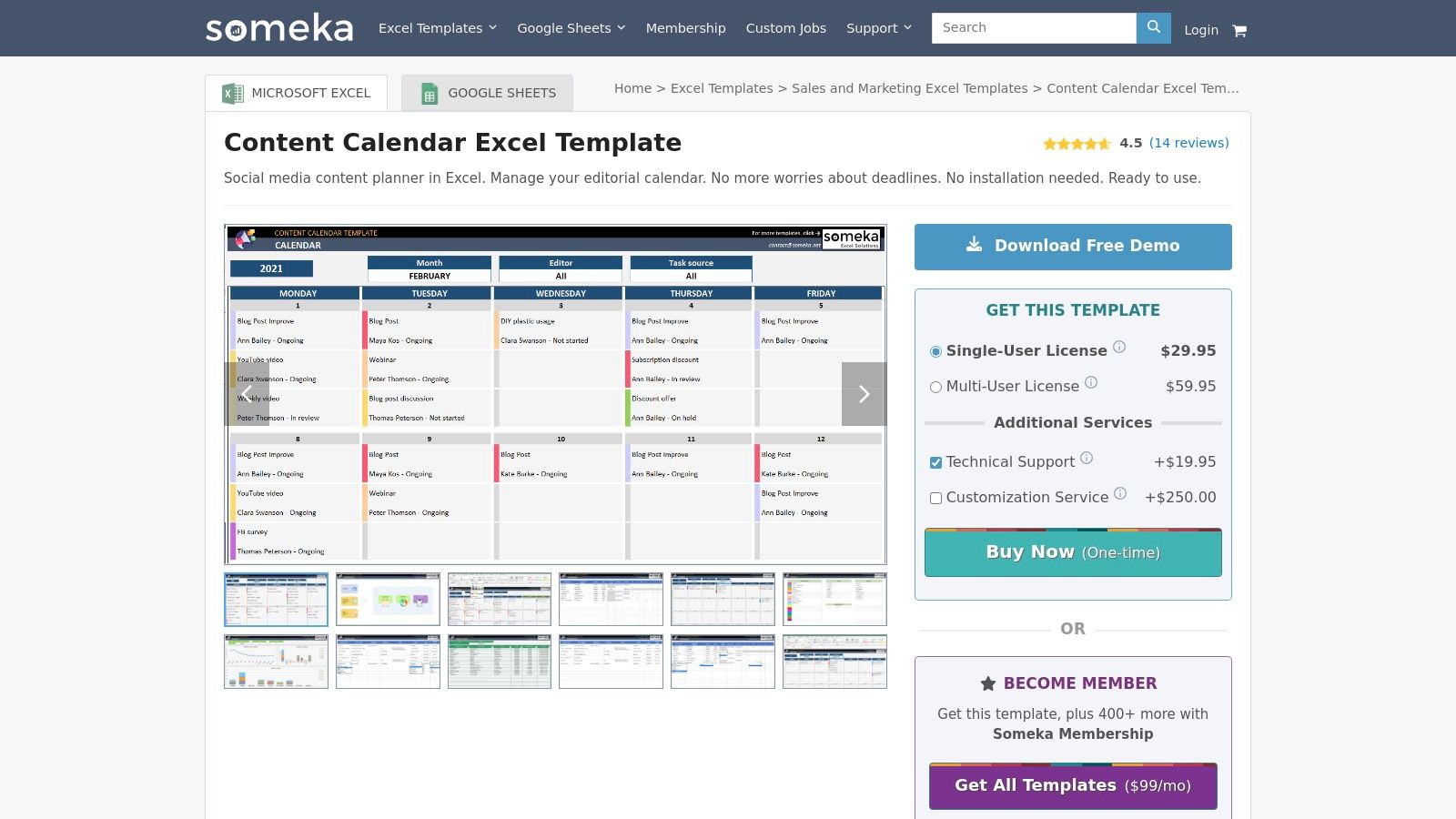
For teams and individuals seeking a premium, off-the-shelf solution, Someka offers a robust paid content calendar template.
This is not a basic spreadsheet but a purpose-built tool designed within Excel, providing a polished user experience without the need for complex macros or external software.
It’s an ideal investment for professionals who need advanced functionality but want to remain in the familiar Excel environment.
Key Features and Use Cases
Someka’s template transforms a standard worksheet into a dynamic planner. It includes a dashboard-like calendar view, sophisticated filters, status tracking, and the ability to set recurring tasks.
This makes it perfect for managing complex, multi-platform content strategies where tracking progress and deadlines is critical.
- Best for: Marketing teams, agencies, or serious content creators who need a professional tool with support and documentation.
- Practical Tip: Leverage the multi-user license option for collaborative team environments. You can assign tasks and track progress centrally without the overhead of a full-scale project management platform.
Why It Stands Out
As a dedicated content calendar template excel product, its biggest advantage is its professional design and support.
Unlike free templates, this one comes with documentation, customer support, and is guaranteed to work on Excel 2010 and newer versions. It provides the power of a dedicated app with the flexibility of a spreadsheet.
Access: This is a paid template available for a one-time purchase. Someka offers single-user and multi-user licenses, along with optional customization services for an additional fee.
Link: Someka Content Calendar Excel Template
7. ProjectManager (Free Marketing Calendar Template for Excel)
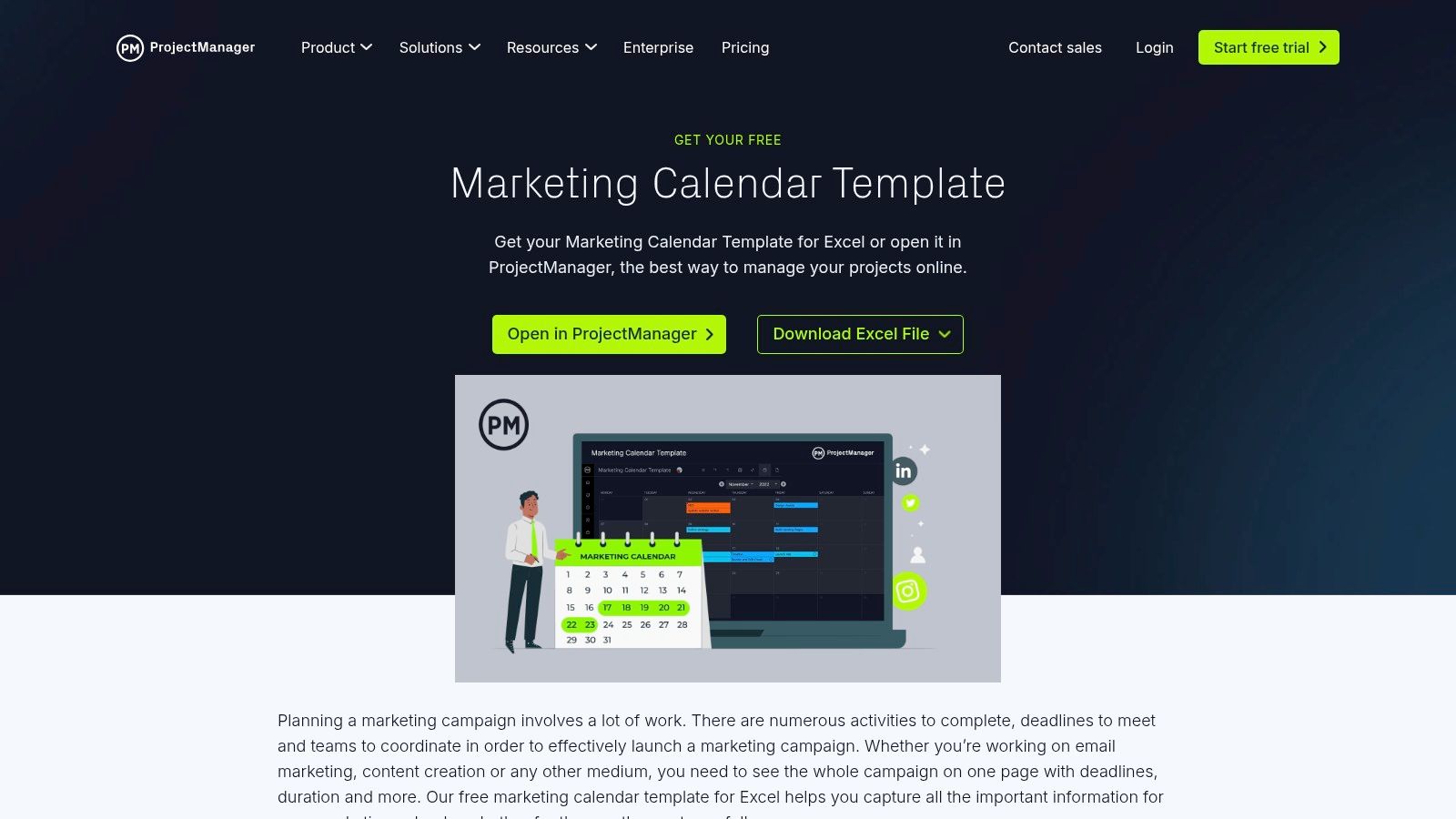
For teams whose content strategy is deeply integrated with broader marketing campaigns, ProjectManager offers a template that bridges the gap between the two.
This free marketing calendar template is designed with a project management perspective, making it ideal for content that serves larger business objectives like product launches, seasonal promotions, or lead generation initiatives.
It provides a higher-level view than many editorial-specific templates.
Key Features and Use Cases
The template’s structure is organized around campaigns and tasks, with distinct tabs for monthly, quarterly, and yearly views.
This multi-level planning capability allows managers to map out high-level content themes for the year and then drill down into specific monthly deliverables.
It includes fields for task owners, start dates, and end dates, which are crucial for team coordination.
- Best for: Marketing managers, campaign planners, and content strategists who need to align content with specific marketing goals.
- Practical Tip: Customize a “Content Details” column where you can link to Google Docs or briefs. This keeps the main calendar view clean and high-level while providing easy access to in-depth information.
Why It Stands Out
What makes this a valuable content calendar template excel is its strategic, campaign-first approach.
While it requires customization to add editorial-specific fields like post copy or hashtags, its core framework is perfect for ensuring every piece of content has a clear purpose within a larger marketing plan.
The option to migrate the plan into their full-featured software also provides a clear upgrade path for growing teams.
Access: The template is a completely free .xlsx file, downloadable directly from the ProjectManager website without requiring a sign-up.
Link: ProjectManager Marketing Calendar Template
8. ActiveCampaign (Free Social Media Content Calendar – Excel/Sheets)
ActiveCampaign, a leader in marketing automation, provides a free social media content calendar that is exceptionally practical for daily execution.
This template is designed with the realities of social media management in mind, including thoughtful details that go beyond simple date and copy fields.
It is a powerful tool for teams that are heavily focused on optimizing their social media output and want to maintain platform-specific best practices.
Key Features and Use Cases
This template stands out by including helpful reminders like character counters and ideal image size tips directly within the spreadsheet.
It features a main overview tab alongside dedicated tabs for major platforms, allowing for granular planning without cluttering a single view.
- Best for: Social media managers and marketing teams who need a detail-oriented system for day-to-day posting.
- Practical Tip: Use the platform-specific tabs to batch-create content. Dedicate time to fill out the Twitter tab for the week, then the Facebook tab, using the built-in character and image size guides to ensure every post is perfectly formatted from the start.
Why It Stands Out
What makes this an excellent content calendar template excel is its focus on tactical execution.
The inclusion of character limits and image specs saves time and reduces errors, a seemingly small feature that has a big impact on workflow efficiency.
It’s a resource clearly built by marketers for marketers, bridging the gap between high-level strategy and flawless daily implementation.
Access: The template is free but requires you to submit your email address and other details via a form on their website. It is available in both Excel and Google Sheets formats.
Link: ActiveCampaign Social Media Calendar Template
9. General Blue (Free Social Media Calendar & Planner – Excel)
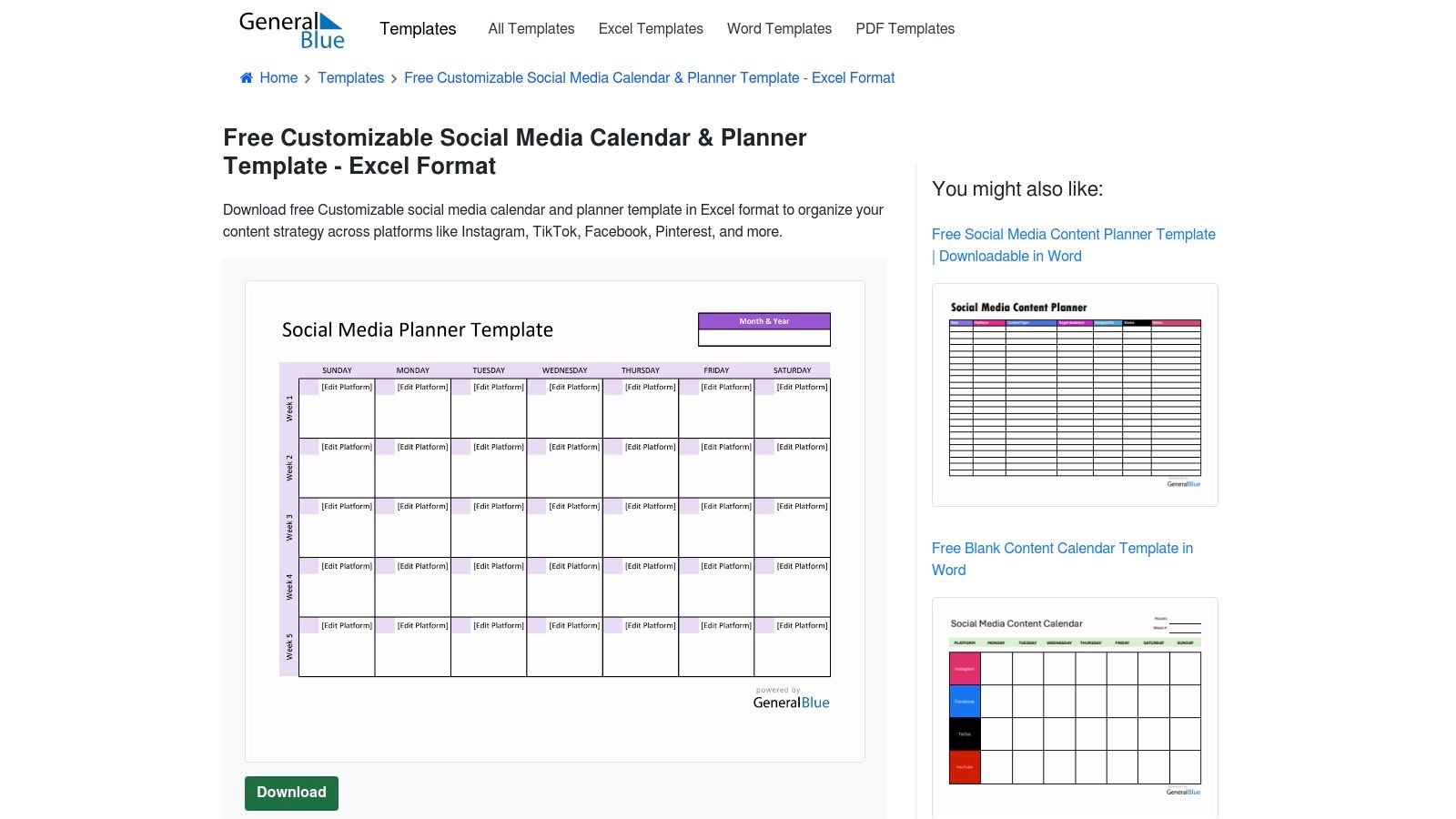
For teams that prioritize speed and simplicity, General Blue offers a lightweight, printable social media calendar that gets straight to the point.
It is designed for marketers who need a clean, no-fuss scheduler without the complexity of advanced features or macros.
This template is perfect for quick deployment, allowing you to download and start planning in seconds without requiring sign-ups or personal information.
Key Features and Use Cases
The template provides a simple calendar layout where each day has dedicated spaces for multiple social media platforms, including post details and times.
Its clean design makes it exceptionally easy to read, share, and print for offline planning sessions or team reviews.
- Best for: Small teams, freelancers, or anyone needing a printable calendar for physical planning boards.
- Practical Tip: Leverage its print-friendly format for brainstorming sessions. Print a blank monthly calendar and use sticky notes to map out content themes and campaign ideas before digitizing the final plan in the Excel file.
Why It Stands Out
General Blue’s value lies in its absolute simplicity and accessibility. It’s an excellent content calendar template excel for those who find comprehensive templates overwhelming.
Its lightweight nature ensures it works fast on any machine, making it a reliable tool for straightforward scheduling tasks without any feature bloat or learning curve.
Access: The template is completely free and available for direct download in .xlsx format from the General Blue website. No account or email is required.
Link: General Blue Social Media Calendar Template
10. Clear.co (Free Content Calendar Template)
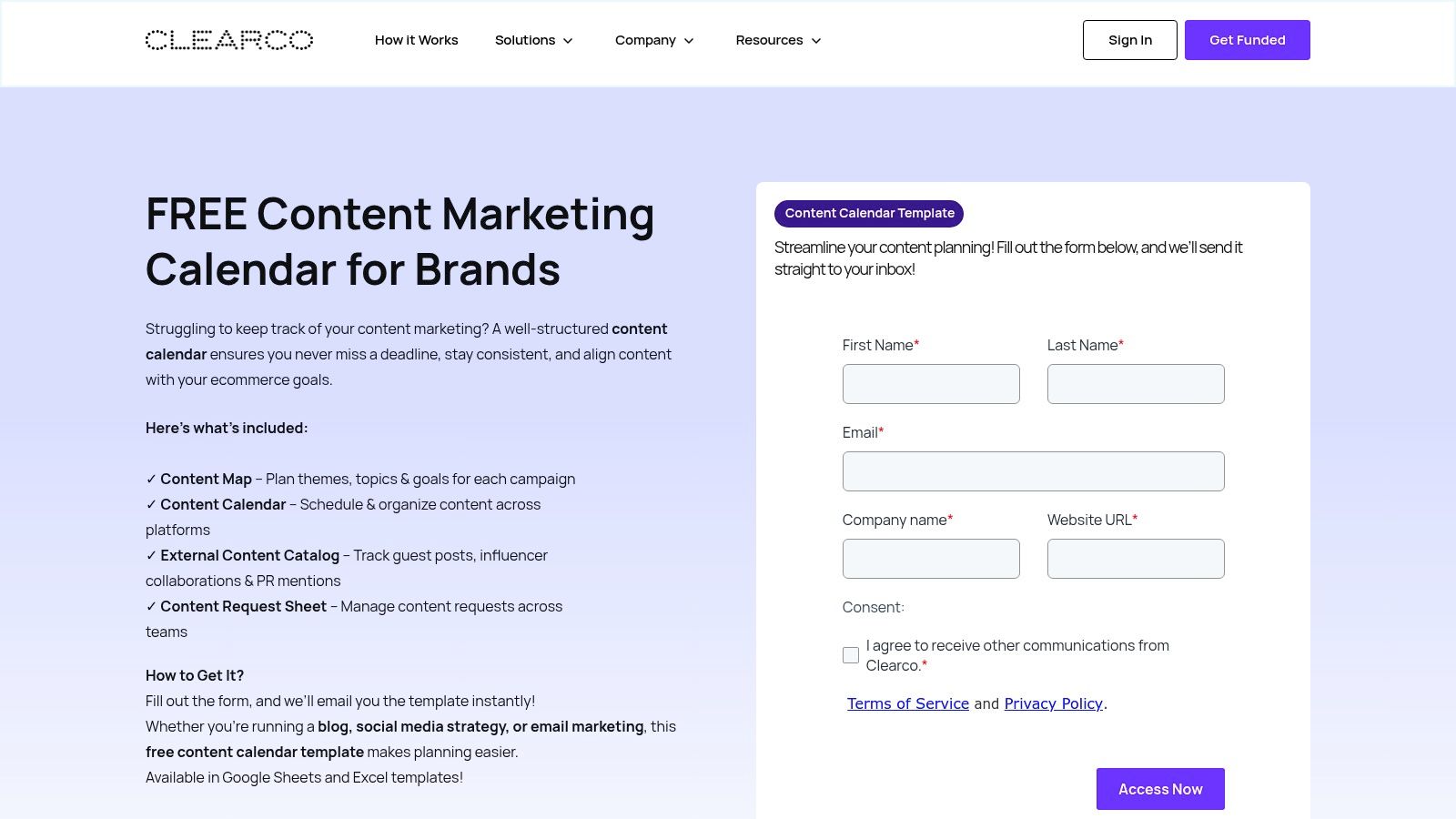
Designed with e-commerce and brand marketing teams in mind, Clear.co offers a robust content marketing calendar template that extends beyond simple scheduling.
This multi-tab workbook is engineered to manage the entire content lifecycle, from ideation and requests to publication and external promotion tracking.
It’s an excellent choice for teams needing a centralized hub to coordinate diverse marketing activities.
Key Features and Use Cases
The template’s power lies in its comprehensive, multi-sheet structure.
It includes dedicated tabs for a content map, a monthly calendar view, an external content catalog for PR and influencer mentions, and even a content request form.
This setup helps align your content strategy with broader business goals like product launches or seasonal campaigns.
- Best for: E-commerce brands, marketing teams, and agencies managing complex content workflows.
- Practical Tip: Use the “Content Request” tab to streamline your internal workflow. Direct team members to submit their content ideas and needs there, creating a documented and organized pipeline that feeds directly into your planning calendar.
Why It Stands Out
What sets this template apart is its specific focus on the operational side of content marketing.
Including tabs for an external content catalog and a request form transforms this content calendar template excel from a simple scheduler into a complete command center.
It addresses the common challenge of tracking inbound requests and outbound collaborations, which is often a missing piece in other templates.
Access: This template is free but requires you to provide an email address via a form on their website to receive the download link for both Excel and Google Sheets versions.
Link: Clear.co Content Calendar Template
11. Etsy (Marketplace for Excel/Sheets Content Calendar Templates)
For those seeking a more aesthetic or highly specialized solution, Etsy serves as an unexpected but rich marketplace.
It hosts thousands of templates created by independent designers, offering a vast departure from standard corporate designs.
Here, you can find everything from minimalist yearly planners to vibrant, analytics-enabled spreadsheets tailored for specific niches like podcasting or e-commerce.
Key Features and Use Cases
The primary feature of Etsy is the sheer variety. Sellers offer instant digital downloads that often come with unique visual styles and functionalities not found in free templates.
Many are designed with a specific user in mind, like a small business owner who needs to track both content and sales goals in one document.
- Best for: Creative professionals, niche marketers, and users who value aesthetics and unique features in their planning tools.
- Practical Tip: Pay close attention to the listing details and seller reviews. Look for recent, positive feedback and check if the template is for Excel or Google Sheets, as both are common.
Why It Stands Out
What makes Etsy a noteworthy destination for a content calendar template excel is the human element. You are purchasing a tool built by another professional who likely faced the same planning challenges.
This often results in more thoughtful layouts and features, combined with the ability to find a design that genuinely matches your brand’s personality.
Quality and support can vary, but the potential to find a perfect-fit template is high.
Access: Templates are available for purchase as instant digital downloads. Prices vary widely, from a few dollars to more comprehensive bundles.
Link: Etsy Content Calendar Templates
12. Gumroad: Hub for Independent Creator Templates
For marketers seeking a unique and often hyper-specialized solution, Gumroad is a treasure trove of templates built by independent creators.
This platform empowers designers, marketers, and Excel wizards to sell their custom-built content calendars directly.
The result is a diverse marketplace where you can find niche templates that are often more affordable and creatively designed than standard corporate offerings.
Key Features and Use Cases
Gumroad templates are typically lightweight, focused, and instantly downloadable. Many creators offer pay-what-you-want pricing, making them accessible to everyone.
The direct-to-creator model means you can often ask questions or even request minor customizations.
- Best for: Marketers looking for affordable, niche templates or those who want to support independent creators.
- Practical Tip: Look for creators who offer both Excel and Google Sheets versions. Many bundles include both, giving you flexibility for cloud-based collaboration or offline planning.
Why It Stands Out
What makes Gumroad a standout source for a content calendar template excel is the sheer variety and direct support.
While quality can vary, you can find highly innovative layouts and systems that you won’t see anywhere else. Supporting an indie creator often means getting a product born from real-world marketing challenges.
Access: Pricing varies by creator, with many templates available for free, under a pay-what-you-want model, or at a low fixed cost. Purchase provides an immediate digital download.
Link: Heart Clicks Creative Content Calendar on Gumroad
12 Excel Content Calendar Templates Compared
| Template | Core features / characteristics | UX / Quality (★) | Price / Value (💰) | Target audience (👥) | Unique selling points (✨ / 🏆) |
|---|---|---|---|---|---|
| Microsoft (Official Excel templates – Social Media Content Calendar) | Native .xlsx, columns for dates/channels/copy, editorial & analytics sheets | ★★★ | 💰 Free, Microsoft-vetted | 👥 Excel-first teams & enterprises | ✨ Official Microsoft templates; 🏆 reliability |
| HubSpot (Free Social Media Content Calendar Template for Excel) | Excel + step-by-step guide, repo/monthly/platform tabs | ★★★★ | 💰 Free (form-gated) | 👥 Startups & small marketing teams | ✨ How-to guide; HubSpot ecosystem support |
| Hootsuite (Free Social Media Calendar Template – Excel/Sheets) | Weekly/monthly views, evergreen content library, Excel & Sheets | ★★★★ | 💰 Free (form-gated) | 👥 Social teams tied to Hootsuite workflows | ✨ Evergreen library; strong planning resources |
| Vertex42 (Content Calendar Template for Excel) | Calendar & Gantt timeline, US holidays, hashtag organizer, char counts | ★★★★★ | 💰 Free (personal-use) | 👥 Excel power users & planners | ✨ Detailed Excel features; 🏆 long-standing reputation |
| Template.net (Downloadable Content Calendar Templates in Excel) | Multiple styles (yearly/monthly/social), editable .xlsx, large library | ★★★ | 💰 Free + premium/subscription options | 👥 Businesses needing multiple template types | ✨ Huge variety; quick to deploy |
| Someka (Paid Content Calendar Excel Template) | No-macro design, filters, recurring tasks, status tracking, licenses | ★★★★ | 💰 Paid one-time (single/multi-user) | 👥 Excel-focused teams wanting support/customization | ✨ Paid support/customization; 🏆 purpose-built for Excel |
| ProjectManager (Free Marketing Calendar Template for Excel) | Campaign/task owner fields, monthly/quarterly/yearly tabs, migratable to app | ★★★ | 💰 Free download | 👥 Marketing teams & campaign planners | ✨ Easy migration to ProjectManager software |
| ActiveCampaign (Free Social Media Content Calendar – Excel/Sheets) | Character counters, image size tips, overview + platform tabs | ★★★★ | 💰 Free (form-gated; upsell potential) | 👥 Social-heavy operations | ✨ Social-specific helpers (char counters & image tips) |
| General Blue (Free Social Media Calendar & Planner – Excel) | Clean .xlsx layouts, printable planner-friendly design | ★★★ | 💰 Free | 👥 Solo users & small teams wanting simplicity | ✨ Lightweight & printable for offline planning |
| Clear.co (Free Content Calendar Template) | Content map, calendar, external content catalog, request tracking | ★★★★ | 💰 Free (email/form access) | 👥 Ecommerce & brand workflows | ✨ Influencer/PR fields; multi-tab brand focus |
| Etsy (Marketplace for Excel/Sheets Content Calendar Templates) | Huge variety of designs, instant digital downloads, seller reviews | ★★★ | 💰 Marketplace prices (low→mid) | 👥 Creatives & niche needs | ✨ Aesthetic & niche templates; buyer reviews for guidance |
| Gumroad (Independent creators selling Excel content calendar templates) | Direct creator listings, instant delivery, PWYW or low-cost options | ★★★ | 💰 Often low-cost / pay-what-you-want | 👥 Budget-conscious buyers & freelancers | ✨ Direct creator support; flexible pricing models |
From Spreadsheet to Strategy: Making Your Excel Calendar Work for You
We’ve explored a comprehensive landscape of content calendar template Excel options, from official Microsoft offerings and robust marketing suite add-ons like HubSpot’s to specialized paid templates from Someka and creator-driven marketplaces like Etsy.
The key takeaway is clear: the humble spreadsheet remains a potent, flexible, and highly accessible tool for organizing and executing a powerful content strategy.
You don’t need expensive, complex software to start bringing order to your content chaos.
The right template acts as a launchpad, not a rigid set of rules. Whether you’re managing a single blog or coordinating multi-channel campaigns for several clients, the perfect Excel-based solution is available.
The best choice hinges entirely on your specific workflow, team size, and strategic goals.
How to Choose Your Perfect Excel Calendar
To move from simply downloading a template to implementing a true content engine, consider these final points:
- Solo Creator vs. Team: If you’re a solo blogger or business owner, a simpler template from Vertex42 or General Blue might be perfect. Agencies and larger teams should look for templates with collaboration-focused features like status tracking and team member assignments, often found in options from HubSpot or ProjectManager.
- Platform Focus: Are you a social media powerhouse? A template from Hootsuite or ActiveCampaign, designed with platform-specific columns, will serve you better than a generic marketing calendar. If your strategy is broader, a more general template offers greater flexibility.
- Customization is Key: Remember, no template is one-size-fits-all. The most significant advantage of using an Excel content calendar template is its infinite customizability. Don’t hesitate to add, remove, or rename columns. Add sheets for brainstorming, performance tracking, or a brand asset repository to build a tool that fits you perfectly.
Bridging Planning and Publishing
Ultimately, your content calendar is the bridge between your strategic vision and the content your audience sees. The goal is to make the transition from plan to publication as seamless as possible.
For those who rely heavily on spreadsheets but publish on platforms like WordPress, automating the transfer of information is the next level of efficiency.
Exploring methods for syncing Google Sheets with WordPress can eliminate manual data entry, reduce errors, and dramatically speed up your workflow.
By selecting the right content calendar template excel and customizing it to your needs, you transform a simple spreadsheet into a strategic command center.
It becomes the single source of truth that aligns your efforts, clarifies your message, and drives consistent, high-impact results for your brand.
Turn Your Excel Calendar Into a Pinterest Traffic Plan
Once your content calendar is mapped out in Excel, the next step is making sure your ideas line up with what people are actually searching for on Pinterest. That’s where good keyword research makes all the difference.
Instead of guessing which topics or phrases will perform, you can pull real Pinterest search terms and use them to name your boards, plan pin ideas, and write titles and descriptions that are easier to discover.
Keep your spreadsheet open, drop your core topics into the tool, and add the best keyword phrases straight into your content calendar.
Over time, every pin, post, and campaign in that sheet is backed by real search demand, not just hunches.
Want to fill your calendar with ideas people are already looking for?
Frequently Asked Questions
1. What is a content calendar template in Excel?
A content calendar template in Excel is a pre-built spreadsheet you can use to plan and track your marketing content. It usually includes columns for dates, channels, post titles, status, and owners, plus a calendar-style view so you can see what’s going live and when across blogs, social media, email, and more.
2. Why use Excel instead of a dedicated content planning tool?
Excel is flexible, familiar, and often already included in your existing software stack. You can customize every column, formula, and tab to match your workflow without paying for extra seats or learning a new platform. For many teams, a good content calendar template Excel download covers 80–90% of what they need without subscription costs.
3. Are free Excel content calendar templates enough for a growing team?
For many small teams and solo creators, free templates from sources like Microsoft, HubSpot, or Hootsuite are more than enough to get organized. As your needs grow, more channels, more approvals, more campaigns, you might upgrade to a more advanced or paid template with built-in dashboards, status tracking, or reporting before you ever need a full project management tool.
4. How do I customize an Excel content calendar template for my business?
Start by adding columns that fit how you actually work: content type, funnel stage, campaign name, target keyword, status, owner, and publish URL are common examples. You can also add extra tabs for idea banks, keyword lists, or performance tracking. The goal is to tweak the template so you can manage everything in one place without making it so complex that no one uses it.
5. How often should I update my Excel content calendar?
Most teams review and update their content calendar at least once a week. That’s usually enough to confirm upcoming posts, fill gaps, and adjust for new priorities. For larger campaigns or very active social channels, a quick daily check-in works well: mark posts as published, adjust dates if something slipped, and add any new ideas or requests while they’re still fresh.