In today’s fast-paced digital environment, creating high-quality content consistently is a major challenge for marketers, creators, and business owners.
The demand for engaging blog posts, stunning visuals, and compelling videos is relentless, often overwhelming even the most dedicated teams.
This is where the strategic implementation of AI content creation tools becomes a game-changer. These platforms are no longer just a novelty; they are essential instruments for streamlining workflows, sparking creativity, and achieving a significant competitive edge.
From drafting articles in minutes to generating entire video campaigns from a simple text prompt, artificial intelligence is fundamentally revolutionizing how we approach content production.
This guide moves beyond generic feature lists to provide a practical, in-depth analysis of the top tools available today. We’ll explore their specific strengths, potential limitations, and the ideal user scenarios for each, helping you make an informed decision.
For a comprehensive overview and to explore additional platforms, consider external reviews such as the 12 Best AI Tools for Content Creators in 2025.
Our goal is to help you find the perfect fit to elevate your content strategy and reclaim your valuable time. Each entry in our list includes detailed insights, screenshots, and direct links to get you started immediately.
Let’s dive into the platforms that can transform your workflow and unlock new levels of productivity and innovation.
The 12 Best AI Content Creation Tools to Use in 2026
Below you’ll find a curated list of AI tools that cover the main pillars of modern content: writing, visuals, audio, and video. Each one is included because it solves a specific problem, not just because it’s popular.
Skim the list with your workflow in mind, blogging, social media, Pinterest, video, or podcasting and note the tools that line up with what you create most.
You only need a handful of the right platforms to see a big shift in how quickly and confidently you ship content.
1. Post Paddle
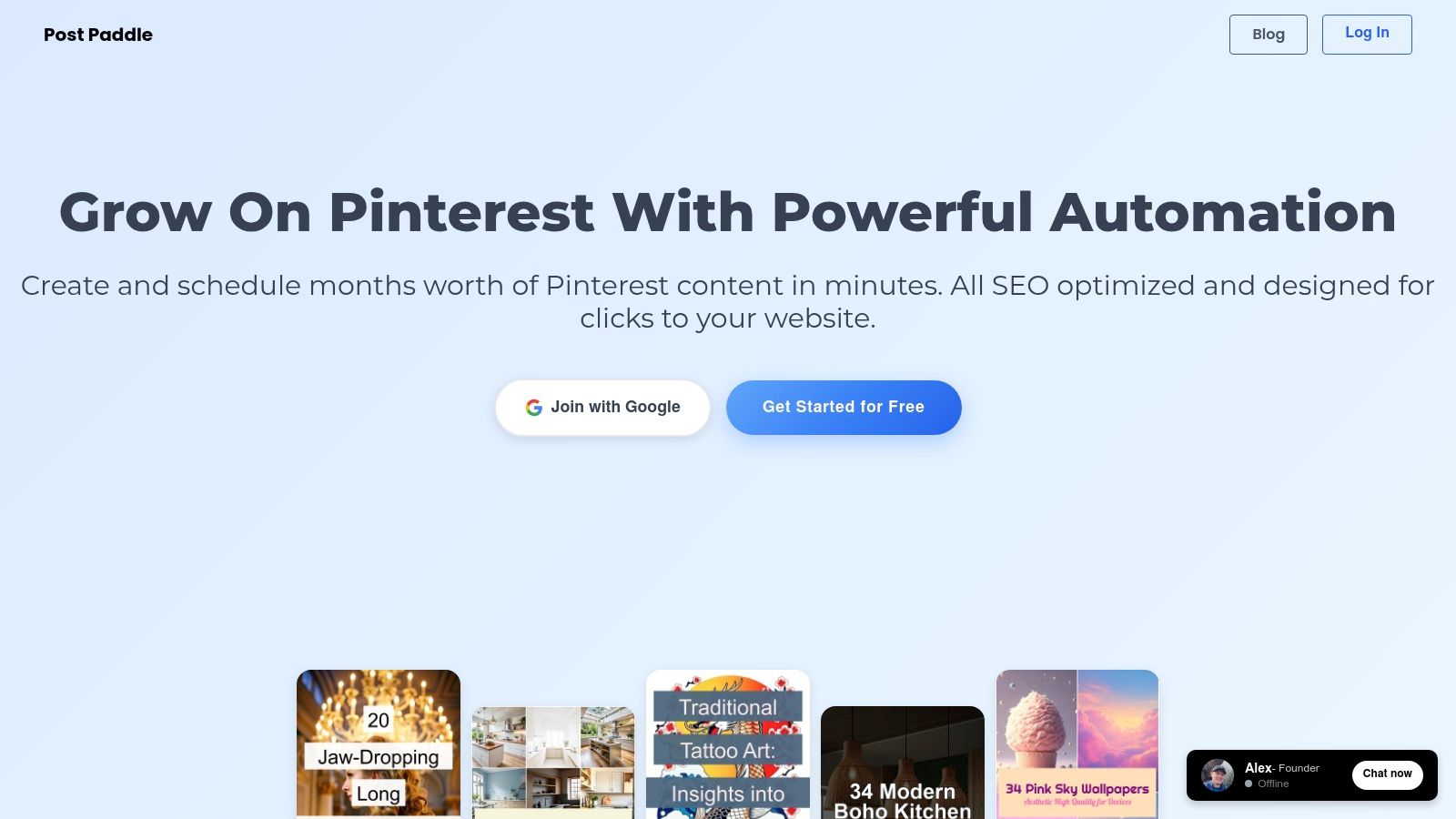
Post Paddle emerges as a premier choice among ai content creation tools by delivering a powerful, niche-focused solution for Pinterest marketing. It excels by automating the entire pin creation and scheduling workflow, transforming a time-intensive process into a matter of minutes.
The platform intelligently scrapes content from your website, then generates hundreds of visually distinct pins in bulk, complete with SEO-optimized titles and descriptions designed to maximize reach on Pinterest’s discovery-centric algorithm.
This tool is engineered for efficiency. Unlike general-purpose social media schedulers, Post Paddle’s AI is specifically trained for Pinterest, generating text overlays that are not just descriptive but are crafted to drive clicks.
This focus makes it an indispensable asset for bloggers, e-commerce stores, and marketing agencies aiming to leverage Pinterest for significant traffic generation.
Core Features & Practical Applications
Post Paddle’s feature set is meticulously designed to address the key pain points of Pinterest management.
The intuitive pin editor offers robust customization, allowing users to align generated pins with their brand identity by adjusting colors, fonts, and layouts.
- AI-Powered Bulk Pin Generation: Automatically create a high volume of unique pins from a single URL. This is ideal for agencies managing multiple clients or bloggers with extensive archives, ensuring a constant stream of fresh content without manual effort.
- Smart Multi-Board Scheduling: The platform’s smart scheduler shuffles and posts pins across multiple boards at optimal intervals. This prevents content spam and maximizes visibility by diversifying your pinning strategy automatically.
- Unlimited Account Support: A standout feature is the ability to connect unlimited Pinterest accounts and websites. This provides unparalleled scalability for digital marketing agencies and entrepreneurs managing diverse portfolios.
Real-World Impact: Users consistently report a dramatic reduction in manual labor, saving hours each week while simultaneously observing tangible growth in Pinterest traffic and engagement.
The platform’s automation capabilities directly translate to more time for strategy and less for execution.
Pricing and Accessibility
Post Paddle offers a transparent, tiered pricing structure that accommodates a wide range of users, from individual creators to large-scale agencies.
| Plan | Price | Key Features | Best For |
|---|---|---|---|
| Starter | $19.99/mo | 1,000 monthly pins | Bloggers & Small Businesses |
| Pro | $49.99/mo | 5,000 monthly pins, priority support | Growing Businesses & Influencers |
| Agency | $99.99/mo | 10,000 monthly pins, white-label option | Marketing Agencies & Power Users |
A no-credit-card-required free trial makes it easy to test the platform’s capabilities risk-free.
If you’re looking to understand the mechanics behind this powerful tool, you can get more information on the principles of content automation at Post Paddle.
Pros:
- AI-driven bulk pin creation with tailored, SEO-optimized text.
- Supports unlimited Pinterest accounts and websites, offering exceptional scalability.
- Smart scheduling automates multi-board posting for maximum reach.
- Flexible and transparent pricing fits various budgets.
Cons:
- Lacks in-depth, native analytics and reporting features.
- Highest pin limits and priority support are restricted to top-tier plans.
Website: https://postpaddle.com
2. OpenAI — ChatGPT
OpenAI’s ChatGPT is often the entry point for creators exploring ai content creation tools, functioning as a versatile, general-purpose assistant.
It excels at brainstorming blog post ideas, drafting social media captions, refining email copy, and even generating Python code for data analysis.
Its conversational interface makes it highly accessible for rapid ideation and iterative content development.
What sets ChatGPT apart is the power and continuous evolution of its underlying models (like GPT-4o), which support multimodal inputs.
Users can upload documents for summarization, analyze data from spreadsheets, or even generate images directly within the chat interface, consolidating multiple creative tasks into a single platform.
Core Features and Use Cases
ChatGPT’s strength lies in its adaptability. For a social media manager, it can generate a month’s worth of content ideas complete with relevant hashtags.
For a blogger, it can create detailed outlines, conduct preliminary research, and help overcome writer’s block by suggesting alternative phrasing or new angles on a topic.
The platform’s Memory feature allows it to retain context across conversations for more personalized and consistent outputs.
- Best For: Content creators, marketers, developers, and business professionals needing a versatile AI assistant for text, image, and data-related tasks.
- Practical Tip: Use the “Custom Instructions” feature to provide ongoing context about your brand voice, target audience, and content goals. This saves you from repeating key information in every prompt and ensures more consistent, on-brand results.
Pricing and Access
While a capable free version is available, accessing the most powerful models and features like advanced data analysis requires a subscription.
| Plan | Price (per month) | Key Features |
|---|---|---|
| Free | $0 | Access to GPT-3.5, limited access to GPT-4o |
| Plus | $20 | Full access to GPT-4o, DALL-E 3, advanced data analysis |
| Team | $25/user | Higher message caps, admin controls, team workspace |
Pros:
- Broad utility for diverse content formats
- High-quality, human-like text generation
- Frequent updates and new feature rollouts
Cons:
- Top-tier features are behind a paywall
- API access is billed separately from the consumer subscription
Visit the website: https://openai.com/pricing
3. Adobe — Firefly web/app and Creative Cloud
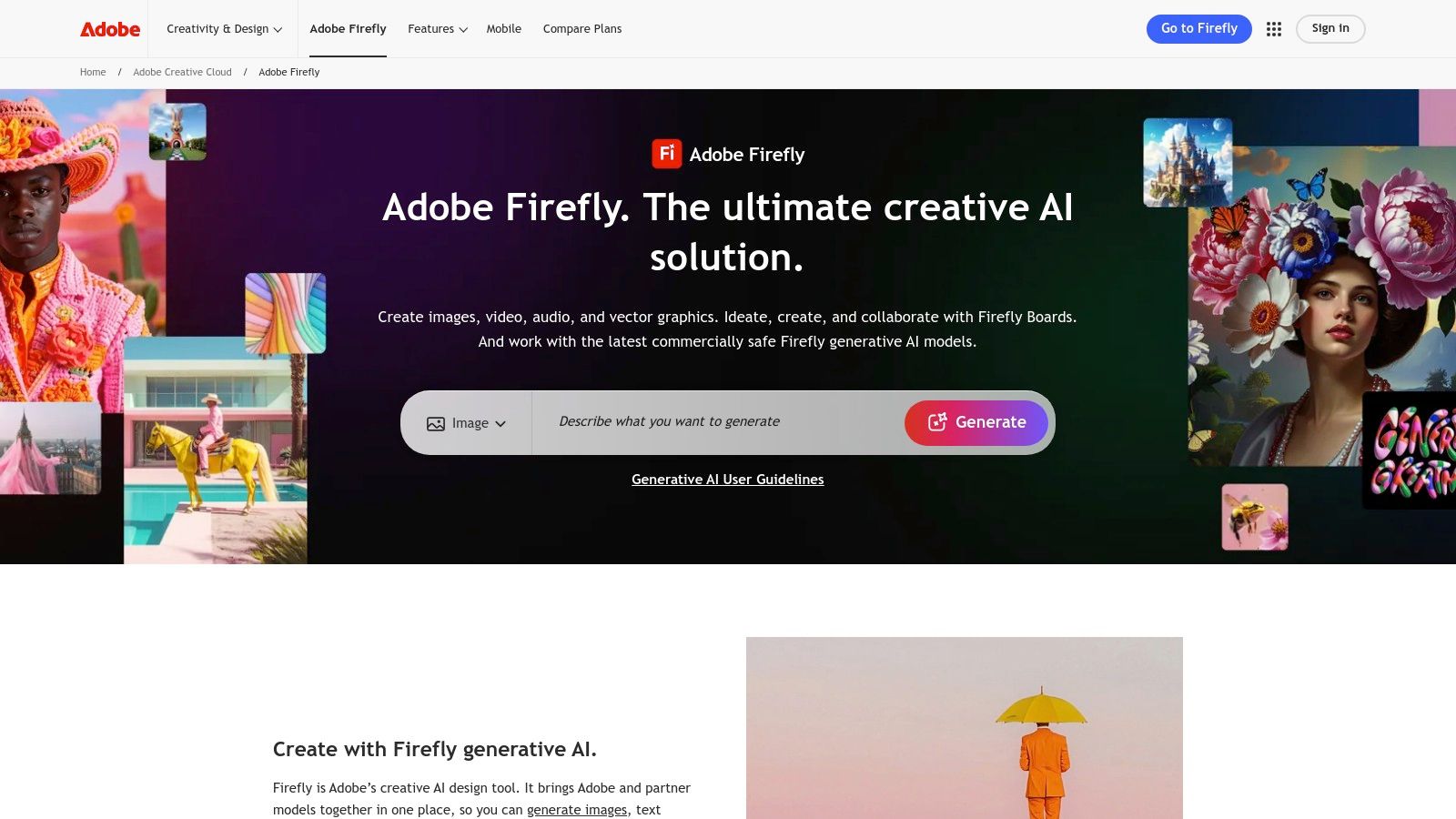
Adobe Firefly brings generative ai content creation tools directly into the professional creative workflow.
Instead of being a standalone tool, Firefly is deeply integrated into flagship apps like Photoshop, Illustrator, and Premiere Pro, allowing designers and editors to generate, modify, and expand visual content without leaving their familiar environments.
What sets Firefly apart is its commitment to commercial safety. It is trained on Adobe Stock’s licensed library and publicly available content, which minimizes the legal risks associated with copyright infringement for commercial use.
This makes it a go-to choice for brands and professional creatives who require legally sound, high-quality visual assets.
Beyond its existing features, you can explore the broader landscape of AI’s text-to-image capabilities to see how this technology is evolving.
Core Features and Use Cases
Firefly’s strength is its seamless integration. In Photoshop, features like Generative Fill and Generative Expand allow users to add or remove objects and extend image backgrounds with context-aware AI.
For a graphic designer, this means rapidly creating mockups or extending a photo to fit a specific ad dimension.
For video editors, upcoming text-to-video features in Premiere Pro will streamline B-roll creation and visual effects.
- Best For: Professional graphic designers, video editors, marketing teams, and creative agencies already using the Adobe Creative Cloud ecosystem.
- Practical Tip: Pay close attention to your Generative Credits. High-resolution exports and using newer models consume more credits. Plan your usage, especially when working on large projects, to avoid running out mid-workflow.
Pricing and Access
Access to Firefly is managed through a system of Generative Credits, which are included in most Creative Cloud and Firefly-specific plans.
| Plan | Price (per month) | Key Features |
|---|---|---|
| Free | $0 | 25 monthly Generative Credits, Firefly web app access |
| Premium | $4.99 | 100 monthly Generative Credits, Adobe Fonts, no watermarks |
| Creative Cloud All Apps | From $59.99 | 1,000 monthly Generative Credits, access to all Adobe apps |
Pros:
- Deep integration into professional creative apps like Photoshop
- Trained on a commercially-safe dataset for brand use
- High-quality image and vector generation
Cons:
- The credit system can be confusing to manage
- Full potential is unlocked only within the Creative Cloud subscription
Visit the website: https://www.adobe.com/products/firefly.html
4. Canva — Magic Studio
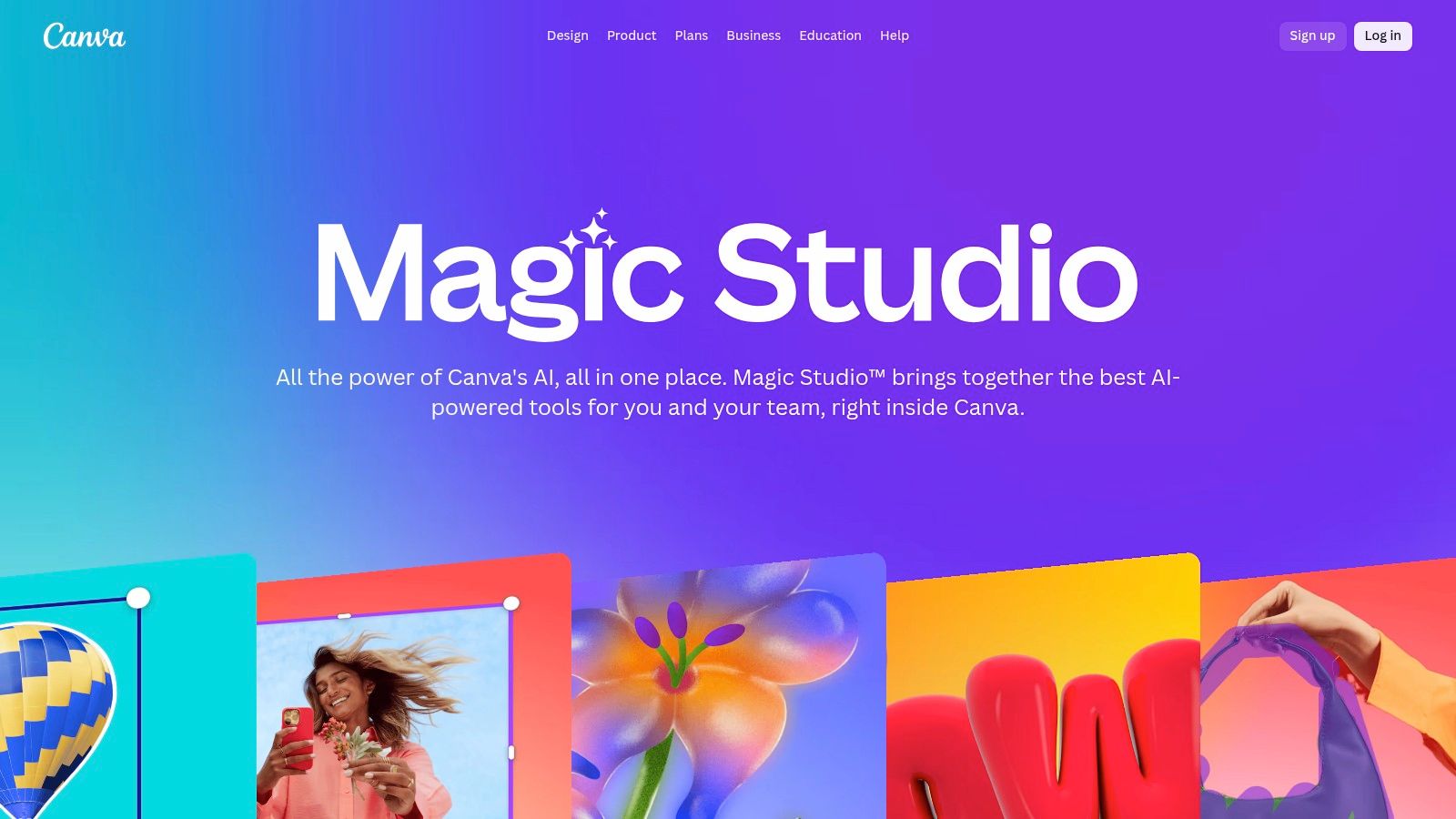
Canva has evolved from a simple design tool into a comprehensive creative suite, and its Magic Studio is a prime example of integrated ai content creation tools.
It democratizes design by embedding AI directly into the visual workflow, allowing users to generate text, images, and videos without leaving their design canvas.
This makes it exceptionally efficient for creating marketing assets, social media posts, and presentations on the fly.
What makes Magic Studio stand out is its seamless integration within Canva’s vast template library.
Users can start with a professionally designed template and use Magic Write to instantly populate text fields, or use Magic Media to generate custom visuals that perfectly match their brand aesthetic.
This holistic approach removes the friction of switching between different specialized AI tools.
Core Features and Use Cases
Canva’s AI is built for speed and accessibility. A social media manager can use Magic Resize to instantly adapt a single design for multiple platforms, while Magic Write can draft compelling ad copy.
For teams, the Brand Kit ensures all AI-generated content remains consistent with company colors, fonts, and logos, streamlining collaborative workflows and maintaining brand integrity across all assets.
- Best For: Marketers, small business owners, and content creators who need to produce a high volume of branded visual content quickly without deep design expertise.
- Practical Tip: Use the “Magic Switch” feature to transform a finished design (like a presentation) into another format (like a blog post or summary document) instantly. This is a powerful way to repurpose content across different channels with minimal effort.
Pricing and Access
While Canva offers a robust free version, most of the powerful Magic Studio features are reserved for paid subscribers. The credit system for AI generation is important to note, as usage is metered.
| Plan | Price (per month) | Key Features |
|---|---|---|
| Free | $0 | Limited Magic Studio features, 5GB storage |
| Pro | $14.99/user | Full access to Magic Studio, Brand Kit, 1TB storage |
| Teams | $29.99/user | All Pro features plus team collaboration tools, reporting |
Pros:
- All-in-one platform for design and AI content generation
- Extremely user-friendly interface suitable for non-designers
- Excellent for maintaining brand consistency across teams
Cons:
- Core AI features require a paid subscription
- AI generation is based on a credit system, which can be limiting
Visit the website: https://www.canva.com/magic/
5. Jasper
Jasper is an AI marketing co-pilot designed specifically for business and marketing teams that need to create on-brand content at scale.
Unlike general-purpose ai content creation tools, Jasper is built around a “Brand Voice” engine, allowing it to learn your company’s style, tone, and product information to ensure every piece of content is consistent and accurate.
This makes it ideal for creating everything from ad copy and social media campaigns to long-form blog posts that reflect a unified brand identity.
What truly sets Jasper apart is its campaign-focused workflow. Instead of generating one-off pieces of content, teams can build entire multi-channel campaigns from a single brief.
It generates assets for email, social media, and blogs simultaneously, all aligned with the same core message and brand voice, dramatically streamlining the content production cycle for marketers.
Core Features and Use Cases
Jasper excels in environments where brand consistency is non-negotiable. A marketing team can use its Brand Voice feature by uploading style guides, product catalogs, and successful content examples to train the AI.
It then uses this knowledge across its 50+ templates for tasks like writing compelling product descriptions, generating blog post outlines with its Surfer SEO integration, or drafting a series of promotional emails.
Its collaboration tools allow team members to edit and refine AI-generated content within a shared workspace.
- Best For: Marketing teams, enterprise content creators, and agencies focused on creating consistent, on-brand content across multiple channels.
- Practical Tip: Build a comprehensive Knowledge Base for your Brand Voice. Upload your brand guidelines, customer personas, top-performing articles, and product details. The more context you provide, the more accurate and on-brand Jasper’s outputs will be from the first draft.
Pricing and Access
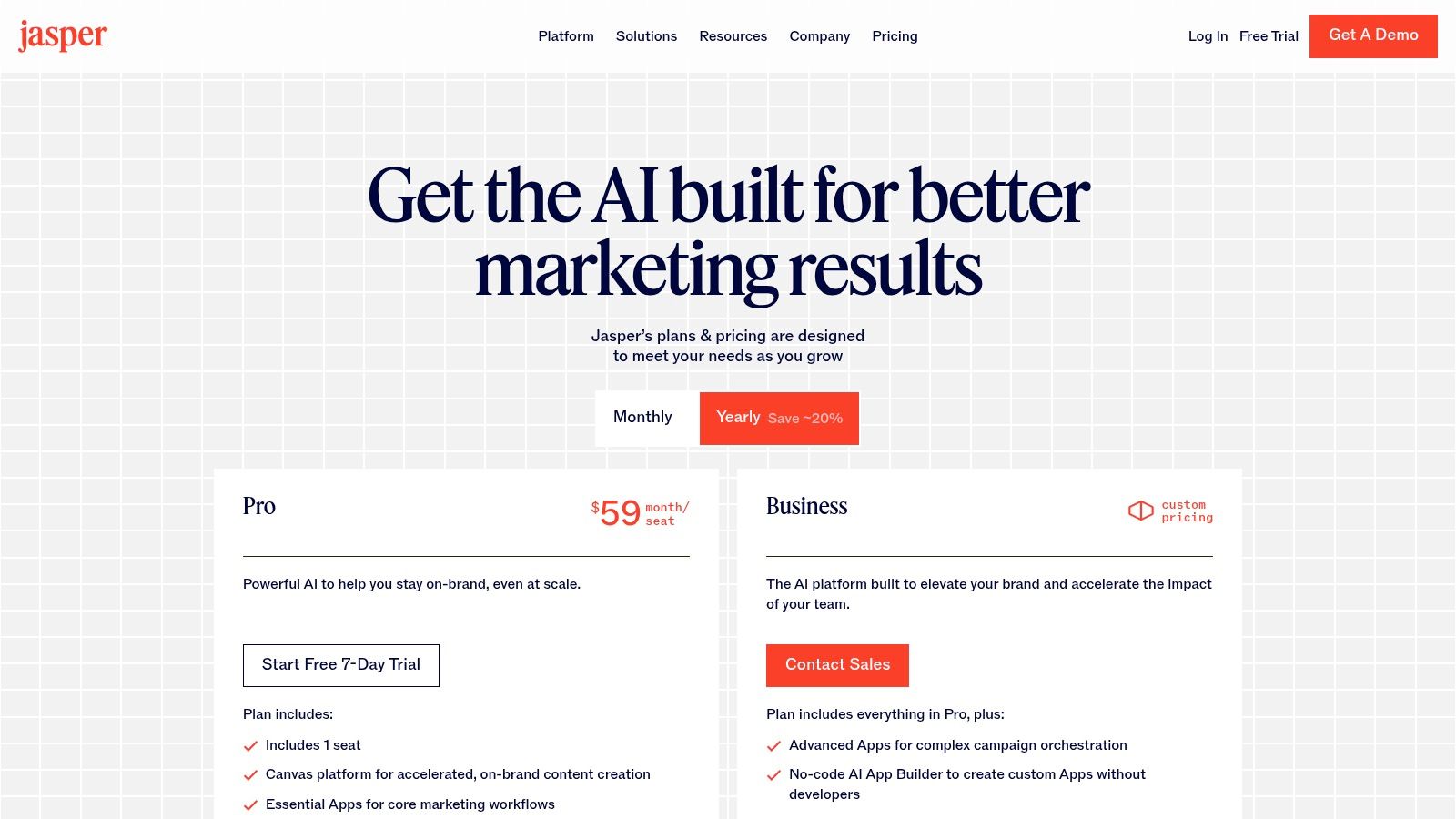
Jasper’s pricing is structured for individuals and teams, with features like Brand Voices and campaign workflows reserved for higher-tier plans.
| Plan | Price (per month, billed annually) | Key Features |
|---|---|---|
| Creator | $39/user | 1 Brand Voice, 50+ Templates, SEO Mode |
| Pro | $59/user | 3 Brand Voices, 3 Campaigns, Collaboration tools |
| Business | Custom | Unlimited features, Advanced analytics, API access |
Pros:
- Excellent for maintaining brand voice consistency
- Campaign-focused workflows streamline multi-channel marketing
- Extensive library of mature, specialized templates
Cons:
- Can be more expensive than general-purpose tools
- Less suited for one-off, creative tasks outside of a marketing context
Visit the website: https://www.jasper.ai/pricing
6. Runway
Runway is a pioneering force among ai content creation tools, specializing in generative video and advanced motion editing.
It empowers creators to produce high-quality video content from text prompts, images, or existing video clips, making it invaluable for social media production, conceptual prototypes, and creative experimentation.
The platform is built for motion, offering a suite of tools that go far beyond simple generation.
What sets Runway apart is its focus on providing granular control within its video editing suite. With features powered by models like Gen-3 Alpha, users can not only generate footage but also manipulate it with precision.
This includes capabilities like motion tracking, green screen removal, and inpainting, which integrates AI deeply into the post-production workflow and bridges the gap between generative AI and professional video editing.
Core Features and Use Cases
Runway’s toolset is ideal for video editors and animators looking to accelerate their creative process.
A marketing team could use it to rapidly prototype different ad concepts without a full film shoot, while an independent artist could generate surreal, animated sequences for a music video.
Its text-to-video and image-to-video functionalities allow for quick iteration and visual storytelling that would otherwise require complex software and skills.
- Best For: Video creators, animators, marketers, and creative professionals who need to produce or enhance video content using generative AI.
- Practical Tip: Start with the image-to-video feature for more predictable results. By providing a clear starting frame, you give the AI a strong visual anchor, which can lead to more coherent and controlled video outputs compared to generating from a text prompt alone.
Pricing and Access
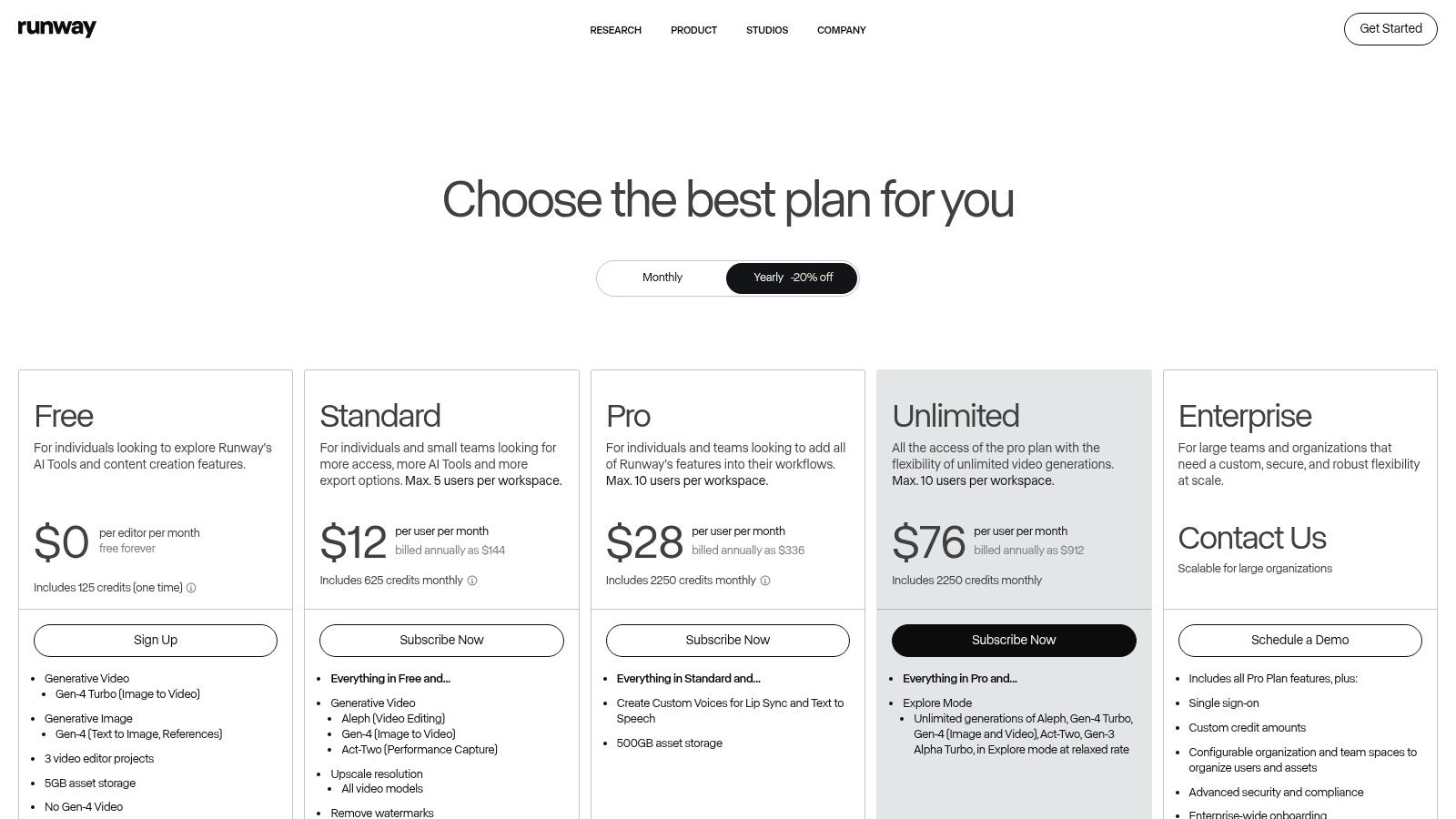
Runway operates on a credit-based subscription model, where different actions and generation qualities consume a set number of credits. Higher-tier plans offer more credits and faster processing.
| Plan | Price (per month) | Key Features |
|---|---|---|
| Free | $0 | 125 credits, limited exports and features |
| Standard | $15 | 625 credits/month, 4K exports, more AI Magic Tools |
| Pro | $35 | 2250 credits/month, increased generation limits |
| Unlimited | $95 | Unlimited video generations, 2250 credits for other tools |
Pros:
- Cutting-edge video generation models
- Integrated suite of AI-powered video editing tools
- Fast iteration for creative concepts and prototypes
Cons:
- The credit system can be confusing to navigate
- High-quality or longer video generations can quickly deplete credits
Visit the website: https://runwayml.com/pricing
7. Descript
Descript revolutionizes video and podcast production by treating them like text documents, making it one of the most intuitive ai content creation tools for media producers.
Instead of navigating complex timelines, creators can edit audio and video simply by deleting words or sentences in the auto-generated transcript.
This approach dramatically lowers the barrier to entry for high-quality multimedia production.
What makes Descript unique is its seamless integration of powerful AI features directly into the editing workflow.
Features like “Studio Sound” can remove background noise and echo with a single click, while its Overdub feature allows creators to clone their voice to correct misspoken words without re-recording, saving immense time in post-production.
Core Features and Use Cases
Descript’s core strength is simplifying complex media editing tasks. A podcaster can use it to automatically remove filler words (“um,” “uh”) across an entire episode in seconds.
A YouTuber can quickly create social media clips by highlighting text in the transcript and exporting the corresponding video segment.
The platform also serves as a multi-track editor, allowing for the easy addition of background music, sound effects, and B-roll footage.
- Best For: Podcasters, video creators, YouTubers, and marketing teams who need to produce polished audio and video content quickly without a steep learning curve.
- Practical Tip: Use the “Find Filler Words” feature to instantly identify and remove hesitations. You can review each instance or remove them all at once to clean up your audio track efficiently.
Pricing and Access
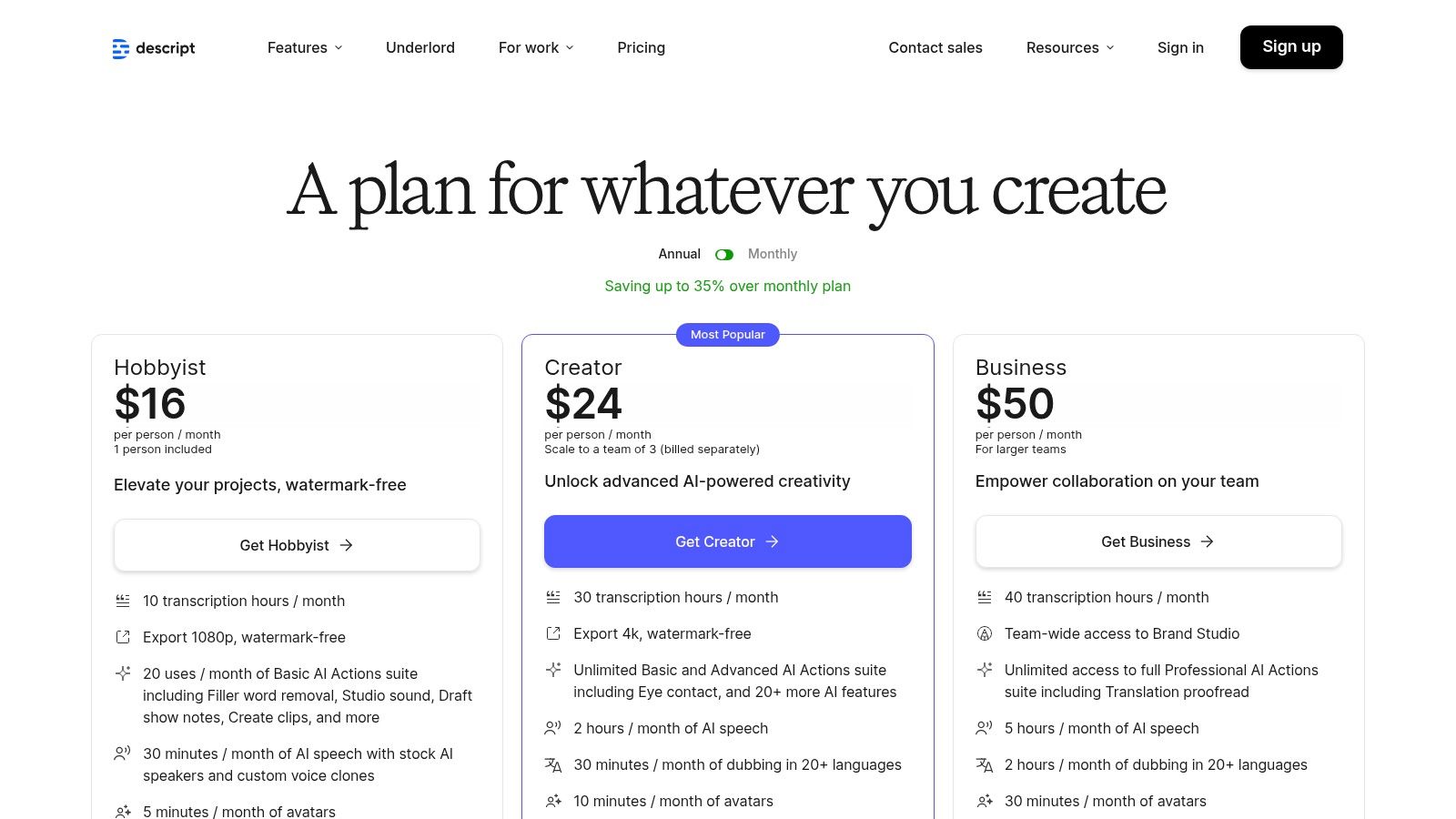
Descript offers a free tier for short projects, with paid plans unlocking more transcription hours, advanced AI features, and higher-quality video exports.
| Plan | Price (per month, billed annually) | Key Features |
|---|---|---|
| Free | $0 | 1 hour of transcription, 1 watermark-free video export at 720p |
| Creator | $12/user | 10 hours of transcription, unlimited watermark-free exports at 4K |
| Pro | $24/user | 30 hours of transcription, Overdub, Studio Sound, filler word removal |
Pros:
- Speeds up audio and video editing for non-expert users
- Good value with bundled transcription and AI features
- Text-based editing is highly intuitive
Cons:
- Heavy and complex projects may still need traditional video editors
- Quality of AI speaker voice cloning varies and improves with training
Visit the website: https://www.descript.com/pricing
8. ElevenLabs
ElevenLabs has established itself as a leader among ai content creation tools for its hyper-realistic voice generation and cloning capabilities.
It transforms text into natural-sounding speech, making it an essential platform for podcasters, video creators, and audiobook narrators.
The platform’s powerful AI models capture nuanced human intonation, emotion, and pacing, delivering audio that is difficult to distinguish from a human recording.
What makes ElevenLabs stand out is its advanced voice cloning technology and multilingual support.
Creators can produce consistent voiceovers for an entire series using a single cloned voice or dub existing video content into dozens of languages while preserving the original speaker’s vocal characteristics.
This opens up new possibilities for content localization and accessibility on a global scale.
Core Features and Use Cases
ElevenLabs excels at producing high-fidelity audio for diverse applications.
A YouTuber can use it to create professional-grade voiceovers for documentaries without expensive recording equipment.
A corporate training department can generate consistent, multilingual audio for e-learning modules.
The integrated Projects feature provides a studio-like environment for editing and mastering long-form audio content directly within the platform.
- Best For: Podcasters, video creators, audiobook publishers, and developers who need high-quality, scalable text-to-speech and voice cloning solutions.
- Practical Tip: When cloning a voice, provide clean, high-quality audio samples with minimal background noise. The more varied the emotional range in your samples, the more expressive and versatile the resulting AI voice will be.
Pricing and Access
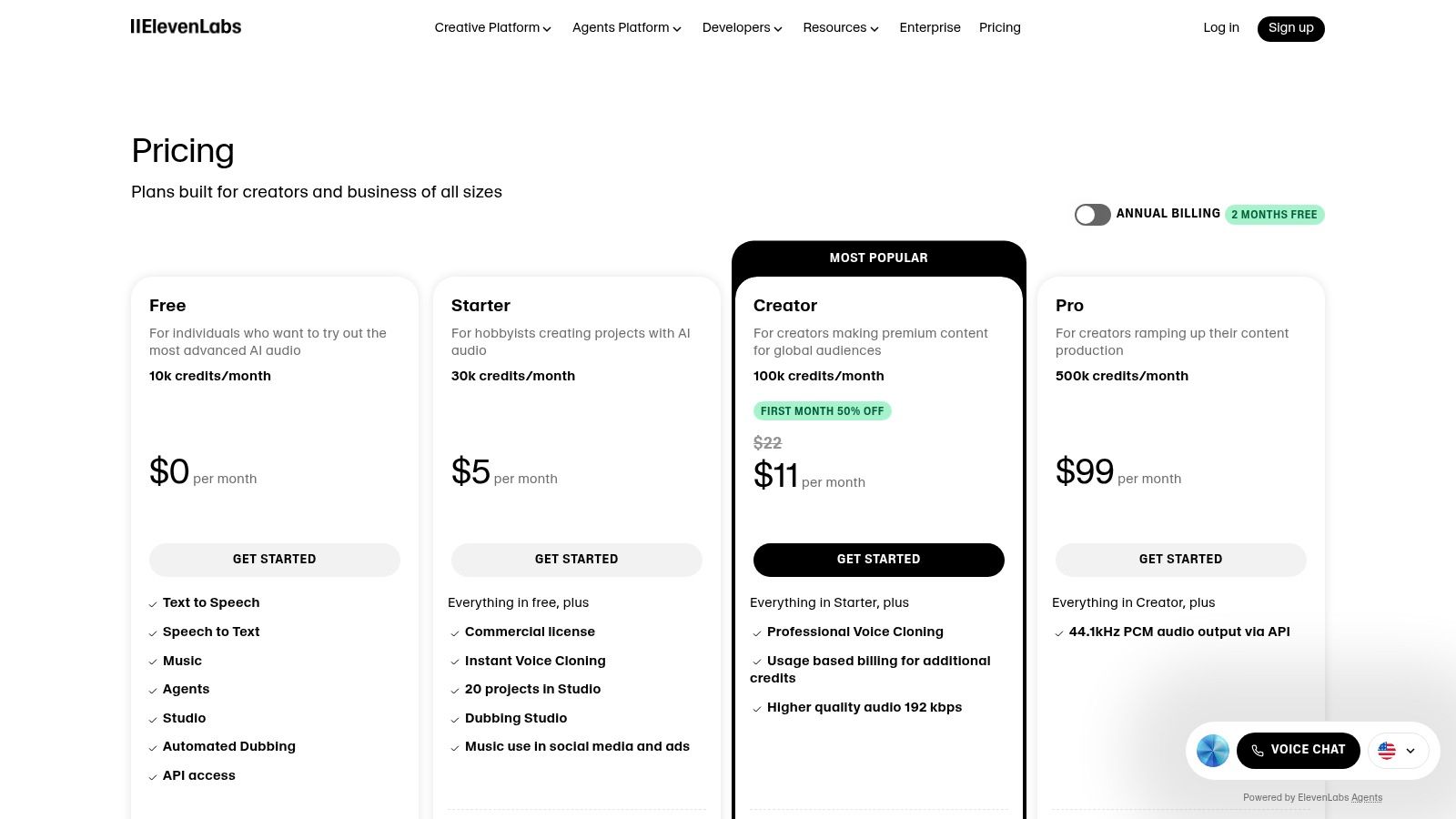
The platform offers a tiered pricing model based on character usage, voice clones, and access to advanced features like high-quality audio outputs and commercial licensing.
| Plan | Price (per month) | Key Features |
|---|---|---|
| Free | $0 | 10,000 characters/month, create up to 3 custom voices |
| Starter | $5 | 30,000 characters/month, commercial license, up to 10 custom voices |
| Creator | $22 | 100,000 characters/month, professional voice cloning, Projects access |
Pros:
- Produces highly natural and realistic voices
- Scales from hobbyists to enterprise with security and compliance options
- Powerful voice cloning and multilingual dubbing features
Cons:
- Complex credit system for usage may be difficult to manage
- Achieving professional results might require fine-tuning and higher-tier plans
Visit the website: https://elevenlabs.io/pricing
9. Synthesia
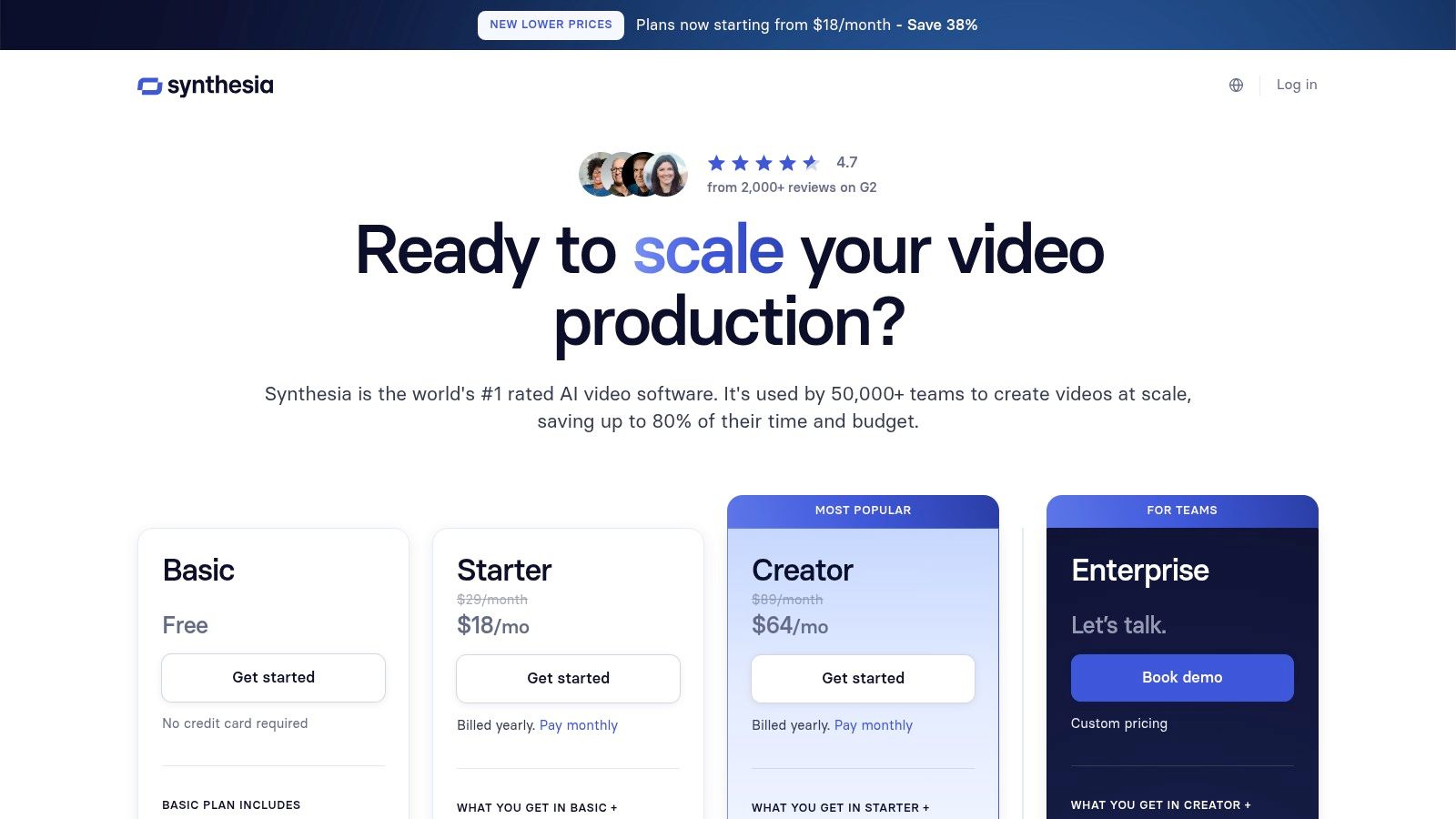
Synthesia is a leading AI video generation platform that transforms text scripts into professional-quality videos featuring AI avatars.
This tool is a game-changer for corporate training, internal communications, and marketing, making it one of the most specialized ai content creation tools for scalable video production without cameras, microphones, or actors.
What sets Synthesia apart is its focus on enterprise-grade features and realistic avatar performance. With a library of over 180 stock AI avatars and support for 120+ languages, it enables companies to create localized training materials and marketing videos rapidly.
The platform’s ability to create custom digital twins of real people offers brands a unique way to maintain a consistent human presence in their digital communications.
Core Features and Use Cases
Synthesia’s core strength is converting scripts into polished avatar-led videos in minutes.
A learning and development team can produce an entire series of training modules with consistent instructors for different global offices, using one-click translation to dub the content.
Marketers can generate personalized video messages or product demos at scale, significantly reducing production time and costs.
- Best For: Corporate trainers, L&D professionals, and marketers who need to produce high volumes of instructional or informational videos efficiently.
- Practical Tip: When creating training videos, use the SCORM export feature to seamlessly integrate your Synthesia content directly into your existing Learning Management System (LMS) for easy distribution and tracking.
Pricing and Access
Synthesia offers plans geared toward individual creators and large enterprises, with features scaling to meet business needs for branding, collaboration, and security.
| Plan | Price (per month) | Key Features |
|---|---|---|
| Personal | $22 | 10 minutes of video/month, 90+ avatars, 120+ languages |
| Creator | $67 | 30 minutes of video/month, built-in screen recorder, brand assets |
| Enterprise | Custom | Custom avatars, SCORM/API access, SSO, dedicated CSM |
Pros:
- Enables rapid video production without traditional filming
- Strong enterprise features like brand kits, SSO, and API access
- Extensive library of avatars and languages for localization
Cons:
- Avatars can sometimes appear synthetic and lack natural emotion
- Complex scenes with multiple elements may still require traditional video editing
Visit the website: https://www.synthesia.io/pricing-options
10. Copy.ai
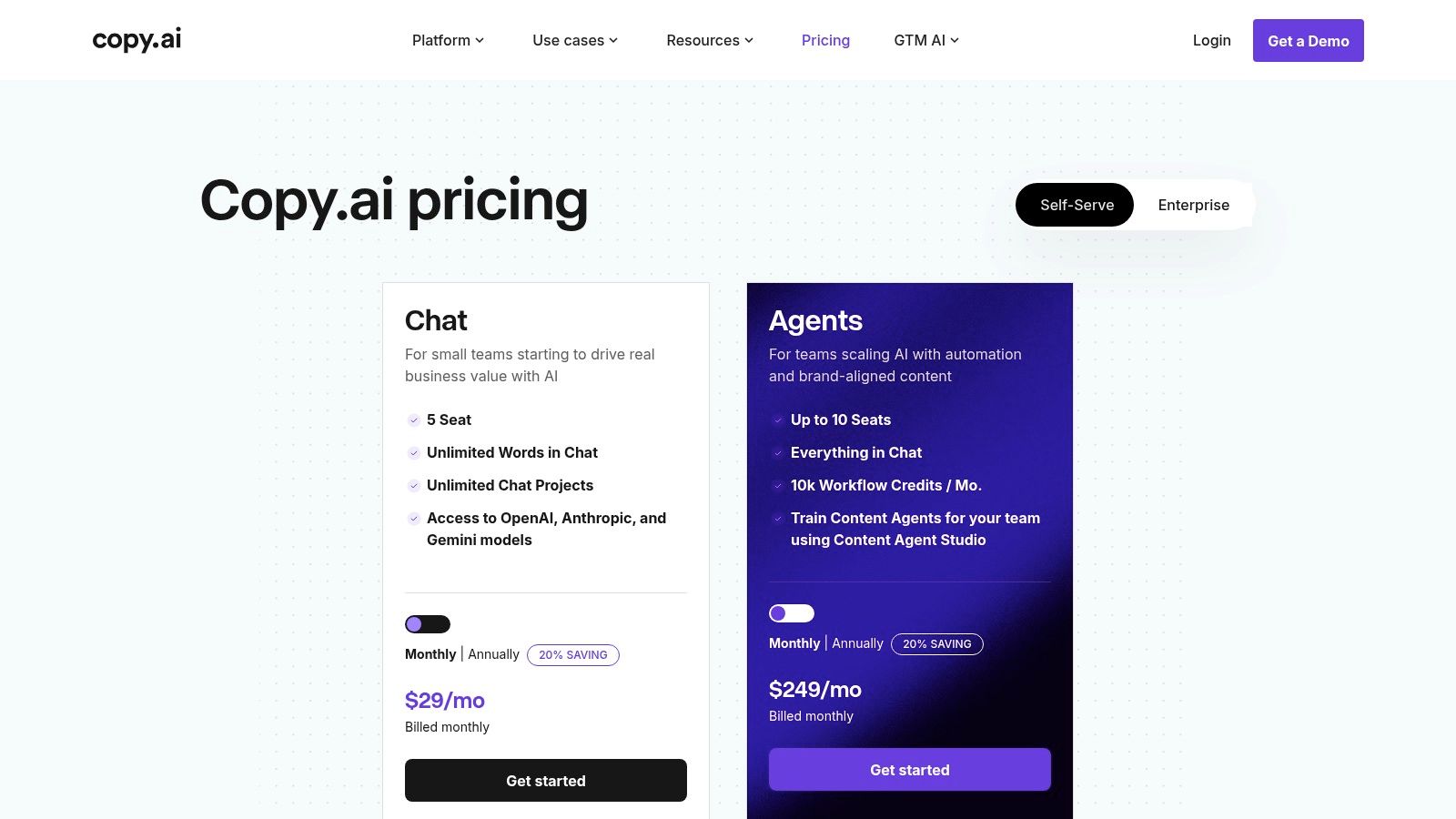
Copy.ai positions itself as more than just a writing assistant; it’s an automation platform designed for marketing and sales teams.
While many ai content creation tools focus solely on generating text from a prompt, Copy.ai builds on this with automated workflows and trainable AI agents.
This allows teams to automate repetitive content tasks, like generating personalized sales emails or creating product descriptions at scale, directly within their existing operational processes.
What sets Copy.ai apart is its dual focus on chat-based generation and agent-based automation.
Users can quickly draft content in its familiar chat interface or build complex, multi-step “Workflows” that can research topics, write drafts, and repurpose content across different formats without manual intervention.
This makes it a powerful tool for organizations looking to streamline their entire content pipeline, not just the initial drafting stage.
Core Features and Use Cases
Copy.ai is built for business efficiency. A marketing team can use it to create a workflow that automatically generates blog posts from a simple title, while a sales team can build an agent that drafts personalized outreach emails based on LinkedIn profile data.
The platform’s Infobase stores brand guidelines and key company information, ensuring all generated content remains consistent and on-brand.
It supports various AI models, giving teams the flexibility to choose the best one for their task.
- Best For: Marketing and sales teams, agencies, and businesses seeking to automate content creation workflows and ensure brand consistency at scale.
- Practical Tip: Use the Infobase feature to upload your brand voice guidelines, style guides, and product information. This trains the AI on your specific context, leading to more accurate and brand-aligned outputs in both chat and automated workflows.
Pricing and Access
Copy.ai offers a tiered pricing model that separates basic chat functionality from its more advanced workflow and automation features. A free plan is available for individuals to test the core features.
| Plan | Price (per month) | Key Features |
|---|---|---|
| Free | $0 | 2,000 words in Chat, limited to 1 user |
| Pro | $36 | Unlimited words in Chat, 5 user seats, 500 workflow credits |
| Team | $188 | Unlimited words in Chat, 20 user seats, 3,000 workflow credits |
| Enterprise | Custom | Custom seats, workflow credits, and security features |
Pros:
- Designed specifically for business content pipelines
- Powerful workflow automation capabilities
- Clear differentiation between chat and agent-based automation plans
Cons:
- Workflow automation features are locked behind higher-tier plans
- Best suited for teams actively using automation workflows
Visit the website: https://www.copy.ai/prices
11. G2 — AI Writing Assistants category
While not a tool itself, G2’s AI Writing Assistants category is an essential research hub for anyone evaluating ai content creation tools.
It aggregates and organizes hundreds of verified user reviews, ratings, and comparisons for dozens of platforms, providing an unbiased, crowd-sourced perspective on the market.
This makes it an invaluable first stop for filtering options based on specific business needs, team sizes, and budgets.
What sets G2 apart is its structured data and filtering capabilities. Users can compare tools side-by-side using a “Grid” view, filter by specific features like plagiarism detection or tone analysis, and read detailed pros and cons submitted by real-world users.
This approach helps cut through marketing hype to understand how a tool performs in practice.
Core Features and Use Cases
G2 serves as a strategic decision-making platform. A marketing manager can use it to find the best AI writer for generating SEO-optimized long-form content by filtering for tools with strong G2 scores in that specific area.
Similarly, an enterprise can identify solutions with robust security features and team management capabilities, ensuring the chosen tool aligns with organizational requirements.
- Best For: Marketing teams, business owners, and procurement specialists who need to compare multiple AI writing tools before making a purchase decision.
- Practical Tip: Use the comparison feature to select up to four tools and generate a side-by-side report. Pay close attention to the “Ease of Use” and “Quality of Support” ratings, as these often reveal critical insights into the real user experience.
Pricing and Access
Access to G2’s reviews and comparison tools is completely free for users. The platform is supported by software vendors who pay for enhanced profiles and lead generation features.
| Plan | Price (per month) | Key Features |
|---|---|---|
| User Access | $0 | Unlimited access to reviews, category grids, and comparison reports |
| Vendor Profiles | Varies | Paid profiles for software companies to manage their listing |
Pros:
- Up-to-date, crowd-sourced insights across many vendors
- Helpful for narrow use case and budget-driven tool selection
- Transparent review process with verified user profiles
Cons:
- Reviews may sometimes be inconsistent or influenced by vendors
- Tends to favor popular tools over less-known niche options
Visit the website: https://www.g2.com/categories/ai-writing-assistant
12. Amazon (US) — Adobe Digital Software Storefront
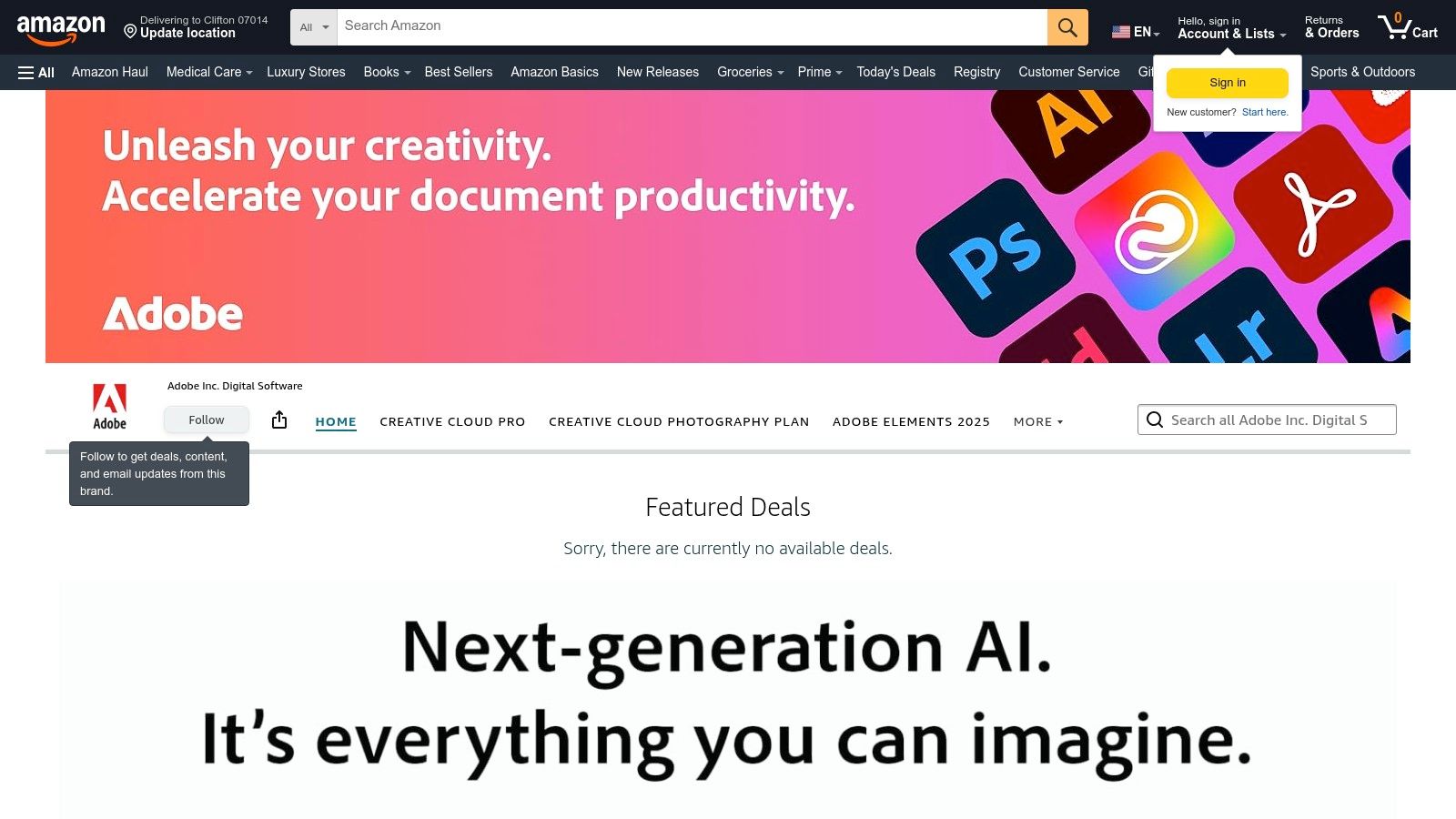
While not a direct AI tool itself, Amazon’s official Adobe storefront serves as a strategic purchasing channel for acquiring essential ai content creation tools like Adobe Creative Cloud.
It offers a familiar and often discounted alternative to buying directly from Adobe, providing creators and businesses with instant digital delivery of subscription codes for powerhouse applications like Photoshop, Premiere Pro, and Illustrator, which increasingly integrate AI features.
This marketplace stands out by leveraging Amazon’s ecosystem. Buyers can use Amazon gift cards, benefit from occasional promotional pricing, and manage their purchases within a trusted retail environment.
For freelancers or small businesses, finding a 12-month Creative Cloud subscription at a reduced rate during a sale event can significantly lower overhead costs for accessing top-tier software.
Core Features and Use Cases
The primary use case is cost-effective procurement of Adobe’s software suite, which is central to modern content creation workflows.
Once purchased, the Adobe tools can be used for everything from AI-powered image editing with Photoshop’s Generative Fill to automated video scene detection in Premiere Pro.
This platform is ideal for creators who are already invested in the Amazon ecosystem and want to consolidate their digital purchases.
- Best For: Freelance content creators, students, and small business owners looking for potential discounts on official Adobe Creative Cloud subscriptions.
- Practical Tip: Keep an eye on major sales events like Prime Day or Black Friday, as this is when the most significant discounts on Adobe subscriptions typically appear on the platform.
Pricing and Access
Pricing is for official Adobe subscriptions, but the storefront may offer unique yearly-plan pricing or limited-time deals not available elsewhere. Access is granted via a digital code emailed after purchase.
| Plan | Price (per year) | Key Features |
|---|---|---|
| Creative Cloud All Apps | Varies (often ~$599) | Full access to 20+ Adobe creative apps, 100GB cloud storage |
| Photography Plan | Varies (often ~$119) | Photoshop, Lightroom, 20GB cloud storage |
| Student & Teacher | Varies (discounted) | All Apps plan at a reduced rate for eligible users |
Pros:
- Trusted retailer with a simple and familiar purchasing process
- Potential for significant discounts during major sales events
- Instant digital delivery allows for immediate access to software
Cons:
- Pricing and promotions are variable and not always available
- Software and account management still occur through Adobe’s platform
Visit the website: https://www.amazon.com/stores/AdobeIncDigitalSoftware/AdobeIncDigitalSoftware/page/8144BBDE-24F8-4595-8A71-EA4A2D5512EE
AI Content Creation Tools Comparison Table
| Product | Core Features & Automation ✨ | User Experience & Quality ★★★★★ | Value & Pricing 💰 | Target Audience 👥 | Unique Selling Points 🏆✨ |
|---|---|---|---|---|---|
| 🏆 Post Paddle | AI-driven bulk pin creation; SEO titles & descriptions; multi-board smart scheduling | Intuitive editor; customizable templates; reduces hours to minutes | Starter $19.99/mo – Agency$ 99.99/mo; free trial no CC | Bloggers, agencies, e-commerce, influencers | Unlimited accounts; automated pin shuffling; priority support on higher tiers |
| OpenAI — ChatGPT | Multi-modal AI (text, image, voice); memory & Canvas features | Broad AI model; constant updates; strong ecosystem | Free tier + paid subscriptions; API billed separately | General users, developers, businesses | Versatile AI for varied content creation & analysis |
| Adobe — Firefly | AI image/video generation integrated with Creative Cloud apps | Professional-grade tools; commercial-safe usage | Credit-based system; Standard & Pro tiers | Creative pros, agencies, designers | Deep Adobe app integration; licensed commercial use |
| Canva — Magic Studio | AI text, image, video generation; templates & brand kits | Fast, accessible design for non-designers | Pro & Teams subscriptions required for full AI features | Small teams, marketers, social media content creators | Easy-to-use AI with vast template library |
| Jasper | Brand voice customization; campaign workflows; SEO mode | Mature marketing templates; team collaboration | Tiered pricing with better value on higher plans | Marketing teams, brand managers | Focus on brand consistency and campaign content |
| Runway | Generative video creation; image editing; credit-based billing | Fast video iterations; versatile tools | Credit plans (Standard, Pro, Unlimited) | Video editors, creators, R&D | Advanced AI video models; API access |
| Descript | Text-based video/audio editor; AI speech cloning; transcription | Speeds editing for podcasters & content creators | Free + paid tiers with 4K export | Podcasters, YouTubers, social teams | Audio/video AI suite with filler word removal |
| ElevenLabs | AI voice generation; voice cloning; multilingual dubbing | Natural-sounding voices; scalable with compliance | Credit-based system; commercial licenses | Podcasters, studios, localization teams | Highly realistic voice synthesis |
| Synthesia | Script-to-avatar AI video; 125+ avatars; dubbing & API | Rapid video production; enterprise features | Subscription plans with brand kits & SSO | L&D, SMB marketing, enterprises | Fast avatar video creation without filming |
| Copy.ai | Chat & workflow automation; multi-model AI choice | Business-focused content pipelines | Tiered pricing; workflows in higher plans | Marketing & sales teams | Integrated automation beyond writing |
Choosing the Right AI Tool to Future-Proof Your Content Strategy
The landscape of AI content creation tools has exploded, transforming from a futuristic concept into a practical, everyday asset for creators and marketers.
Navigating this dynamic ecosystem can feel overwhelming, but as we’ve explored, the sheer diversity of options is its greatest strength.
From all-in-one powerhouses like Jasper and Copy.ai to specialized marvels like Descript for audio/video and Runway for generative video, there is a solution engineered for nearly every workflow imaginable.
The central takeaway is clear: the “best” tool is not a universal title but a subjective one, defined entirely by your unique goals, content formats, and operational needs.
A blogger might find their perfect match in the seamless text generation of ChatGPT, while a social media manager focusing on visual platforms will see immense value in the integrated design features of Canva’s Magic Studio or the Pinterest-specific automation of Post Paddle.
How to Select Your AI Content Creation Toolkit
Making the right choice requires a strategic, introspective approach. Before committing to a subscription, it’s crucial to move beyond feature lists and assess how a tool will integrate into your actual day-to-day processes.
Don’t let the sheer volume of options lead to analysis paralysis. Instead, use a structured evaluation to guide your decision.
Consider these key factors to narrow down your search:
- Primary Content Format: What do you create most often? If your focus is on blog posts and articles, prioritize text-generators like Jasper or ChatGPT. For video-heavy strategies, Descript or Synthesia are indispensable. For visual-first platforms like Pinterest, a tool like Post Paddle is purpose-built for your needs.
- Workflow Integration: How will this tool fit into your existing system? Look for platforms that offer integrations with software you already use, such as Adobe Creative Cloud or your project management tools. A tool that streamlines your process is far more valuable than one that adds another layer of complexity.
- Team Size and Collaboration: Are you a solo creator or part of a larger team? Platforms like Copy.ai and Jasper offer robust collaboration features, brand voice settings, and team management, which are essential for maintaining consistency at scale.
- Budget and Scalability: Your financial commitment is a major factor. Start by leveraging free trials and freemium plans to test the waters. Evaluate pricing tiers not just for their current value but for their ability to scale with your business as your needs grow.
- Learning Curve: How much time can you realistically invest in learning a new platform? Some tools, like Canva, are famously intuitive, while others, like Runway, may require more dedication to master their full capabilities.
Implementing AI Ethically and Effectively
Once you’ve selected your ai content creation tools, implementation is the next critical step. Remember that these platforms are assistants, not replacements for human creativity and oversight.
The most successful content strategies use AI to handle the heavy lifting, such as initial drafting, idea generation, and tedious editing, freeing up human creators to focus on strategy, nuance, and final polishing.
Always maintain a “human-in-the-loop” approach. Fact-check AI-generated information, refine outputs to match your brand voice perfectly, and ensure the final product is authentic and valuable to your audience.
This hybrid model, combining machine efficiency with human insight, is the key to unlocking the true potential of artificial intelligence in content creation.
By strategically adopting the right tools and implementing them thoughtfully, you can build a more agile, innovative, and resilient content strategy poised for future success.
Make Sure Every Pin You Create Is Set Up to Succeed
AI tools can help you create more content, faster, but your pins still need to follow a few basics if you want clicks, saves, and steady traffic from Pinterest.
Small details like text size, image ratio, and your call-to-action can be the difference between getting ignored and getting results.
Instead of guessing what you might have missed, you can run each new design through a simple pin checklist. It gives you a quick, repeatable way to spot weak spots and fix them before you hit publish.
Keep it open next to Canva or your design tool, and use it as a final pass: check the image, the text, the keywords, and the CTA. After a few rounds, creating strong, scroll-stopping pins starts to feel automatic.
Want a quick way to make your next pin your best one yet?
Frequently Asked Questions
1. What are AI content creation tools?
AI content creation tools are software platforms that use artificial intelligence to help you plan, write, design, or edit content. They can assist with tasks like drafting blog posts, generating social media graphics, creating videos, writing product descriptions, or even producing voiceovers and avatars for training and marketing videos.
2. Are AI tools going to replace human writers and designers?
No. AI tools work best as assistants, not replacements. They’re great for repetitive work like first drafts, resizing designs, cleaning audio, or generating variations. Humans are still essential for strategy, brand voice, fact-checking, and final editing. The best results come from combining AI speed with human judgment.
3. How do I choose the right AI content creation tool for my business?
Start with your main content format: text, video, audio, or visuals. Shortlist tools that specialize in what you create most (for example, ChatGPT or Jasper for writing, Descript for podcasts and video, Runway or Synthesia for video, Canva or Firefly for visuals, Post Paddle for Pinterest pins). Then compare pricing, features, integrations, and how easily they fit into your existing workflow.
4. Do I need more than one AI tool?
Often, yes. Many creators and teams use a small “stack” of tools: one for writing, one for visuals or design, and another for video or audio. The goal isn’t to use as many tools as possible, but to cover your key content types without adding unnecessary complexity.
5. Are AI content tools safe to use for my brand?
Most reputable tools include clear terms of use, security measures, and options for commercial licensing, but you should always review their policies—especially around data use and content rights. Even with safe tools, keep a human in the loop: review outputs for accuracy, alignment with your brand voice, and any sensitive claims before publishing.
6. How much do AI content creation tools usually cost?
Costs range from free tiers to enterprise-level plans. Many tools offer a free plan or trial with limited usage so you can test them. Paid plans generally scale based on features, credit limits, team seats, and advanced options like automation, brand voice, or API access. When comparing prices, focus on what you’ll actually use week to week.
7. Can AI tools help with Pinterest and other visual platforms?
Yes. Several tools help with visuals, titles, and descriptions for platforms like Pinterest, Instagram, and YouTube. For Pinterest specifically, a tool like Post Paddle is built to turn your existing website content into optimized pins at scale, while a free resource like the Pinterest Pin Optimization Checklist helps you make sure each design follows best practices before you publish.