
Let’s be real for a moment: if you’re still posting to all your social media accounts by hand, you’re stuck on a hamster wheel.
The constant cycle of creating, logging in, posting, and repeating is a massive time-suck that keeps you from focusing on what actually grows your business.
The answer isn’t to work harder; it’s to automate social media posting and turn that daily grind into a smart, efficient system.
Why Social Media Automation Is a Game-Changer
Managing multiple social profiles manually is more than just a drag on your time—it’s a genuine roadblock to growth.
Think about it.
Every minute you spend just copying and pasting the same update to different platforms is a minute you aren’t spending engaging with your community, analyzing what’s working, or dreaming up your next big creative campaign.
Automation isn’t about “setting it and forgetting it.” It’s about being strategic.
The top brands in every industry use it to maintain a powerful, consistent presence across every channel, 24/7. It’s what keeps them visible and relevant, even when their social media manager is asleep.
Imagine a small e-commerce shop gearing up for a long holiday weekend.
Without automation, their social channels would go silent for three straight days right in the middle of a critical sales period. But with a properly scheduled content calendar, their posts keep rolling out, driving traffic and making sales while the entire team enjoys a well-deserved break.
That’s the difference between a reactive and a proactive strategy.
The Numbers Don’t Lie
The need for a smarter approach becomes crystal clear when you look at the sheer scale of modern social media. By 2025, the global user count is expected to hit a staggering 5.45 billion.
The average person now spends about 2 hours and 24 minutes a day on social media, bouncing between roughly seven different platforms each month.
Trying to keep up with that manually is like trying to bail out a boat with a teaspoon. To truly connect with different audiences on different platforms at the times they’re most active, you need a system.
Automation is the bridge between your content strategy and consistent execution. It frees you from the tyranny of the clock, allowing you to focus on the human side of social media—the conversations and connections that build a loyal brand.
Beyond Just Saving Time: The Real Wins

While getting hours back in your week is a huge perk, the true benefits of automation run much deeper.
It’s about fundamentally shifting your marketing from a reactive, “what do I post today?” mindset to a proactive, “here’s our plan for the month” approach.
Let’s look at the key differences between a manual and an automated workflow.
Manual Posting vs Automated Posting: A Strategic Comparison
This table breaks down the operational and strategic realities of both approaches. It’s not just about efficiency; it’s about effectiveness.
| Aspect | Manual Posting | Automated Posting |
|---|---|---|
| Consistency | Inconsistent; prone to gaps and human error. | High; maintains a steady, reliable presence 24/7. |
| Time Investment | Extremely high; requires daily, hands-on effort. | Low ongoing effort after initial setup. |
| Scalability | Poor; adding platforms or posts creates a bottleneck. | Excellent; easily scales across new channels and higher frequency. |
| Strategic Focus | Focused on the task of posting. | Focused on strategy, content quality, and analysis. |
| Optimal Timing | Difficult to hit peak engagement times consistently. | Easy to schedule posts for optimal times in any time zone. |
| Performance Data | Scattered; requires manually compiling data from each platform. | Centralized; provides unified analytics and clear insights. |
The comparison makes it clear: automation isn’t just a “nice to have,” it’s a core component of a modern, scalable marketing operation. It empowers you to build a much stronger presence with less hands-on effort.
What This Means For You
When you stop scrambling, you start succeeding. Here’s what you gain:
- Unwavering Consistency: You’ll maintain a steady drumbeat of content that keeps your brand top-of-mind. This consistency is what builds trust and familiarity.
- Effortless Scalability: As your business grows and you add new social channels, your system scales right along with you, no sweat.
- Higher-Quality Content: When you aren’t rushing to post something right now, you can batch-create your content, giving you the headspace to be more creative and strategic.
- Data-Driven Decisions: Good automation tools come with great analytics. You can quickly see which posts are resonating and when your audience is most engaged, allowing you to fine-tune your strategy with real data.
This is especially true for platforms that thrive on high-volume, visual content. If your strategy involves Pinterest, for instance, trying to post manually is a recipe for burnout.
To see what a smarter workflow looks like, check out our guide on how to build an automated Pinterest strategy.
The bottom line is simple. To automate social media posting is to invest in a smarter, more effective marketing engine. It lets you step off the hamster wheel and start driving real growth.
Choosing Your Social Media Automation Tool Wisely

Picking the right platform to automate social media posting can feel like standing in a crowded, noisy room. Dozens of tools are yelling for your attention, all claiming to have the magic formula.
But let’s be real—the “best” tool is a myth. The right tool is the one that actually fits your business goals, your team’s workflow, and your budget.
If you choose poorly, you’re not just out a subscription fee. You’re stuck with a clunky system that causes more headaches than it solves.
Forget the flashy feature lists for a moment. The smart move is to figure out exactly what you need before you even glance at a pricing page.
Define Your Core Needs First
Before you fall down the rabbit hole of comparing every feature under the sun, hit pause and do a little self-assessment. Creating a checklist of your non-negotiables now will save you a world of frustration later.
Start by getting honest answers to these questions:
- Where does my audience actually live? Don’t pay for a tool that boasts support for ten different networks when 95% of your engagement comes from Pinterest and Instagram. Focus on tools that are exceptional on the platforms that matter to you.
- What’s my real-world budget? Pin down a monthly or annual number you can live with. This one step will instantly clear away a ton of noise and keep you from paying for overkill.
- Who is on the team? Is it just you, a one-person show who needs something fast and simple? Or are you part of a marketing team that needs collaboration tools like approval queues and task assignments?
- What data do I really need? For some, basic likes and shares are enough. Others need deep-dive reports on campaign ROI, competitor benchmarks, and click-through data. Get specific about the metrics that will actually shape your strategy.
Answering these gives you a personalized scorecard to judge every tool against. It puts you in the driver’s seat, making sure the platform serves your strategy—not the other way around.
Essential Features to Look For

While your own list of needs is king, some features are pretty much universal for anyone serious about social media automation. Think of these as the table stakes.
The sheer number of options can be staggering. Just look at this snapshot from Capterra’s software directory.
This just goes to show how vast the market is, reinforcing why you need a clear game plan before you start shopping around.
At a minimum, your ideal tool should have:
- An Intuitive Content Calendar: A visual, drag-and-drop calendar is non-negotiable. You need to see your whole schedule at a glance, spot content gaps, and move posts around without a hassle.
- Bulk Scheduling Capabilities: Manually scheduling dozens, let alone hundreds, of posts is a soul-crushing task. A great tool lets you upload a simple spreadsheet or hook up an RSS feed to line up weeks of content in just a few clicks.
- Platform-Specific Customization: One-size-fits-all posts don’t work. You absolutely need the ability to tweak your message, image size, and hashtags for each network. A post for LinkedIn should look and sound very different from a post for Instagram Stories.
- Insightful, Actionable Analytics: The tool must give you clear reports on what’s working and what’s not. Look for easy-to-understand data on engagement rates, your top-performing content, the best times to post, and click-throughs.
A great automation tool doesn’t just post for you; it provides the insights you need to post smarter. The goal is to create a feedback loop where data from your automated posts continually refines and improves your future content strategy.
A Special Focus on Visual Platforms Like Pinterest
When your strategy hinges on a visual-first platform like Pinterest, your needs get a lot more specific.
Many general-purpose schedulers just can’t keep up because they weren’t built to handle the unique demands of creating and distributing tons of visual content.
This is exactly where a specialized tool like Post Paddle comes into its own. While almost any scheduler can pin a single image, Post Paddle was designed from the ground up to master the entire Pinterest workflow.
It’s packed with features meant to solve the biggest pain points for Pinterest marketers, including:
- AI-Powered Pin Creation: It can scan your website and automatically generate dozens of unique, great-looking pin designs in minutes. This is a massive time-saver.
- SEO-Optimized Descriptions: The tool helps write titles and descriptions for your pins that are geared for Pinterest search, helping your content get found by new audiences.
- Smart Scheduling and Shuffling: It automatically shuffles your queue to keep your content feeling fresh and posts at smart intervals to maximize reach without spamming your boards.
If a platform like Pinterest is a core part of how you drive traffic and sales, investing in a specialized tool is almost always a smarter bet than trying to force a generic scheduler to do the job.
The right tool should feel like a trusted assistant, not another piece of software you have to battle. Choose wisely.
Building Your Automated Content Workflow
So you’ve picked your tool. Now for the fun part: building the engine that will run your social media on autopilot.
A solid automation strategy is so much more than just scheduling a few posts here and there. It’s about creating a repeatable, organized system that hums along quietly in the background. This is what separates the chaotic, last-minute scramble from a calm, strategic, and low-stress operation.
Let’s get practical and move beyond the theory. I find it helps to use a real-world example, so we’ll build a workflow from scratch for a fictional local coffee shop I’ll call “The Daily Grind.”
Laying the Foundation with Content Pillars
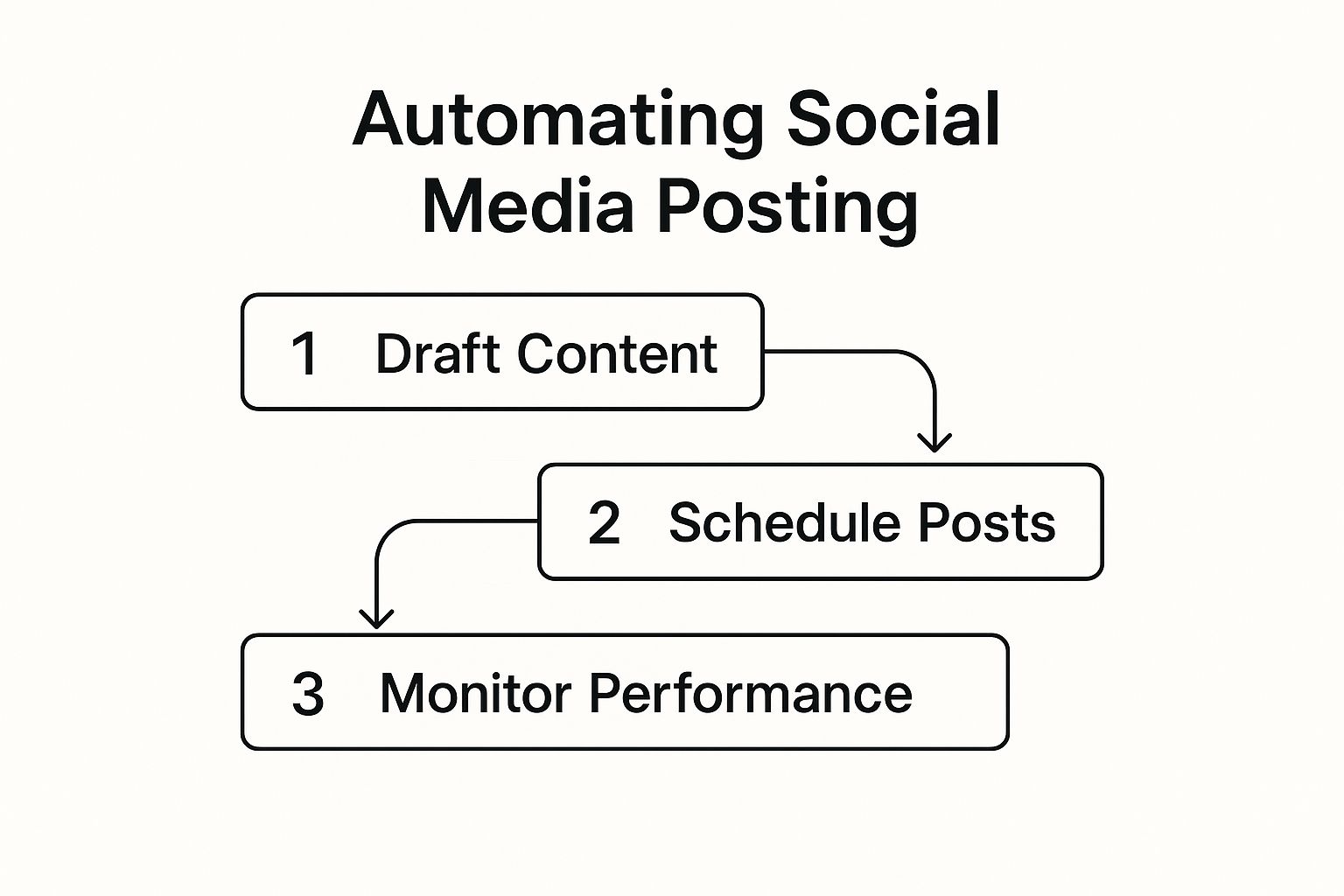
Before you even think about scheduling a single post, you need a blueprint. From my experience, the most effective way to organize your content strategy is with content pillars.
Think of these as the main topics or themes your brand will own and talk about consistently. They keep your messaging focused and ensure your audience knows what to expect from you.
For our coffee shop, The Daily Grind, the pillars might look something like this:
- Behind the Scenes: Giving people a peek at the baristas, the roasting process, and the general vibe of the shop.
- Coffee Education: Sharing tips on different brewing methods, explaining bean origins, or showing off some cool latte art.
- Community Spotlight: Featuring loyal customers, promoting local events, or shouting out other businesses in the neighborhood.
- Promotional Posts: This is for the direct stuff—announcing new drinks, weekly specials, and new merch.
By defining these pillars, The Daily Grind team immediately knows what kind of content to create. It makes brainstorming a hundred times easier and completely eliminates that dreaded “what on earth do we post today?” panic.
A well-defined set of content pillars acts as your strategic North Star. It guides every piece of content you create, ensuring everything you post is relevant to your brand and valuable to your audience.
This strategic approach is really the heart of smart social media management. In fact, it’s become so essential that research shows about 47% of marketers are using automation tools specifically for social media.
This saves them up to six hours a week on repetitive tasks, freeing them up for the important work—like defining these very content pillars.
Organizing and Batching Your Content
With its pillars established, The Daily Grind team can now batch-produce its content.
This is a game-changer. Instead of scrambling to take one photo for one post, they can block off two hours on a quiet afternoon and create enough content to last for weeks.
During a single batching session, they could:
- Take a dozen photos of a new seasonal latte from different angles.
- Film a quick 30-second video of a barista explaining a pour-over technique.
- Interview a regular customer for an upcoming “Community Spotlight” post.
- Create a few simple graphics in Canva to announce their “Muffin Monday” deal.
All of these assets get sorted into digital folders named after the content pillars. This organized library becomes a goldmine for your automation tool, ready to be scheduled whenever you have a spot to fill.
Building Your Posting Schedule and Queues
Your content library is stocked and ready. Now it’s time to actually fill up the calendar. A smart schedule is built on data, not just guessing.
Most good automation platforms will give you analytics showing when your audience is most active. Use that as your starting point.
For The Daily Grind, the data might reveal peak engagement around 8 AM (the morning coffee rush), 1 PM (lunch break scrollers), and 7 PM (evening wind-down). These become the shop’s core posting slots.
Next, you’ll want to set up evergreen content queues. An evergreen queue is a collection of posts that aren’t time-sensitive. Your tool can automatically pull from this collection to fill any empty slots in your calendar, ensuring you never go dark.
Here’s how The Daily Grind could structure its queues:
- Coffee Education Queue: Filled with posts on brewing methods, bean facts, and a “Meet the Roaster” series.
- Behind-the-Scenes Queue: Packed with great photos of latte art, the shiny espresso machine in action, and candid team moments.
- Community Queue: A perfect place for user-generated content (UGC) from tagged customers and spotlights on other local businesses.
These queues guarantee that even when the shop is slammed and there’s no time to create a new promotional post, their social media profiles stay active and engaging. The automation tool just dips into a queue and publishes a high-quality post at a pre-approved time. Simple.
Streamlining with Templates and Hashtags

To squeeze even more efficiency out of this workflow, start using templates and hashtag groups. Most tools have features for this.
- Post Templates: The Daily Grind can create a template for their “Drink of the Week” posts. It might have placeholder text like, “✨ Meet our new [Drink Name]! It’s a delicious blend of [Flavor 1], [Flavor 2], and a hint of [Flavor 3]. Available all week!” The team just fills in the blanks each time.
- Hashtag Groups: Instead of manually typing out the same 20 hashtags, they can create saved groups like
#LocalCoffee,#BaristaLife, and#SpecialtyCoffee. Adding them to a post becomes a one-click job.
Finally, if you work in a team, an approval workflow is essential.
A junior team member can draft all the posts for the week, and a manager can then log in, review everything at once, and approve the batch. This catches errors and keeps the brand voice consistent without creating a frustrating bottleneck.
And just like that, you have a complete system to automate social media posting.
Scheduling Best Practices That Actually Work
Getting your automation tool fired up is a great first step, but this is exactly where so many social media managers stumble. They fall for the “set it and forget it” myth, queueing up a month’s worth of content and then walking away.
The result? A social media presence that feels sterile, robotic, and completely out of touch with what’s happening right now.
The real power of automation isn’t to remove yourself from the process. It’s about letting the technology handle the grunt work—the tedious, repetitive tasks—so you can pour your energy into what truly matters: genuine human interaction.
You’re aiming for a seamless blend of well-planned, valuable content and the authentic, in-the-moment engagement that builds a real following.
Find Your Posting Frequency Sweet Spot
So, how often should you post?
Well, it’s the million-dollar question, and the answer is frustratingly simple: it depends. If you bombard your LinkedIn audience with five posts a day, you’ll probably see your follower count drop.
On the other hand, posting just once a week on a platform like Pinterest will make you virtually invisible.
You can start by looking at general best practices for each platform, but you need to pivot to your own data—fast. Your analytics are your single source of truth. Dive in and look for the patterns:
- Does engagement fall off a cliff after your second post of the day?
- Are your weekend posts outperforming your weekday ones?
- Is there a specific time of day when your audience is most likely to actually click a link?
Let your data be the guide. The goal isn’t just to post more; it’s to post smarter. A great scheduling tool, like the one we’ve built into our Post Paddle scheduler, will surface these insights and help you pinpoint the absolute best times to publish.
Tailor the Message for Each Platform
This is a non-negotiable rule: never, ever copy and paste the exact same message across all of your social channels. What works on text-heavy, professional LinkedIn will absolutely tank on visually-driven, informal Instagram.
Think of it this way: you’re not creating one post. You’re creating one idea that gets adapted and remixed for each platform’s unique audience and culture.
- LinkedIn: The tone here is professional. Focus on industry insights, career advice, or company news. You’ll want to use full sentences and offer thoughtful commentary.
- Instagram: It’s all about the visual. Lead with a high-quality photo or an engaging Reel. The caption can be more casual, using emojis and the right hashtags to get discovered.
- Pinterest: This is a visual search engine. Your “caption” is really a keyword-rich description built to help people find your content weeks, or even months, down the road.
This kind of customization is what makes your automated content feel handcrafted and thoughtful, not lazy.
The single most important rule to remember is this: Automate the distribution, not the conversation. Your tool handles the ‘when’ and ‘where,’ but you are still responsible for the ‘why’ and ‘who’—the human connection that builds a real community.
Balance Automation with Real-Time Engagement

Your scheduled content is the foundation of your strategy, but the real magic happens in the moments you can’t possibly plan for.
When a huge news story breaks in your industry or a meme takes over the internet, your pre-scheduled post about a two-week-old blog can look painfully tone-deaf.
A smart workflow always includes a “pause” button. When the unexpected happens, hit pause on your entire queue. This gives you the breathing room to assess the situation and decide whether to join the conversation, stay silent, or resume your schedule later.
This approach is becoming the norm.
The marketing automation market is growing fast, largely because of its role in social media. In 2025, it’s projected that around 50% of marketers will use automation for their social media efforts. Customer profiling and social media tracking are two of the most commonly automated tasks, helping brands stay timely and relevant.
Finally, make sure to schedule time to just be present. Log in every day to reply to comments, answer DMs, and thank people for sharing your posts.
This is the human touch no tool can ever replicate, and it’s what ultimately turns followers into a loyal community.
If you’re automating your social media posts but not tracking the results, you’re only doing half the job. It’s like driving with your eyes closed—you’re moving, but you have no idea where you’re headed.
Automating isn’t just about saving a few hours; it’s about collecting a treasure trove of performance data in one place. That data is your roadmap.
Think of it as creating a feedback loop.
You schedule content, see what lands with your audience (and what totally bombs), and then use those lessons to make your next round of posts even sharper. This is how you go from just making noise online to actually building a predictable growth engine for your brand.
Focus on Metrics That Actually Matter
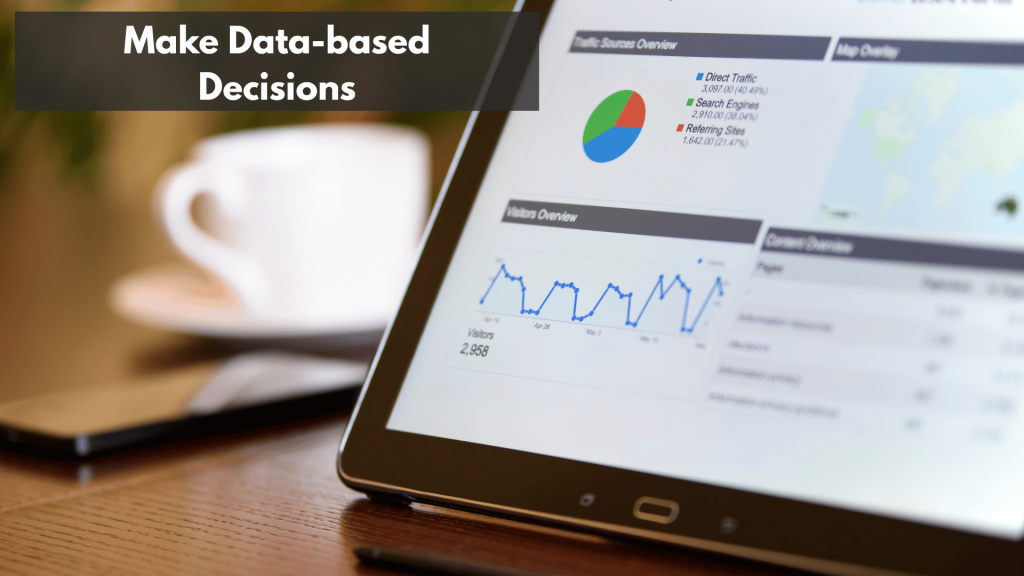
It’s easy to get caught up in vanity metrics. A rising follower count feels great, but it doesn’t directly translate to revenue. Instead, you need to zero in on the Key Performance Indicators (KPIs) that tie directly back to your business goals.
Your automation tool’s analytics dashboard should become your command center. To understand what’s really working, here’s what I always keep an eye on:
- Engagement Rate: This is the big one. It’s the percentage of your audience that actually bothers to like, comment on, or share your posts. A high engagement rate proves your content is hitting the mark—a much healthier sign than a huge, silent audience.
- Click-Through Rate (CTR): Are people doing what you want them to do? CTR tells you how many users clicked a link in your post. If you’re trying to drive traffic to a blog or a sales page, this metric is non-negotiable.
- Conversions: This is where the rubber meets the road. Did that click lead to a sale, a newsletter signup, or a PDF download? Solid automation tools let you track this by using UTM parameters, connecting your social media activity directly to business results.
When you start tracking these, you shift from just being on social media to being effective on it.
Your data tells a story. A dip in CTR on Tuesdays might mean your call-to-action is weak, while a spike in shares on Friday could reveal a winning content format. You just have to learn to listen to what your analytics are telling you.
Key Metrics for Measuring Automation Success
To make this even clearer, let’s break down the most important metrics. This table outlines what to track and why it’s so critical for evaluating how well your automation efforts are paying off.
| Metric | What It Measures | Why It Matters for Automation |
|---|---|---|
| Engagement Rate | The percentage of your audience interacting with a post (likes, comments, shares). | Shows if your scheduled content resonates or is just noise. High engagement tells algorithms your content is valuable. |
| Click-Through Rate (CTR) | The percentage of viewers who clicked a link in your post. | Directly measures how effective your content is at driving traffic to your website, blog, or landing pages. |
| Reach/Impressions | How many unique users saw your post (Reach) vs. the total number of times it was seen (Impressions). | Helps you understand if automation is getting your content in front of new eyes, especially at different times of day. |
| Conversions | The number of users who completed a desired action (e.g., purchase, signup) after clicking a link. | The ultimate ROI metric. It proves your social media efforts are contributing directly to business goals. |
| Audience Growth Rate | The rate at which your follower count is increasing over a specific period. | While a vanity metric on its own, when combined with high engagement, it shows your strategy is attracting the right kind of followers. |
Tracking these KPIs systematically will transform your approach. You’ll move beyond guesswork and start making data-informed decisions that consistently improve your results.
Turning Insights Into Action

Okay, so you have the data. Now what? It’s time to put on your lab coat and start experimenting. The process is simple: analyze what happened, form a hypothesis about why it happened, and then test your theory.
For instance, let’s say your analytics show that posts featuring video get 50% more shares than your posts with static images.
- Analysis: Video content is performing exceptionally well.
- Hypothesis: My audience is more likely to share videos, which should expand my reach.
- Test: For the next month, I’ll schedule more short-form videos and watch my share and reach metrics to see if they climb.
You can apply this same thinking to your posting schedule. Most automation tools provide heatmaps showing when your audience is most active.
For a visual platform like Pinterest, this is absolute gold. Nailing the timing can give your Pins the initial boost they need to take off.
If you really want to get this right, our guide on how to schedule pins on Pinterest breaks down specific tactics for finding and leveraging those peak hours.
A/B Testing Within Your Automated Workflow
Don’t be afraid to run small, controlled experiments within your content calendar. A/B testing isn’t just for email marketers and landing pages; it’s an incredibly powerful way to fine-tune your social media content.
You can easily set up tests for different elements to see what your audience responds to:
- Headlines: Share the same article twice, maybe a week apart, but with two totally different headlines.
- Images: Use the exact same caption but test it with two different visuals. Does a lifestyle photo outperform a graphic?
- Calls-to-Action (CTAs): Pit “Shop Now” against “Learn More” on similar posts to see which one actually drives more clicks.
Keep a close eye on the results in your analytics dashboard.
Over time, these little tests add up, giving you a crystal-clear playbook for the exact words and images that motivate your audience. It’s how you make every single scheduled post work harder for you.
Make Automation the Backbone of Your Social Media
The biggest risk now isn’t doing automation “wrong”—it’s reading this, nodding along, and going back to manual posting next week. Turn this guide into a simple, concrete 30-day experiment:
- Pick your primary tool and core platforms. Commit to one scheduler and 1–3 social channels that actually matter for your business.
- Define 3–5 content pillars. Brain-dump post ideas into each pillar so you never sit down to a blank calendar again.
- Batch one week of content at a time. Create and schedule posts in a single sitting, instead of scrambling every day.
- Set 2–3 real KPIs (not vanity metrics). For example: saves, link clicks, or email signups driven from social.
- Review and adjust weekly. Look at what your automated posts did for you, then tweak timing, formats, and topics based on the data.
If you treat automation as an operating system—plan, schedule, measure, refine—your social media stops being a daily chore and starts behaving like a predictable engine that runs even when you’re off the clock.
Ready To Automate Posting With Pins That Are Already Written Well?
Automation only works if you have strong content ready to schedule.
Use the FREE Pinterest GPTs from PostPaddle to quickly draft clear on topic copy for each Pinterest pin before you load up your scheduler.
This will help you easily create text in one focused session and keep your automated queues filled with polished pins instead of rushed last minute captions.
Common Questions About Social Media Automation
As you start to automate social media posting, it’s totally normal for a few questions—and maybe a little apprehension—to bubble up.
Handing over parts of a manual process can feel like a big leap. Let’s walk through some of the most common concerns I hear from people, so you can move forward with a clear, confident strategy.
Getting these answers straight is the difference between a clunky, ineffective system and one that genuinely feels authentic and gets results.
Will Automating Posts Make My Brand Seem Robotic?
This is, without a doubt, the number one fear. The good news? The answer is a firm “no,” but with a catch: you have to do it right. The trick is to automate the task, not the relationship.
Let your scheduling tool handle the heavy lifting of consistently publishing your valuable content—think blog posts, handy tips, and evergreen resources.
This buys back your time, freeing you up for the things a machine can’t do. You can now focus on engaging with comments, responding thoughtfully to DMs, and jumping into real-time conversations. A smart strategy is always a blend.
Your audience gets a steady stream of value from your scheduled posts and a real human connection from your live interactions.
The real goal of automation isn’t to remove the human; it’s to amplify it. By taking the repetitive scheduling off your plate, you have more bandwidth to engage one-on-one with the people who make up your community.
How Do I Handle Breaking News With a Scheduled Calendar?
Any solid social media strategy has to be flexible. The old “set it and forget it” mindset is a surefire way to look out of touch, especially when major, unexpected news breaks.
Posting a lighthearted meme during a serious global event can make your brand seem tone-deaf and damage your reputation.
This is why your automation tool absolutely must have a “pause” button.
The second you see significant news unfolding, your first move should be to hit pause on your entire content queue. That one simple click stops any scheduled posts from going live, giving you a moment to breathe and assess the situation.
From there, you can decide if it’s appropriate to join the conversation, stay silent, or figure out when it’s okay to resume your normal programming.
What Is The Difference Between Scheduling and Curation?
It helps to think of scheduling and curation as two sides of the same coin. They’re distinct but work together perfectly to build a feed your audience actually wants to follow.
- Scheduling is all about your own original content. This is where you load up your blog posts, videos, case studies, and other updates into your tool to be published at specific times.
- Curation, on the other hand, is the art of finding and sharing high-quality, relevant content from other creators in your niche. It could be a brilliant article from a thought leader or a useful guide from a brand that isn’t a direct competitor.
Most tools designed to automate social media posting are built to handle both. In my experience, the most engaging social feeds almost always strike a healthy balance between original and curated posts.
How Often Should I Review My Automated Schedule?
Your schedule should never be carved in stone. Think of it as a living document that needs to adapt as you learn more about your audience. For most, a monthly review is a fantastic starting point.
At the end of each month, take a deep dive into your analytics.
Pay close attention to which posts, content formats, and posting times drove the most engagement. Use those hard numbers to fine-tune your schedule for the next month.
For your evergreen content queues—the stuff that gets recycled over time—a quarterly check-in is usually enough to refresh old links or update information, making sure everything you share is still valuable and accurate.