
Juggling multiple social media accounts can feel like a never-ending cycle of content creation, manual posting, and late-night engagement checks.
If you’re dedicating hours each week to these repetitive tasks, you’re not just losing valuable time; you’re actively hindering your brand’s potential for strategic growth.
Manual management is inefficient, prone to errors, and makes it nearly impossible to post consistently during peak audience hours without sacrificing your personal schedule.
The solution lies in dedicated social media automation tools. These platforms are no longer a luxury for large enterprises; they are essential for any business, blogger, or agency serious about scaling their online presence.
They handle the burdensome tasks of scheduling, cross-posting, and even basic analytics, freeing you to focus on high-impact activities like community building, strategy development, and creating better content.
This shift from manual operator to strategic manager is critical for driving meaningful results.
In this comprehensive guide, we cut through the noise to bring you a detailed breakdown of the 12 best social media automation tools available.
We’ll explore everything from all-in-one management suites like Hootsuite and Sprout Social to powerful integrators like Zapier, providing a clear path to finding the perfect fit for your specific needs and budget.
Each review includes an honest assessment of pros and cons, pricing details, ideal use cases, screenshots, and direct links to help you make an informed decision quickly.
Let’s find the right platform to reclaim your time and accelerate your growth.
The 12 Best Social Media Automation Tools to Try in 2026
With so many platforms promising to “save you time” and “boost your engagement,” it can be hard to tell which tools are actually worth plugging into your workflow.
Instead of giving you a random list, this breakdown focuses on proven social media automation tools that solve real problems for creators, businesses, and agencies.
Below, you’ll find 12 options ranging from all-in-one suites to Pinterest-specific and integration-focused tools.
For each one, you’ll see core features, pricing, and who it’s best for, so you can quickly spot the few that match your channels, team size, and budget, without having to test dozens of platforms yourself.
1. Post Paddle
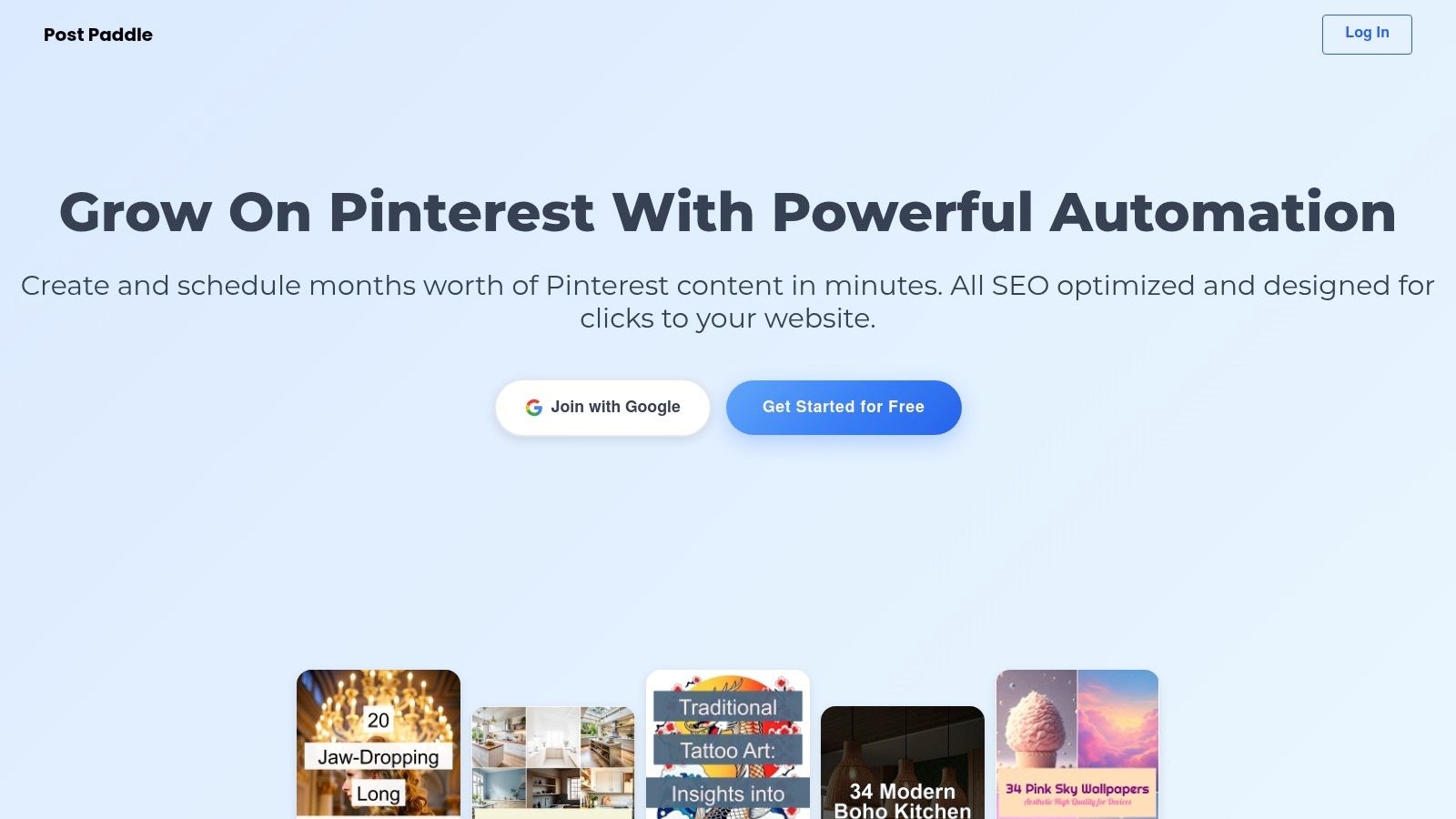
Post Paddle distinguishes itself as a premier, all-in-one platform specifically engineered for mastering Pinterest automation.
While many social media automation tools offer broad, multi-platform support, Post Paddle provides a deep, specialized focus on Pinterest, transforming it from a manual chore into a powerful, automated traffic driver.
It leverages sophisticated AI to pull content directly from your website, then bulk-generates hundreds of SEO-optimized, aesthetically pleasing pins.
This specialized approach allows it to deliver features that generic schedulers often lack.
The AI not only creates pins but enriches them with engaging overlay text, optimized titles, and relevant descriptions designed to maximize visibility and clicks within Pinterest’s discovery-focused algorithm.
This makes it an invaluable asset for bloggers, e-commerce stores, and content creators who rely on Pinterest for substantial website traffic.
Key Features & Use Cases
Post Paddle’s feature set is built for efficiency and scale. The intuitive pin editor allows for quick customization of colors, fonts, and layouts to maintain perfect brand consistency across all generated content.
- AI-Powered Bulk Creation: Ideal for bloggers and e-commerce sites, this feature can turn a single blog post or product page into dozens of unique pin variations in minutes, saving countless hours of design work.
- Smart Scheduling: Social media managers can set up content queues months in advance. The system intelligently shuffles pins, posts at optimal intervals, and distributes content across multiple boards to avoid spam triggers and maximize reach.
- Unlimited Account Management: Digital agencies benefit immensely from the ability to manage unlimited client Pinterest accounts from a single dashboard, a feature included in all paid plans.
- White-Labeling: The Agency plan offers a white-label solution, allowing marketing agencies to present the platform as their own proprietary tool to clients, adding significant professional value.
Pricing and Accessibility
Post Paddle offers a flexible pricing structure designed to scale with user needs, starting with a free trial that does not require a credit card.
| Plan | Price (Monthly) | Key Benefit |
|---|---|---|
| Starter | $29 | Perfect for individuals or small businesses getting started. |
| Pro | $49 | Higher pin limits and enhanced features for growing brands. |
| Agency | $99 | Highest pin volume, priority support, and white-labeling. |
The platform also provides a satisfaction guarantee with a full refund policy, making it a risk-free investment for those serious about elevating their Pinterest marketing strategy.
Best For: Bloggers, e-commerce brands, and digital marketing agencies focused on driving significant, targeted traffic from Pinterest.
Website: https://postpaddle.com
2. Hootsuite
Hootsuite is a veteran in the social media management space, positioning itself as a comprehensive, enterprise-ready solution.
It’s a powerful platform for large teams or businesses in regulated industries that require robust governance and collaboration features.
Its strength lies in its all-in-one approach, combining publishing, analytics, monitoring, and team management into a single dashboard.
Unlike newer, more niche tools, Hootsuite provides a broad set of features designed for scale.
This makes it one of the most versatile social media automation tools for organizations managing complex workflows and multiple brands.
Practical implementation involves setting up team members with specific roles and permissions, creating approval queues for content, and using the bulk scheduler to upload up to 350 posts at once from a CSV file.
For more insights on how these features can streamline your workflow, you can learn more about how Hootsuite helps you automate social media posting.
Key Features & Pricing
Hootsuite’s feature set is extensive, focusing on control and deep analytics.
- Best Time to Post: The “AutoSchedule” feature analyzes your audience’s activity to publish content at optimal engagement times.
- Unified Social Inbox: Manage comments, mentions, and direct messages from all connected profiles in one centralized stream, assigning conversations to specific team members.
- Advanced Analytics & Listening: Create customizable reports and set up streams to monitor keywords, hashtags, and competitors across social platforms.
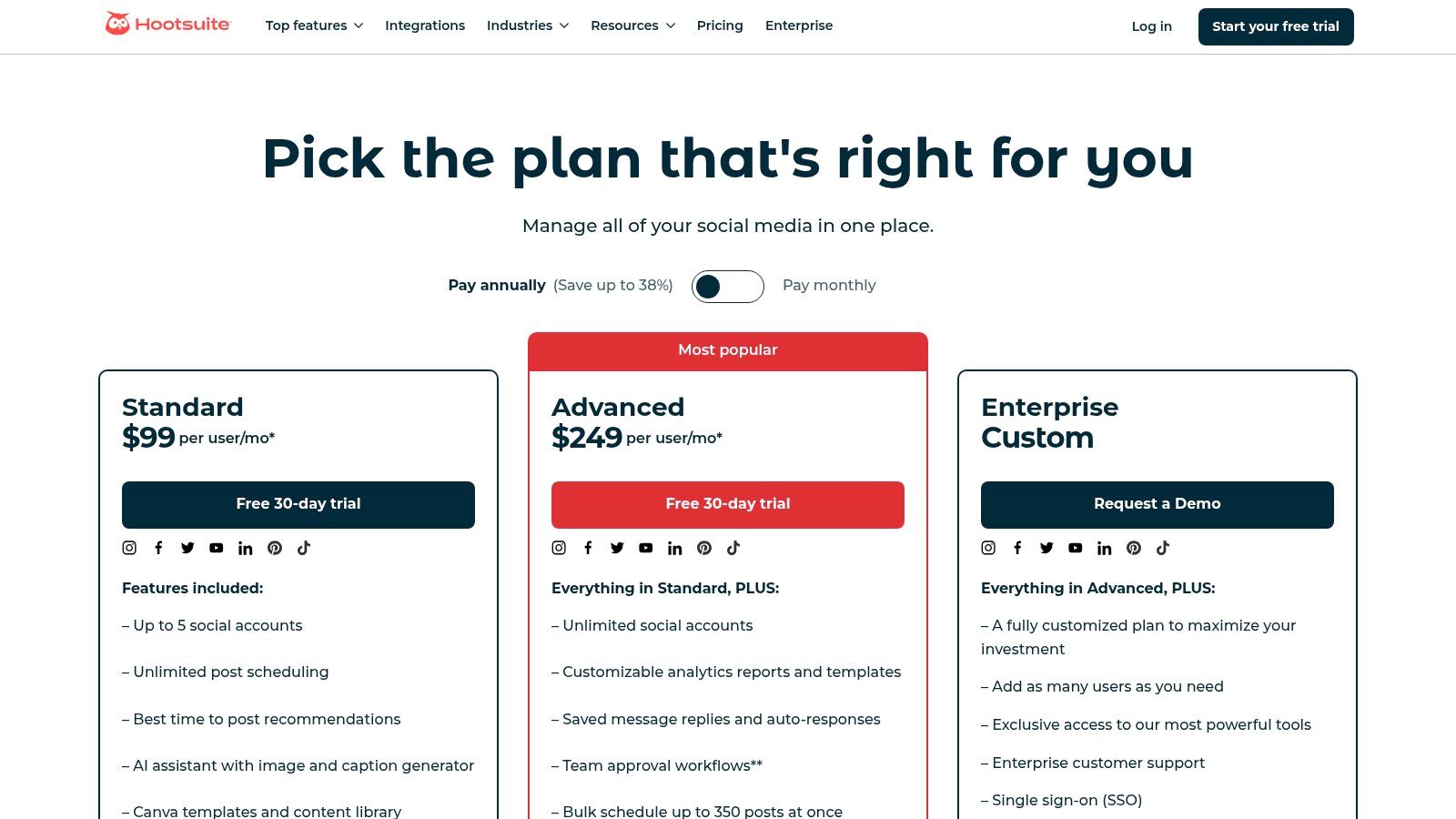
Pricing for Hootsuite starts with a Professional plan at $99/month for one user and 10 social accounts. The Team plan is$ 249/month for 3 users and 20 accounts.
Enterprise-level plans offer custom pricing. The main limitation is that costs can escalate quickly as you add more users or require specialized add-ons, making it a significant investment.
Website: https://www.hootsuite.com/plans
3. Sprout Social
Sprout Social is a premium, all-in-one social media management platform designed for sophisticated teams that prioritize analytics, customer care, and collaboration.
It excels in providing deep data insights and streamlined workflows, making it a favorite for mid-market and enterprise businesses that view social media as a core business function.
Its platform is polished and intuitive, focusing on turning social data into actionable business intelligence.
What sets Sprout Social apart is its powerful combination of publishing, engagement, and analytics tools, all unified within a clean user interface.
Practical implementation involves using its patented ViralPost® technology to schedule content for optimal engagement times and leveraging the Smart Inbox to manage all incoming messages and mentions in a single, filterable stream.
This makes it one of the most effective social media automation tools for teams focused on responsive customer service and data-driven strategy.
Key Features & Pricing
Sprout Social’s features are built around efficiency, collaboration, and in-depth reporting.
- Smart Inbox & CRM Tools: A unified inbox consolidates messages from all networks. It also includes CRM features to view conversation history and contact details, enabling personalized customer care.
- AI Assist & Optimal Send Times: Integrated AI helps users refine copy, adjust tone, and brainstorm ideas. The platform’s proprietary algorithm analyzes audience data to suggest the best times to post for maximum reach.
- Advanced Listening & Analytics: Go beyond surface-level metrics with detailed reports on performance, competitors, and industry trends. Social listening tools track brand mentions, keywords, and sentiment across the web.
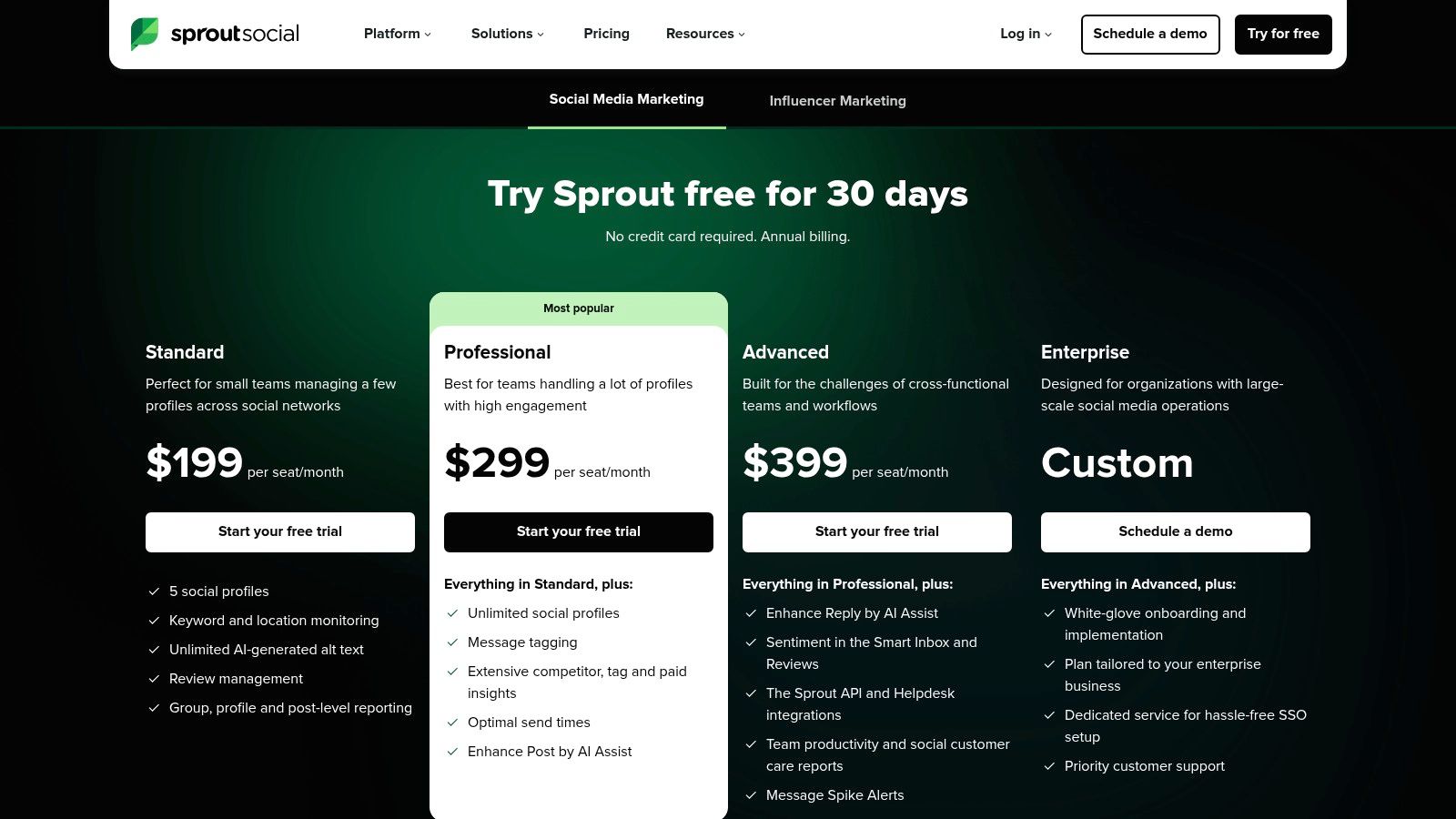
Pricing for Sprout Social reflects its premium positioning, starting with the Standard plan at $249/month for one user.
The Professional plan is$ 399/month, adding more advanced features. The main limitation is the high entry price and per-user cost, which can become expensive for larger teams, although a generous 30-day free trial is available.
Website: https://sproutsocial.com/pricing/?utm_source=chatgpt.com
4. Buffer
Buffer is celebrated for its clean, intuitive interface and straightforward approach to social media scheduling.
It’s an ideal choice for small businesses, individual creators, and teams who prioritize ease of use and affordability over complex, enterprise-level features.
Its strength lies in its simplicity, making it one of the most accessible social media automation tools for those new to scheduling platforms or managing a smaller number of accounts.
Unlike comprehensive suites, Buffer focuses on doing a few things exceptionally well: scheduling, analyzing, and engaging.
A practical implementation involves creating a preset posting schedule for each social profile, then simply adding content to the queue, which Buffer automatically publishes at the next available time slot.
The platform also includes an AI assistant to help repurpose content and generate ideas, which is especially useful for creators.
You can explore a list of other helpful AI tools for content creators to further enhance your workflow.
Key Features & Pricing
Buffer’s feature set is designed for efficiency and simplicity, with a famously transparent pricing model.
- Queue-Based Scheduling: Set a unique posting schedule for each profile and simply add content to your queue for automated, consistent publishing.
- Engagement Tools: Manage comments and interactions from a unified inbox to ensure timely responses without switching between platforms.
- AI Assistant & Hashtag Manager: Generate post ideas, rephrase content, and create or save groups of hashtags to optimize reach and save time.
Buffer offers a generous Free plan for up to 3 channels. The Essentials plan starts at $6/month per channel, allowing users to pay only for what they need.
A Team plan is available for$ 12/month per channel and adds approval workflows. The main limitation is that it lacks the deep social listening and advanced governance features found in more expensive enterprise tools.
Website: https://buffer.com/pricing?utm_source=chatgpt.com
5. Later
Later began as a purely Instagram-focused tool and has since evolved into a powerful, visually-centric platform for major social networks.
Its strength lies in its intuitive drag-and-drop visual planner, making it an ideal choice for brands, creators, and marketers whose strategy revolves around high-quality images and videos on platforms like Instagram, TikTok, and Pinterest.
It simplifies the process of curating a cohesive and aesthetically pleasing feed.
Unlike more text-heavy or enterprise-focused platforms, Later excels at the creative workflow. It’s one of the best social media automation tools for teams that prioritize visual storytelling over complex governance.
A practical use case involves uploading a month’s worth of visual assets to the media library, then using the calendar to visually plan and schedule posts for Instagram, TikTok, and Pinterest.
The Link-in-Bio feature also allows for creating a clickable landing page, driving traffic directly from your social profiles.
Key Features & Pricing
Later’s feature set is tailored for visual content management and creator-led marketing.
- Visual Planner: Arrange upcoming posts on a drag-and-drop calendar to preview exactly how your Instagram grid will look.
- Auto-Publishing & Scheduling: Supports auto-publishing for Instagram (including Reels, Stories, and Carousels), TikTok, Facebook, Pinterest, LinkedIn, X, and YouTube Shorts.
- Link in Bio Tool: Create a customizable, shoppable landing page that links to products, articles, and more, all managed within the Later platform.
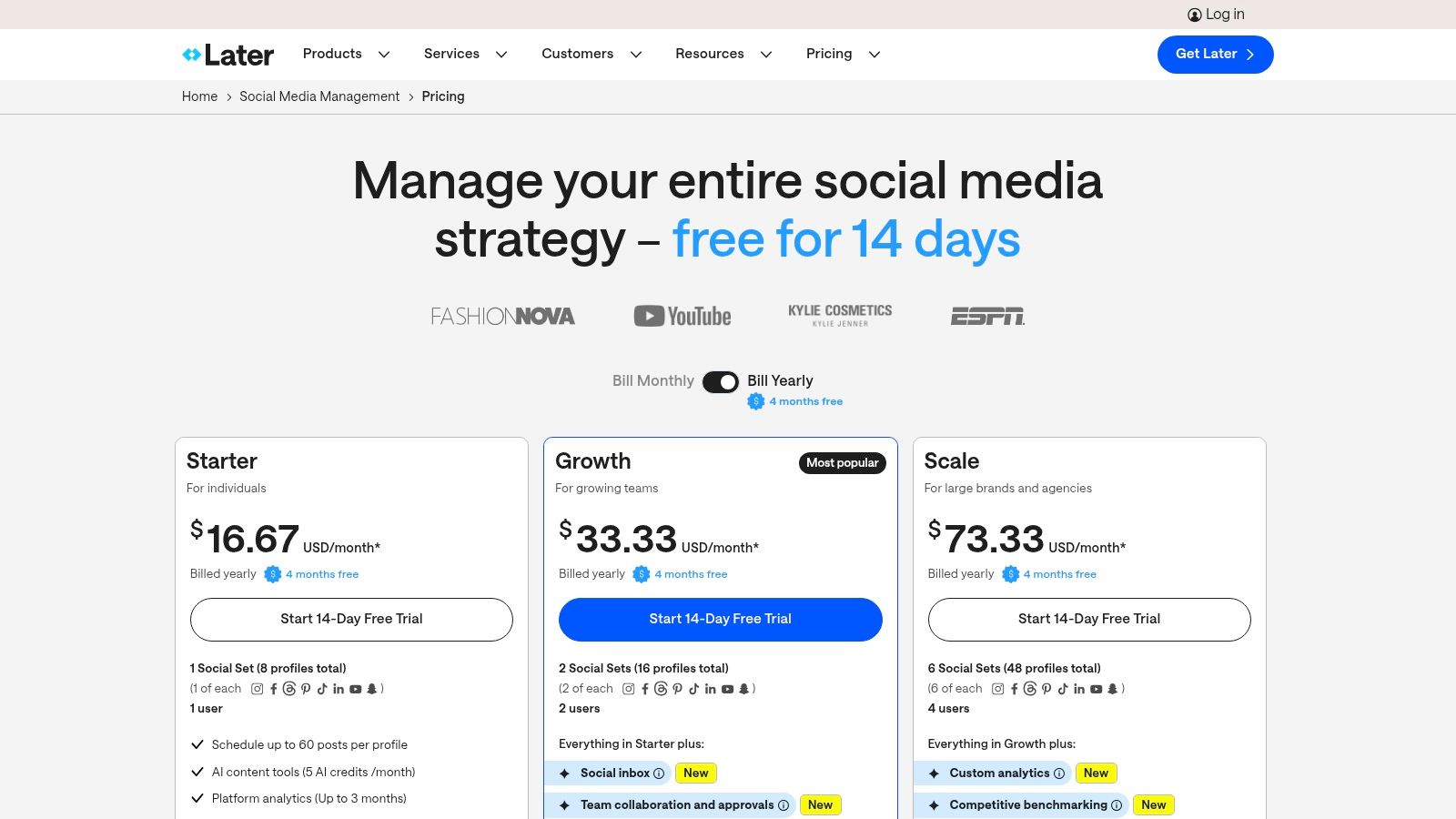
Later offers a Starter plan at $25/month for one user and one “social set” (one profile per platform). The Growth plan is$ 45/month, and the Advanced plan is $80/month, adding more users and social sets.
While its pricing is accessible for SMBs and creators, it lacks the advanced team management, deep analytics, and security controls needed for large enterprise operations.
Website: https://later.com/pricing
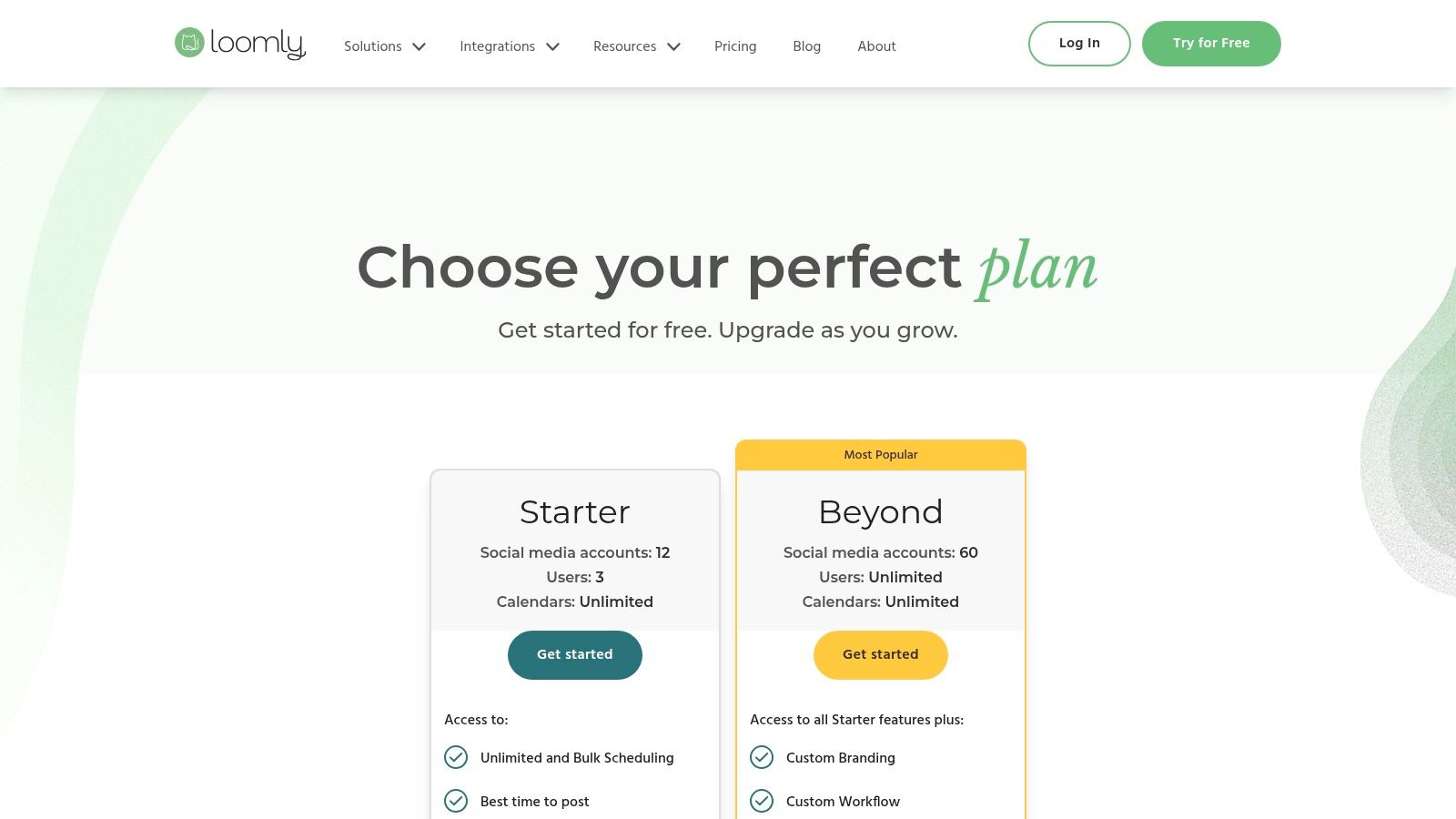
6. Loomly
Loomly is a brand success platform that focuses heavily on content creation, collaboration, and planning.
It’s particularly well-suited for marketing teams and agencies that require a structured approval process and a clear, calendar-based overview of their entire content strategy.
Its strength lies in its user-friendly interface that guides users from a post idea to multi-channel publication with built-in quality checks and optimization tips.
Unlike platforms focused purely on bulk scheduling, Loomly emphasizes a collaborative workflow.
This makes it an excellent choice among social media automation tools for teams needing to maintain brand consistency across numerous accounts.
Practical implementation involves creating a content calendar, assigning collaborators to review and approve posts, and using the post idea generator for inspiration.
The platform’s built-in ad mockups and previews ensure content looks perfect before it goes live.
Key Features & Pricing
Loomly’s features are designed to streamline the entire content lifecycle, from ideation to analysis.
- Guided Content Creation: Provides post ideas, optimization tips, hashtag suggestions, and subject line testing to improve content quality.
- Collaborative Review & Approval Workflow: A straightforward system allows team members and clients to comment, edit, and approve content before it is scheduled, ensuring brand compliance.
- Advanced Analytics & Reporting: Generate detailed performance reports for each post and account, with the ability to create custom reports and compare date ranges.
Loomly’s pricing starts with a Base plan at $42/month for 2 users and 10 social accounts.
The Standard plan is$ 84/month, increasing limits to 6 users and 20 accounts. Higher-tier plans add more advanced features and user seats.
A key limitation is that some advanced features, like ad management and in-depth analytics, are reserved for more expensive plans, and final mid-tier costs may need verification at checkout.
Website: https://www.loomly.com/pricing
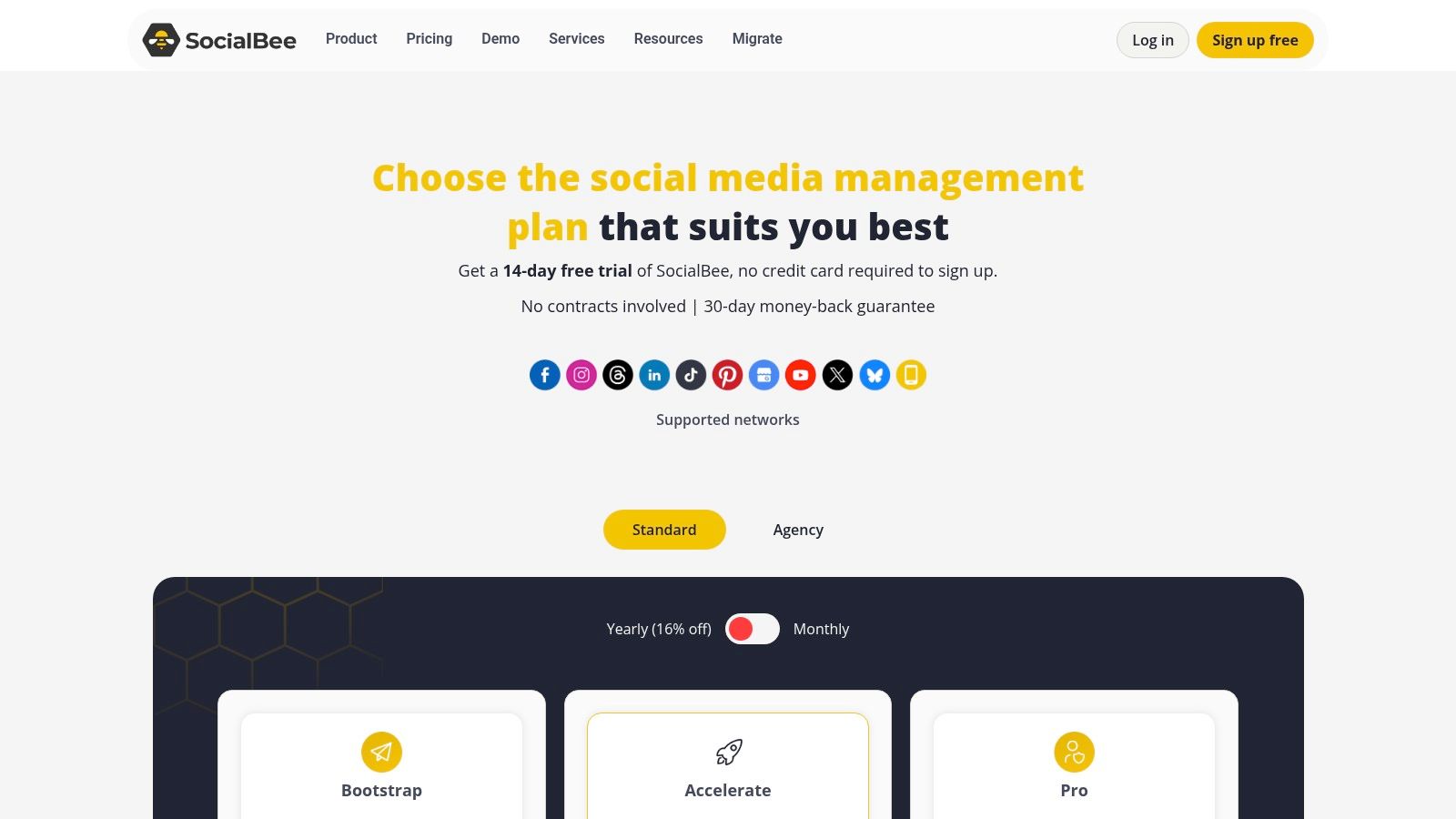
7. SocialBee
SocialBee is designed for small to medium-sized businesses and agencies that need powerful content scheduling without an enterprise-level price tag.
Its standout feature is category-based content queuing, which allows users to organize posts by theme (e.g., blog posts, promotions, behind-the-scenes) and set a posting schedule for each category.
This system ensures a balanced and consistent content mix with minimal manual effort.
Unlike many competitors, SocialBee excels at evergreen content recycling, automatically reposting your most valuable content at set intervals to maximize its reach and lifespan.
This makes it one of the most efficient social media automation tools for teams looking to maintain an active presence without constantly creating new material.
A practical implementation involves creating content categories, adding posts to them, and letting SocialBee’s scheduler publish them according to your predefined plan, including setting posts to expire after a certain date or number of shares.
Key Features & Pricing
SocialBee’s features are centered around content management, recycling, and broad platform support, offering exceptional value.
- Category-Based Queues: Organize your content into different categories and create a custom posting schedule for each, ensuring a varied content feed.
- Evergreen Content Recycling: Automatically re-queue your best-performing posts to fill content gaps and drive continuous engagement.
- Broad Network Support: Connect and manage a wide array of profiles, including Facebook, Instagram, X (Twitter), LinkedIn, Pinterest, TikTok, YouTube, Google Business Profile, Threads, and Bluesky.
Pricing starts with the Bootstrap plan at $29/month for 1 user and 5 social accounts.
The popular Accelerate plan is$ 49/month for 1 user and 10 accounts, while the Pro plan at $99/month supports 5 users and 25 accounts.
The main limitation is its lack of advanced native social listening and enterprise-grade controls, making it less suitable for large corporations with complex compliance needs.
Website: https://socialbee.com/pricing/?utm_source=chatgpt.com
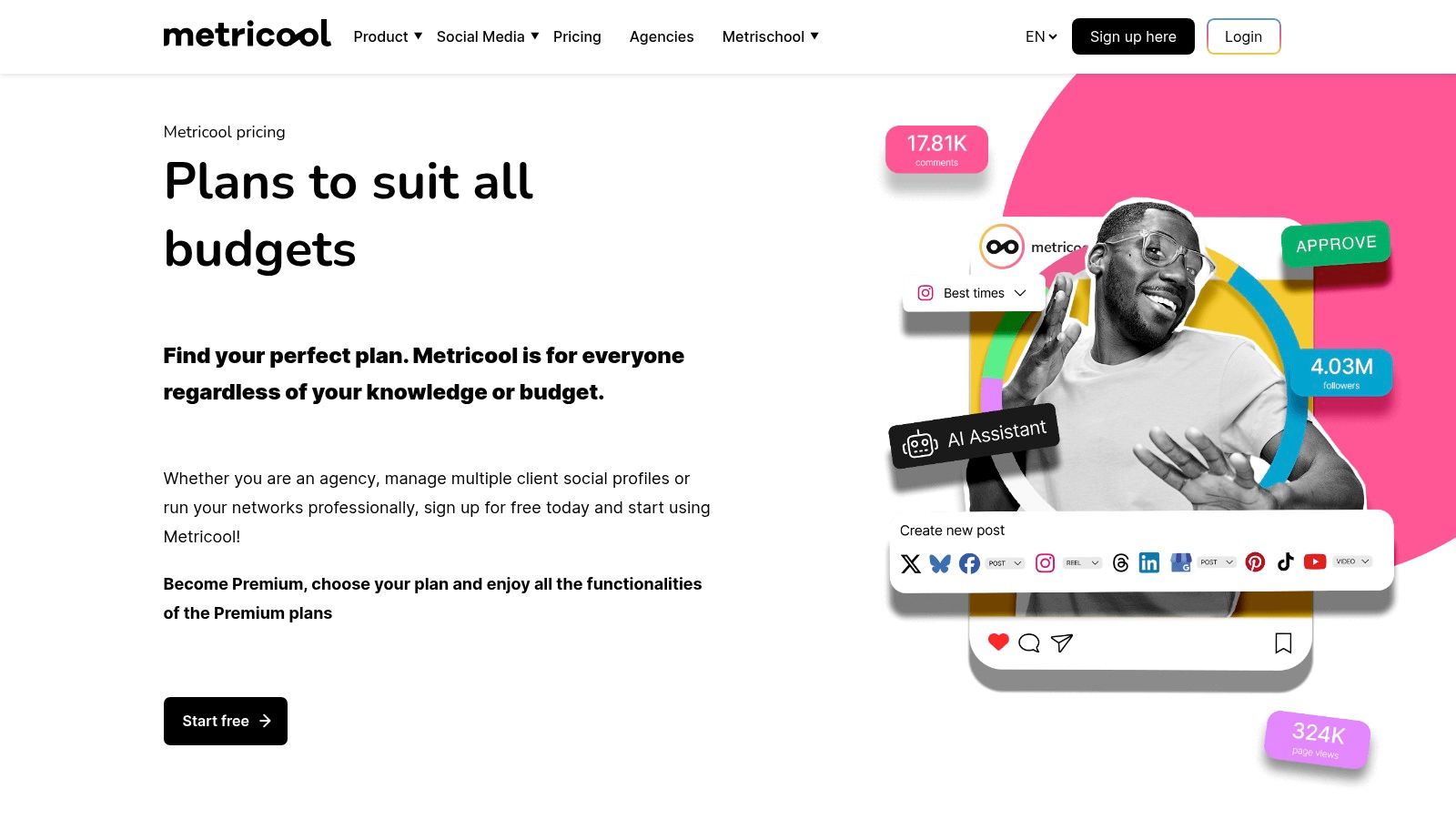
8. Metricool
Metricool stands out as an exceptionally versatile and affordable platform, making it a favorite among creators, small businesses, and agencies looking for a powerful all-in-one solution without a hefty price tag.
It combines scheduling, comprehensive analytics, competitor tracking, and ad management into a clean, user-friendly interface.
Its broad platform support, including newer networks like Threads and Bluesky, gives it a competitive edge.
Unlike many competitors, Metricool’s value proposition is its blend of accessibility and depth. It’s one of the few social media automation tools offering a generous free plan and scalable paid tiers that provide immense value.
Practical implementation involves using its visual calendar to plan content across all major platforms, generating professional-looking PDF or PPT reports for clients with a single click, and using its competitor analysis tool to benchmark performance against similar accounts in your niche.
Key Features & Pricing
Metricool’s feature set is designed for efficiency, analytics, and broad integration capabilities.
- Multi-Network Scheduling: Plan and automate posts for a wide range of platforms, including Instagram, Facebook, TikTok, YouTube, Pinterest, Threads, and Bluesky, all from a single calendar.
- Comprehensive Reporting: Automatically generate and download customizable reports in PDF and PPT formats, perfect for agencies and freelancers who need to show clients their progress.
- Competitor & Hashtag Analysis: Track competitor performance and analyze the best hashtags for your content directly within the platform to refine your strategy. It also integrates with Looker Studio and Zapier for extended workflows.
Metricool offers a robust Free plan for one brand. Paid plans start with the Starter plan at $18/month for 5 brands and the Advanced plan at$ 45/month for 15 brands, both offering unlimited scheduling.
A key limitation is that X/Twitter support is an add-on, and some advanced analytics are reserved for higher-tier plans.
Website: https://metricool.com/pricing/?utm_source=chatgpt.com
9. Meta Business Suite (Facebook/Instagram)
Meta Business Suite is the native, zero-cost management platform for businesses operating on Facebook and Instagram.
It centralizes content creation, scheduling, community engagement, and analytics, making it an essential starting point for anyone focusing exclusively on Meta’s ecosystem.
Its primary strength is its seamless integration, offering direct access to platform-specific features like Stories and Reels scheduling that third-party tools sometimes struggle with.
As a free and built-in solution, it’s one of the most accessible social media automation tools for small businesses, solopreneurs, and new social media managers.
A practical implementation involves using the Planner view to visualize your content calendar for both Facebook and Instagram, scheduling posts and Stories for optimal times suggested by the platform’s own data.
The unified inbox also allows you to manage comments and direct messages from both platforms without switching apps, streamlining community management significantly.
Key Features & Pricing
Meta Business Suite’s features are focused on core management tasks within its own network.
- Native Scheduling: Create and schedule posts, Stories, and Reels directly for both Facebook and Instagram from a single interface.
- Unified Inbox: Manage all comments and messages from Facebook, Instagram, and Messenger in one centralized location to improve response times.
- Performance Insights: Access basic analytics on reach, engagement, and audience demographics to understand content performance without needing an external tool.
The entire suite is completely free to use for anyone with a Facebook Business Page and a connected Instagram professional account.
Its main limitations are its exclusivity to Meta platforms and a reported scheduling cap of around 29 days in advance.
Occasional bugs or reliability issues have also been noted by users, but its value as a free, native tool is undeniable for simple workflows.
Website: https://business.facebook.com/
10. Zapier
Zapier is not a traditional social media scheduler but a powerful no-code automation platform that connects your social media tools with over 6,000 other apps.
Its strength lies in creating custom, cross-app workflows, or “Zaps,” that automate tasks far beyond simple post-scheduling.
It’s the ultimate connector for marketers who want to integrate their social media activities deeply with other business processes.
Unlike dedicated schedulers, Zapier excels at trigger-based automation.
Practical implementation includes creating a Zap that automatically shares new blog posts from an RSS feed to Twitter, posts new YouTube videos to a Facebook Page, or adds users who fill out a Lead Ad form to a CRM.
This level of integration makes it one of the most flexible social media automation tools for creating a self-sustaining marketing ecosystem.
For a deeper understanding of how this works, you can explore the principles of what content automation is.
Key Features & Pricing
Zapier’s feature set is built around its massive app library and workflow customization.
- Multi-Step Workflows: Create complex Zaps with conditional logic (Paths) that perform different actions based on specific criteria, such as routing leads differently based on their source.
- Extensive App Ecosystem: Connect to thousands of apps, including social media platforms, CRMs, email marketing services, and project management tools, for near-limitless automation possibilities.
- Custom Polling Intervals: Set how often Zapier checks for new data in your trigger app, with faster intervals available on higher-tier plans for more real-time automation.
Zapier offers a Free plan with limited, single-step Zaps. Paid plans start with the Starter plan at $19.99/month (billed annually) for multi-step Zaps and more tasks.
The Professional plan is$ 49/month for unlimited apps and faster polling. The primary limitation is its task-based pricing; high-volume automations can become costly, requiring careful monitoring of usage.
Website: https://zapier.com/blog/zapier-plan-improvements-2024/?utm_source=chatgpt.com
11. IFTTT
IFTTT, which stands for “If This Then That,” offers a uniquely simple and creative approach to automation. It connects disparate apps and services through simple conditional statements called “Applets.”
While not a traditional social media management platform, it’s an excellent tool for solopreneurs, creators, and small businesses looking to create lightweight, trigger-based social media workflows without a steep learning curve or high cost.
Unlike comprehensive management suites, IFTTT excels at single-purpose, set-and-forget automations. This makes it one of the most accessible social media automation tools for simple cross-posting or content aggregation.
A practical implementation could be automatically sharing your new Instagram posts as native Twitter photos, adding songs you save on Spotify to a public “listening to” playlist on a social channel, or archiving all your tweets to a Google Sheet.
The platform’s strength is its vast library of over 900 connected services, extending automation possibilities far beyond just social media.
Key Features & Pricing
IFTTT’s features are built around its core Applet-based system, focusing on connectivity and simplicity.
- Pre-built and Custom Applets: Users can activate thousands of ready-made automations or build their own from scratch using simple “if this, then that” logic.
- Multi-action and AI Integration: Pro+ plans unlock the ability to create Applets with multiple actions, conditional logic, and queries, plus access to AI services for content generation or summarization.
- Extensive Service Connectivity: Connects to a massive ecosystem of services, including social media, smart home devices, productivity apps, and more, allowing for creative and unconventional automations.
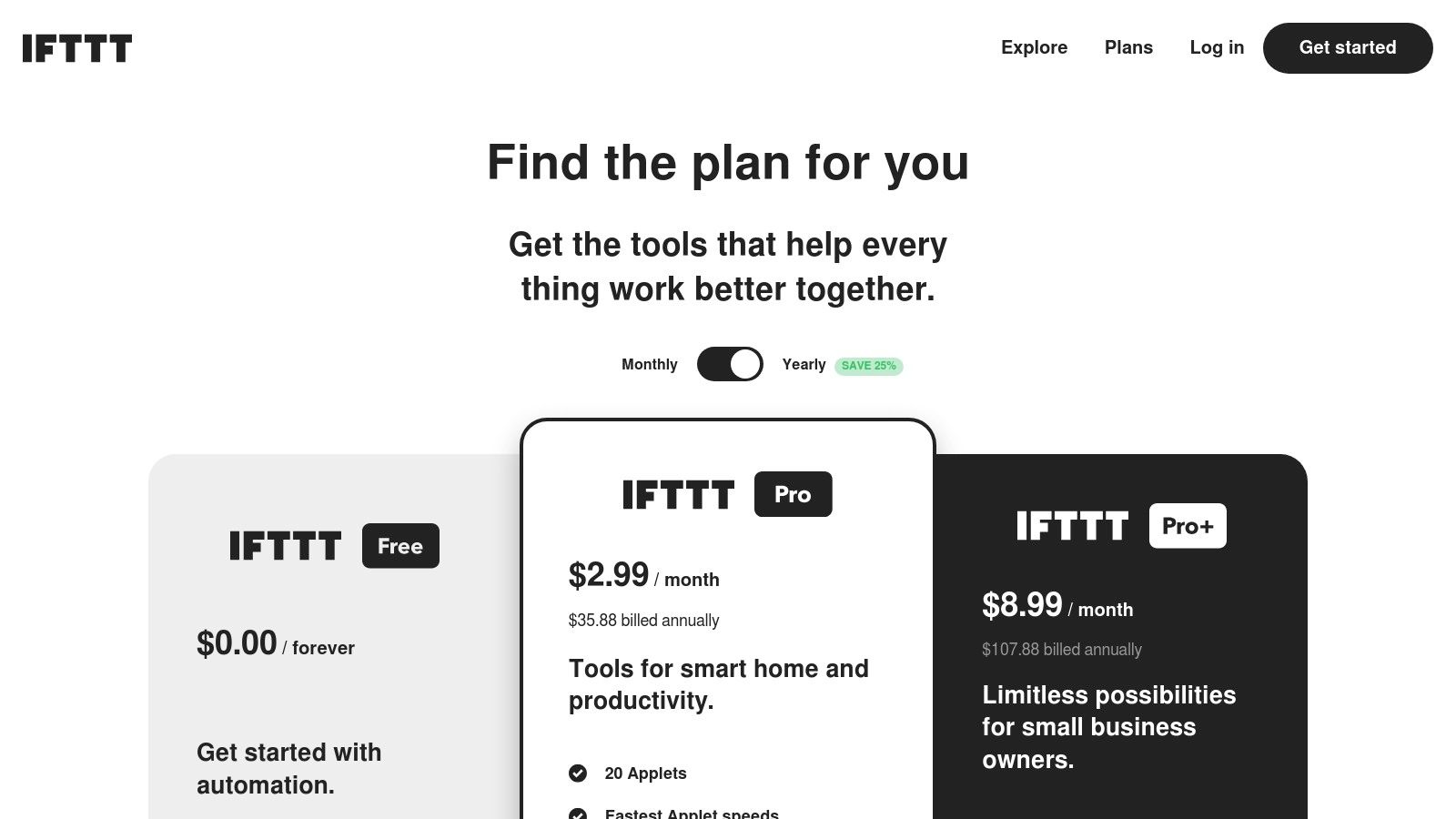
IFTTT offers a free tier that allows users to create 2 custom Applets. The Pro plan is $2.50/month, offering 20 Applets and faster execution speeds.
The Pro+ plan at$ 5/month provides unlimited Applets and advanced features like AI and webhooks.
The main limitation is its lack of advanced analytics, team features, and deep social media management tools, making it unsuitable for power users or agencies.
Website: https://ifttt.com/plans
12. G2
While not a direct automation platform itself, G2 is an indispensable resource for anyone in the market for social media automation tools.
It serves as a massive peer-review marketplace where real users rate and compare software, offering unbiased insights that you won’t find in marketing materials.
Its strength lies in its comprehensive filtering and comparison features, allowing you to quickly shortlist solutions based on user satisfaction, market presence, and specific features.
Unlike vendor websites, G2 aggregates thousands of reviews and presents data in an easily digestible grid format. This makes it a crucial first step in the evaluation process.
A practical way to use G2 is to filter the “Social Media Management” category by company size and desired features, then use the head-to-head comparison tool to see how your top two or three choices stack up on specific metrics like “Ease of Use” or “Quality of Support.”
This approach saves significant time and helps you make a more informed decision.
Key Features & Pricing
G2’s features are designed to simplify the software discovery and vetting process.
- Category Filters & Grids: Narrow down hundreds of tools by satisfaction scores, market presence, and specific functionalities to find the best fit for your business needs.
- Head-to-Head Comparisons: Select multiple tools to see a side-by-side breakdown of user ratings across various criteria, from implementation to customer support.
- Verified User Reviews: Access a large volume of up-to-date reviews from verified users, providing authentic pros and cons for each platform.
G2 is free to use for browsing and comparing software. Pricing information listed on the platform is provided as a snapshot and may not always be current.
A key limitation is that entry-level pricing on G2 can lag behind official vendor updates, so it’s essential to always verify final costs directly on the tool’s website.
Website: https://www.g2.com/categories/social-media-mgmt?utm_source=chatgpt.com
Top 12 Social Media Automation Tools Comparison
| Platform | Core Features / Automation ✨ | User Experience / Quality ★★★★☆ | Value Proposition 💰 | Target Audience 👥 | Unique Selling Points 🏆 | Price Points 💰 |
|---|---|---|---|---|---|---|
| Post Paddle 🏆 | AI-driven bulk pin creation, SEO-optimized, smart scheduling | Intuitive editor, seamless multi-board mgmt | Scalable plans, unlimited accounts, risk-free trial | Bloggers, SMBs, agencies | AI-powered Pinterest focus, bulk aesthetics templates, no credit card trial, refund | Starter to Agency tiers; flexible & scalable |
| Hootsuite | Unlimited scheduling, social listening, analytics | Strong governance & collaboration tools | Enterprise-ready, broad toolset | Large teams, regulated industries | Deep analytics, best-in-class social listening | Variable, add-ons extra |
| Sprout Social | Scheduling, Smart Inbox, advanced reporting | Excellent analytics and client care | Enterprise onboarding, 30-day free trial | Mid-market & enterprise teams | AI-assisted publishing and replies | Premium per-seat pricing |
| Buffer | Queue scheduling, hashtag manager, engagement inbox | Easy onboarding, simple UX | Transparent pricing, free plan available | Creators, small teams | Low-cost, user-friendly | Low-cost per channel |
| Later | Visual planner, auto-publish, link-in-bio tools | Visual-first design, good Instagram/TikTok tools | Affordable entry, 14-day free trial | Creators, visual brands | Best for Instagram/TikTok focused scheduling | Clear, affordable tiers |
| Loomly | Content calendar, approvals, analytics | Straightforward calendar workflow | Scales well for agencies | Agencies, multi-brand teams | Client approvals, Slack/Teams integration | Pricing not fully public |
| SocialBee | Category queues, evergreen reposting, multi-network | Highly rated for ease and support | Competitive pricing, 14-day free trial | SMBs, small agencies | Strong customer support, category-based automation | Affordable tiers |
| Metricool | Scheduling, analytics, competitor tracking | Strong cost-to-feature ratio | Free tier + scalable paid plans | Creators, SMBs, agencies | Broad platform support, integrations with Looker Studio & Zapier | Scalable, fair-use basis |
| Meta Business Suite | Native FB/IG scheduling, engagement inbox | Basic analytics, free | No cost, native integration | Small teams, FB/IG users | Fully free, Facebook & Instagram native | Free |
| Zapier | Cross-app automation, conditional logic | Extensive app ecosystem | Reduces manual work via automation | Teams needing cross-platform flows | No-code multi-step automation | Task-based pricing |
| IFTTT | Multi-action Applets, webhooks, AI services | Fast setup, unlimited applet runs | Low barrier for simple automation | Creators, solopreneurs, SMBs | Simple, lightweight cross-posting | Freemium + paid plans |
| G2 | User reviews, comparisons, pricing snapshots | Large user base, up-to-date insights | Quick benchmarking | Buyers researching tools | Extensive reviews & direct trial links | Free browse & compare |
Choosing the Right Automation Tool for Your Strategy
Navigating the landscape of social media automation tools can feel overwhelming, but the right platform is a game-changer for your digital strategy.
Throughout this guide, we’ve dissected everything from enterprise-level powerhouses like Sprout Social and Hootsuite to nimble, cost-effective solutions like Buffer and SocialBee.
We’ve seen how each tool carves out its niche, catering to different workflows, team sizes, and strategic priorities.
The central takeaway is this: there is no single “best” tool for everyone. The ideal choice is deeply personal to your goals.
The selection process isn’t about finding the platform with the most features; it’s about identifying the platform with the right features for your specific needs.
How to Make Your Final Decision
To move from analysis to action, you need a clear framework. Before committing to a subscription, run through this final checklist to ensure you’re making a strategic investment, not just a purchase.
1. Define Your Primary Goal
What is the number one problem you need to solve? Is it saving time on content scheduling? Gaining deeper analytical insights? Managing multi-client workflows?
If your primary objective is driving website traffic from a visual search engine, a Pinterest-specific tool like Post Paddle will be far more effective than a generic, all-in-one platform.
2. Assess Your Team’s Workflow
Consider who will be using the tool. A solopreneur or small business owner might prioritize a simple, intuitive interface like Later or Loomly.
In contrast, a large marketing agency needs the robust collaboration, approval queues, and permission levels found in platforms like Hootsuite or Sprout Social.
3. Evaluate Your Budget Realistically
Your budget dictates your options. Free tools like Meta Business Suite are excellent starting points, but they come with limitations.
Mid-tier tools like SocialBee and Metricool offer a fantastic balance of features and affordability.
Don’t just look at the monthly price; analyze the value and ROI each platform offers in terms of time saved and results generated.
4. Leverage Free Trials
This is non-negotiable. Every tool feels different in practice. Spend a week actively using your top two or three contenders.
Connect your accounts, schedule a few posts, and explore the analytics dashboard. This hands-on experience will reveal workflow friction or standout features that a feature list could never convey.
Beyond Social Media: The Broader Automation Ecosystem
Remember that social media automation is just one piece of a much larger puzzle.
As your business grows, you’ll likely need to connect your social efforts with other marketing activities, like email campaigns, CRM updates, and lead nurturing sequences.
While tools like Zapier and IFTTT provide powerful integrations, you may eventually want to explore a more unified system.
For a comprehensive overview of top solutions, a strategic guide to the best marketing automation tools can provide broader insights beyond social media.
Ultimately, choosing from the vast array of social media automation tools is an empowering step toward reclaiming your time and amplifying your impact.
By aligning your choice with your core strategy, you transform a simple software subscription into a powerful engine for growth, consistency, and meaningful engagement.
Turn Your Social Media Tools Into an AI-Powered Workflow
Scheduling tools save you time on publishing, but there’s still a lot of work that happens before a post ever hits the queue, brainstorming ideas, writing captions, tailoring posts for each platform, and repurposing content across channels.
That’s where AI comes in. With the right GPTs, you can quickly turn one blog post into a week of social updates, rewrite captions for different platforms, or draft engagement-boosting hooks in seconds.
Instead of staring at a blank content calendar, you’re filling your scheduler with on-brand posts that are already polished and ready to go.
Use these GPTs alongside your favorite automation tool: generate ideas and copy first, then drop everything straight into your scheduler. Over time, your social media workflow starts to feel more like a system and less like a scramble.
Want AI to handle more of the thinking before you schedule?
Frequently Asked Questions
1. What are social media automation tools?
Social media automation tools are platforms that help you schedule posts, repurpose content, manage multiple profiles, and track performance from one place. Instead of posting manually on each app, you set up queues and workflows so your content goes out automatically at the best times.
2. Are social media automation tools bad for reach or engagement?
Used correctly, they don’t hurt reach. Most platforms treat scheduled posts the same as native ones, especially when you still show up to reply to comments and messages. Problems usually come from low-quality content or “set and forget” strategies, not from using automation itself.
3. How do I choose the right social media automation tool?
Start with your top priorities: number of accounts, team size, budget, and must-have features (like Pinterest support, approvals, or reporting). Then shortlist 2–3 tools from this guide, connect your profiles, and use their free trials to see which one actually fits your workflow day to day.
4. Do I still need a content strategy if I use automation?
Yes. Automation doesn’t replace strategy; it executes it. You still need a clear plan for your content pillars, posting frequency, target audience, and key metrics. The tools in this list help you implement that plan consistently, but they can’t decide what your brand should say or why.
5. Can I combine AI with social media automation tools?
Absolutely. Many teams now use AI to brainstorm ideas, draft captions, and repurpose content, then plug those posts into their scheduler. Paired with specialized tools like Post Paddle for Pinterest or GPT-powered workflows, automation becomes a full system that saves time before and after you hit “schedule.”