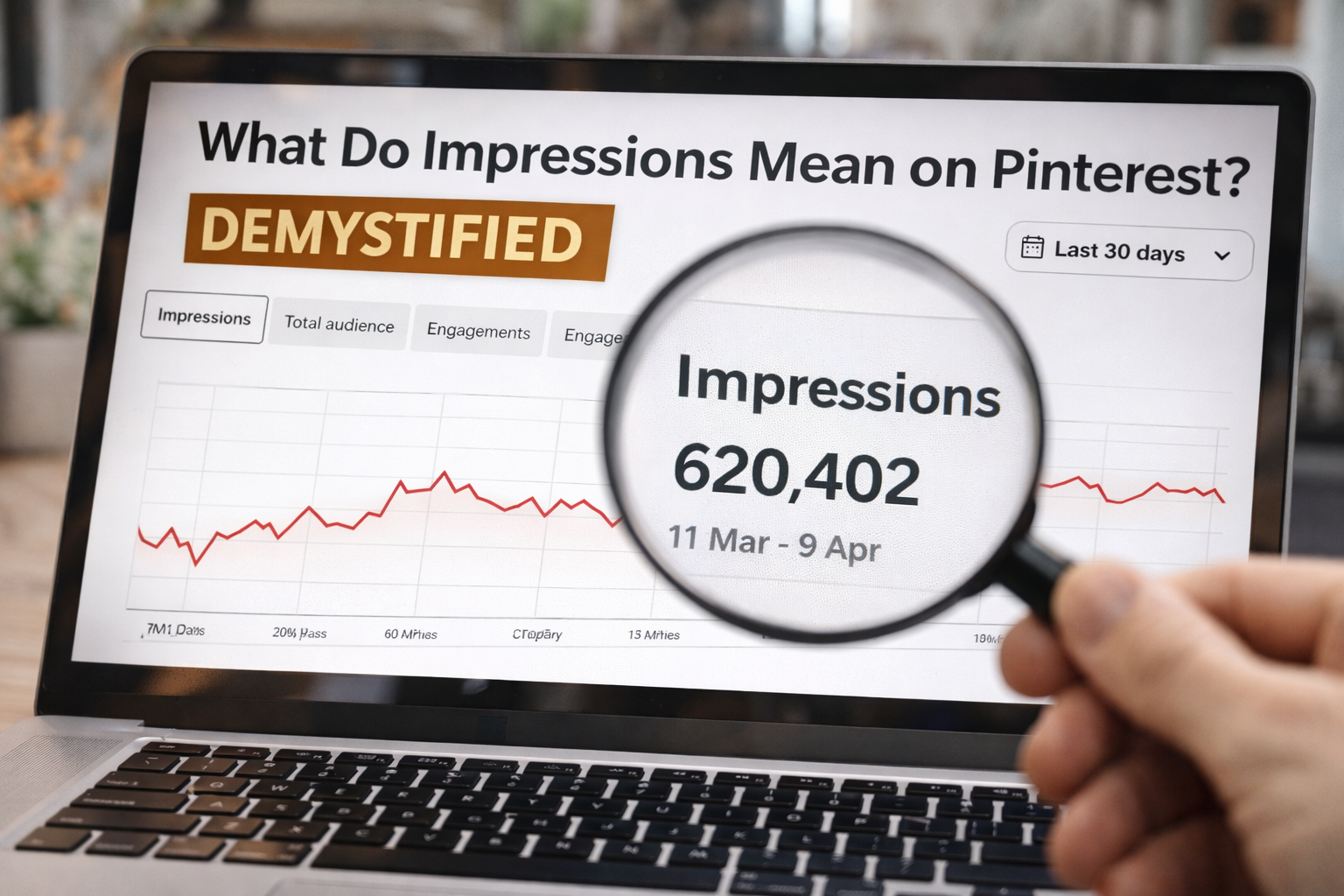
Let’s get right to it. A Pinterest impression is counted every single time your Pin shows up on someone’s screen. This could be in their home feed, in a search result, or on another user’s board.
Think of it like a digital billboard. Every time someone drives past it, that’s one impression. It doesn’t mean they pulled over to get a closer look, but it does mean they had the chance to see it.
It’s the absolute first step to getting noticed on the platform.
What Do Impressions Really Mean on Pinterest?
In practice, impressions represent pure visibility. This metric doesn’t care if someone clicked, saved, or even paused for a second to look at your Pin.
It simply confirms that your content was delivered to a user’s screen, giving you an opportunity to make an impact.
For creators and brands, this number is a fundamental starting point. High impressions tell you that your content has successfully entered the Pinterest ecosystem and the algorithm is distributing it.
It’s a raw count of how many times your content was served up, showing its potential visibility rather than actual user interaction.
If you want to dive deeper, you can explore other essential Pinterest stats to see the bigger picture.
Impressions vs. Other Key Metrics
To really get a handle on this, it’s helpful to see how impressions stack up against other important metrics. They all tell a different part of your Pin’s story, and knowing the difference is crucial for building a smart strategy.
Pinterest Impressions at a Glance
This quick table breaks down the core differences between impressions and other metrics you’ll see in your analytics.
| Metric | What It Measures | Key Takeaway |
|---|---|---|
| Impressions | The total number of times your Pin was displayed on a screen. | Measures potential audience exposure and visibility. |
| Engagements | The total number of interactions (saves, Pin clicks, outbound clicks) on your Pin. | Measures active audience interest and action. |
| Total Audience | The total number of unique people who have seen or engaged with your Pin. | Measures the total size of your audience. |
Essentially, impressions track the “views,” while engagements and audience size tell you what people did after they saw your content. Each metric provides a different lens through which to view your performance.
Impressions vs. Engagements vs. Reach Explained

If you’ve ever stared at your Pinterest analytics, you know it’s easy to get lost in the numbers. To build a strategy that actually works, you need to know exactly what those numbers mean.
Let’s break down the big three—impressions, engagements, and reach—with a simple analogy.
Picture yourself running a popular bakery.
- Impressions are every single time someone walks past your shop window and glances at your cake display. If one person walks by five times, that’s five impressions.
- Reach is the number of unique people who saw your display. That same person who walked by five times? They only count as one person in your reach total.
- Engagements are the folks who do more than just look. They’re the ones who open the door, ask about the ingredients, save your menu for later, or—better yet—buy a slice of cake.
Impressions are all about visibility, but engagements—like saves, outbound clicks, and Pin clicks—are about action. Getting this difference right is the first step to a winning Pinterest strategy.
Differentiating Key Metrics
This visual breaks down where your impressions are coming from, like the home feed or search results.
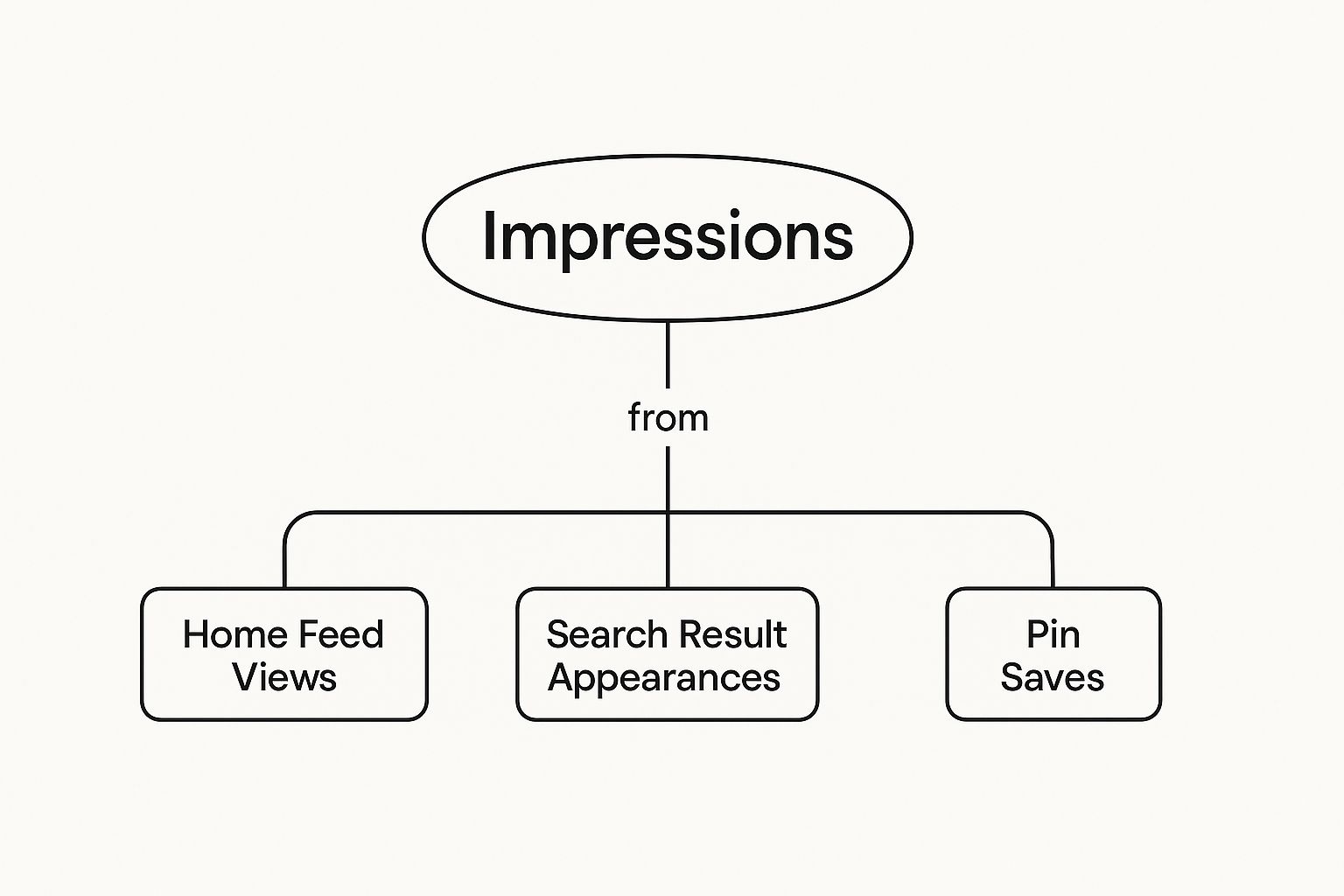
As you can see, an impression is the very first touchpoint, happening any time your Pin appears on someone’s screen, anywhere on the platform.
Each of these metrics tells a different part of your story. High impressions are a fantastic sign that the Pinterest algorithm likes your content and is showing it to people.
High engagement, on the other hand, proves that your content is compelling enough to make someone stop scrolling and do something.
To dig a little deeper into this, it’s worth understanding how social media reach is calculated and measured across different platforms.
An impression on Pinterest is a moment of potential. It’s an opportunity for your content to spark inspiration, solve a problem, or introduce a product to someone actively looking for ideas.
And that potential is incredibly powerful. Research shows that over 85% of weekly Pinners have bought something based on Pins they saw from brands.
Since most of this happens on mobile, every impression is a chance to inspire someone on the go, which can lead directly to a sale.
Once you master these distinctions, you can make much smarter decisions.
You’ll be able to figure out why a Pin with tons of impressions isn’t driving traffic, or celebrate a Pin with fewer impressions but an amazing engagement rate.
And of course, timing matters, too. To get your content seen at the right moment, check out our guide on the https://www.postpaddle.com/blog/best-time-to-pin-on-pinterest.
How to Find and Analyze Your Impression Data
Okay, so you’re sold on the importance of impressions. But raw numbers are just that—numbers. The real magic happens when you know where to find them and how to turn them into a smarter strategy.
Your command center for all this is the Pinterest Analytics dashboard. This is where you can see exactly how many times your content has popped up on someone’s screen.
First things first, log into your Pinterest business account. In the top menu, you’ll see Analytics—click it, then select Overview.
This will drop you right into a high-level snapshot of your account’s performance, and impressions are usually one of the first metrics you’ll see.
Digging Deeper into Your Analytics
The overview is great for a quick check-in, but the real insights come from digging a little deeper. This is where you stop just looking at numbers and start truly understanding what they mean.
- Filter by Date Range: Want to see how you’re doing this month versus last? Use the calendar to adjust the date range. You can look at the last 7, 30, or 90 days to spot trends. Are your impressions climbing? That’s a great sign your strategy is working.
- Analyze by Content: You can also get granular and look at the impressions for specific boards or even individual Pins. This is how you pinpoint exactly which topics, keywords, and visual styles are catching the algorithm’s attention.
- Sort by Device: Curious if your audience is browsing on their phone or a computer? You can filter to see if impressions are coming from mobile or desktop. Since the vast majority of Pinners are on mobile, this can be a great way to confirm your vertical Pin format is hitting the mark.
Here’s what you can expect to see in your analytics overview. This is where you’ll find all those key metrics waiting for you.
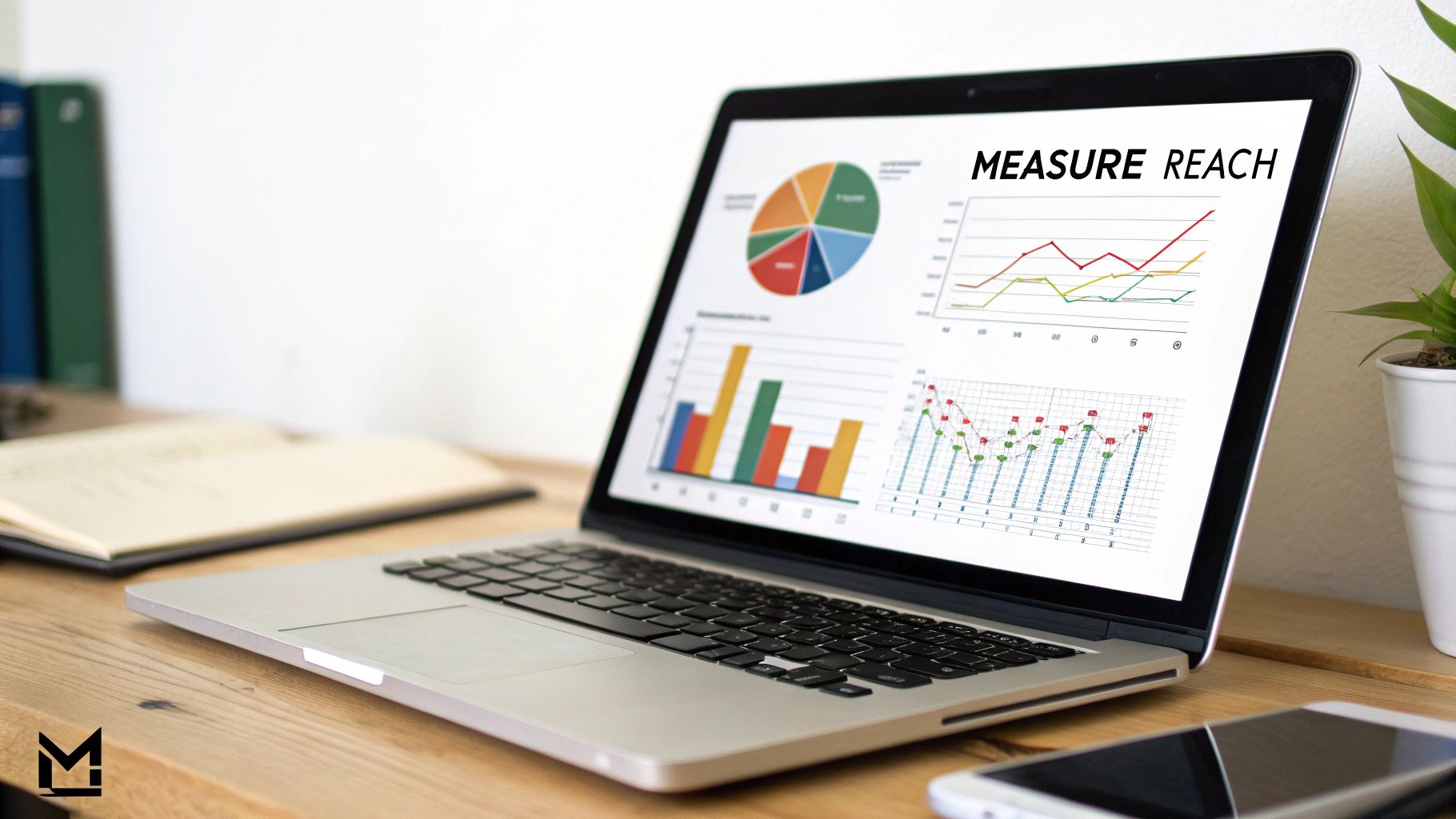
As you can see, the dashboard even highlights your top Pins by impressions, which is an immediate clue about what’s resonating.
To tie everything together into a coherent strategy, a solid approach to social media analytics reporting is a must.
A quick word of advice: don’t panic if you see your numbers fluctuate. Pinterest, like any other platform, has natural ebbs and flows. Seasonality, holidays, and algorithm updates can all cause temporary dips or spikes.
Instead of obsessing over daily changes, look for the long-term patterns. A steady, consistent increase in impressions over time tells you that your content is well-optimized and reaching a wider audience.
If your numbers are flatlining, it might be a signal to rethink your keyword strategy or experiment with fresh Pin designs.
For a more advanced look, our guide on https://www.postpaddle.com/blog/pinterest-tracking can walk you through setting up a system to monitor the metrics that really move the needle.
Why Impressions Are the Foundation of Your Growth
It’s tempting to write off impressions as a vanity metric, but on a platform like Pinterest, they are the absolute bedrock of your growth.
Think of your entire Pinterest strategy as a funnel. Impressions are the wide, open top.
Without a steady stream of people seeing your content, nothing else can happen. No clicks, no saves, and definitely no sales.
High impression numbers are the first, most crucial signal that you’re on the right track.
When you see them climbing, it means the Pinterest algorithm “gets” your content and is actively pushing it to people it believes will be interested. This is non-negotiable if you’re serious about growing your presence.
Getting that initial visibility is everything on a platform with such a massive, engaged audience. In fact, Pinterest recently hit a record 553 million monthly active users—an 11% jump from the previous year.
With that many people scrolling, your impressions tell you how well you’re tapping into that active user base. You can find more details about Pinterest’s user growth and what it means for creators on Printful.com.
Impressions as a Leading Indicator
Think of impressions as the canary in the coal mine for your content strategy. They’re a leading indicator, giving you early clues about your content’s health long before you see a shift in website traffic or sales.
By watching your impression trends, you can figure out what’s working, spot hot topics, and fine-tune your creative approach without getting bogged down by conversion rates.
It’s your earliest sign that you’re on to something good.
Let’s say you launch a new series of Pins and see a sudden spike in impressions. That’s a clear signal that the topic and your keywords are hitting the mark.
On the flip side, if a beautifully designed Pin gets almost no impressions, you probably have an SEO issue, not a creative one.
This “impressions-first” mindset helps you:
- Identify Popular Topics: See which content themes are gaining traction with the algorithm almost immediately.
- Test Visual Styles: Discover which Pin designs, colors, and formats Pinterest is favoring and distributing widely.
- Refine Your Keywords: Get quick feedback on whether your keyword strategy is successfully connecting your Pins to user searches.
By focusing on impressions first, you build a solid foundation of visibility. This visibility is what makes all the other metrics—from saves to outbound clicks—even possible.
It’s the essential first step to turning casual Pinners into loyal followers and, eventually, customers.
Actionable Strategies to Increase Your Pinterest Impressions
Knowing what Pinterest impressions are is the easy part. Actually getting more of them? That’s where the real work begins.
Boosting your visibility on Pinterest isn’t about luck; it’s about a smart, consistent approach that plays to the algorithm’s strengths.
Let’s dive into the practical tactics you can start using right away.
Nail Your Pinterest SEO
The bedrock of getting more eyes on your Pins is solid Pinterest SEO. Start by thinking like your audience: what words and phrases would they actually type into the search bar to find what you offer?
The Pinterest search bar itself is your best friend here—its autocomplete suggestions are a goldmine for popular, long-tail keywords that show real user intent.
Once you’ve got a list of keywords, sprinkle them naturally into your Pin titles and descriptions.
A well-written description acts like a clear signpost for the Pinterest algorithm, telling it exactly who needs to see your content.
Master Your Pin Design and Consistency
On a visual platform like Pinterest, your Pins have to be scroll-stoppers. Simple as that. You need high-quality, vertical images (the sweet spot is a 2:3 aspect ratio) paired with bold, easy-to-read text overlays.
Think bright colors and clean layouts that pop against a busy feed.
A great Pin serves as a mini-advertisement for your content. It should quickly communicate value and create enough curiosity to earn a click, but first, it needs the impression.
Just as crucial as a good-looking Pin is a consistent presence. You need to be publishing fresh Pins on a regular basis.
This doesn’t mean you have to churn out new blog posts every day. Instead, focus on creating multiple, unique Pin designs that all point back to your most valuable content.
Pinterest’s algorithm loves active accounts that consistently add fresh ideas to the platform.
Here are a few ways to stay consistent:
- Create Multiple Pin Graphics: For every blog post or product page, design 3-5 different Pins. Play around with different images, headlines, and call-to-action buttons to see what works best.
- Schedule Your Pins: Use a scheduling tool to keep a steady stream of content going out. This ensures you’re active even when you’re not physically on the platform.
- Focus on Fresh Content: The algorithm gives a little boost to new images. Regularly creating new Pin visuals for old, popular links is a fantastic way to keep your best content feeling fresh and relevant.
Ultimately, you want to create Pins that people can’t help but share. Learning how to create viral content offers some great principles you can apply here.
When you combine these strategies with a consistent effort, you build a powerful engine for growth.
And once you’ve got the impressions rolling in, the next step is turning them into visitors.
For a deeper dive, check out our guide on how to increase Pinterest traffic to your website.
Common Mistakes Holding Back Your Pin Impressions
Sometimes, getting more impressions isn’t about adding new tricks to your strategy—it’s about stopping the things that are quietly sabotaging your efforts.
If your impression count has hit a plateau, you might be making a few common, and totally fixable, mistakes.
Let’s walk through what might be holding you back. Once you spot these issues, you can fine-tune your approach and get the Pinterest algorithm working for you, not against you.
Forgetting Keywords and Board SEO
This is a big one. Many people treat Pinterest like Instagram—a purely visual platform. They’ll upload a stunning Pin with a description like “Summer Outfit” and call it a day.
That’s a huge missed opportunity. Remember, Pinterest is a search engine first. Without specific keywords, the algorithm has no idea who your content is for.
The same goes for your boards. A board named “My Style” or “Cool Stuff” is way too generic. It doesn’t give Pinterest the context it needs to understand your niche and recommend your Pins to the right people.
- How to fix it: Think like a search engine optimizer. Every Pin title, Pin description, and board name is a chance to rank. Use the Pinterest search bar to discover popular, relevant keywords and phrases that people are actually looking for. Be specific!
When you make it easy for the Pinterest algorithm to understand your content, you make it easy for your ideal audience to find you.
Pinning Inconsistently and Creating Cluttered Designs
Another common pitfall is a sporadic pinning schedule. Dropping 10 Pins on a Monday and then ghosting the platform for a week sends confusing signals.
Consistency is Pinterest’s love language; the algorithm favors creators who show up regularly with fresh content.
On the visual side of things, a Pin that’s too busy or hard to read will get scrolled right past. If a user can’t tell what your Pin is about in a split second, they’re gone.
That lack of engagement is a direct signal to the algorithm that your content isn’t hitting the mark, which will tank its impressions.
Find The Keywords That Unlock More Impressions
If your Pins aren’t getting impressions, it’s usually a discoverability problem, not a content problem.
Pinterest is a search engine, and impressions start with the keywords Pinterest can actually understand and match to real searches.
Use our free Pinterest Keyword Research tool to find high-intent keywords, see what’s trending, and build a simple keyword list you can plug into your Pin titles, descriptions, and board names right away.
It’s the fastest way to stop guessing and start creating Pins that get shown more often.
A Few Common Questions About Pinterest Impressions
Now that you have the basics down, let’s dig into a few questions that pop up all the time when people start paying attention to their Pinterest analytics.
Are High Impressions Always a Good Thing?
Usually, yes! Seeing a high number of impressions is a great signal. It means your Pins are getting seen and that the Pinterest algorithm is showing your content to users. It’s a solid pat on the back that your keyword strategy is on the right track.
But—and this is a big but—if those impressions aren’t translating into clicks, saves, or follows, it’s a warning sign. Think of it like a shop window.
Lots of people are walking by and looking (high impressions), but nobody is coming inside (low engagement). This tells you it’s time to work on your Pin design, your headline, or your call to action to make them more enticing.
Can One User Give Me Multiple Impressions?
You bet. Impressions are all about the number of times a Pin is shown on screen, not the number of people who see it. So, if someone sees your Pin once while scrolling their home feed and then again a few minutes later when they search for something, that single person just gave you two impressions.
This is one of the biggest differences between impressions and reach. If one person sees your Pin five times, you’ll have five impressions, but your reach is still just one.
How Long Does It Take to See Impressions Go Up?
Pinterest is a marathon, not a sprint. While you might get a little bump in views a day or two after publishing a well-optimized Pin, building real, sustained momentum takes time.
Think of it as building a relationship with the Pinterest algorithm. It can take several weeks, or even a few months, of consistently creating high-quality Pins before you see a significant, stable increase in your overall impression numbers. Patience is key here.