Tapping into Pinterest for your blog is one of the smartest moves you can make to get consistent, high-quality traffic.
I’ve seen it firsthand: it’s less like a typical social media platform and more like a visual search engine. This is a crucial distinction.
A single piece of content, a “Pin,” can send visitors to your site for months, even years, after you first post it.
Why Pinterest Is a Traffic Engine for Bloggers
Let’s get one thing straight: Pinterest isn’t about the quick-hit, short-lived engagement you see on other platforms.
The content here has an incredibly long lifespan. A well-crafted Pin becomes an evergreen asset, quietly working for you in the background.
You’re not just trying to interrupt someone’s mindless scrolling. On Pinterest, users are actively looking for ideas, planning their next project, or searching for answers to a specific problem.
When your blog post provides that answer, you connect with a highly motivated audience.
This is exactly why traffic from Pinterest often sticks around longer on your site and has a lower bounce rate.
It’s Not Just for Crafts and Recipes Anymore
One of the biggest myths I hear is that Pinterest only works for super-visual niches like food, fashion, or home decor.
While those topics are certainly huge, the platform has grown into a discovery tool for almost any subject you can think of.
I’ve seen bloggers in finance, personal development, tech, and even B2B services build massive audiences by creating Pins that solve problems.
The real trick is learning how to translate your blog’s value into a visually appealing and helpful format that grabs attention.
The numbers back this up. As of early 2025, Pinterest hit a new record with 570 million monthly active users worldwide, which is a 10% jump from the previous year.
But here’s the stat that should really excite bloggers: 96% of all searches are unbranded. People are searching for “tips for saving money” or “content marketing ideas,” not for a specific brand.
This creates a massive opportunity for your blog to get discovered by a whole new audience.
This infographic gives you a quick snapshot of why Pinterest is such a powerhouse for bloggers.
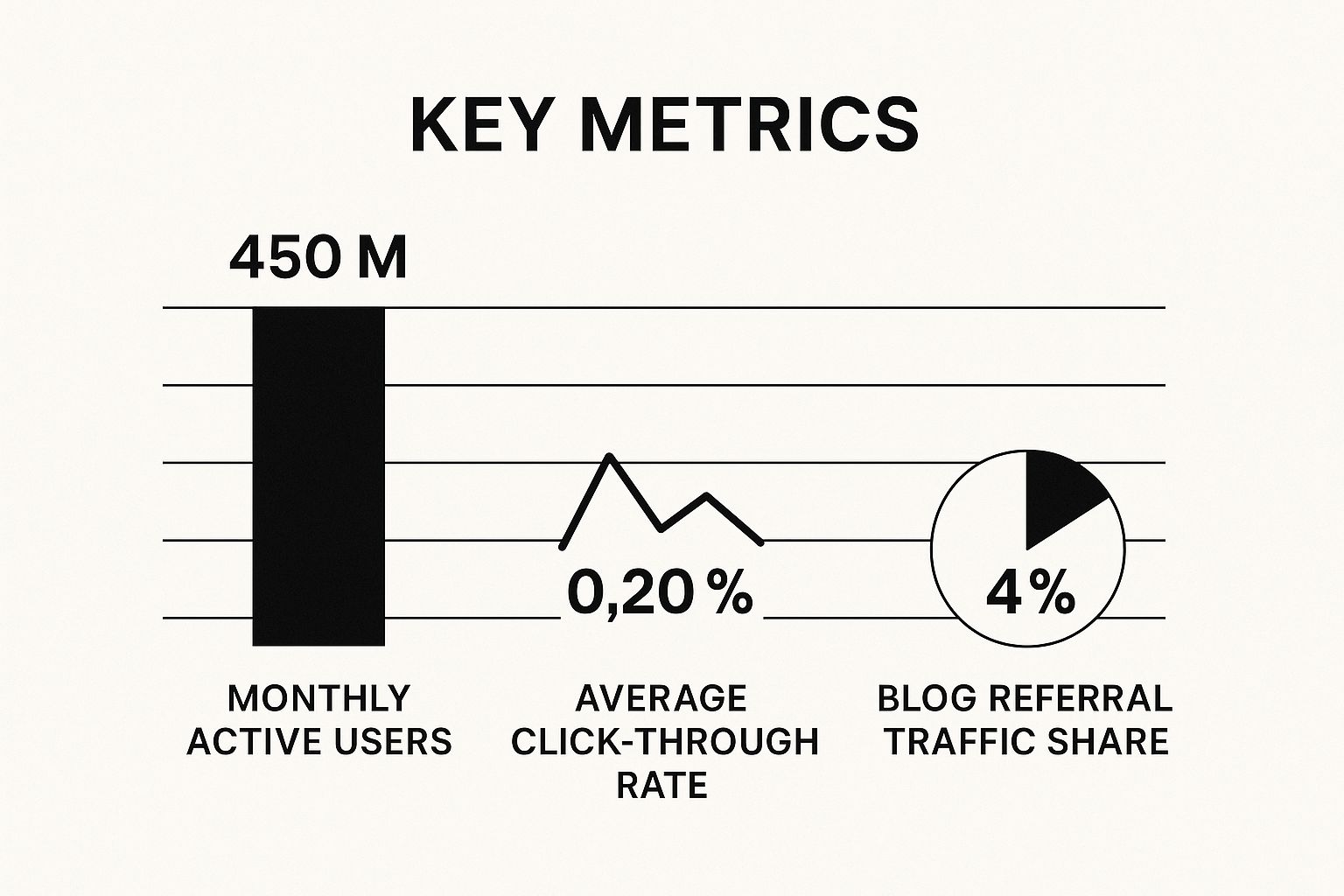
While a single Pin’s click-through rate might not look huge on its own, the sheer scale of Pinterest’s user base and its role as a major source of blog referral traffic makes it a channel you can’t afford to ignore.
To really understand Pinterest’s unique value, it helps to see how it stacks up against other platforms.
Pinterest vs Other Platforms for Blog Traffic
| Feature | Instagram/Facebook | |
|---|---|---|
| Content Lifespan | Evergreen. Pins can drive traffic for months or years. | Short-lived. Content is often buried in the feed within hours. |
| User Intent | High intent. Users actively search for ideas & solutions. | Low intent. Users are primarily browsing and socializing. |
| Traffic Goal | Outbound clicks are encouraged. The whole point is to lead users to your blog. | Keep users on-platform. Clicks away from the site are discouraged by algorithms. |
| Discoverability | Search-driven. Optimized content is easily found by new audiences. | Follower-based. Reach is mostly limited to your existing audience. |
Ultimately, Instagram and Facebook are designed for social connection, while Pinterest is built for discovery and action, which is a perfect match for bloggers.
Building a Long-Term Traffic Asset
The real power of using Pinterest for your blog is the compounding effect.
Every single Pin you create is another doorway leading back to your website, indexed by Pinterest’s search algorithm and just waiting for the right person to discover it.
“Think of each Pin as a digital breadcrumb leading back to your blog. The more high-quality breadcrumbs you leave, the more paths you create for new readers to find you, month after month.”
This strategy builds a reliable and sustainable stream of traffic that isn’t as vulnerable to the wild algorithm swings we see on other platforms.
You’re not chasing a viral moment; you’re building a consistent flow of engaged readers.
For a more detailed look at crafting a solid plan, our guide on effective Pinterest marketing strategies is a great next step.
Building Your Pinterest Foundation for Success
Before you even think about creating your first Pin, you need to get your house in order. Think of your Pinterest profile as the digital storefront for your blog.
A messy, incomplete storefront doesn’t inspire confidence, and a poorly optimized profile won’t bring in your ideal readers.
Getting this foundation right is non-negotiable. It’s what signals your authority and relevance to both real people and the powerful Pinterest algorithm.
It all starts with a Pinterest Business account. This isn’t just a friendly suggestion; it’s a must-have for any blogger who’s serious about growth.
A Business account unlocks the good stuff: analytics, Rich Pins, and advertising capabilities. These are the tools you need to see what’s working and what isn’t.
If you’re still on a personal account, making the switch is your very first priority. Our guide on how to create a Pinterest Business account walks you through the entire thing.
Crafting a Magnetic and Searchable Profile
With your Business account ready to go, the real work begins: optimization. Every single part of your profile, from your username to your bio, needs to be pulling its weight.
Your username should be as consistent as possible with your blog name and other social media handles. This is all about brand recognition.
If your exact name is taken, try a simple variation like “[YourBlogName]Blog” or “[YourBlogName]Official.”
Next up is your bio, which is prime real estate for keywords. Don’t just list what you do—explain who you help and what problems you solve for them.
- A weak bio might say: “I’m a personal finance blogger. I write about saving money and budgeting.”
- A strong bio sounds like this: “Helping millennials master their money with simple budgeting tips, debt payoff strategies, and smart investing advice for beginners. Start your journey to financial freedom!”
See the difference? The second example is packed with searchable terms like “budgeting tips,” “debt payoff,” and “financial freedom,” instantly making your profile more discoverable.
Claiming Your Website and Enabling Rich Pins
This next step is huge. Claiming your website is how you officially tell Pinterest, “Hey, this blog is mine.” It’s a critical verification step that unlocks detailed analytics for your domain and, most importantly, enables Rich Pins.
Rich Pins are a game-changer. They automatically pull metadata from your website directly onto your Pins, adding your blog post title and description.
This gives your Pins more context, makes them look way more professional, and can seriously boost your click-through rates. It’s a one-time setup that pays you back forever.
By claiming your website, you’re essentially telling Pinterest, “This content is mine, and it’s a credible source.” The algorithm rewards this by giving your Pins more authority and visibility in search results.
Designing Your First Strategic Boards
Your boards aren’t just for dumping Pins. They are carefully curated collections that organize your content and teach Pinterest exactly what your niche is.
To get started, you’ll want to create at least 5-10 highly relevant boards.
Each board needs a keyword-rich title and a detailed, thoughtful description. Put yourself in your reader’s shoes: What search terms would they use to find your content?
For instance, a food blogger’s initial boards might look something like this:
| Board Title | Board Description |
|---|---|
| Easy Weeknight Dinners | Find simple and delicious 30-minute meals perfect for busy weeknights. Includes healthy chicken recipes, quick pasta dishes, and one-pan wonders your family will love. |
| Healthy Breakfast Ideas | Start your day right with nutritious breakfast recipes. Discover healthy smoothies, protein-packed oatmeal, and easy meal-prep ideas for a quick and energizing morning. |
Notice how those descriptions are full of related long-tail keywords? That’s the secret sauce. This helps your boards—and all the Pins you add to them—show up in search results.
With a strong foundation like this, every single Pin you create will have a much better shot at success right out of the gate.
How to Create Pins That People Actually Click
Let’s be honest. A beautiful Pin is nice, but a Pin that actually drives traffic is the real prize for any blogger.
The ultimate measure of success isn’t just how many eyeballs see your Pin, but how many people are so intrigued that they have to click through to your blog.
This means every single element of your Pin—from the image to the font choice—needs to work in harmony to stop the scroll and earn that click.
It’s a skill that directly translates into blog growth, blending visual appeal with crystal-clear messaging and a little bit of psychology.
Start with the Right Canvas
Before you even think about fonts or photos, you need to get your dimensions right. Pinterest is a vertical world, and its algorithm heavily favors vertical images.
The sweet spot that has consistently worked for me and countless other creators is a 2:3 aspect ratio.
I almost always design my standard Pins at 1000 x 1500 pixels. This size looks fantastic on mobile, where the vast majority of users are scrolling, and it gives you plenty of real estate to create a compelling design without it becoming awkwardly long.
This one technical choice sets the stage for everything that follows.
Your Pin design is your blog’s first impression on Pinterest. A clear, vertically oriented design isn’t just a best practice; it’s a fundamental requirement for capturing attention in a crowded visual feed.
Remember, a staggering 82-85% of Pinterest usage happens on a phone. Making sure your Pins are mobile-friendly isn’t optional; it’s essential for getting your blog seen.
A consistent brand style and the right aspect ratio can make a massive difference in your click-through rates.
Combine Stunning Visuals with Unmissable Text
A high-quality image is your hook, but the text overlay is what reels them in. Your mission is to create a combination that is both eye-catching and informative in the split second you have a user’s attention.
Here’s what I focus on for every single Pin:
- High-Quality Imagery: Always use crisp, vibrant, and relevant photos or graphics. Stay away from blurry, dark, or generic stock photos that scream “I’m a stock photo!” Your image should immediately give a clue about your blog post’s topic.
- Bold Text Overlay: This is your headline. Use a clean, easy-to-read font that contrasts sharply with the image behind it. The text has to be big enough to be instantly legible on a small phone screen.
- Compelling Copy: Your text needs to promise value. Think in terms of numbers (“5 Ways to…”), intriguing questions (“Are You Making This Mistake?”), or clear benefits (“The Ultimate Guide to…”).
Imagine you wrote a post on “Easy Vegan Dinner Recipes.” A weak Pin might just show a photo of a meal with no text.
A powerful Pin, on the other hand, would feature a mouth-watering photo of the dish with a bold text overlay that says: “10 Vegan Dinners You Can Make in 20 Minutes.” See the difference?
The second one tells the user exactly what they’ll get by clicking.
Craft a Clear Call-to-Action
You can’t just assume people will know what you want them to do next. Sometimes, you have to spell it out. Adding a subtle but clear call-to-action (CTA) directly on your Pin image can make a world of difference.
This doesn’t have to be some big, flashy button. A simple text-based element near the bottom of the Pin works perfectly. Try phrases like:
- Read the Post
- Click for the Recipe
- Get the Free Checklist
- Learn How
This little nudge removes any confusion and guides the user’s attention toward the link, encouraging them to move from passive viewer to active clicker.
Create Multiple Pins for One Post
This is, without a doubt, one of the most effective Pinterest strategies for bloggers. Never create just one Pin for a blog post.
The Pinterest algorithm craves fresh content, and feeding it multiple unique Pin designs for a single URL is the perfect way to satisfy it.
For every new blog post I publish, I make it a rule to create 3-5 different Pin designs. This simple habit allows me to:
- Test Different Headlines: I can see which angle or hook resonates most with my audience.
- Experiment with Visuals: It’s a great way to try out different photos, color palettes, and layouts.
- Keep Content Fresh: I can promote an old blog post for months—or even years—just by creating a new Pin for it.
This approach massively expands your reach without forcing you to constantly churn out new blog articles. It’s a smart, simple way to get more mileage out of every single piece of content you create.
For a more detailed breakdown, our full guide on how to create compelling Pins for Pinterest dives even deeper into these design principles.
Getting Found on Pinterest: It’s All About SEO
If you’re treating Pinterest like just another social media site, you’re missing the point and probably a ton of traffic.
Let’s get one thing straight: Pinterest is a visual search engine. Once you wrap your head around that, everything changes.
Mastering its unique flavor of SEO is the key to creating a consistent stream of visitors to your blog, rather than just throwing content out there and hoping something sticks.
You don’t need fancy, expensive tools for this. Your most powerful keyword research tool is already built right into Pinterest: the search bar. Seriously, it’s your new best friend.
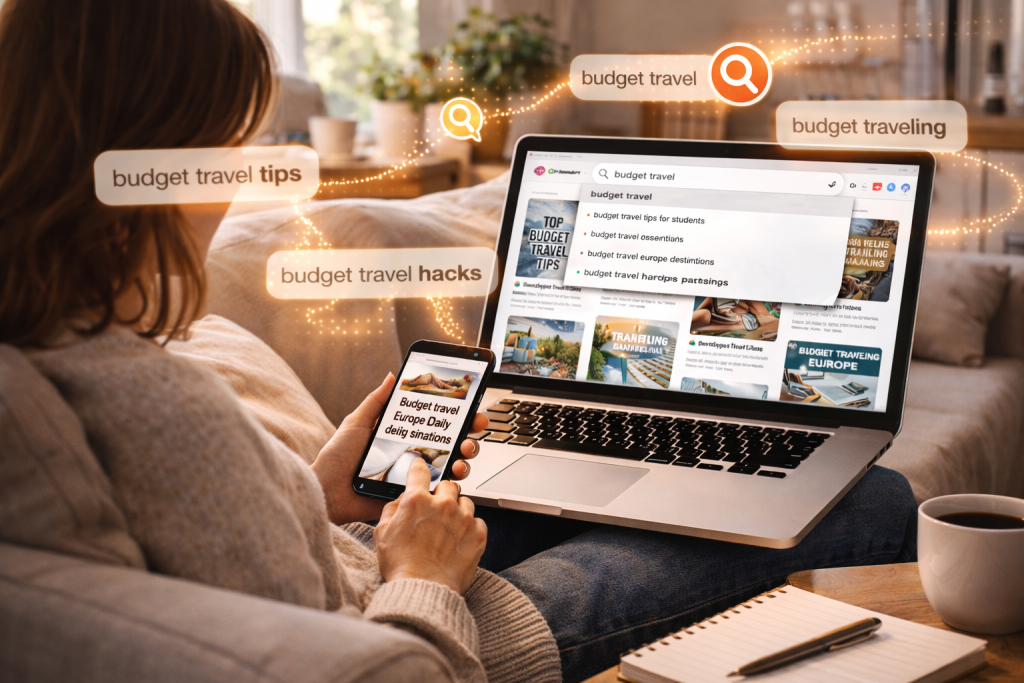
Start typing a broad topic from your niche—say, “budget travel”—and pay close attention to the phrases that pop up. Pinterest isn’t just guessing; it’s showing you the exact terms that real people are searching for.
For instance, typing “budget travel” might bring up:
- budget travel tips for students
- budget travel europe destinations
- budget travel hacks packing
These long-tail keywords are absolute gold. They reveal the specific problems your audience wants to solve, allowing you to create Pins and blog posts that answer their exact questions. This is the bedrock of a solid Pinterest strategy.
Weaving Keywords into Your Pinterest Profile
Once you have a good list of keywords, it’s time to put them to work. You need to sprinkle them strategically across your entire Pinterest presence.
Think of it as creating a keyword-rich environment that constantly signals to the Pinterest algorithm what your content is all about.
This makes it a no-brainer for Pinterest to show your Pins to the right people.
Here are the four essential places your keywords need to be:
- Your Profile Bio: Naturally work your most important, big-picture keywords into your bio.
- Board Titles: Ditch the cute, vague titles. Instead of “Wanderlust,” a travel blogger should use something clear and searchable like “Europe Travel Planning” or “USA National Parks Guides.”
- Board Descriptions: Here’s where you can get more detailed. A description for “Europe Travel Planning” could include phrases like “itinerary ideas,” “packing lists for Europe,” and “travel on a budget.”
- Pin Titles & Descriptions: Every single Pin needs to be optimized for the specific blog post it links to. This is where you get super-specific with your keywords.
When you take this approach, every part of your profile works together.
It sends a powerful message to Pinterest that you are an authority in your niche, dramatically increasing the odds of your content surfacing in search results and recommendations.
The Secret Weapon for Bloggers: Rich Pins
One of the most effective SEO tools on Pinterest is something many bloggers completely overlook: Rich Pins. If you’re a blogger, setting these up is non-negotiable.
They give your Pins a major professional upgrade and a significant boost in visibility.
So, what exactly are they? Rich Pins pull extra information directly from your blog and display it on the Pin itself.
This means your Pin will automatically show your blog post’s headline, your website’s favicon, and a short description.
This is huge for two reasons: it gives users more context (which encourages clicks) and it feeds the Pinterest algorithm more data to properly categorize and rank your content.
Think of it this way: Enabling Rich Pins is like handing Pinterest a backstage pass to your website.
It tells the algorithm, “Hey, this Pin isn’t just a pretty image; it’s linked to a legitimate, high-quality article,” which can seriously improve its performance.
Setting them up is a one-time task. You just need to add a bit of metadata to your site and then have Pinterest validate it.
It might sound a little technical, but most platforms have simple plugins or guides to walk you through it.
The payoff is immense—your Pins will look more credible, stand out in a crowded feed, and earn higher click-through rates. It’s a foundational piece of any smart Pinterest SEO strategy.
Crafting a Pinning Strategy That Actually Works
Let’s be honest: pinning whenever the mood strikes is a great way to get absolutely nowhere. Real, sustainable traffic from Pinterest isn’t built on random bursts of inspiration.
It comes from a smart, repeatable workflow that consistently feeds the algorithm what it wants (fresh content!) without making you want to pull your hair out.
Forget the old-school advice about pinning 40-50 times a day. Those days are long gone. Pinterest now cares far more about quality than sheer volume.
For most of us, aiming for 5-15 fresh Pins per day is the sweet spot—it’s effective and, more importantly, sustainable.
The key word here is fresh. Pinterest considers a “fresh Pin” to be a new image or video that it hasn’t seen before, even if that Pin points to an article you wrote two years ago.
This is exactly why creating multiple, unique Pin designs for a single blog post is one of the most powerful tactics you can use.
The “First Board” Rule I Swear By
Where you save a new Pin first is a bigger deal than you might think. Always, always pin it to your most specific, relevant board first.
This one small action gives the Pinterest algorithm a massive clue about your content.
For instance, if you wrote a post on “DIY Container Gardening for Small Balconies,” don’t just drop it into a generic “Home & Garden” board.
Pin it directly to your “Small Space Gardening” board. This laser-focused targeting helps Pinterest immediately understand who to show your Pin to, giving it the initial traction it needs to take off.
This matters more than ever when you look at who’s on the platform. A massive shift is happening, with Generation Z now making up 42% of Pinterest’s global monthly users.
This audience isn’t just browsing; they’re actively searching for specific ideas. In the U.S. alone, nearly 90 million Americans use Pinterest every month, and 78% of users say the platform makes them feel positive.
It’s the perfect environment for helpful content like yours to shine. For a closer look at the data, these Pinterest statistics and insights are worth a read.
Why You Need to Automate Your Pinning
Trying to manually pin fresh content every single day is a direct path to burnout. This is where a scheduler becomes your secret weapon.
A tool like Post Paddle is built specifically for this, letting you automate your entire schedule so your account stays active even when you’re not.
You can sit down once, batch-create all your Pins for the week (or even the month), and let the scheduler do the heavy lifting. Here’s what that really does for you:
- Keeps you consistent: Your profile is always active, which the algorithm rewards.
- Frees up your time: It turns a nagging daily task into a simple weekly one.
- Pins at the right time: A good scheduler publishes your content when your audience is most likely to see it.
Using a scheduler isn’t about cutting corners; it’s about working smarter. It gives you the mental space to focus on what really moves the needle—creating great content.
Expanding Your Reach Beyond Your Own Boards
Once you have a solid foundation with your own boards, it’s time to pour some fuel on the fire with Group Boards and Tailwind Communities.
Think of these as collaborative spaces where you and other creators in your niche share content with a combined audience.
Joining a few high-quality group boards can get your Pins in front of thousands of new people overnight.
The trick is to be picky. Only join boards that are:
- Hyper-Relevant: The board’s topic should be a perfect match for your blog.
- Active & Healthy: Make sure people are pinning quality content, not just spam.
- Well-Moderated: Look for clear rules and stick to them.
By bringing together a consistent schedule, smart board selection, and automation, you create a reliable system.
This is how you stop chasing viral hits and start building a true traffic engine that sends a steady stream of readers to your blog, day in and day out.
Find the Keywords That Bring You Blog Traffic
If you want Pinterest to send real traffic to your blog, your next move is simple: stop guessing what people search for and start targeting proven keywords.
The fastest way to do that is to build your Pin topics around phrases that already have demand, so your content shows up when readers are actively planning and looking for answers.
My free Pinterest Keyword Research tool helps you uncover trending keywords, spot strong long-tail opportunities, and shape titles and descriptions that are built for clicks.
Ready to find keywords that can drive traffic for months?
Answering Your Biggest Pinterest Questions
Jumping into Pinterest for your blog often brings up more questions than answers. It can feel like you’re trying to crack a code, and it’s easy to get stuck.
Instead of letting that uncertainty stall your progress, let’s tackle some of the most common questions I hear from bloggers. Here are the straight-up, practical answers you need to start pinning with confidence.
How Long Does It Really Take to See Traffic?
This is the big one, isn’t it? The truth is, Pinterest is a long game, not an overnight traffic machine. You have to shift your mindset.
While you might see a few trickles of traffic in the first month, you’re typically looking at 3 to 6 months of consistent pinning before you see significant, steady results.
Think of it like this: your Pins need time to get indexed and start circulating within the Pinterest algorithm.
They have to show up in search results and on people’s feeds before they can really take off. The key word here is consistency.
Don’t get discouraged if your analytics don’t explode in week three. You’re planting seeds that will grow into a reliable source of blog visitors over time.
Should I Make New Pins for Old Blog Posts?
Yes! A thousand times, yes. This isn’t just a good idea—it’s one of the most powerful things you can do on the platform.
The Pinterest algorithm absolutely loves fresh content, and what it considers “fresh” is a new Pin image or video. The URL it links to could be from yesterday or five years ago; the algorithm doesn’t care.
Creating new Pin designs for your existing articles is like giving your best content a fresh coat of paint.
You’re reintroducing it to a whole new audience, reviving evergreen posts, and driving traffic without having to write a single new word.
Make this a regular habit. Every week, whip up a few new Pin designs for your most important articles or popular seasonal content.
It’s a fantastic, low-effort way to test out new headlines, play with different visuals, and keep your best posts working for you around the clock.
What Pinterest Analytics Actually Matter?
It’s so easy to drown in data. But for bloggers, only a few key metrics really tell the story of what’s working. Vanity metrics like follower counts are nice for your ego, but they don’t pay the bills or grow your blog.
Instead, I recommend focusing on these three numbers inside your Pinterest Analytics dashboard:
- Outbound Clicks: This is your north star. It’s the number of people who clicked from your Pin straight through to your blog. This metric directly measures how well Pinterest is driving traffic.
- Impressions: This tells you how many times your Pins were shown on screen. High impressions are a great sign that your keyword strategy is working and your content is being discovered.
- Saves: When someone saves your Pin to one of their boards, they’re telling Pinterest your content is valuable. Saves give your Pins a much longer lifespan and help them get shown to even more people.
Focusing on these three gives you a clear, actionable picture of how your efforts are translating into actual blog growth.
Can I Succeed on Pinterest Without a “Visual” Niche?
You absolutely can, but it requires a mental shift. You’re not showcasing a beautiful product; you’re showcasing a valuable solution.
If your blog is about finance, coding, writing, or any other topic that isn’t inherently visual, your graphics have to do the heavy lifting.
Your text overlay is everything. Your goal is to create Pins that grab attention by solving a problem or promising a clear result.
For example:
- A finance blogger could create a Pin with bold text over a simple background that reads: “5 Simple Steps to Pay Off Credit Card Debt Fast.”
- A writing coach might design a Pin that says: “The Ultimate Blog Post Outline to Beat Writer’s Block.”
In these cases, the promise in the headline is what stops the scroll, not a stunning photograph.
The visual is just the vehicle for a message that makes someone think, “I need to know more.” Your creativity in presenting those solutions is what will make you stand out.