
Here’s a common mistake I see bloggers make: they treat Pinterest like just another social media platform. It’s not.
Forget about the fleeting, chronological feeds of Instagram or Facebook. Pinterest is a powerful visual search engine, and that distinction changes everything.
Your goal isn’t to rack up likes for a post that disappears in 24 hours.
It’s to create beautiful, keyword-rich pins that show up in search results for months even years, driving a steady, compounding stream of traffic directly to your blog.
Why Pinterest Is Your Blog’s Secret Weapon

Let’s reframe how you think about Pinterest. Stop seeing it as a chore on your social media to-do list.
Instead, view it as a massive, visual library where your ideal readers are actively hunting for ideas, solutions, and inspiration. They’re looking for exactly what your blog offers.
Unlike other platforms where content has the lifespan of a mayfly, a pin’s value grows over time.
This search-first nature means your content gets discovered for weeks, months, and sometimes years, building a sustainable flow of visitors that you just can’t get from a quick tweet.
It’s not a theory; it’s a strategy I’ve seen work wonders for bloggers in just about every niche imaginable.
To really drive this point home, let’s look at how Pinterest stacks up against traditional social media for driving blog traffic.
Pinterest vs. Social Media for Blog Traffic
This quick comparison shows why Pinterest is such a game-changer for long-term traffic strategy.
| Feature | Pinterest (Visual Discovery Engine) | Traditional Social Media (e.g., Instagram, Facebook) |
|---|---|---|
| Content Lifespan | Evergreen. Pins can drive traffic for months or years. | Short-lived. Content is often buried within hours. |
| User Intent | Search & Plan. Users actively look for ideas and solutions. | Scroll & Connect. Users passively consume content. |
| Traffic Focus | Outbound. Designed to send users to external websites. | Inbound. Designed to keep users on the platform. |
| Discovery | Keyword-driven. SEO is critical for visibility. | Algorithm-driven. Relies on social signals and engagement. |
While social media is great for community building, Pinterest is purpose-built to send motivated people directly to your blog content.
The Power of User Intent
What truly sets Pinterest apart is the mindset of the person using it. They aren’t just doomscrolling; they are actively planning their lives. This is a crucial difference.
- Future-Focused Planning: People are planning meals, home renovations, vacations, and purchases weeks or months in advance. They are highly receptive to helpful content.
- Solution-Seeking Audience: They type in real problems, like “healthy weeknight dinner ideas” or “DIY small bathroom organization,” looking for answers.
- Inspiration Gathering: Pinners are curators. They build boards filled with ideas they genuinely plan to come back to.
This forward-looking behavior is a goldmine. For instance, a food blogger’s “Easy Thanksgiving Side Dishes” pin might get saved in July by someone already thinking about their holiday menu.
That one pin can then drive clicks for months, long after a similar post on Instagram would be completely forgotten.
Pinterest’s real power lies in its longevity. A well-optimized pin is an evergreen asset that can work for your blog 24/7, driving traffic and building your audience while you sleep.
A Platform Built for Discovery
The numbers behind Pinterest are staggering. With more than one billion monthly visits globally, it offers an enormous, untapped audience.
Even more importantly, 96% of searches on Pinterest are unbranded. This is huge. It means people are searching for “vegan dessert recipes,” not a specific brand name.
This creates a level playing field where your high-quality blog post has just as much chance of being discovered as one from a massive media company.
This environment is a gift for bloggers trying to stand out in crowded niches like food, DIY, or personal finance.
Once you understand that Pinners are planners, not just passive scrollers, you can start building a truly dedicated audience.
Of course, Pinterest is incredible for driving traffic, but the traffic is only half the battle. Your real “secret weapon” is having amazing content waiting for them when they arrive.
If you want to master that side of the equation, you have to learn how to create truly engaging content that keeps them coming back for more.
With that foundation, you can finally see Pinterest for what it is: a strategic growth engine for your blog.
Building a Pinterest Profile That Converts

Think of your Pinterest profile as the digital storefront for your blog. It’s often the very first impression a potential reader gets, and a well-crafted profile can be the difference between someone just passing through and a loyal new follower.
Let’s get beyond just filling in the boxes and talk about how to build a profile that actively drives people to your blog.
First things first, you absolutely need a Pinterest Business account. This isn’t just a suggestion; it’s the key that unlocks analytics, advertising tools, and—most importantly—Rich Pins. Honestly, you’re flying blind without it.
If you need a hand getting set up, our guide on how to create a Pinterest Business account will walk you through everything.
With your business account ready, the real work starts. Your profile needs to be optimized for search, just like any of your blog posts.
Crafting a Keyword-Rich Profile Name and Bio
Your profile name and bio are prime SEO real estate. Don’t just slap your blog’s name there and call it a day.
We need to infuse it with the exact keywords your ideal reader is typing into the search bar. This helps your profile surface not just when people look for your brand, but when they’re looking for your topics.
Let’s say you run a blog called “The Woven Spoon” all about vegan comfort food. A tiny tweak to your profile name can make a massive difference:
- Good: The Woven Spoon
- Better: The Woven Spoon | Vegan Comfort Food & Easy Recipes
That simple addition instantly signals to both users and the Pinterest algorithm what you’re all about. Your bio should then build on this, acting as a mini-elevator pitch packed with those crucial search terms.
My go-to formula for a great bio: Answer three quick questions for any new visitor. Who are you? What kind of content do you share? And why should they follow you (what’s the benefit for them)?
Weave in keywords like “plant-based meals,” “healthy desserts,” and “quick dinner ideas” naturally.
Claiming Your Website and Getting Rich Pins
Claiming your website is another one of those non-negotiable steps. It officially connects your blog to your Pinterest profile, which tells the platform you’re legit and unlocks analytics for your specific site.
But the real prize here is that it allows you to enable Rich Pins.
Rich Pins are a total game-changer for bloggers. They automatically sync metadata from your blog post—like the headline, author, and description—and display it right on the Pin itself.
Here’s why you need them:
- They’re dynamic: If you update a blog post title, the connected Rich Pin updates automatically. No manual work needed.
- They look professional: Rich Pins feel more credible and give more context, which seriously encourages clicks.
- They offer a better preview: Users get a real taste of your content before they even click, so the traffic you get is more qualified.
Without Rich Pins, your pins are just pictures with a link. With them, they become powerful, information-packed gateways to your content.
Establishing a Cohesive Visual Brand
Finally, let’s tie it all together with your profile picture and cover photo. These visuals need to be consistent with your blog’s branding to create a seamless, professional experience from the moment someone lands on your page.
For your profile picture, use a high-quality headshot or a crisp, clean version of your logo. Remember, it needs to be recognizable even when it’s just a tiny circle on someone’s feed.
Think of your cover photo as your billboard. You can create a simple collage of your most popular pins or use a stunning, high-resolution photo that screams what your niche is all about.
If you’re a food blogger, this might be a vibrant shot of a finished dish. A DIY blogger? Maybe a beautifully styled photo of a completed project.
This visual consistency is what builds brand recognition and trust, making people that much more likely to click through and see what your blog has to offer.
Organizing Your Boards for Maximum Discovery
Think of your Pinterest boards as the digital storefront for your blog. If they’re a jumbled mess, potential readers will walk right past.
But if they’re thoughtfully organized, you can guide people straight to your best content and establish yourself as an authority. Getting your boards set up correctly is one of the most important first steps.
Your board structure really has two jobs: it needs to make sense to a real person browsing your profile, and it needs to send the right signals to the Pinterest search algorithm.
This means you’ll want a smart mix of hyper-specific boards and broader, more general ones.
The Broad vs. Specific Board Strategy
A classic beginner mistake is creating only broad boards like “Food Recipes” or “DIY Crafts.” These are fine to have, but they won’t catch the eye of someone who knows exactly what they’re looking for.
To get those high-intent clicks, you have to get more specific.
Let’s say you run a food blog. A well-rounded board strategy would look something like this:
- Broad Board: “Healthy Dinner Ideas” (This will catch general browsers.)
- Specific Boards: “30-Minute Vegan Meals,” “Low-Carb Casserole Recipes,” or “Gluten-Free Pasta Dishes” (These grab people searching for something precise.)
With this approach, you show up in a much wider range of searches.
Someone just looking for dinner ideas might stumble upon your broad board, but the person searching for “low-carb casseroles” will find your niche board and immediately see you as an expert on that topic.
A great rule of thumb is to mirror the main categories on your blog, and then break those down even further. Put yourself in your reader’s shoes and create the exact boards they’d be thrilled to find.
Writing Keyword-Rich Board Titles and Descriptions
Your board titles and descriptions are pure SEO gold for the Pinterest algorithm. This isn’t the place to be clever or cute—you need to be crystal clear and packed with keywords.
The goal is to use the exact words and phrases your target audience is typing into the search bar.
A board named “Yummy Things” tells the algorithm nothing. A much better title is “Easy Weeknight Dinner Recipes.” It’s descriptive, searchable, and lets a user know exactly what they’re getting.
Next, you’ll want to fill out the board description to add more context and related keywords. For the “Easy Weeknight Dinner Recipes” board, a solid description would be:
“Find simple and delicious weeknight dinner recipes for busy families. Featuring quick 30-minute meals, one-pan dinners, healthy chicken recipes, and easy pasta dishes. Your go-to source for stress-free meal planning.”
See how it reads naturally but is loaded with keywords like “busy families,” “one-pan dinners,” and “meal planning”? This is how you help Pinterest understand your board’s content and show it to the right people.
Using Different Board Types for Growth
Beyond the public boards that everyone sees, you should also be using Secret and Group Boards to plan your content and expand your reach. Each one has a specific job to do.
- Secret Boards: Think of these as your private workshop. You can use them to save pin ideas from other creators for inspiration, pre-load your own pins to see how they look together, or plan seasonal content months in advance without cluttering up your public profile. It’s the perfect, risk-free way to stay organized.
- Group Boards: These can be a fantastic way to get your content in front of a new, much larger audience. The key here is quality over quantity. Look for group boards with high engagement, a clear niche, and strict rules against spam. A well-run, niche group board is always more valuable than a huge, anything-goes board.
Ultimately, a strong board structure creates a great user experience that’s also built for search. To take your board optimization even further, you should dig into long-tail keyword research.
This will help you find those super-specific niches that attract your most dedicated readers. By building this solid foundation, you’ll create an organized profile that works for you long-term.
Designing Pins That Stop the Scroll
On Pinterest, you have a split second to grab someone’s attention. That’s it. In that sea of visuals, if your pin doesn’t immediately stand out, it gets lost in the scroll.
Mastering the art and science of creating scroll-stopping pins is non-negotiable if you want to turn Pinterest into a real traffic driver for your blog.
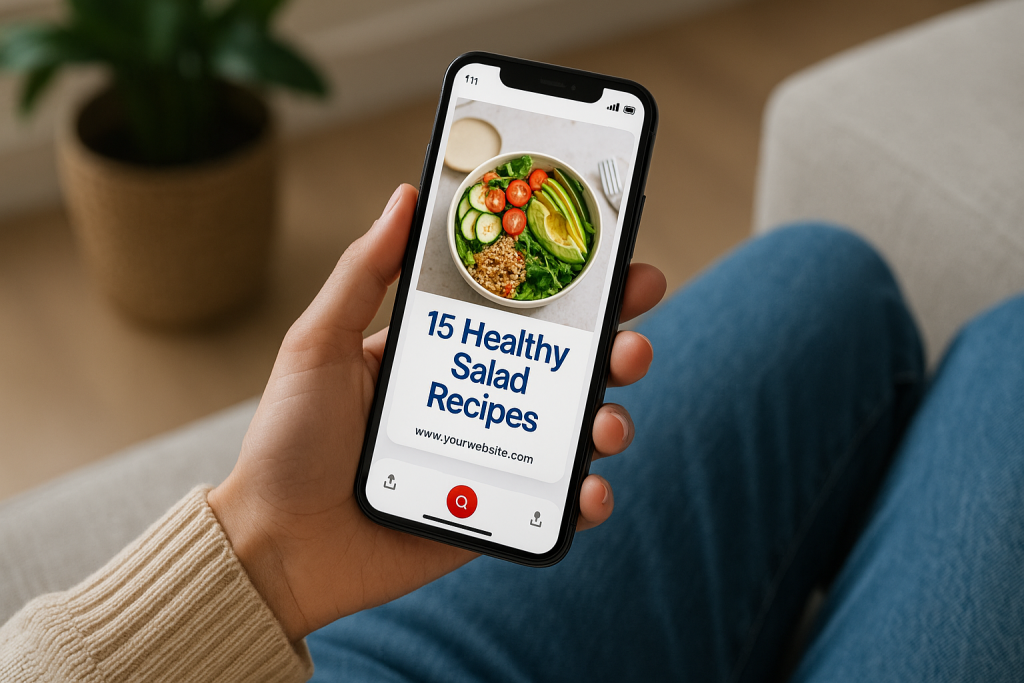
Pinterest is, first and foremost, a visual platform. And with 82–85% of people using it on their phones, your designs have to be mobile-first. This means sticking to a 2:3 aspect ratio (think 1000×1500 pixels) and using crisp, clean images.
When you consistently use your brand’s colors and fonts, people start to recognize your content at a glance, which is huge for building trust and getting clicks.
Considering 85% of weekly Pinners have bought something based on a brand’s pin, you can’t afford to get the visuals wrong. You can find more stats like this over on Thunderbit.com.
Anatomy of a High-Performing Pin
Ever wonder what separates a pin that goes viral from one that gets ignored? It’s not luck. It’s usually a combination of a few key elements that work together perfectly.
Once you get the hang of it, you can apply this simple formula to every pin you make.
A great pin really comes down to three things:
- A Stunning Vertical Image: This is your foundation. Your photo or graphic needs to be high-quality and directly related to your blog post. Steer clear of anything dark, blurry, or overly cluttered.
- Bold, Readable Text Overlay: Think of this as your headline. It has to be punchy and easy to read on a tiny phone screen. Choose a font that pops against your background image.
- Clear Branding: A small logo or your website URL tucked into a corner is all you need. It’s a subtle way to build brand recognition and discourage content theft.
This screenshot from Canva shows a bunch of templates that nail these basics. They’re a fantastic starting point.
See how they all use a vertical layout? The text is big and bold, and there’s always a spot for you to pop in your own branding.
Writing Compelling Titles and Calls to Action
The words on your pin are just as crucial as the image itself. Your job is to instantly communicate why someone should click through to your post.
A vague title like “Dinner Recipe” is a missed opportunity. You have to be specific and make a promise.
For instance, which sounds more appealing?
- “15-Minute Lemon Garlic Pasta You’ll Make All Week”
- “The Ultimate Guide to Container Gardening for Beginners”
- “5 Simple Swaps to Create a Minimalist Wardrobe”
These titles offer a clear solution or benefit, making them way more powerful. Then, you just need a gentle nudge with a call-to-action (CTA).
It can be as simple as “Read the Post,” “Get the Recipe,” or “Learn How.” It just tells the Pinner what to do next. For more in-depth strategies, our guide on creating pins for Pinterest has you covered.
Pro Tip: Don’t just make one pin per blog post. Create a handful of different designs. Test out different photos, headlines, and colors. This gives you more content to share and, more importantly, shows you what your audience actually responds to.
Choosing the Right Pin Format for Your Content
Pinterest gives you a few different formats to play with, and picking the right one can make a huge difference.
Standard Pins are your workhorse, but you can also mix in Video and Idea Pins to capture attention in different ways.
Here’s a quick rundown of when I use each one:
| Pin Format | Best Used For | Real-World Example for a Blogger |
|---|---|---|
| Standard Pins | Driving traffic directly to a specific blog post. This should be 90% of what you do. | A beautiful image with the text “10 Genius Kitchen Organization Hacks” that links right to your article. |
| Video Pins | Showing a quick process or a cool before-and-after. They’re amazing for grabbing attention in the feed. | A 15-second time-lapse of you prepping a recipe or flipping a piece of furniture. |
| Idea Pins | Telling a story or sharing a multi-step tutorial directly on Pinterest. Great for building followers on the platform. | A 5-slide guide on “How to Style a Bookshelf,” with each slide offering a new tip. |
Don’t feel like you need to use every format for every post. Get really good at creating Standard Pins first, since they are the most direct route to blog traffic.
Once you’re comfortable, try making a Video Pin for a post that could use a little demonstration.
Think of Idea Pins as your tool for growing your Pinterest following itself. When you design every pin with a clear purpose and choose the right format for the job, you’ll start turning casual scrollers into loyal blog readers.
Creating a Sustainable Pinning Workflow

Let’s be honest: consistency is the secret sauce for winning on Pinterest. The algorithm rewards a steady stream of fresh content, but who has time to pin multiple times every single day?
That’s a fast track to burnout. The real key isn’t working harder; it’s building a smart, efficient workflow that gets you results without taking over your life.
This means ditching the last-minute, chaotic pinning scramble. With a solid system, you can maintain a powerful presence on the platform in just a couple of focused hours a month.
It all boils down to batching your creative work and letting automation handle the rest.
Finding Your Pinning Sweet Spot
One of the first questions I always get is, “How often should I pin?” The truth is, there’s no magic number that works for everyone.
It really depends on your niche, how much content you have, and what you can realistically commit to.
Instead of aiming for some crazy number like 15 pins a day, start with something you can actually stick with. For a new blog, a great starting point is 3-5 new pins per day. This is more than enough to show the algorithm you’re active, but it won’t drain your creative tank.
Once you have your daily number, you need to figure out when to post. Head over to your Pinterest Analytics and click on the “Audience Insights” tab.
This goldmine of data shows you exactly when your followers are most active. Posting during these peak hours gives your pins the best shot at getting seen right away.
The Power of Batching and Scheduling
This is where the real magic happens. Trying to design, write, and post several pins from scratch every single day is a recipe for disaster.
The solution is batching—you dedicate a single block of time to create all your pins for the week, or even the entire month.
Here’s how this looks in practice:
- Block out one hour a week for pin creation. During this time, your only job is designing multiple pin variations for a few of your best blog posts.
- Focus on variety. For the same blog post, create pins with different images, try out a few different headlines, and switch up the calls to action.
- Load them into a scheduler. Once they’re ready, upload all of them into a tool like Post Paddle. This lets you set a consistent schedule for the week ahead and then completely forget about it.
This simple workflow transforms Pinterest from a nagging daily chore into a focused, strategic task you knock out once a week.
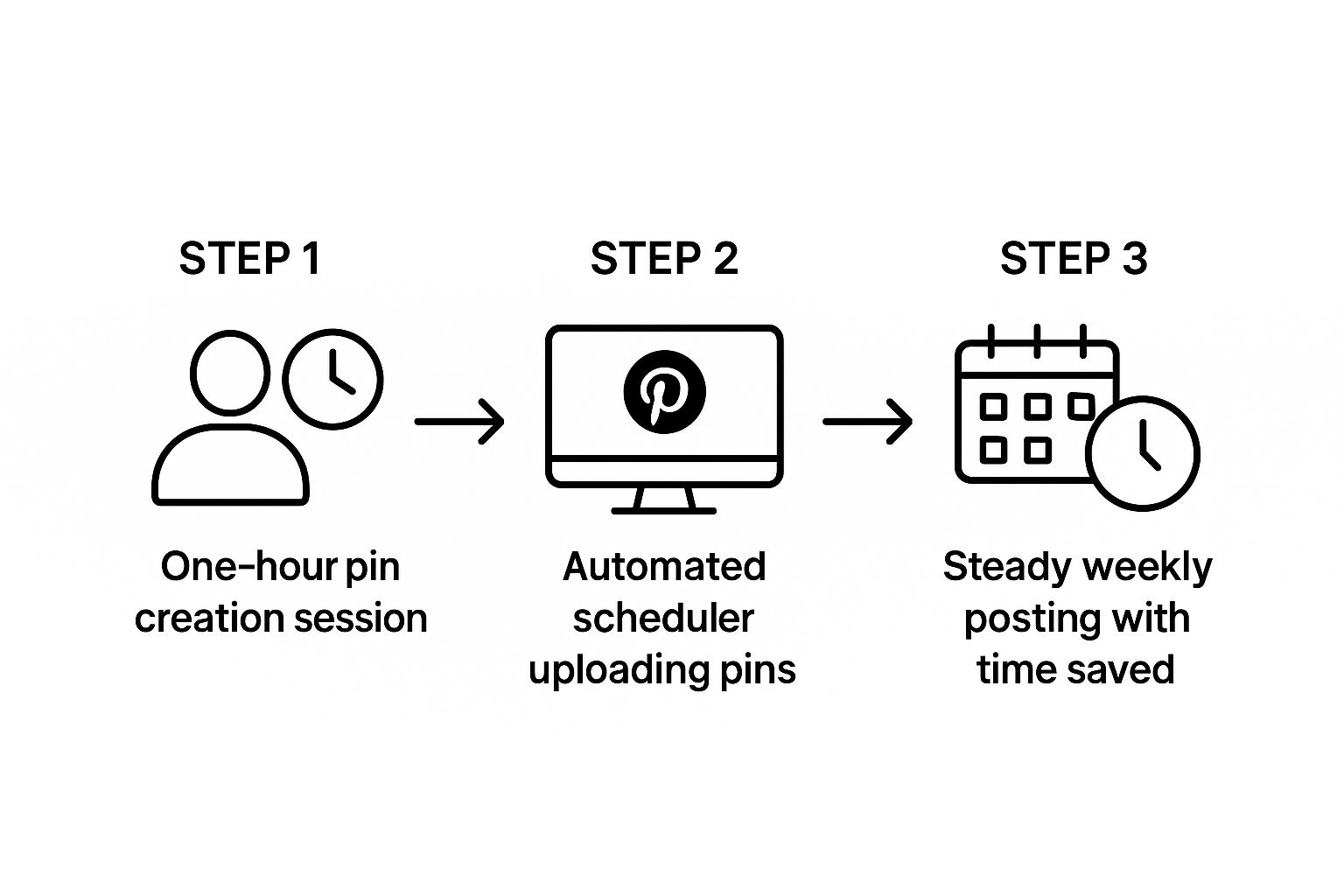
As you can see, a single creative session can easily fuel a full week of automated, consistent pinning. You save a ton of time while keeping your blog’s visibility high
Automating Your Workflow for Maximum Impact
Scheduling isn’t just about saving time; it’s about being more strategic.
A good scheduler helps you spread your content out so you aren’t pinning the same URL too frequently, which can look spammy to the algorithm. It also lets you mix in different content types to keep your feed fresh and engaging.
By automating the distribution of your pins, you free up mental energy to focus on what actually moves the needle: creating great blog content and designing pins that stop the scroll.
To really kick things up a notch, start adding different pin formats into your batching sessions. For example, video pins are a massive growth area. Users are 55% more likely to make a purchase after seeing one.
Creating a few short video pins during your batching hour can seriously amplify your engagement and help turn casual browsers into loyal readers.
A sustainable workflow is built on systems, not willpower. By finding your ideal frequency, batching your creative work, and leaning on automation, you can achieve consistent growth on Pinterest. If you want a full walkthrough of the technical side, check out our guide on how to schedule pins on Pinterest. This approach lets you get all the traffic benefits without letting Pinterest eat up your entire workweek.
Using Analytics to Refine Your Strategy
Pinning content is one thing, but knowing what actually works is where the real growth happens. If you’re just pinning and hoping for the best, you’re leaving a ton of traffic on the table.
The only way to build a reliable stream of visitors from Pinterest is to get comfortable with your analytics.
Your Pinterest Business account comes with a pretty robust analytics dashboard. It can look like a wall of numbers at first, but don’t get overwhelmed.
You only need to focus on a few key stats to see what’s resonating with your audience and what’s falling flat. This is how you stop guessing and start making strategic moves.
Key Pinterest Metrics and What They Mean
To make sense of it all, let’s break down the numbers that truly matter for measuring your blog’s growth from Pinterest. This table cuts through the noise and shows you what to focus on.
| Metric | What It Measures | Actionable Insight for Your Blog |
|---|---|---|
| Impressions | The total number of times your pins were shown on screen. | High impressions tell you that your keywords are on point and Pinterest is showing your content to lots of people. |
| Saves | The number of times people saved your pin to one of their boards. | This is a huge signal to the Pinterest algorithm that your content is valuable, which helps its long-term performance. |
| Outbound Clicks | The number of times someone clicked from your pin through to your blog. | This is the money metric. It directly measures how many people are actually landing on your website. |
While seeing high impressions is a nice ego boost, and saves are fantastic for visibility, outbound clicks are your ultimate goal. That number represents real, tangible traffic to your blog.
How to Do a Quick Monthly Review
To put this data to work, you don’t need to spend hours buried in spreadsheets. Just set aside a little time once a month to check in on your performance.
This simple habit creates a feedback loop that will sharpen your strategy over time.
During your monthly check-in, just ask yourself these three questions:
- Which pins drove the most outbound clicks? Pull up your top 5-10 pins from the last 30 days.
- What do these top pins have in common? Look closely. Is it the design? The headline style? The topic? The call-to-action?
- How can I do more of that? Use what you’ve learned to guide the pins you create for the next month.
This isn’t about chasing vanity metrics. It’s about finding real patterns. If you spot that all your top-performing pins use a certain color palette or start with a “How to…” headline, that’s not a coincidence—it’s a clue.
By consistently checking in with your analytics, you turn Pinterest from a shot in the dark into a predictable and powerful source of traffic for your blog.
Start with smarter, data-backed Pinterest keywords
You’ve now got the strategy for turning Pinterest into a powerful growth channel for your blog.
The next step is making sure every pin you publish is built on keywords your ideal readers are already searching for. That’s where our free Pinterest Keyword Research tool comes in.
Before you design your next pin or write a new post, drop your main topic into the tool and uncover real, up-to-date Pinterest search terms in your niche.
Then turn those phrases into stronger pin titles, descriptions, board names, and even future blog post ideas that match how people actually search.
Use this keyword data alongside the workflows in this guide and you’ll stop guessing, start planning content with confidence, and build a Pinterest strategy that consistently sends qualified readers back to your blog.
Your Top Pinterest Questions, Answered
Alright, let’s get down to the nitty-gritty. When you start putting all this into practice, a few questions always seem to pop up.
Here are the most common ones I hear from bloggers who are new to Pinterest, along with some straight-to-the-point answers.
How Many Pins Should I Create for Each Blog Post?
For every new blog post, aim to create 3-5 unique pin designs.
Think of this as A/B testing for your content. You’re not just making pins for the sake of it; you’re experimenting.
Try different images, tweak your headlines with different keywords, or play with completely different color palettes. This gives you a chance to see what actually catches your audience’s eye.
Once you have your set of pins, you can spread them out. Schedule them to your most relevant boards over a few weeks. This strategy gets your content in front of more people and, more importantly, gives you real data on what works.
You’ll quickly learn which designs drive clicks, so you can stop guessing and start creating pins that actually perform.
Should I Pin Manually or Use a Scheduler?
When you’re just starting out, pinning manually is totally fine. It helps you get a feel for the platform. But if you’re serious about growing your blog traffic, a scheduler isn’t just a nice-to-have—it’s essential.
Why? Because consistency is everything on Pinterest. The algorithm rewards accounts that pin regularly, and frankly, who has time to do that manually every single day?
A good scheduler lets you get all your creative work done in one sitting. You can plan your content weeks in advance, ensure you’re pinning at the best times for your audience, and keep the traffic flowing even when you’re on vacation.
My advice? Use a tool like Post Paddle to automate your own content distribution. Save your manual pinning time for genuine engagement—like exploring new trends, repinning content from others, and actually being present on the platform.
How Long Does It Take to Actually See Traffic from Pinterest?
This is the big one, and it requires a bit of patience. Pinterest is a marathon, not a sprint.
You can typically expect to see a meaningful, steady stream of traffic after about 3-6 months of consistent, strategic pinning.
There’s a reason for the wait. It takes time for the Pinterest algorithm to “read” and index your pins, figure out what your content is about, and start showing it to the right people in their search results and home feeds.
]But here’s the beautiful part: once a pin takes off, it can drive traffic to your blog for years. The upfront effort pays off big time in the long run.