
Before you can even think about selling on Pinterest, you have to turn your profile into a place where people can actually buy things.
It all starts with setting up a Pinterest Business account, claiming your website to get all the good data, and turning on Rich Pins so your product details stay fresh.
Getting this foundation right is what separates a pretty profile from a profitable one.
Building Your Foundation for Pinterest E-Commerce
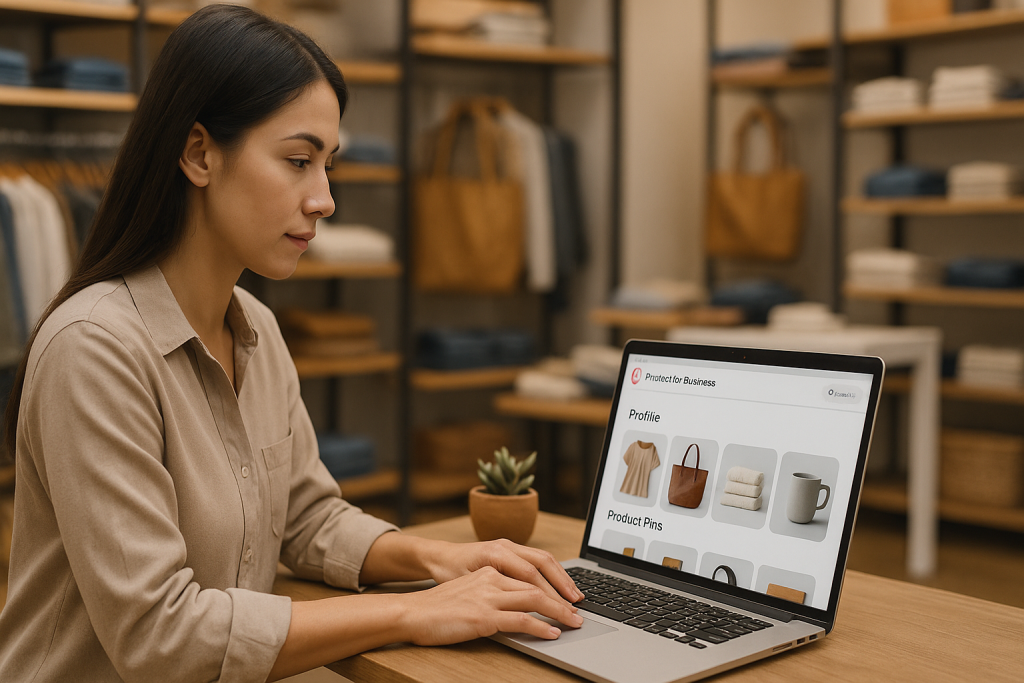
Think of a personal Pinterest account as your own private inspiration board.
But when you want to sell products, that board needs to become a professional-looking digital storefront—one that people trust enough to buy from.
The very first step in this transformation is setting up a Pinterest Business account.
This isn’t just about changing your profile’s label. A business account is your all-access pass to a ton of powerful selling tools.
It unlocks detailed analytics, the Pinterest Ads manager, and essential shopping features like Product Pins.
If you’ve already built a following on a personal account, you can usually just convert it.
If not, starting fresh with a new business account gives you a clean slate to build your brand.
Claim Your Digital Real Estate
Once your business account is ready, the next non-negotiable step is claiming your website. It’s a straightforward process—you just add a snippet of code or a file to your site to prove to Pinterest that you own it.
So why is this so critical? Claiming your website is how you build authority and trust with potential buyers on the platform.
A claimed website is your ticket to enabling Rich Pins—a game-changer for e-commerce.
These supercharged Pins automatically pull real-time information like pricing and stock availability right from your product pages. This means shoppers always see the most current details.
This one simple action eliminates a huge frustration for online shoppers: clicking a pin for an amazing product only to find it’s sold out or the price is wrong.
It makes the entire experience smooth and reliable right from the first click.
Why This Foundational Work Matters
Jumping straight into designing gorgeous Pins without doing this groundwork is like creating a beautiful window display for a shop that’s still locked.
You’ll get eyeballs, but you won’t get sales. Setting up your business account and claiming your website are the two pillars that hold up your entire sales strategy on Pinterest.
- Unlocks Analytics: You get to see which Pins are actually driving traffic and sales.
- Enables Shopping Features: This is how you get access to Product Pins, shoppable catalogs, and the “Shop” tab on your profile.
- Builds Credibility: A verified website and a business profile tell users you’re a legitimate seller.
- Improves Pin Performance: Rich Pins are way more informative and tend to get much better engagement.
As you get this set up, keep the big picture in mind: the goal here is to make money.
It’s helpful to understand the proven strategies to increase online sales so you can see how Pinterest fits into your overall e-commerce plan.
These initial technical steps are what transform your Pinterest profile from a simple image gallery into a genuine sales machine.
For a full walkthrough of the entire process, our detailed guide on selling on Pinterest breaks down everything from setup to scaling your sales.
Putting in this effort now ensures every Pin you create has the best possible chance to turn casual browsers into loyal customers.
Creating Pins That Actually Drive Sales

On Pinterest, a great visual is what stops the scroll, but it’s the strategy behind that visual that turns a casual browser into a paying customer.
It’s about moving beyond just pretty pictures and engineering your Pins to sell. Let’s get into the nitty-gritty of how it’s done.
First things first: size matters. Your Pins need to be vertical, ideally with a 2:3 aspect ratio (think 1000 x 1500 pixels).
This format simply takes up more space on a mobile screen, making your content more prominent and much harder to ignore. It’s a simple tweak that has a huge impact.
The Anatomy of a High-Performing Pin
To really succeed on Pinterest, you have to think like a Pinner. They’re not just scrolling; they’re actively searching for ideas, inspiration, and solutions to their problems.
Your Pin needs to deliver on that in a single, compelling glance.
This is why high-quality lifestyle imagery almost always outperforms sterile product shots on a plain white background. You need to show your product in context.
If you sell artisanal coffee mugs, don’t just show the mug. Show someone cozied up on a rainy morning, hands wrapped around your warm mug. You’re not just selling a product; you’re selling an experience.
Your business dashboard is your secret weapon here, offering a goldmine of insights into which visuals are clicking with your audience.
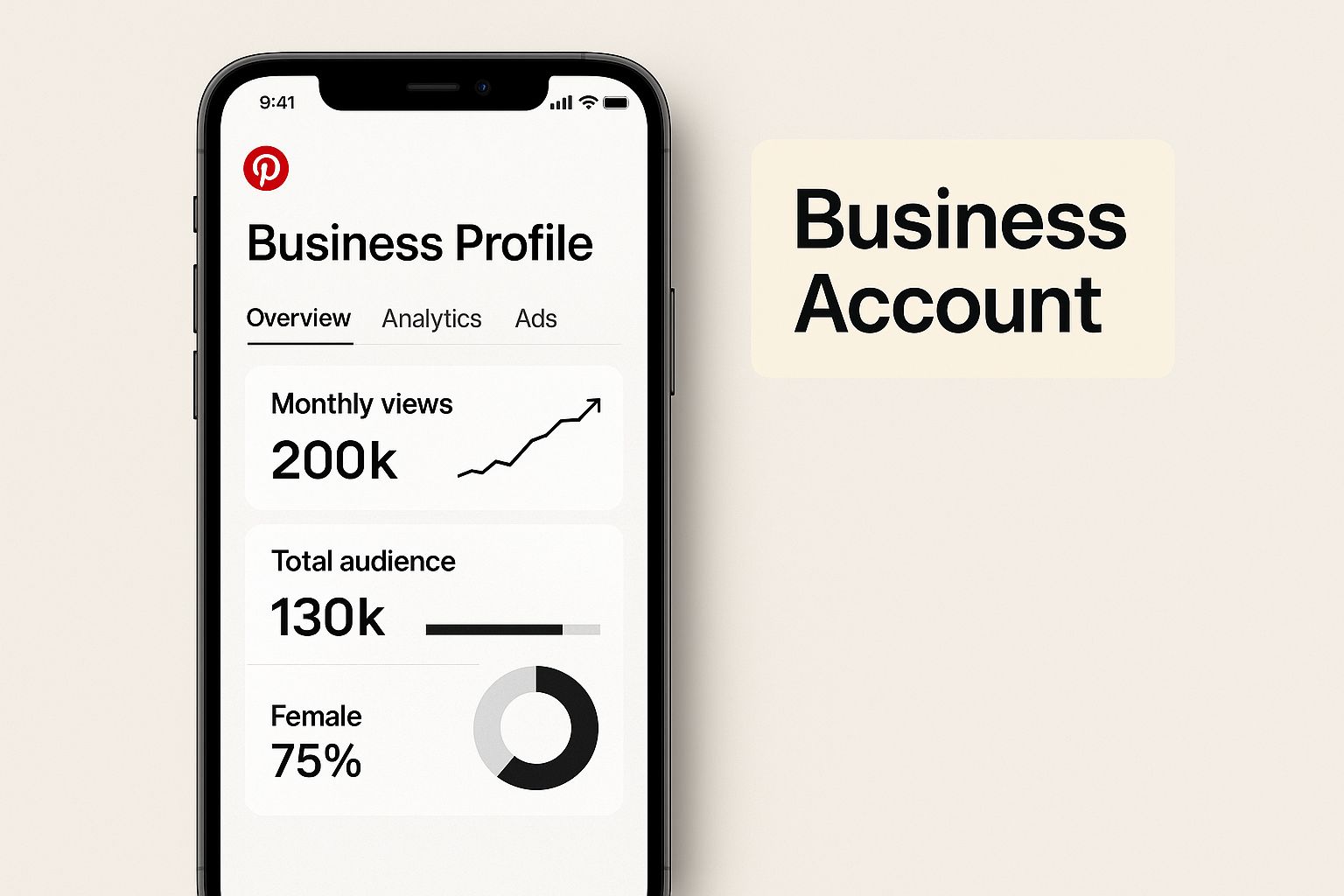
Having this professional setup is non-negotiable for accessing the analytics you need to make smart decisions.
Another crucial piece of the puzzle is the text overlay. This is your headline—your chance to instantly communicate what makes your product special.
Use clear, bold fonts to shout out a benefit or a solution. For a meal planning printable, a text overlay like “Save 2 Hours a Week on Meal Prep” is far more powerful than just “Meal Planner.”
Key Takeaway: The winning formula is a powerful trifecta: an aspirational lifestyle photo, a 2:3 vertical format, and a benefit-focused text overlay. Together, they capture attention and communicate value in less than three seconds.
Writing Descriptions That Convert
While the image grabs the eye, the Pin description does the heavy lifting for both SEO and sales. Think of it less like a social media caption and more like a mini-sales page.
This is where you strategically weave in the keywords your ideal customers are actually searching for.
A great place to start is the Pinterest search bar itself. If you sell custom pet portraits, start typing “custom pet” and see what pops up.
You’ll likely see phrases like “custom pet portrait from photo” or “custom pet memorial gift.” These aren’t just suggestions; they are the exact terms your audience is using. Get them into your description, naturally.
A well-crafted description might look something like this:
- Hook: “Turn your favorite photo into a timeless custom pet portrait.”
- Keywords: “This hand-painted pet portrait from photo is the perfect memorial gift for a dog lover.”
- Call to Action: “Click to see our gallery and order your custom dog portrait today!”
The goal here is simple: help the Pinterest algorithm understand what your Pin is about so it can serve it up to the right people.
Choosing the Right Pin Format for Your Goal
Not all Pins are created equal, and different formats have different jobs.
Knowing when to use a Standard Pin versus an Idea Pin can be the difference between a click and a sale.
Pin Format Comparison for E-commerce
Choosing the right format is key to guiding your audience from discovery to purchase. Here’s a quick breakdown to help you decide which one fits your immediate goal.
| Pin Format | Best For | Key Feature | Pro Tip for Sales |
|---|---|---|---|
| Standard Pin | Driving direct traffic | A single static image linked to a specific URL. | Link directly to a product page or a targeted landing page. |
| Video Pin | Demonstrating a product | Short-form video that shows your product in action. | Create quick tutorials or before-and-afters to showcase value. |
| Idea Pin | Building brand awareness | Multi-page, video-first format for storytelling. | Use it to tell the story behind a product or a multi-step guide. |
As a visual-first platform, video is incredibly powerful on Pinterest for boosting engagement and sales. To get the most out of this format, it’s worth learning how to leverage shoppable videos for e-commerce success.
The potential for sales on this platform is massive. As of 2025, Pinterest has 570 million monthly users, and a staggering 93% of them use the platform to plan or make purchases.
Even more telling, 85% of weekly Pinners have actually bought something based on Pins from brands. That’s a ready-to-buy audience.
Ultimately, a great Pinterest strategy is a blend of art and science.
For more practical advice, check out our deep-dive guide on how to https://www.postpaddle.com/blog/create-pins-for-pinterest-that-convert.
This approach will help you transform your Pinterest profile from a simple image gallery into a reliable and consistent sales channel.
Turning Your Profile Into a Digital Showroom
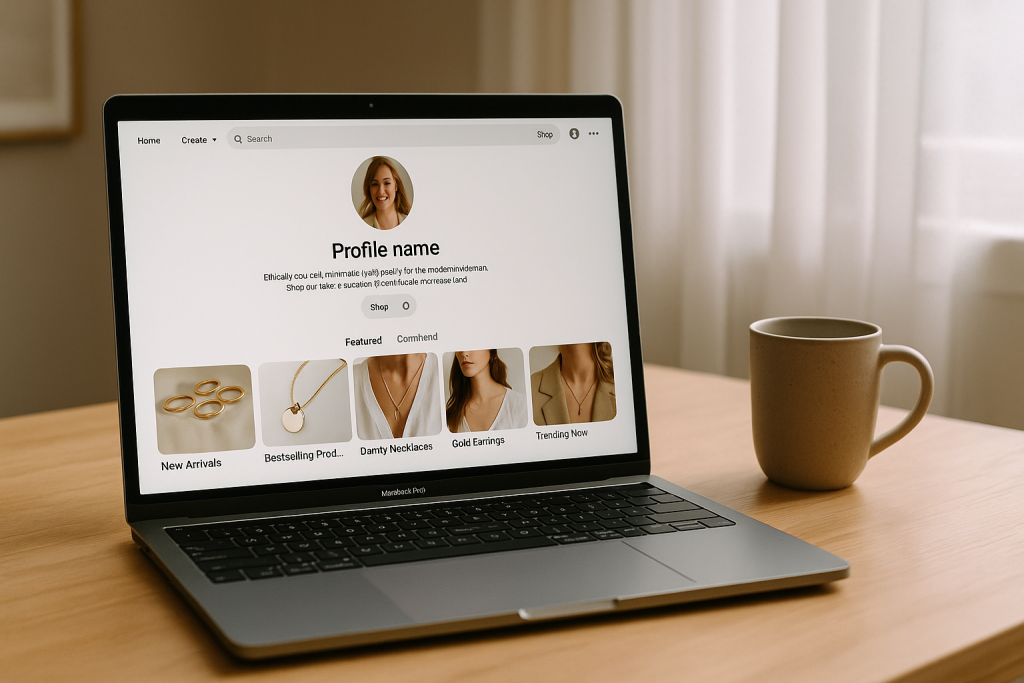
Think of your Pinterest profile as the digital front door to your business. It’s so much more than just a bio and a few pictures.
When a potential customer lands on your page, every single element needs to work together to instantly tell them who you are, what you offer, and why they should care. It’s all about merchandising your online showroom.
A well-oiled profile builds trust from the get-go and makes it ridiculously easy for people to find what they’re looking for.
If you skip this part, even the most stunning Pins will lead to a dead end, and that’s a huge missed opportunity. Let’s get your profile polished and ready to convert.
Craft a Bio That Sells (and Gets Found)
Your bio is prime real estate. You’ve only got a handful of characters to make a real impression, so every word has to pull its weight.
Don’t just state your business name—explain the value you bring and who you bring it to, sprinkling in keywords your dream customer is actually searching for.
For instance, a generic bio like “Handmade jewelry for everyone” is forgettable.
Let’s punch it up with something specific and keyword-rich: “Ethically sourced, minimalist gold jewelry for the modern woman.
Discover our latest collection of handmade necklaces and earrings.” See the difference? That version immediately tells visitors what to expect and helps you show up in the right searches.
My Favorite Tip: Always, always include a call to action. It can be as simple as “Shop our new spring collection below!” or “Grab your free style guide on our website.” You have to tell people what to do next.
A strong bio is your elevator pitch. It confirms to visitors they’ve landed in the right spot and nudges them to stick around and explore, turning a casual browser into a potential buyer.
Organize Your Boards Like Store Aisles
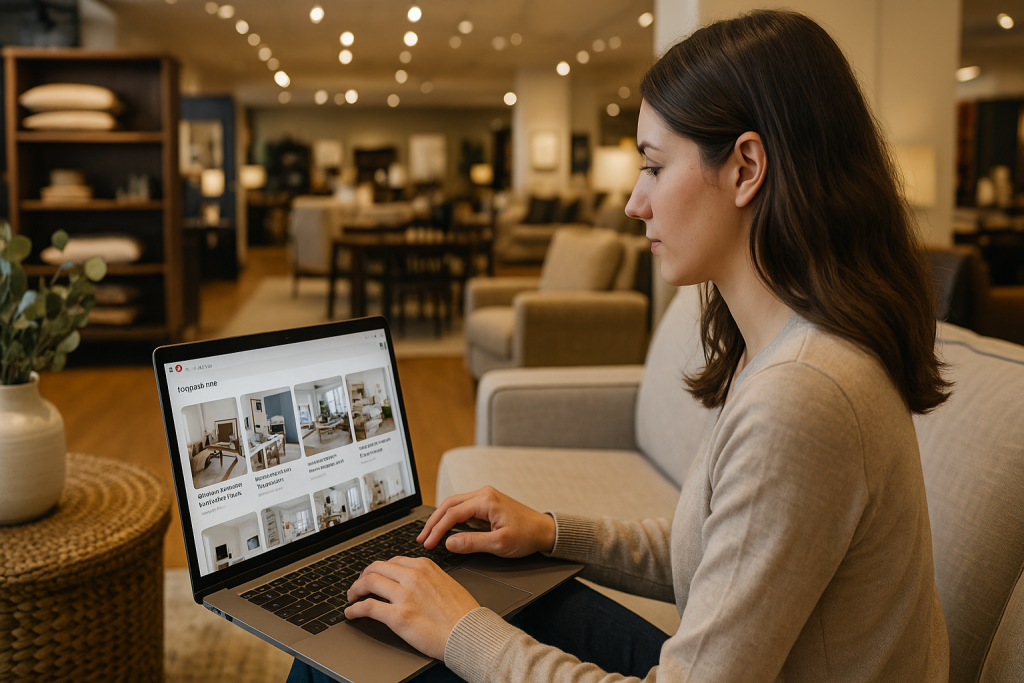
Imagine walking into a retail store where everything is thrown into random piles on the floor. That’s what a profile with disorganized boards feels like.
To actually sell anything on Pinterest, your boards need to be neat, strategically named, and optimized for search. Think of each board as a clearly labeled, well-lit aisle in your digital shop.
Start by creating boards that mirror your main product categories. If you sell home decor, for example, you could set up boards like:
- Modern Farmhouse Living Room Decor
- Boho Chic Bedroom Ideas
- Minimalist Kitchen Organization
- Small Balcony Garden Inspiration
Notice how these titles are built around long-tail keywords? People on Pinterest rarely search for a single word like “decor.” They get specific, searching for things like “small apartment entryway ideas.”
Weaving these descriptive phrases into your board titles and descriptions is absolutely critical for getting discovered by users who are ready to buy. This is at the heart of learning how to sell on Pinterest.
Use Featured Boards to Guide Shoppers
Okay, your boards are organized. Now it’s time to shine a spotlight on the good stuff. Pinterest lets you pick up to five featured boards to display right at the top of your profile.
This is your golden opportunity to direct traffic exactly where you want it.
Put on your retail merchandiser hat. You’d place the bestsellers right at the front of the store, right? Do the same here. Use this valuable space to highlight:
- Your Bestselling Products: A dedicated board for your most popular items is a no-brainer.
- New Arrivals: Keep things fresh and give people a reason to come back.
- Seasonal Collections: Think “Holiday Gift Guide for Her” or “Summer Patio Essentials.”
- User-Generated Content: A board showing off real customers using your products is pure social proof. It builds massive trust.
By hand-picking your featured boards, you’re creating a guided shopping journey. You’re not just hoping visitors stumble upon your best products; you’re putting them front and center.
This makes the path from discovery to purchase as quick and easy as possible. A polished, organized profile isn’t just nice to have—it’s essential for turning all that inspiration into real sales.
Making Your Products Shoppable on Pinterest
This is where the magic really happens—turning a casual browser into an active buyer. By plugging your product catalog directly into Pinterest, you’re not just showing off your products; you’re building a native sales channel right on the platform.
The friction between inspiration and purchase practically disappears.
Think of it this way: when someone discovers a Pin they love, you want to make it ridiculously easy for them to buy it.
Implementing shoppable pins, using product tags, and activating the dedicated ‘Shop’ tab on your profile are the keys.
These features weave your products into the Pinterest experience so naturally that it never feels like a clunky ad.
Connecting Your E-commerce Platform
The most straightforward way to get this done is by connecting your e-commerce store directly. If you’re using a platform like Shopify or WooCommerce, you’re in luck.
They have dedicated apps and plugins that handle the heavy lifting, saving you a ton of manual data entry.
This connection isn’t a one-and-done upload. It forges a live link between your store and your Pinterest profile, making sure everything stays up-to-date automatically.
- New Products Appear Instantly: Add a product to your Shopify store, and it pops up in your Pinterest catalog. Simple as that.
- Inventory Stays in Sync: An item sells out on your website? The corresponding Product Pin on Pinterest immediately reflects that it’s out of stock.
- Pricing is Always Accurate: No more frustrated customers seeing an old price. Any changes you make on your site are mirrored on your Pins.
This level of automation is what separates a professional-looking shop from an amateur one. It builds trust by ensuring the information Pinners see is always reliable.
Syncing your product feed is what enables Product Pins, which are automatically updated with real-time pricing and stock levels.
The payoff is huge: merchants who set up Catalogs see 5x more impressions than those who don’t. That’s a massive visibility boost you can’t afford to ignore.
Activating Your Pinterest Shop Tab
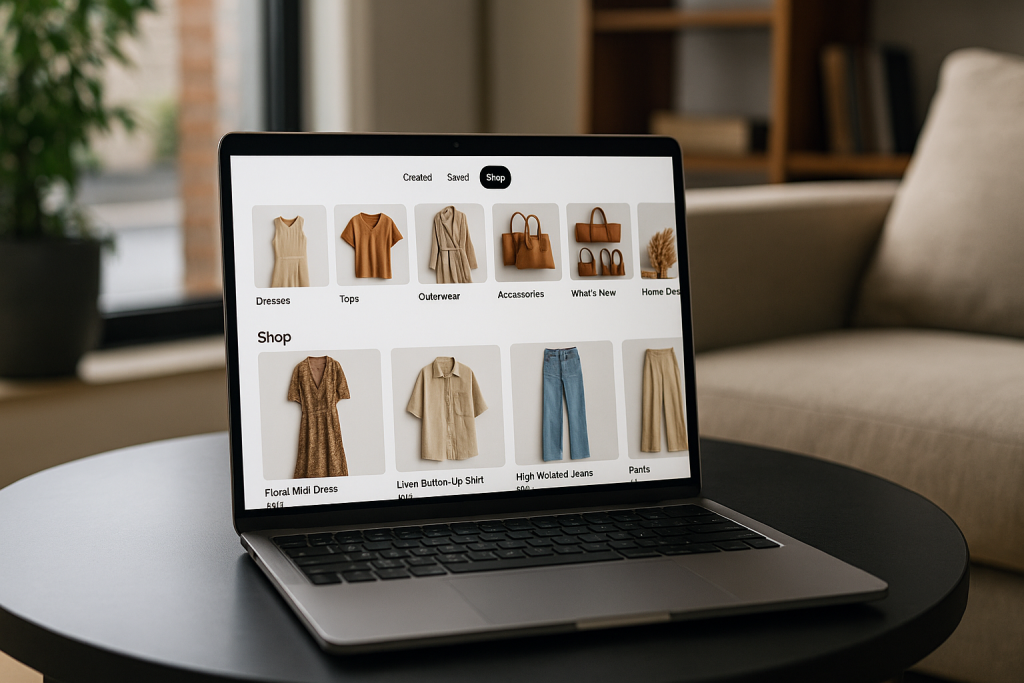
Once your catalog is connected and syncing, a “Shop” tab will appear on your business profile.
This simple addition completely transforms your profile from a collection of inspiration boards into a beautiful, functional storefront. It’s like having your own curated boutique right inside the Pinterest app.
The Shop tab is smart, too. It automatically organizes your products into logical categories, making it a breeze for people to browse your entire collection.
They can explore different product lines, check out what’s new, and get a complete picture of your brand without ever leaving the platform.
This feature is an absolute game-changer for selling on Pinterest. It centralizes all your shoppable items, clearly signaling to visitors that you’re not just here for inspiration—you’re here to do business.
Why This Integration Drives More Sales
When you integrate your products this deeply, you fundamentally change how users interact with your brand.
A Pinner might see a gorgeous lifestyle shot featuring your throw blanket. Instead of having to leave the app and search for it online, they can just tap the product tag to see the price and click through to buy.
That convenience is exactly what modern shoppers want. And it pays off. Pinterest is a powerhouse for driving high-intent traffic to e-commerce sites. In fact, compared to Facebook, Pinterest drives 2x more traffic to online shopping destinations.
This isn’t a coincidence. People are on Pinterest with a plan. A staggering 89% of users are on the platform to make purchase decisions.
They also tend to open their wallets wider, spending twice as much per month as users on other major social platforms.
If you want to dig into more of these stats, HelloRoketto.com offers some great insights on Pinterest for e-commerce.
By making your Pins shoppable, you meet this purchase-ready audience right where they are, giving them an effortless way to turn their inspiration into reality with your products.
Using Analytics and Trends to Fuel Your Growth
Creating beautiful Pins is a great start, but it’s only half the story. If you really want to sell on Pinterest, you have to treat it like the powerful visual search engine it is—and that means getting comfortable with data.
Guesswork won’t get you far, but a smart, data-informed strategy absolutely will. Think of Pinterest Analytics as your command center for making those smarter decisions.
This is where you graduate from simply posting content to truly understanding its impact. It’s easy to get caught up in vanity metrics like impressions, but for e-commerce, you need to focus on what actually moves the needle.
Metrics like outbound clicks tell you exactly how many people are leaving Pinterest to check out your products. Meanwhile, saves are a fantastic indicator of which products are really connecting with your audience on a deeper level.
Your analytics dashboard is essentially a roadmap. It shines a spotlight on your best-performing Pins and boards, showing you precisely what your audience is hungry for.
Let’s say a Pin of your ceramic mugs styled in a cozy kitchen gets ten times more outbound clicks than a plain product shot on a white background.
That’s your sign. It’s a clear signal to double down on that lifestyle-focused content for your entire product line.
Decoding Your Audience Insights
Beyond looking at how individual Pins perform, your analytics offer a treasure trove of information about who your audience is and what makes them tick.
You’ll find valuable demographic data like their age, gender, and location. But where it gets really interesting is exploring their other interests.
Imagine you sell sustainable yoga mats. Digging into your analytics, you might discover that your audience is also passionately interested in “healthy recipes” and “minimalist home decor.”
This kind of insight is pure gold. It gives you a clear path to create new content and boards that tap into their broader lifestyle, making your brand feel much more relevant and helping new customers find you.
By regularly reviewing your top-performing content, you create a feedback loop. You’re no longer guessing what might work; you’re doubling down on proven successes, which is the fastest way to turn your Pinterest efforts into a reliable source of traffic and sales.
This data-driven approach lets you constantly refine your content strategy. Over time, you’ll find that every Pin you publish has a much higher chance of reaching and converting your ideal customer.
It’s a core piece of the puzzle when learning how to sell on Pinterest effectively.
Riding the Wave with Pinterest Trends
While analytics tell you what has already worked, the Pinterest Trends tool gives you a peek into the future.
It shows you what people are searching for right now, revealing rising trends before they explode into the mainstream. For anyone selling products online, this is like having a crystal ball.
Let’s say you’re in the apparel business. Using the Trends tool, you might notice that searches for “wide-leg linen pants” are starting to spike just as spring is around the corner.
This gives you a massive head start. You can immediately:
- Create targeted Pins showcasing your best linen pants.
- Build new boards around themes like “Spring Capsule Wardrobe.”
- Run ad campaigns to capitalize on this growing search interest.
By aligning your products with what’s trending, you’re not trying to create demand out of thin air—you’re meeting it head-on. You’re tapping into a stream of motivated, high-intent buyers.
This predictive power is what makes the platform so valuable. Pinterest’s annual “Pinterest Predicts” report, which is built on billions of user searches, has a stunning 80% accuracy rate when it comes to forecasting trends.
This allows businesses to plan product development and marketing campaigns months in advance.
For example, a recent trend like “cherry red” saw searches jump by as much as 325%, giving sellers a clear signal on which products were about to fly off the shelves.
You can read more about Pinterest’s powerful predictive stats on Printful.com. This kind of foresight is an incredible advantage for any brand trying to stay ahead of the curve.
Set up Pinterest to actually sell products.
You now have everything you need to turn your Pinterest profile into a real sales channel: a business account, Rich Pins, shoppable products, and a profile that looks like a digital showroom.
The missing piece for most sellers isn’t the setup anymore – it’s keeping up with all the copy you need for product Pins, Idea Pins, and fresh variations that actually make people click through and buy.
That’s where Pinterest GPTs comes in. With this free tool, you can generate high-converting product Pin titles, SEO-friendly descriptions, and new angles for your best-selling products in just a few minutes.
Instead of staring at a blank screen trying to write “one more” description, you drop in your product details and let Pinterest GPTs suggest scroll-stopping headlines and benefit-driven copy that’s already optimized for search.
The result is more consistent, persuasive Pins, more clicks to your shop, and more chances for those saves to turn into sales.
If you’re serious about turning your Pins into profit, try Pinterest GPTs on your next batch of product Pins and see how much faster and easier the whole process feels.
Frequently Asked Questions About Selling on Pinterest
Jumping into a new platform like Pinterest always brings up a few questions. When it comes to using it for sales, I see the same handful of concerns pop up again and again from business owners.
Let’s walk through the big ones so you can get started with a clear game plan.
Do I Need Lots of Followers to Start Selling?
This is probably the biggest myth out there, so let’s bust it right now: Absolutely not.
Unlike Instagram or Facebook where your reach is tied to your follower count, Pinterest is a search engine. Think of it more like Google.
When someone searches for “boho nursery decor” or “minimalist kitchen ideas,” the algorithm shows them the best, most relevant Pins—not just Pins from accounts with a million followers.
This levels the playing field in a huge way. A brand-new account with killer content and smart keywords can get seen by a massive, highly-motivated audience right out of the gate.
Forget chasing followers. Your real mission is to create high-quality, keyword-rich content that perfectly matches what your ideal customer is searching for. That’s what drives clicks and sales.
How Long Until I See Sales from Pinterest?
This is where you need to play the long game. While it’s not unheard of for a Pin to get a lucky burst of traffic overnight, that’s the exception, not the rule.
Realistically, you should expect to put in three to six months of consistent pinning and optimizing before you start seeing a reliable flow of traffic and sales. Pinterest is all about building momentum.
The payoff, though, is incredible. A tweet is gone in an hour, but a Pin can keep driving traffic and making you money for months—sometimes even years.
The work you do today genuinely compounds over time, which is something you just don’t get on other platforms.
Can I Sell on Pinterest Without a Website?
Technically, yes, you can use affiliate links or send people to an Etsy shop. But if you’re serious about building a real brand and maximizing your sales, it’s a terrible idea.
Having your own website that you can verify with Pinterest is the key to unlocking all the best e-commerce tools.
Without your own site (like one built on Shopify or with WooCommerce), you’re cutting yourself off from:
- Product Pins: These are a must-have. They sync your pricing and stock levels right on the Pin itself, so users always see accurate info.
- Rich Pins: These pull extra details from your site, like an ingredient list for a recipe, which makes your Pins look far more professional.
- Accurate Analytics: A verified website is the only way to track who’s clicking through and what they’re actually buying.
- The Shop Tab: This powerful feature, which turns your profile into a storefront, requires a synced product catalog from your website.
Think of your website as the central hub of your business. It’s where you build trust, control the customer experience, and actually process sales.
For a deeper dive into monetization strategies, check out our guide on how to earn money from Pinterest.