Putting something on Pinterest isn’t just about sharing a pretty picture.
It’s a calculated move to get in front of an audience that’s actively planning what they’re going to buy next.
Unlike other social platforms where content vanishes in a matter of hours, Pinterest is a visual discovery engine.
A single Pin you create can inspire someone’s next big project, trip, or purchase, driving traffic to your site for months or even years.
Why Posting on Pinterest Is a Smart Move
Before we get into the nuts and bolts of creating a Pin, it’s really important to grasp the mindset of a Pinterest user. People aren’t there to see what their friends did last weekend.
They come looking for ideas and products for their own lives. This creates an incredibly powerful, high-intent environment where your content isn’t seen as an annoying ad, but as a welcome solution.
Think about the lifespan of your content. A post on another social feed is lucky to last a few hours. A Pin, on the other hand, is evergreen.
It gets saved to boards, pops up in searches, and can keep sending you clicks long after you hit publish. That makes it one of the most efficient marketing tools you can have for long-term growth.
A Hub for Shopping and Discovery
Pinterest has really carved out its space as a major player in e-commerce and brand discovery.
The whole platform is designed to shrink the gap between seeing something you like and actually buying it, which is a goldmine for businesses and creators.
- High Purchase Intent: Users are in “discovery mode,” meaning they’re actively looking for products and services. They’re planning, not just scrolling.
- Visual Search Power: Pinterest works like a visual search engine. This means your content gets found based on how relevant and high-quality it is, not just on how many followers you have.
- Longevity and ROI: A well-optimized Pin is an asset that works for you 24/7, delivering steady traffic and leads without you having to constantly push it.
The biggest edge Pinterest gives you is access to a future-focused user base. You’re reaching people at the exact moment they’re making decisions, which is a rare and valuable opportunity for any brand.
The Numbers Don’t Lie
The platform’s power as a shopping tool is backed by some pretty compelling data.
For instance, Pinterest drives 33% more referral traffic to shopping sites than Facebook. It also delivers a 32% higher return on ad spend compared to other digital platforms.
As more retailers embrace features like ‘Catalogs’ to create shoppable Pins, the path from discovery to checkout becomes practically seamless.
Digging into these Pinterest statistics can really help shape your strategy and show you why learning to post correctly can directly boost your bottom line.
Laying the Groundwork for a Perfect Pin
Pins that really take off on Pinterest don’t happen by accident. They’re the result of careful planning before you even hit the publish button.
This prep work is what separates a Pin that gets seen and saved from one that just gets lost in the feed.
It all starts with a solid idea. A successful Pinterest strategy is built on content concepts that genuinely connect with the people you’re trying to reach.
If you’re feeling stuck, spending some time on creative idea generation can help you build a list of topics your audience will actually search for and engage with.
Crafting a Mobile-First Visual
Pinterest is a massive platform, with a global audience of 578 million monthly active users. That’s a lot of competition.
What’s even more critical is that a staggering 82-85% of all Pinterest activity happens on a mobile device. This isn’t just a fun fact; it’s a rule to live by. Your visuals must be designed for a phone screen.
Your goal is to create an image or video that literally stops someone from scrolling. Here’s how you do it:
- Stick to a 2:3 Aspect Ratio. The ideal size is 1000×1500 pixels. This vertical format fills up the most space on a mobile screen, making your Pin impossible to ignore.
- Use Bold Text Overlays. Let’s be real: most people won’t read your Pin’s description right away. Your image needs to do the talking. Put the main hook or title directly on the visual using a font that’s clear and easy to read at a glance.
- Add Your Branding. A small, clean logo placed consistently on your Pins is a simple way to build brand recognition as your content gets saved and shared.
A great Pin communicates its value in a split second. The visual tells the story, the text overlay provides context, and your branding builds trust—all before the user even has to read the description.
Putting in this effort upfront means your content is already primed for success by the time you’re ready to publish.
If you want to dive deeper into the nitty-gritty of design, our full guide on https://www.postpaddle.com/blog/creating-a-pin-on-pinterest covers all these elements in more detail.
Honestly, this preparation is the most important part of the whole process.
A Practical Guide to Publishing Your Pin
Alright, you’ve got your killer visuals and your keyword list ready to go. Now for the fun part: actually getting your Pin out into the world.
Posting on Pinterest is pretty simple on the surface, but every single step is a chance to fine-tune your Pin for maximum reach. Let’s walk through how to do it right.
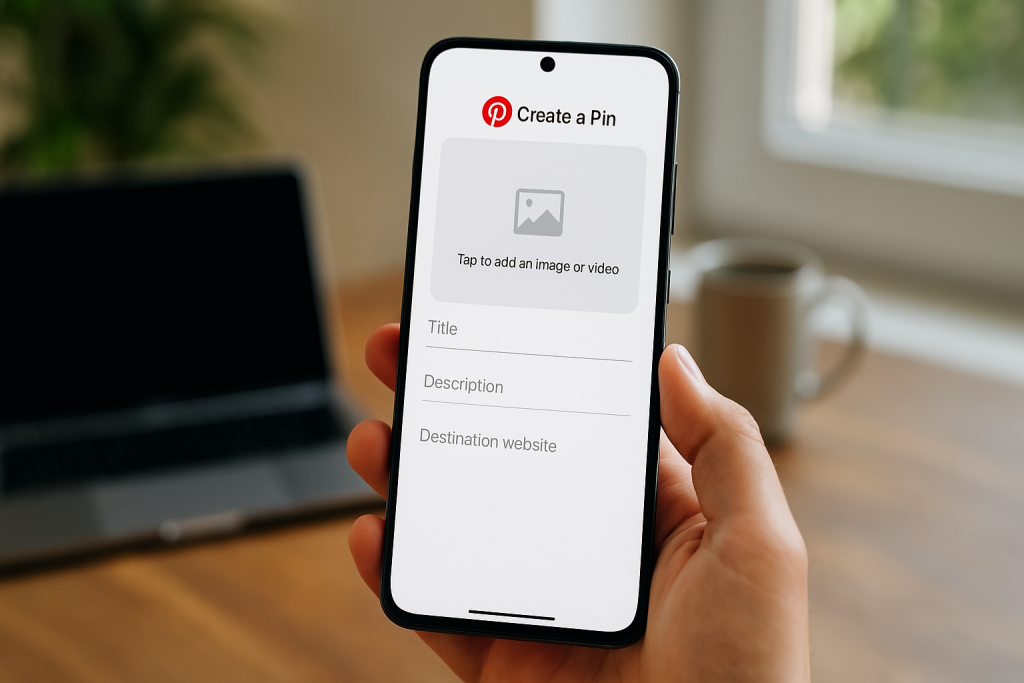
First things first, head to your Pinterest dashboard. On a desktop, you’ll see a Create button in the top-left corner.
If you’re on your phone, just tap the plus (+) symbol at the bottom. From there, select “Create Pin,” and you’ll land in the Pin builder. This is where the magic happens.
Uploading and Describing Your Pin
The first move is always to get your image or video uploaded. You can drag and drop the file or just browse your computer to find it.
Once your visual is loaded, it’s time to focus on the words that will help both people and the Pinterest algorithm understand what your Pin is all about.
- Craft a Magnetic Title: You’ve got 100 characters here, so make them count. Your goal is to create a headline that grabs attention and naturally includes your main keyword. Instead of something generic like “Dinner Recipe,” go for “Easy 30-Minute Chicken Stir-Fry Recipe.” See the difference?
- Write a Keyword-Rich Description: This is your chance to expand. With up to 500 characters, you can weave in your secondary keywords and give people a clear picture of what they’ll get when they click through.
- Add a Destination Link: This is absolutely crucial. Don’t forget to paste the full URL to your blog post or product page. I always double-check this link just to be sure it’s not broken—nothing worse than sending traffic to a 404 page.
Every part of your Pin—from the title to the link—needs to tell the same story. A great Pin promises something valuable in the visual and then delivers on that promise once someone clicks.
Avoid “dead-end” Pins that don’t lead anywhere; they’re a quick way to frustrate users and lose credibility.
Finalizing and Publishing Your Work
We’re almost there. The last few steps are all about getting your Pin organized and making it accessible.
You need to tell Pinterest where this Pin belongs. Using the dropdown menu at the top, pick the most relevant board you have.
I’ve found that pinning to a super-specific board (like “Quick Weeknight Dinners”) is way more effective than a broad, generic one (like “Food”). It helps Pinterest show your content to the right people.
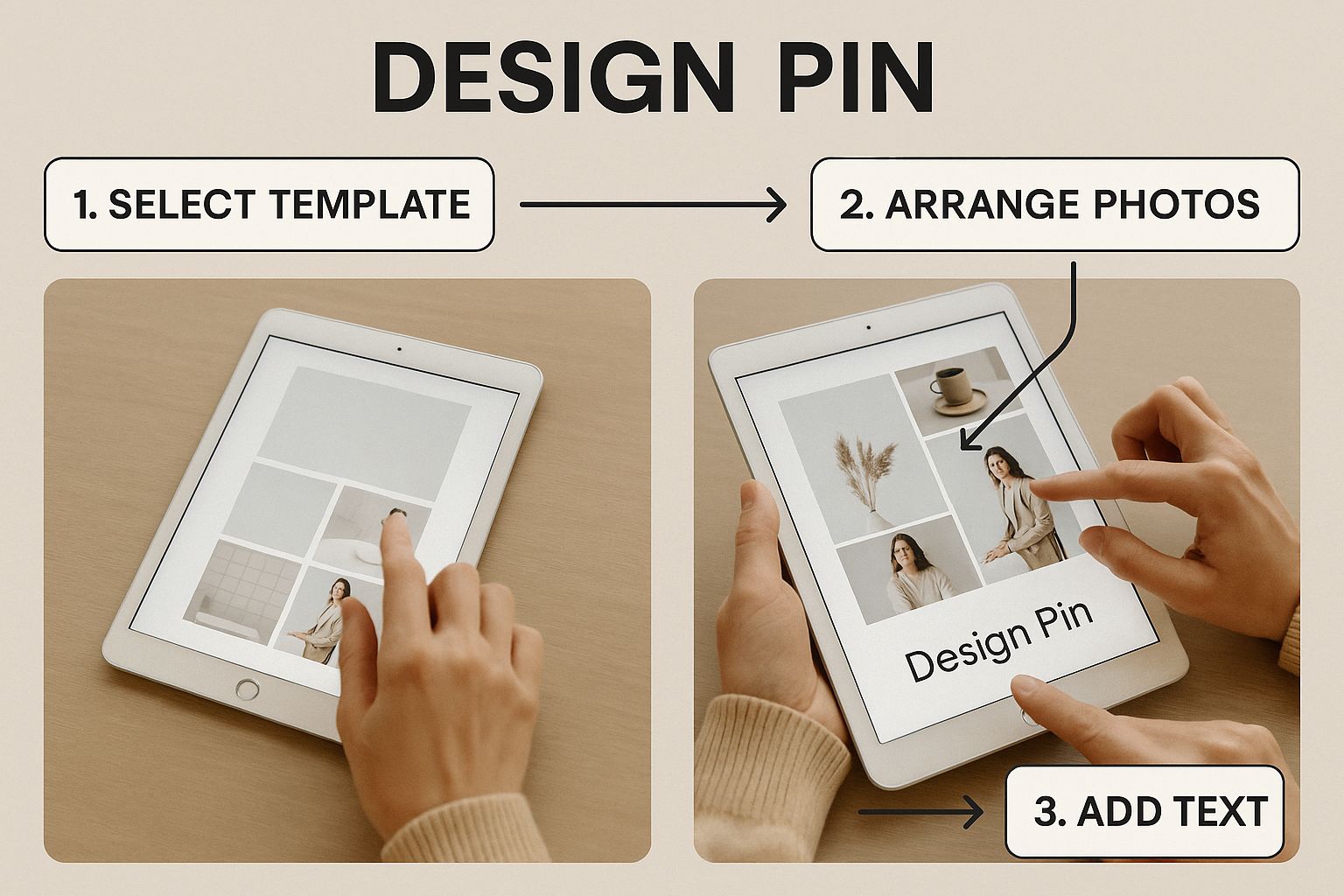
One last thing: don’t skip the alt text! It’s a short description of the image that not only helps visually impaired users understand your content but also gives search engines more clues about your Pin.
Once everything looks good, you can hit Publish right away. Or, even better, you can schedule it for later.
I highly recommend scheduling to keep a consistent posting rhythm, which is a breeze with tools like Post Paddle.
Making Your Pins Work Harder for You

Hitting “publish” on a new Pin is just the starting line. The real race is getting that Pin in front of the right people.
In a sea of beautiful images and great ideas, solid optimization is what helps your content stand out and actually get seen.
This isn’t just about uploading a pretty picture; it’s about making every part of your Pin pull its weight to grab attention and earn that click.
It all begins with your Pin’s description. This little piece of text is your elevator pitch to both real people and the Pinterest algorithm.
You’ll want to weave in your keywords, of course, but don’t just stuff them in. Instead, focus on writing something genuinely compelling that tells people why they should click.
A simple list of keywords feels clunky and robotic, whereas a description that solves a problem or sparks a little curiosity will always perform better.
For a much deeper look into this, we’ve put together a full guide on how to create Pins that convert that really gets into the nitty-gritty of persuasive copy.
Why Video is a Game-Changer
Static images have their place, but let’s be honest—video is where the magic happens on Pinterest right now.
Video Pins are fantastic for stopping scrollers in their tracks and holding their attention for a few crucial extra seconds.
They let you tell a quick story, show off a product in action, or walk someone through a tutorial in a way a single photo just can’t match.
Don’t just take my word for it; Pinterest’s own data backs this up. Video content on the platform gets viewed nearly 1 billion times a day and can increase the likelihood of someone making a purchase by 55%.
With Pinterest growing to 570 million monthly active users—42% of whom are Gen Z—it’s clear that dynamic, engaging content is what people want to see.
This younger audience lives and breathes video, making it a non-negotiable part of a modern Pinterest strategy.
A great Pin doesn’t just get views; it gets saved. Your goal should be to create content so genuinely useful or inspiring that people can’t help but add it to one of their own boards.
That “save” is a huge green flag to the Pinterest algorithm, telling it your content is top-notch.
Turning Views into Clicks and Saves
At the end of the day, you want your Pin to lead to something—a website visit, a sale, a signup. The only way to do that is to create content that’s genuinely valuable.
Put yourself in your audience’s shoes. What are they searching for? A weeknight dinner recipe? A weekend DIY project? Your Pin needs to be the immediate, obvious solution.
Here are a couple of practical tips:
- Add a Clear Call-to-Action: Don’t be shy! Use text on your Pin image to tell people what you want them to do. Simple phrases like “Shop the Look” or “Get the Free Checklist” work wonders.
- Deliver on Your Promise: Make sure the link on your Pin goes exactly where people expect it to. Nothing kills trust faster than a broken link or a page that has nothing to do with what the Pin promised.
Building a successful presence on Pinterest is part of a bigger picture. If you want to zoom out and see how it fits into a larger plan, this winning social media content strategy guide is a fantastic resource.
When you nail the details, every single Pin you create becomes a tiny, powerful engine driving traffic back to you.
Scaling Your Pinterest Strategy with Smart Automation
So you’ve created a few great Pins. That’s a fantastic start. But if you really want to see your Pinterest account take off, the magic word is consistency.
The Pinterest algorithm absolutely loves a steady flow of fresh content, but let’s be real—who has the time to manually pin every single day?
This is where a smart, automated workflow stops being a nice-to-have and becomes a total necessity.
Maintaining a constant presence doesn’t mean you have to be glued to your screen 24/7.
The real goal is to build a system that hums along in the background. Imagine spending one focused afternoon batch-creating an entire month’s worth of Pins.
That’s how you free up your schedule to focus on the bigger picture.
Work Smarter with Scheduling Tools
Scheduling is your secret weapon for keeping up a consistent pinning rhythm without the daily grind. Using a tool like Post Paddle lets you map out your content calendar weeks, or even months, in advance.
This isn’t just about posting regularly; it’s about making sure your content goes live at the perfect moment—right when your audience is most likely to be scrolling.
If you’re ready to set up a hands-off system, we’ve got you covered. Check out our guide on how to schedule Pins on Pinterest for a full breakdown.
To truly streamline your process, think about automating social media posts across the board. This approach lets you step back from the repetitive tasks of publishing and put your energy into strategy instead.
The most successful Pinterest accounts aren’t run by people who spend all day pinning.
They’re run by people who have built an efficient system that automates the busywork, allowing them to focus on creating great content and analyzing what resonates.
Use Analytics to Refine Your Strategy
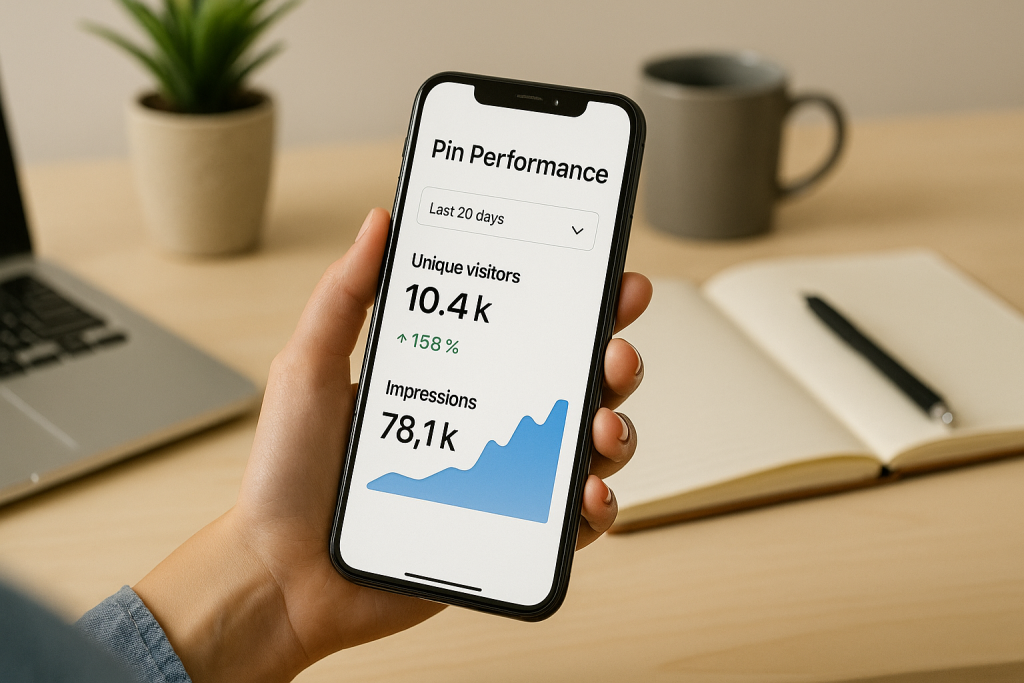
Automation isn’t just a time-saver; it’s a powerful tool for making smarter, data-backed decisions. Once you have your Pins scheduled and running on autopilot, you can finally dive into your Pinterest Analytics.
This data is an absolute goldmine, showing you what’s actually hitting the mark with your audience.
I recommend keeping a close eye on a few key metrics:
- Impressions: This tells you how many eyeballs are landing on your Pins.
- Saves: A crucial sign that people find your content valuable enough to keep.
- Outbound Clicks: This is the big one—it shows you’re successfully driving traffic back to your website or blog.
When you start digging into these numbers, you’ll quickly spot your star performers.
Pay attention to what those top Pins have in common—the topics, the designs, the keywords—and then double down on what works.
This feedback loop is how you turn good results into consistent, sustainable growth.
From Manual Pinning to Smart, AI-Assisted Pin Creation
Posting something on Pinterest once is easy. Posting high-quality Pins consistently—with fresh angles, strong hooks and keyword-rich descriptions, is where most people get stuck. Staring at a blank Pin editor every day doesn’t scale.
With Pinterest GPTs, you can instantly generate scroll-stopping Pin titles, keyword-focused descriptions, and multiple creative variations for the same URL.
Use it to spin one blog post into a whole set of Pins tailored to different audiences, formats and boards.
Pair it with your scheduler, and you’ve suddenly got a content engine: you plan once, let AI help with the copy, then drip out polished Pins week after week without the daily stress.
Common Pinterest Posting Questions Answered
Even with a solid plan, a few questions always seem to pop up when you’re getting the hang of posting on Pinterest. The platform has its own set of unwritten rules, and figuring them out can feel a little tricky at first.
Let’s clear up some of the most common sticking points so you can pin with confidence.
How Often Should I Post on Pinterest?
This is probably the biggest one I get asked. Everyone wants to know the magic number, but the real secret is consistency, not volume.
Aiming for 1-3 high-quality, fully optimized Pins per day is so much more effective than spamming the platform with a dozen so-so Pins.
The Pinterest algorithm absolutely loves a steady stream of fresh, valuable content. It signals that you’re a reliable creator, and that’s how you build momentum. A good scheduler is your best friend here.
Can I Post the Same Pin to Multiple Boards?
You can, but you have to be smart about it. Blasting the exact same Pin to ten different boards all at once is a surefire way to look like a spammer to the algorithm.
A much better approach is to space it out. If you’re going to share the same Pin to a few relevant boards, wait at least a few days between each post. This gives each Pin its own chance to breathe and find its audience.
Here’s a pro tip: Instead of re-pinning the exact same image, create a few variations. Tweak the text overlay, use a slightly different crop, or change the background color.
They can all point to the same blog post or product, but Pinterest will treat each one as brand new content. This gives you way more shots at ranking.
What Are the Best Dimensions for a Pin?
Stick to a 2:3 aspect ratio. Simple as that.
A pixel size of 1000 x 1500 is the sweet spot. This tall, vertical format is tailor-made for the mobile experience, which is where the vast majority of users are.
It takes up more of the screen, making your content impossible to just scroll past.
Does My Posting Time Matter?
Yes and no. Pinterest’s algorithm is smart enough to show relevant content to users regardless of when it was posted. However, timing can give your new Pins a nice little initial boost.
Posting when your audience is most active helps you get those first crucial saves and clicks, which tells Pinterest your content is a hit.
The best way to figure this out is to dive into your Pinterest Analytics and see when your followers are online. While evenings and weekends are a good bet for most, your own data is always the most reliable guide.